YouTube TV: Live TV & more
- 159.99K
- 3.8
- Installs
- 10.00M
- Price
- Free

Screenshots

Analysis by Reviewed APKs
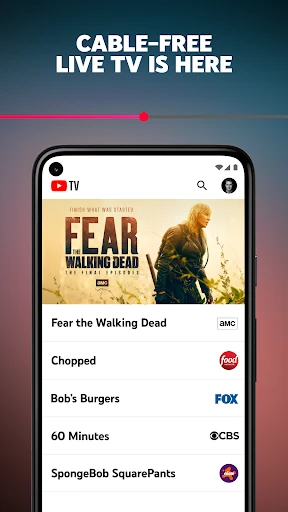
YouTube TV: Live TV & more is a cable-free way to watch live channels, including news, sports, entertainment and local programming, with cloud DVR for shows you want to catch later. I see it suiting households that still enjoy scheduled TV but would rather stream than keep a cable box. Its breadth is appealing, though the monthly membership makes it a different proposition from free video apps.
A Busy Evening, Sorted
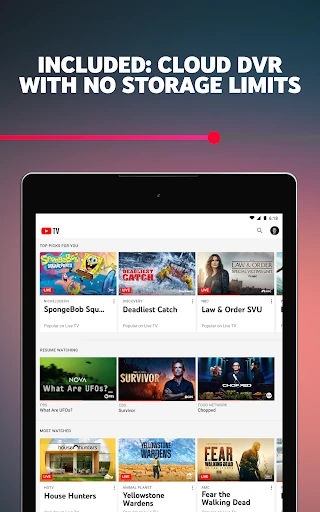
Picture getting home after work with a game already underway and dinner still to make. YouTube TV brings live sports, news and entertainment channels together in one subscription, so the app can serve as the household’s TV option instead of a cable box. If I know I cannot watch a program at its scheduled time, the cloud DVR lets me record it and return to it later.
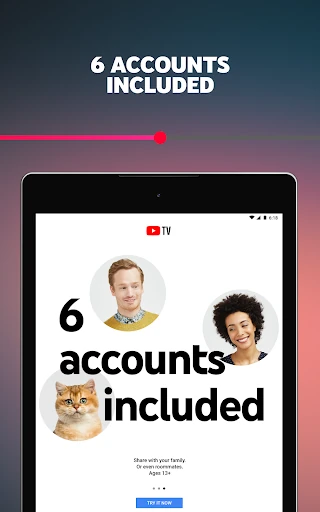
The appeal becomes clearer when a household has different plans for the same evening. One person may want live news, another a sports broadcast, and someone else a show on an entertainment channel. YouTube TV supports six accounts per household, each with an individual login, recommendations and DVR. That arrangement gives people room to maintain separate viewing habits rather than sharing one undifferentiated setup.
Streaming, Not Free Video
The obvious comparison is cable TV, and YouTube TV aims at much the same live-channel routine without requiring a cable box. It also differs from on-demand streaming services: its central draw is live programming from broadcast and cable networks, not simply a library of shows to start whenever I like. That makes it a better fit for viewers who care about scheduled events, local news or live sports.
It is not a general-purpose substitute for every kind of video app, and it is not a free channel sampler. Watching requires a monthly membership, even though the app itself is free to download. The service is available nationwide in the United States, so it is aimed at viewers there rather than people looking for a live-TV package in any country.
Make the DVR Work
A useful habit is to record programs as soon as I know I will miss them, rather than relying on memory when the broadcast is about to start. YouTube TV’s cloud DVR has no storage-space limits, and recordings stay available for nine months. That gives me room to save live events and recurring shows without having to manage a storage quota.
Separate household accounts can make the service easier to live with over time. Each of the six accounts gets its own login, recommendations and DVR, so people can keep their viewing choices apart. I would also treat the membership as an ongoing monthly service: it renews automatically unless turned off, but the membership can be canceled anytime without a long-term contract or cancellation fee.
Reads About YouTube TV
More From Our News Desk

Zoom Meetings, Google Meet, or Teams: Which Is Easiest to Join?

How I Build a Free Streaming Lineup With Tubi

Why Crunchyroll Is the Default Anime App for So Many Fans

Rummikub and the Small Comfort of Phone Games

TeamViewer Remote Control or AnyDesk for Helping Family?

Gmail, Yahoo Mail and Outlook: A Calmer Phone Inbox
Who Will Get the Most From It
I would recommend YouTube TV to people who still turn on live channels for sports, news and familiar network programming, but want to watch on a phone, tablet, computer or TV instead of using a cable box. It is especially compelling for a household with several viewers who want their own accounts and DVRs. The mix of local programming and more than 100 networks gives it a broad live-TV role.
It may be less appealing if most of your viewing is on-demand, if you rarely watch live channels, or if you want a free service. The membership is month to month, but it is still a recurring expense, and channel availability and the right package are worth checking before signing up. I would also look elsewhere if you are outside the United States, where the service is not available.
YouTube TV: Live TV & more is an Entertainment app from Google LLC. It is free to download on Google Play, where it has over 10 million installs and a 3.8-star rating from about 160,000 ratings. The app contains in-app purchases; Google Play gives a broad per-item range of $0.05 to $999.99. Those figures do not describe the exact cost of a YouTube TV membership.
The app has a Teen content rating and its version varies with device. It was released on April 5, 2017, and the recorded last update is October 26, 2026. YouTube TV describes its membership as monthly and cancelable anytime, with automatic renewal unless turned off. The supplied app facts do not give a minimum Android version or a specific membership price.
How YouTube TV Fits Real Routines
Getting Oriented
My first impression is that YouTube TV is built around the familiar idea of turning on a channel, rather than browsing an endless catalogue of titles. That distinction matters: someone who misses live sports or checks the news at a set time will understand its purpose quickly. The app’s broad channel mix spans broadcast, sports, news, entertainment, lifestyle and kids programming.
I would approach setup with two questions in mind: which networks matter to my household, and which devices will we actually use? The service supports smartphones, tablets, computers and TVs. Because it is available nationwide in the United States, the intended audience is clear, but it still makes sense to check channel availability and membership details before committing.
The Daily Viewing Rhythm
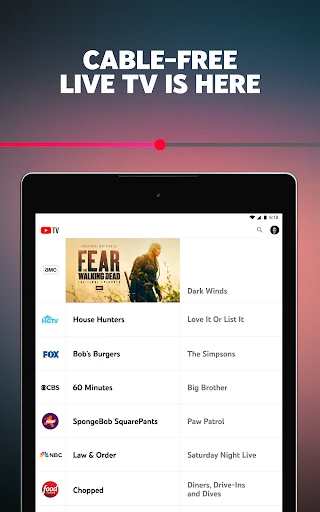
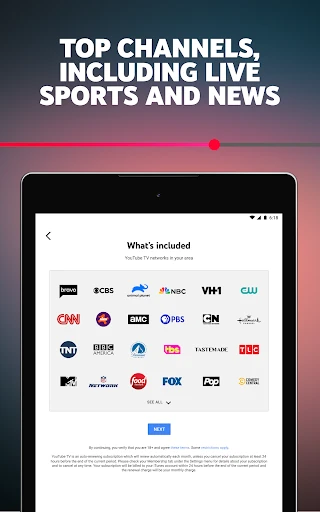
The main day-to-day job is straightforward: watch live television from more than 100 networks, including broadcast and cable channels. The channel selection described includes CBS, FOX, NBC, CNN, HGTV, TNT and NFL Network, among others. Local sports and news are part of the offering, which can make the service feel more like a replacement for a traditional TV package than a standalone sports app.
I can see the value most clearly when viewing plans are unpredictable. A live program can be watched as it airs, while a recording can wait for a more convenient moment. The cloud DVR removes the need to weigh every recording against a storage limit, and its nine-month retention window provides time to catch up without treating every saved program as urgent.
Standout Household Features
The cloud DVR is one of the service’s most practical features. There is no storage-space limit, and each recording remains stored for nine months. That is a simple benefit for anyone who follows several shows or wants to save a game for later. It changes the question from “Do I have room?” to “Will I watch this before it expires?”
The six-account household setup is another useful distinction. Every account has its own login, recommendations and DVR, which gives family members a way to keep their viewing separate. YouTube TV also works across phones, tablets, computers and TVs, making it possible to use the service on more than one kind of screen rather than relying on a dedicated cable box.
A Practical Weekly Routine
For a sports fan, a sensible routine might be to check the live schedule when planning the week, watch a game in real time when convenient, and record it when other plans win. The service includes sports channels such as CBS Sports Network, Golf Channel, SEC Network and NFL Network, alongside local sports programming. The exact mix that matters will depend on what someone follows.
For a household with varied tastes, I would make use of separate accounts rather than trying to coordinate every recommendation or recording. One person can keep up with news, another can follow sports, and someone else can focus on entertainment or kids’ channels. That division makes the six-account allowance practical, not just a headline feature.
Limits to Keep in Mind
The biggest consideration is the subscription. The app download is free, but watching YouTube TV is tied to a monthly membership that renews automatically unless canceled. It is flexible in the sense that there is no long-term contract or cancellation fee, but it is still a recurring commitment. The exact membership price is worth checking in the store or service details before subscribing.
There are also clear boundaries around availability and content. YouTube TV is available nationwide in the United States, not as a worldwide live-TV option. And while the channel selection is wide, this is still a service centered on live television; people who mainly want a free, on-demand video library may not find its subscription model worthwhile. The supplied app details do not specify a minimum Android version.
YouTube TV makes the most sense for viewers who want live channels, local programming and a flexible way to save broadcasts for later. The unlimited-storage cloud DVR and separate household accounts are meaningful everyday advantages, not just extras. I would consider it a strong cable-free option for a TV-minded household, provided its channel lineup and recurring membership fit the budget.
If you mostly watch on-demand video or rarely tune in live, I would skip the subscription and keep looking. For sports fans, news watchers and families with different viewing habits, though, YouTube TV offers a coherent replacement for a traditional channel package. Check the current membership details and available channels before deciding.
YouTube TV Frequently Asked Questions
What is YouTube TV: Live TV & more used for?
YouTube TV is for watching live television from more than 100 networks, including sports, news, entertainment and local programming. It also lets members record live TV to a cloud DVR, with recordings stored for nine months. The service is designed for cable-free viewing rather than as a free on-demand video library.
Which devices can I use with YouTube TV?
YouTube TV supports smartphones, tablets, computers and TVs. It is available nationwide in the United States. Supported devices can vary, so check the Google Play store or YouTube TV’s service details for current compatibility information before subscribing.
What Android version does YouTube TV require?
The minimum Android version is not provided in the app facts. Requirements can vary by device and app version, so check the Google Play store page for the current compatibility details for your phone or tablet.
Is YouTube TV free, and does it have in-app purchases?
The app is free to download, but watching YouTube TV requires a monthly membership. Google Play indicates that the app offers in-app purchases and shows a broad per-item price range, which is not a specific membership quote. Memberships renew automatically unless canceled; check the store or service details for current pricing.
Who is YouTube TV best suited for?
It is best suited to people in the United States who want live sports, news, local programming and familiar broadcast or cable channels, especially households that can use separate accounts. It may be less suitable for viewers who mainly want free or on-demand video. Check the current channel lineup and membership terms to see whether it fits your needs.
Pros
- More than 100 live networks cover sports, news, entertainment and local programming.
- Cloud DVR recordings have no storage-space limit and stay available for nine months.
- Six household accounts each get separate logins, recommendations and DVRs.
- Works across smartphones, tablets, computers and TVs without a cable box.
Cons
- Watching requires a recurring monthly membership, despite the free app download.
- The service is available nationwide in the United States, not internationally.
- Its live-TV focus may not suit viewers who mainly watch on-demand video.
- Category
- Entertainment















