Twitch: Live Streaming
- 5.69M
- 4
- Installs
- 100.00M
- Price
- Free

Screenshots
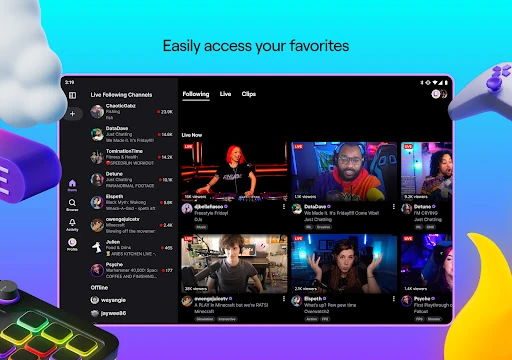
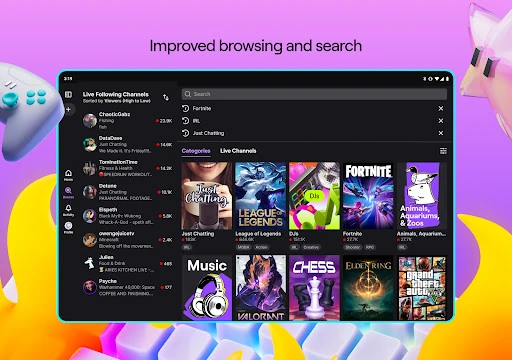
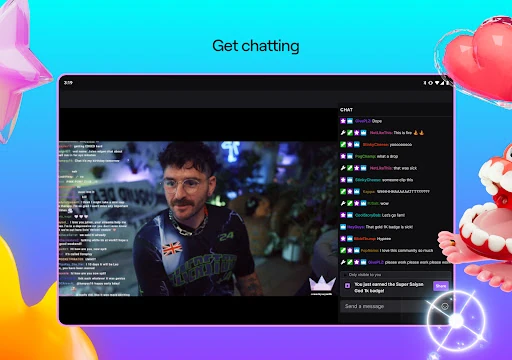
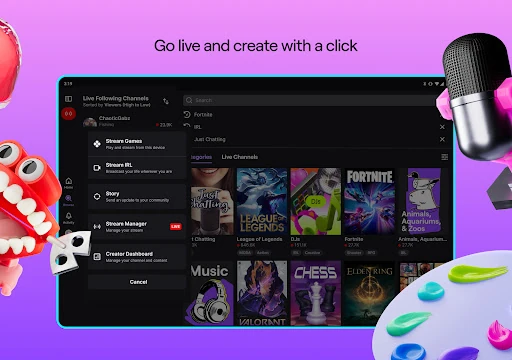
Analysis by Reviewed APKs
Twitch: Live Streaming is for watching live broadcasts, joining their chats, and sharing streams of your own. It suits people who enjoy games and other live interests, from music to cooking, and want the audience conversation alongside the video. After spending time with it, I see Twitch as an entertaining, community-led place to drop into a live moment, though its breadth can make a focused viewing session take a little planning.
A Live Break in the Day
When I have a short break, Twitch works well as a place to check what is happening live rather than choose a finished episode. I might open it for a game stream and stay because the chat is reacting to a tense match in real time. That shared, unfolding moment is the app’s main appeal: I am not only watching a video, but also seeing a community respond as things happen.
The same habit can lead somewhere unexpected. The app includes streams about music, sports, esports, podcasts, cooking, and everyday life, so a quick browse does not have to end with a game. I like that range when I want something casual in the background or a topic I can follow more closely. The trade-off is that live content depends on who is broadcasting at that moment.
More Than a Video Library
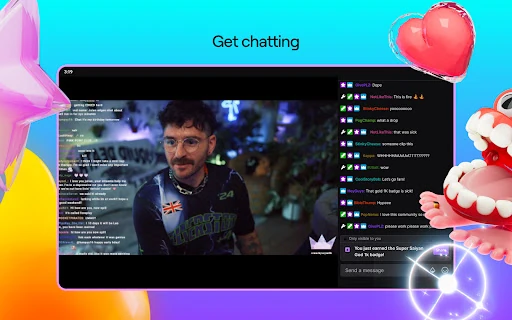
Compared with a service built around completed shows, Twitch is about live broadcasts and the conversation around them. Chat gives viewers a way to react while a stream is underway, and the app also lets people subscribe to favorite streamers and find new ones. That makes it a better fit for people who enjoy participating in a community than for someone who simply wants a neatly organized catalogue of on-demand programs.
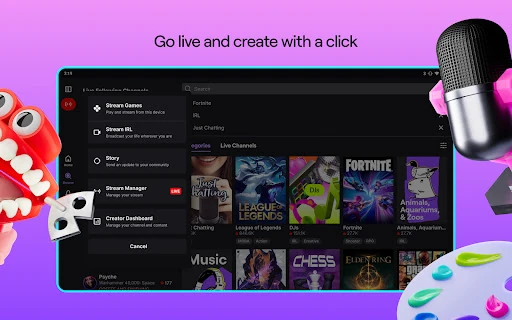
Twitch is not only a viewing app, either: it can be used to start a channel and go live directly from the app. Still, the mobile experience is not a substitute for every kind of creator setup, and the material here does not describe advanced production controls. I would treat it as a straightforward way to begin broadcasting, not assume it offers a full desktop studio.
Small Ways to Settle In
I get more from Twitch when I arrive with a loose idea of what I want to watch. A favorite game, a music stream, or a cooking broadcast gives me a starting point, while leaving room to discover something else. Subscribing to streamers I already enjoy can make it easier to keep up with them, and joining chat adds a social layer when I feel like taking part.
For quieter viewing, I use the dark mode option, especially in the evening. When I am only checking in briefly, I remind myself that live streams can keep going and that one interesting moment can turn into a longer visit. That is part of the fun, but setting a simple stopping point helps the app fit into a routine instead of taking it over.
More From Our News Desk

Zoom Meetings, Google Meet, or Teams: Which Is Easiest to Join?

How I Build a Free Streaming Lineup With Tubi

Why Crunchyroll Is the Default Anime App for So Many Fans

YouTube TV: A Practical Guide to Cutting Cable

Rummikub and the Small Comfort of Phone Games

TeamViewer Remote Control or AnyDesk for Helping Family?
Who Will Enjoy Twitch
I would recommend Twitch to people who like live entertainment and the feeling of watching alongside others. Gamers are an obvious audience, but the range of broadcasts also gives music fans, sports viewers, cooking watchers, and people curious about everyday live streams a reason to browse. It is especially appealing if chat and community are part of the attraction, rather than distractions from the video.
It may be less satisfying for someone who wants a quiet, predictable library of finished content or does not care about live interaction. Viewers who prefer a specific program at a specific time may also find the changing nature of live broadcasts less convenient. Creators curious about streaming can use the app to go live, but anyone expecting elaborate production tools should check whether the available setup suits their needs.
Twitch: Live Streaming is an Entertainment app from Twitch Interactive, Inc. On Google Play, it has over 100 million installs and a 4.0-star rating from around 5.7 million ratings. It is rated Teen. The app was released on May 20, 2015, and its most recent update was February 6, 2026.
The app is free to download and includes ads and in-app purchases. Google Play gives an in-app product price range of $0.99 to $1,598.00 per item. Android version and app version requirements can vary, so it is worth checking the Google Play details for the version available on your device.
The Everyday Rhythm of Twitch
Opening the App
My first impression is that Twitch makes its purpose clear: this is a place to watch live and see what communities are gathering around. That gives the app an immediate sense of activity, but it also means the experience is shaped by what is on air. Unlike a fixed playlist, the choice can change from one visit to the next.
Getting started does not require a complicated routine. The app supports watching streams, participating in chat, and starting a channel by creating an account and going live from the app. I like that the basic idea is easy to understand. Someone considering a first broadcast can begin with that simple path, while a viewer can focus on finding a stream that catches their interest.
Watching and Joining In
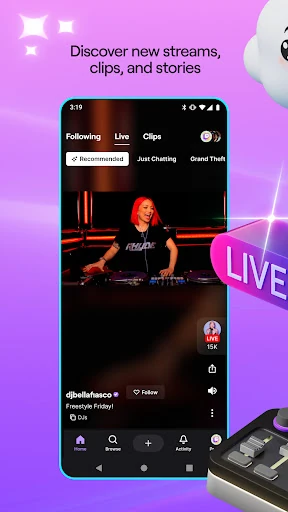
The core experience combines a live video with the option to take part in chat. I find that useful when a stream has a strong audience conversation, because reactions and comments become part of the event. It is also perfectly reasonable to watch without typing; the social side is available rather than something every viewer needs to make the app worthwhile.
Twitch’s live nature changes the pace of watching. A game can swing quickly, a host can move through a cooking session, and an event may be happening only once as I tune in. That immediacy is a real draw, though it also means I cannot expect every interesting moment to wait for me. The app works best when I am comfortable dropping into whatever is live.
A Broad Mix of Streams
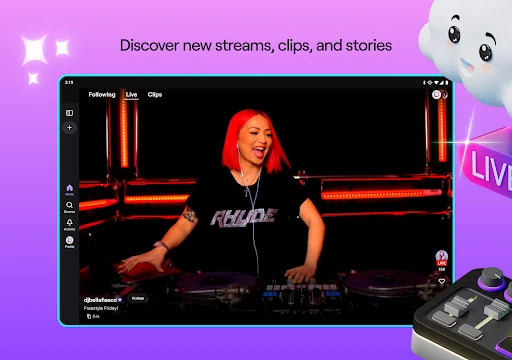
Games are central to Twitch’s identity, but they are not the whole story. The app also covers music, sports, esports, podcasts, cooking, and IRL streams. I appreciate that breadth on days when I want to watch something live without having a particular game in mind. It gives the service a more varied feel than its gaming reputation might suggest.
Community support is another notable part of the experience. Viewers can find new streamers, subscribe to favorites, and access exclusive perks connected to support. These options make the relationship between creator and audience more involved than simply pressing play. They are choices, not a requirement for watching, so I can enjoy a broadcast without treating every visit as a purchase decision.
The app also includes dark mode, a small but welcome option for evening use. For creators, it offers a way to start a channel and go live directly from the app. Those features cover two distinct needs: comfortable viewing and an accessible first step into broadcasting.
A Simple Viewing Routine
A practical Twitch routine for me starts with a topic rather than endless browsing. I might check in looking for a game, then switch to music or cooking if nothing live feels right. Once I find a streamer I enjoy, subscribing is one way to support that channel and make it easier to return to familiar communities. Chat is there for the moments when I want to be part of the room.
For a more relaxed session, I turn on dark mode and treat the stream as a live companion while I unwind. If I have only a few minutes, I keep that in mind before opening the app, since a stream can be compelling enough to stretch a quick check into a longer stay. This balance helps me enjoy the spontaneous side without losing track of my day.
Keep Expectations Grounded
The same live format that makes Twitch feel immediate can also make it unpredictable. The stream I want may not be live when I open the app, and a broadcast can take time to reach the moment that interests me. People who prefer carefully edited, on-demand viewing may find that less convenient. Twitch is strongest when browsing and watching something as it unfolds are part of the appeal.
There is also a difference between beginning a stream and building a polished production. The app supports going live directly from mobile, but the information here does not establish a full range of broadcast tools. I would approach it as a useful starting point for sharing something live, rather than assume it covers every creator workflow.
Finally, while the app is free to download, it contains ads and offers in-app purchases. Subscriptions and other paid options may be relevant for viewers who want to support creators, but they are not necessary to understand the basic appeal of watching live streams. Checking the store details is sensible before making a purchase.
After spending time with Twitch, I see its strongest quality in the combination of live entertainment and community. It can turn a game, a cooking session, or a music broadcast into something that feels shared, even when I am only watching from my phone. Its changing live schedule is part of the character, though it will not suit every viewing habit.
I recommend Twitch to people who enjoy live events, chat, and discovering streamers across different interests. If you mainly want a quiet library of finished programs, it may not be your first choice. For viewers curious about what is happening right now, it is an easy app to dip into and a lively one to revisit.
Twitch Frequently Asked Questions
What is Twitch: Live Streaming used for?
Twitch: Live Streaming is used to watch live broadcasts and join their chats. Its streams cover games and other interests such as music, sports, esports, podcasts, cooking, and IRL content. Viewers can also find streamers to follow or subscribe to, and the app supports starting a channel and going live directly from the app.
Which devices can run Twitch: Live Streaming?
The app is available on Android through Google Play. The Android version requirement can vary, so check the Google Play store details for the version currently offered and whether it supports your device. Twitch also describes streaming and viewing across devices, but this app review covers the Android app.
What Android version does Twitch: Live Streaming require?
The minimum Android requirement can vary by app version and device. Google Play is the best place to check the requirement for the version available to you before installing. Twitch is rated Teen on Google Play.
Does Twitch: Live Streaming cost money?
Twitch: Live Streaming is free to download and contains ads. It also offers in-app purchases, with Google Play showing prices from $0.99 to $1,598.00 per item. Paid options can support streamers and may provide perks, but the app’s basic purpose of watching live broadcasts does not require assuming a purchase.
Is Twitch: Live Streaming suitable for new streamers?
It can suit someone who wants to try broadcasting, since Twitch lets users create an account and go live directly from the app. It is also useful for viewers who enjoy live chat and community activity. People seeking a detailed production setup or a quiet on-demand catalogue may want to check whether Twitch fits their particular needs.
Pros
- Covers games, music, sports, cooking, podcasts, and other live interests.
- Live chat adds a social dimension to watching broadcasts.
- Viewers can support favorite streamers through subscriptions.
- Includes dark mode and a direct way to start streaming.
Cons
- Live content can be unpredictable compared with a fixed on-demand library.
- Ads and in-app purchases are part of the free app experience.
- Going live from mobile may not suit every creator’s production needs.
- Category
- Entertainment
- Version
- VARY