Tubi: Free Movies & Live TV
- 2.63M
- 4.9
- Installs
- 100.00M
- Price
- Free

Screenshots
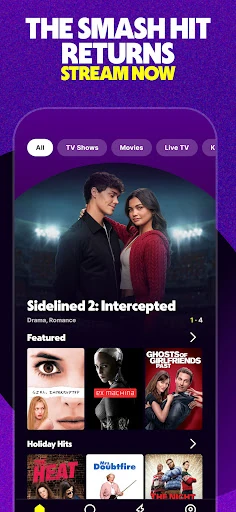
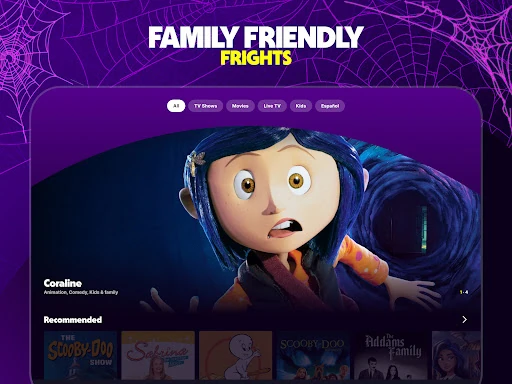
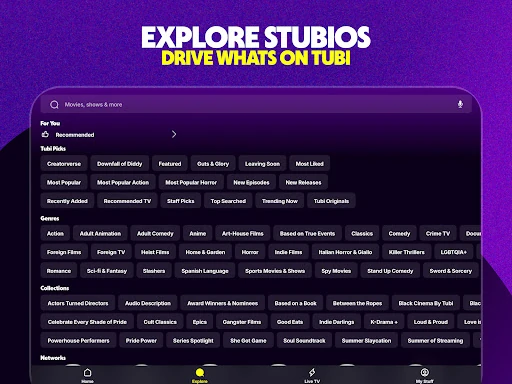
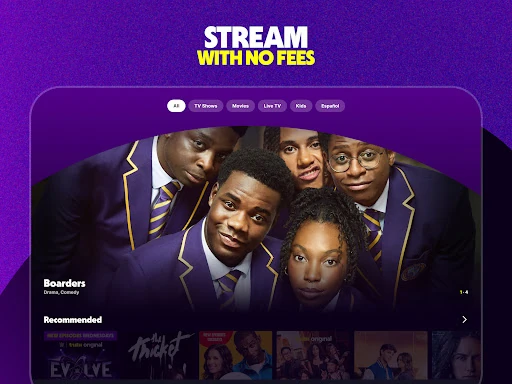

Analysis by Reviewed APKs
Tubi: Free Movies & Live TV is an ad-supported streaming app for watching movies, series, live channels, and originals without a subscription. I’d point it toward anyone who wants something to watch without adding another monthly bill, especially viewers who enjoy browsing across genres and languages. My overall take is that its breadth is appealing, while the trade-off is straightforward: you watch with ads, and the experience is built around discovery.
A No-Bill Viewing Night
When I want a low-effort evening, Tubi gives me a few different ways to settle in without first choosing a paid subscription. I can browse movies, pick a series, or put on live TV for news, weather, sports, or entertainment. That mix is useful when I have only a rough idea of my mood. I might start looking for a comedy and end up watching a cooking competition instead.
The no-subscription setup is the central convenience: Tubi says it does not ask for a credit card, and the app is free with ads. In practice, that makes it easy to sample something without weighing whether I will watch enough to justify another monthly charge. I do have to accept advertising as part of the exchange, so it suits a casual viewing routine better than someone expecting an uninterrupted paid-streaming experience.
A Different Streaming Trade-Off
Compared with a subscription streamer, Tubi’s appeal is less about replacing every paid service and more about adding a free place to browse. Movies and series sit alongside live channels, Tubi Originals, Spanish-language entertainment, anime, Korean programming, and Bollywood favorites. That range gives me more directions to explore when I’m not searching for one specific new release or a particular premium show.
Tubi is not a cable replacement in the full sense, nor is it a subscription-free version of every paid catalog. It is an ad-supported entertainment option, with a mix of on-demand titles and live TV. I would treat it as a useful extra for casual watching, background programming, or discovery, rather than assume it will have every title I want or serve viewers who strongly dislike ads.
Small Ways to Browse Better
A little browsing intention helps keep Tubi from becoming an endless scroll. I can start with a genre or a kind of viewing—something funny, a live news channel, or an anime series—and use the app’s swipe-based discovery to see what catches my attention. The description says new arrivals are added weekly, so revisiting now and then makes sense if I enjoy finding titles rather than sticking to a fixed watch plan.
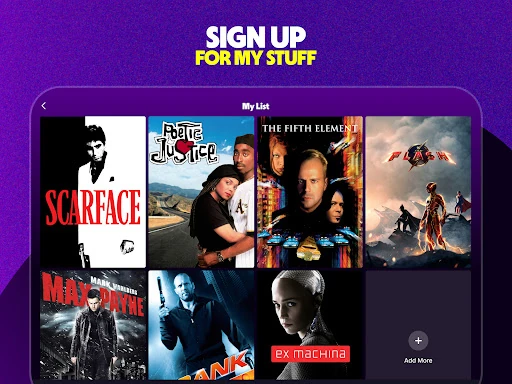
Creating an account adds a more practical routine for anyone who returns to the app. Tubi says an account can hold a watchlist, save viewing progress, and improve recommendations. I’d use the watchlist when I spot something interesting but don’t have time to start it, then return to my saved choices later. That makes browsing feel less disposable, without turning the app into a complicated media-management project.
Reads About Tubi
More From Our News Desk

Zoom Meetings, Google Meet, or Teams: Which Is Easiest to Join?

Why Crunchyroll Is the Default Anime App for So Many Fans

YouTube TV: A Practical Guide to Cutting Cable

Rummikub and the Small Comfort of Phone Games

TeamViewer Remote Control or AnyDesk for Helping Family?

Gmail, Yahoo Mail and Outlook: A Calmer Phone Inbox
Who Will Enjoy Tubi
I’d recommend Tubi to viewers who want a broad, free catalog and are comfortable watching ads. It makes particular sense for households or individuals who like switching between movies, series, and live programming depending on the day. The mix of Spanish-language, international, and genre-focused entertainment also gives curious viewers several paths beyond the familiar mainstream categories.
It may be a weaker fit for someone who wants an ad-free experience, has a specific title in mind, or expects one app to replace every other streaming service. The catalog is presented as a place to discover and browse, not as a promise that any particular film or series will be available. If you prefer a narrowly focused service or uninterrupted viewing, Tubi’s free-with-ads model may not match your habits.
Tubi: Free Movies & Live TV is an Android entertainment app from Tubi TV. Google Play shows over 100 million installs and a 4.9-star rating from about 2.6 million ratings. The app is free to download, and the supplied store information says it contains ads but does not offer in-app purchases. Its content rating is Teen.
The current version is listed as varying with device, and the supplied information gives a release date of September 19, 2014, with an update dated October 27, 2026. No minimum Android version is provided in the supplied app details, so check Google Play’s compatibility information for your device. Tubi’s description says the service works on more than 30 devices, though the exact options depend on the device.
How Tubi Fits Into My Viewing Routine
A Quick First Look
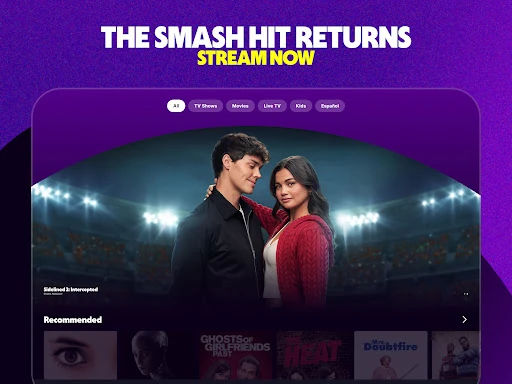
When I first opened Tubi, the range of viewing options was the point that stood out: this is not just a shelf of movies. The description groups together live TV, films, series, originals, Spanish-language choices, and international entertainment. That variety gives the app an inviting starting point when I know I want to watch something but haven’t decided what kind of thing yet.
Getting more continuity from the app is optional. Tubi says creating an account lets me build a watchlist, save viewing progress, and get better recommendations. I like that those benefits are tied to a clear everyday need: keeping track of what I’ve found and where I left off. Someone who only drops in occasionally can still approach it as a place to browse.
The Everyday Experience
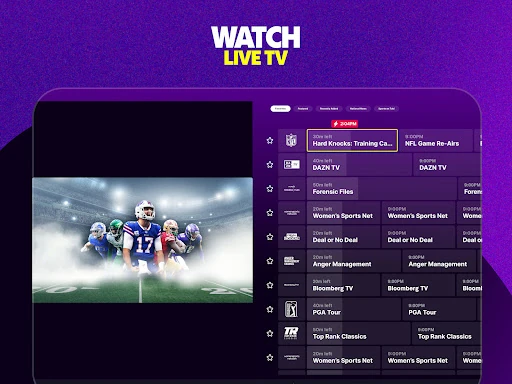
Day to day, Tubi’s strength is choice across formats. I can use it for a movie one evening and live programming another time, including news, weather, sports, and entertainment channels. When I want a longer watch, series and competitions offer another route. That flexibility makes the app useful in different pockets of the day, from deliberate evening viewing to putting on a channel while I unwind.
The experience is shaped by its free, ad-supported model. I don’t have a subscription payment to weigh, but I do need to expect ads during viewing. Tubi describes its live TV as having fewer ads than cable, but the practical point for me is simply that advertising is part of the service. That trade-off is easy to understand before settling in for a film or marathon.
A Wide Mix of Categories
The range of categories is one of the app’s more distinctive qualities. Tubi highlights originals, comic-book-related entertainment, Spanish-first programming, anime, Korean shows and films, and Bollywood selections alongside familiar genres such as comedy, action, and horror. I appreciate that the choices are not limited to one kind of audience or one viewing mood, especially when I’m in the mood to explore something outside my usual rotation.
Tubi also says new arrivals are added every week, and its description points to monthly additions of top titles. That gives returning viewers a reason to browse again instead of treating the catalog as a one-time visit. The app’s swipe-based discovery is another fit for that approach: it encourages finding something by sampling options, rather than requiring me to arrive with a precise title already in mind.
For viewers who want to keep their choices organized, an account adds a watchlist and saved progress. Those features are modest but useful: I can collect a title I might watch later and pick up a series again without relying on memory. Better recommendations are another stated account benefit, which may help the browsing side feel more personal over time.
A Simple Weekly Routine
A practical way I’d use Tubi is to make a quick pass through it when planning a relaxed night. I can browse for a movie, add a promising title to my watchlist if I’m not ready to start, and return when I have time. On a different day, I can switch the plan entirely and try live programming or a series. The variety means the app can support both spontaneous picks and a small saved queue.
If I’m watching a series over several evenings, saving progress through an account should make returning simpler. I can also use recommendations as a starting point when my list runs dry, while keeping the weekly new arrivals in mind for a fresh browse. This routine stays lightweight: Tubi is most useful when I let it offer options, rather than expecting it to be a carefully curated list of only my must-watch titles.
Trade-Offs to Remember
The clearest limitation is advertising. Tubi is free, but it is not an ad-free streaming experience, so viewers who want uninterrupted films may prefer a different arrangement. The app’s large range of categories is a plus for browsing, but a broad catalog can also mean that finding a particular title takes patience. I would go in ready to explore, not assuming a specific movie or show will be there.
There is also a difference between having live TV and having every channel or program someone expects from cable. Tubi describes live news, weather, sports, and entertainment, but the available choices are the ones offered within its service. For someone who mainly wants a particular paid release or a tightly defined channel lineup, it is better viewed as a supplementary option than a complete replacement.
Finally, the app’s version varies by device, and device compatibility is worth checking before installing. Tubi says it works across more than 30 devices, which suggests a broad reach, but the exact experience depends on what you use. Those are manageable caveats for a free service, as long as the ad-supported model and discovery-first approach suit your expectations.
Tubi makes a strong case as a free place to browse movies, series, and live TV, with extra variety in originals and international categories. I like that it can fit both a planned movie night and a casual search for something to put on. Its main compromise is clear rather than hidden: viewing comes with ads.
I’d recommend giving Tubi a try if you enjoy exploring a wide catalog and want entertainment without a subscription charge. It is less suited to viewers who require ad-free watching or need a specific title every time. For everyone else, it is a practical extra streaming app to keep around for the nights when browsing is part of the fun.
Tubi Frequently Asked Questions
What is Tubi: Free Movies & Live TV used for?
Tubi is used to watch free, ad-supported movies, series, and live TV. Its description includes news, weather, sports, entertainment channels, Tubi Originals, Spanish-language content, anime, Korean entertainment, and Bollywood selections. It also offers account features such as a watchlist, saved viewing progress, and recommendations for people who want to keep track of what they watch.
Which devices can I use Tubi on?
The app is available for Android, and Tubi says its service works on more than 30 devices. The exact device options and compatibility can vary, so check the Google Play store information for your Android phone or tablet and the relevant device details before you install. The supplied app information does not identify a minimum Android version.
Does Tubi cost money or have in-app purchases?
Tubi is free to download and watch, and the supplied Google Play information says it contains ads but has no in-app purchases. Tubi’s description says it does not ask for a credit card. Because the service is ad-supported, viewers should expect advertising as part of watching rather than an ad-free subscription experience.
What Android version does Tubi require?
The minimum Android version is not included in the supplied app details, and the version is described as varying with device. Compatibility can depend on your particular phone or tablet, so check the current Google Play store information before downloading. Tubi also describes support across more than 30 devices, but that does not establish compatibility with every model.
Is Tubi a good fit for every kind of viewer?
Tubi is a reasonable fit if you want free entertainment, like browsing across genres, and don’t mind ads. Its movies, series, and live TV give it several uses, while account features can help regular viewers save progress and make a watchlist. It may not suit people who want ad-free viewing or rely on finding a particular title.
Pros
- Free access to movies, series, live TV, and Tubi Originals.
- Broad selection includes Spanish-language and international entertainment categories.
- Optional account features include a watchlist and saved viewing progress.
- Weekly new arrivals give returning viewers fresh options to browse.
Cons
- Advertising is part of the free viewing experience.
- A broad catalog does not mean every specific title will be available.
- Device compatibility and app version can vary by device.
- Category
- Entertainment