Netflix
- 16.74M
- 4.8
- Installs
- 1.00B
- Price
- Free

Screenshots
Analysis by Reviewed APKs
Netflix is a mobile entertainment app for watching series, movies and live events, with podcasts and games also part of its wider mix. I’d recommend it to people who want one familiar place to browse and pick up something to watch during a commute, a break or a quiet evening. My overall take is that it makes returning to favorites easy, though its usefulness depends on having a membership and liking what’s available to you.
A break, already in progress
When I first opened Netflix, the appeal was less about finding one perfect title and more about having somewhere to resume a familiar show or browse for a new one. On a short break, I could use the bottom shortcuts to move around the app, then jump back into something I already liked. That kind of quick return is useful when I have only a little time and don’t want to start my viewing session with a long search.
For a longer evening, the same app serves a different mood: I can browse movies, series and other entertainment in one place, then keep something interesting in My List for later. The recommendations are personalized using ratings, so the experience can become more tailored as I interact with titles. I like that the app supports both deliberate planning and casual browsing, rather than assuming I always know exactly what I want before I open it.
A broad entertainment hub
Netflix is a better fit for people who want a broad entertainment destination than for someone seeking a single-purpose video player. Its catalog experience brings together series, movies, live events, podcasts and games, while features such as My List and personalized recommendations help people keep track of what interests them. Compared with choosing a title from a fixed personal collection, this is more about browsing a service and deciding what to enjoy next.
It is not a general-purpose replacement for every entertainment app, and I wouldn’t approach it as a tool for managing a personal media library. The membership model also matters: installing the app does not mean the viewing service is free. If you want a one-off purchase or are only looking for a specific kind of content, the wider Netflix mix may feel like more than you need. Its value comes from regularly using the membership and finding titles that suit you.
Small habits that help
I get more from Netflix when I use My List as a simple holding place instead of expecting myself to remember every title that caught my eye. If I’m browsing without time to watch, saving something gives me a starting point next time. Rating titles can also help shape the recommendations over time, so the app has a little more context about what I enjoy rather than relying entirely on whatever I watched most recently.
Notifications can be useful if I want reminders about new releases, episodes or live events, but I’d treat them as optional rather than essential. A quick browse through the upcoming clips feed is another way to see what might be worth a closer look. These habits work best when they stay lightweight: save an interesting title, rate something when I have an opinion, and use the shortcuts to get back to what I already enjoy.
Reads About Netflix
More From Our News Desk

Zoom Meetings, Google Meet, or Teams: Which Is Easiest to Join?

Why Crunchyroll Is the Default Anime App for So Many Fans

YouTube TV: A Practical Guide to Cutting Cable

Rummikub and the Small Comfort of Phone Games

TeamViewer Remote Control or AnyDesk for Helping Family?

Gmail, Yahoo Mail and Outlook: A Calmer Phone Inbox
Who might enjoy Netflix
I’d recommend Netflix to people who watch regularly and appreciate having series, movies and other forms of entertainment gathered in one app. It suits viewers who like to browse as well as those who usually return to a few favorites, since My List, shortcuts and personalized recommendations support both approaches. It can also make sense for someone who wants to keep up with new episodes or live events through notifications rather than checking manually.
It may be a weaker fit if you rarely watch entertainment, want a free viewing service, or prefer to choose each title through a separate purchase. The app itself is free to install, but Netflix membership is month to month, so the subscription is an important part of the decision. I’d also keep expectations flexible: recommendations are personalized, but they still depend on what’s available and what you choose to rate or watch.
Netflix is an entertainment app from Netflix, Inc. On Google Play it has over a billion installs and a 4.8-star rating from around 16.7 million ratings. The app is free to download, contains no ads and does not offer in-app purchases through the app listing. Watching Netflix requires a month-to-month membership that begins at sign-up; membership pricing can vary, so it’s worth checking Google Play for current details.
The content rating is Teen. The listed app version varies with device, and the release date is May 5, 2011. The latest update date provided is October 26, 2026. Netflix’s membership can be canceled online at any time, with no long-term contract or cancellation fee, according to the app description. The minimum Android version is not included among the supplied app facts.
How Netflix Fits Into My Viewing Routine
A familiar first impression
When I first opened Netflix, the practical draw was that the main ways of moving around are easy to reach. Bottom shortcuts make it quicker to browse or return to favorites, which helps the app feel approachable when I only have a minute to decide what to watch. Rather than needing a plan before opening it, I can start with a familiar route and see where browsing takes me.
The app’s scope is apparent early on. Netflix brings series and movies together with live events, podcasts and games, so there is more than one kind of entertainment to explore. That breadth is useful if I’m not in the mood for another episode, though it also means I may need to be a little intentional about what I’m looking for. My List gives me a straightforward way to keep promising options from disappearing into the browsing session.
Picking up day to day
For everyday use, I find the easiest pattern is to open Netflix with one of two goals: continue with a favorite or browse for something new. The shortcuts help with the first, while recommendations and the upcoming clips feed give me routes into the second. This flexibility feels suited to ordinary pockets of free time, whether I’m settling in at home or checking the app while traveling.
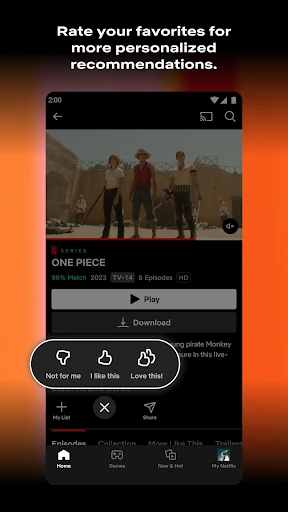
The recommendation system is personalized based on ratings, which makes rating titles a useful part of the experience if I want suggestions to reflect my tastes. It doesn’t turn browsing into an exact science, and I still need to decide what sounds appealing. But it gives the app a way to respond to my preferences instead of making every visit feel like starting from scratch.
Features with a purpose
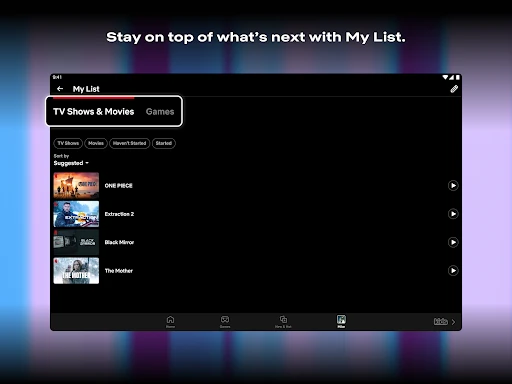
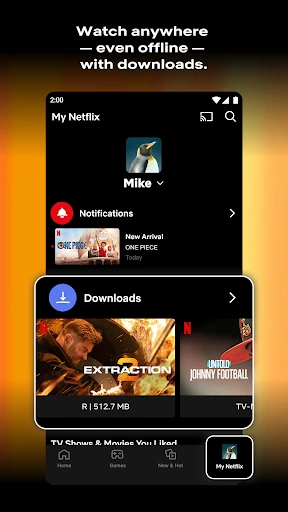
My Netflix is the feature I’d point to for keeping track of the things I care about. The app describes it as a place for favorites and My List, giving me one spot to revisit saved interests instead of relying on memory. That’s especially handy when I’m browsing in passing and don’t want to commit to watching right away.
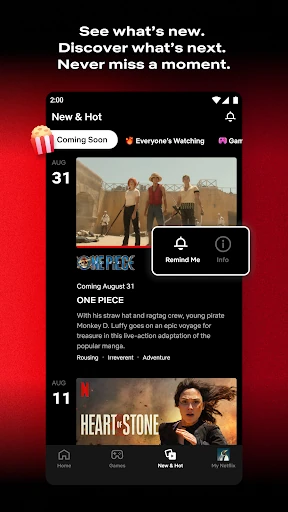
The upcoming clips feed offers a different kind of discovery. It gives me a way to get a quick look at what’s coming rather than opening every title and doing a deeper search. Notifications can also alert me to new releases, episodes and live events. Together, these features are useful for people who want to keep an eye on what’s happening, without making every viewing choice a research project.
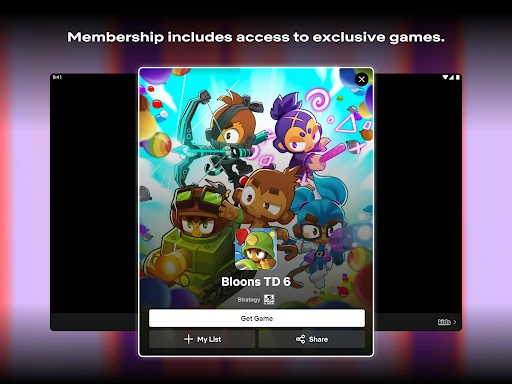
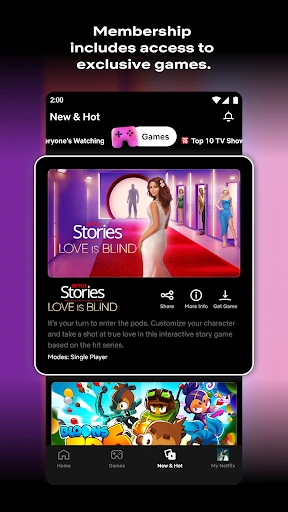
The variety of entertainment is another standout, but I see it as a practical range rather than a promise that every category will suit every viewer. Series and movies are the obvious draw for many people; live events, podcasts and games broaden the app’s role. Having these types of content in one service can simplify browsing when my mood changes, while still leaving the actual choice up to me.
A low-effort routine
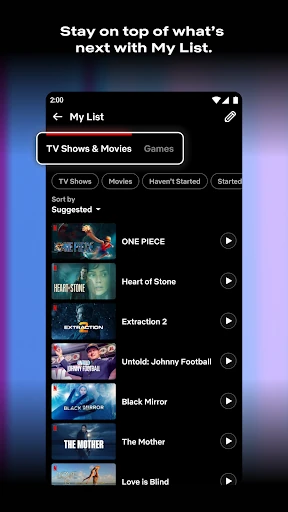
A routine that works for me is to add interesting titles to My List whenever I spot them, then use that saved group when I have time to watch. It removes some of the pressure to decide immediately. When a recommendation catches my attention, rating titles I’ve already seen can help the app tailor future suggestions, so a little feedback becomes part of the regular experience.
I’d keep notifications on only if updates about releases, episodes or live events are useful in my day. Otherwise, I can simply check the app when I’m ready. On a commute or during a break, the shortcuts and clips feed give me a quick way to browse; at home, I can spend longer weighing options. It’s a flexible routine, not a set of steps I have to follow.
Membership and other limits
The clearest limitation is that Netflix is a subscription service, not a free catalog just because the app costs nothing to install. Membership is month to month and can be canceled online, but the recurring cost still matters if I only watch occasionally. I’d check the current membership details before signing up, particularly if price is the deciding factor.
A broad range of entertainment can also feel less focused than a dedicated app for one format. If I’m only interested in a particular kind of content, the extra categories may not add much for me. Recommendations are based on ratings, but they won’t remove the need to browse and decide. Netflix is most compelling when I want to return regularly and make use of its mix of viewing and other entertainment.
I’d also keep the Teen content rating in mind when deciding whether the app is appropriate for a household. That rating is a useful basic reference, not a substitute for checking whether particular content suits the people who will use it. The best experience comes from matching the service’s membership model and range of entertainment to how often, and what, I actually want to enjoy.
Netflix is a capable all-purpose entertainment app, with useful ways to return to favorites, save titles and discover what’s next. I like that it can serve both a quick break and a planned evening without requiring the same browsing approach every time. Its main trade-off is straightforward: the app is free to install, but regular viewing depends on a paid membership.
I’d recommend Netflix to people who watch often and want a broad mix of entertainment in one place. If you only watch occasionally or want a free service, I’d think carefully about whether the membership makes sense for you. For regular viewers who enjoy exploring and revisiting titles, its everyday conveniences make it easy to keep in the rotation.
Netflix Frequently Asked Questions
What is Netflix used for?
Netflix is used to discover and enjoy series, movies, live events, podcasts and games through its mobile app. Features include browsing shortcuts, an upcoming clips feed, My List, personalized recommendations based on ratings and notifications about new releases, episodes and live events. It is designed as a broad entertainment service rather than a tool for one specific kind of media.
Which devices and platforms support Netflix?
The app covered here is the Android version of Netflix, available through Google Play. Netflix’s description also refers to iOS, iPadOS and tvOS apps, but the specific platform and device compatibility can differ. For current device support and availability, check the Netflix listing in the relevant app store.
What Android version does Netflix require?
The minimum Android version can vary with device and app updates, so check the Netflix page on Google Play for the requirement that applies to your phone or tablet. The supplied app version is listed as varying with device. Keeping the store information in view is the best way to confirm compatibility before installing.
Is Netflix free, or does it have a subscription?
Netflix is free to download and the app listing says it contains no ads and has no in-app purchases. However, watching Netflix requires a month-to-month membership that begins at sign-up. Membership prices may vary, so check Google Play for current pricing and details. The description says membership can be canceled online at any time.
Who is Netflix best suited for?
Netflix is a good fit for people who watch regularly and want series, movies and other entertainment gathered in one app. My List, recommendations and notifications can help frequent viewers keep up with favorites and new releases. It may not suit someone who watches rarely, wants a free viewing service or prefers to pay for titles individually.
Pros
- Shortcuts make it easy to browse or return to familiar favorites.
- My List helps save interesting titles for another day.
- Personalized recommendations use ratings to reflect viewing preferences.
- Series, movies, live events, podcasts and games share one app.
Cons
- Viewing requires a month-to-month membership, despite the free app download.
- The wide mix may feel less focused to viewers seeking one format.
- Recommendations still require browsing and personal judgment.
- Category
- Entertainment