TikTok - Videos, Shop & LIVE
- 70.35M
- 4
- Installs
- 1.00B
- Price
- Free

Screenshots

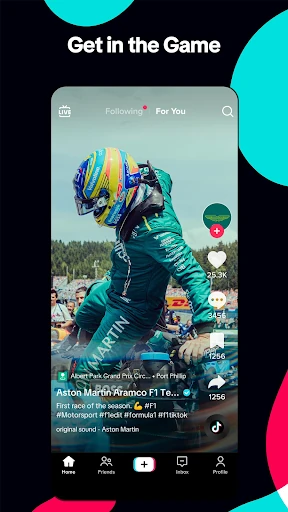

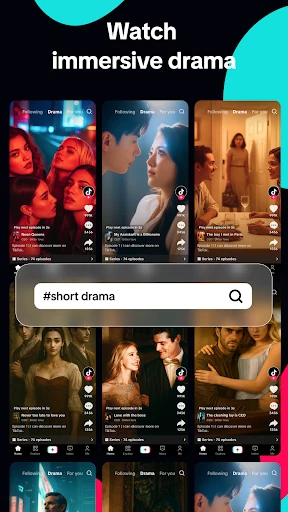
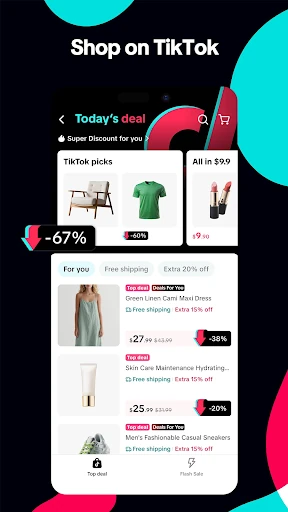
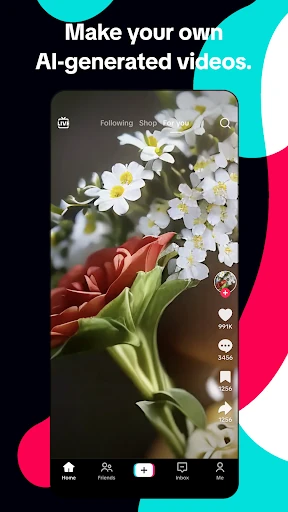
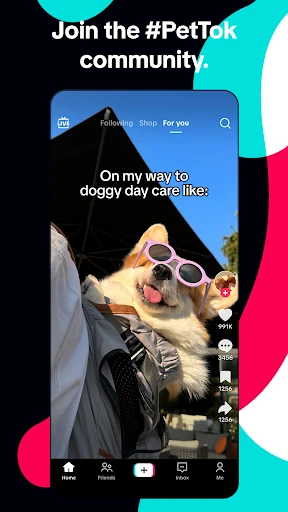
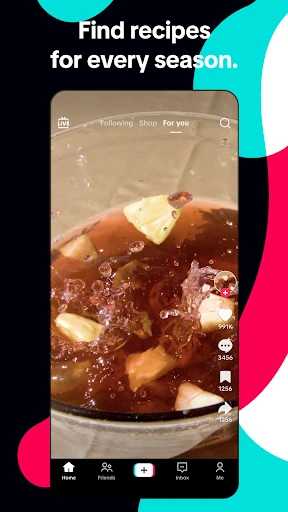
Analysis by Reviewed APKs
TikTok is a social video app for watching, making, and discovering short-form videos, with LIVE streams and shopping alongside its personalized feed. I’d recommend it to people who enjoy dipping into a broad mix of entertainment, practical ideas, and creator communities. After spending time with its core loop, my take is that discovery is its biggest strength, though the steady flow of new content can make it easy to stay longer than planned.
A Quick Break That Keeps Moving
When I first opened TikTok, the appeal was immediate: there was something new to watch without needing to search for a particular creator or topic. I could scroll through a few videos while waiting for coffee, then pause when a recipe or music clip caught my attention. The For You feed is built around what you watch, like, and share, so the mix can shift as your interests become clearer.
That makes TikTok handy in the small gaps of an ordinary day. I might open it for a quick laugh, stumble into a DIY idea, and then watch a game highlight before putting my phone down. The range is part of the draw: comedy, education, sports, beauty, gaming, music, and lifestyle content all have a place. It feels less like opening a specific channel and more like browsing a changing shelf.
Discovery, Not a Message Inbox
Compared with a social app organized mainly around people I already know, TikTok puts discovery front and center. I can follow creators, but the For You feed also introduces videos and communities beyond my existing circle. That is useful when I want fresh ideas or entertainment without assembling a list of accounts first. LIVE streams and shopping add more ways to explore, but short videos remain the experience I return to most.
I wouldn’t treat TikTok as a replacement for every kind of social tool. Its described strengths are watching, creating, following creators, joining LIVE conversations, and finding products; it is not presented as a dedicated messaging, long-form video, or productivity app. If I want a focused answer or a quiet screen break, an endless stream of recommendations may not be the right fit. Its greatest convenience can also make it a distraction.
Small Ways to Shape the Feed
A useful habit is to interact intentionally rather than scroll on autopilot. TikTok says the For You feed responds to what you watch, like, and share, so those actions help shape what appears over time. I’d treat a like or follow as a small signal about what I actually want more of, rather than tapping everything that happens to pass by. The result is a more personal mix, though discovery still means surprises.
Creators can also make the most of the app by collecting a few simple steps into one workflow. I can capture clips, pause and resume recording, trim or merge footage, then add text, stickers, sounds, music, filters, or effects without leaving the app. For browsing sessions, screen time tools and content filters offer ways to shape the experience. Families can also use Family Pairing and other available controls.
More From Our News Desk

Zoom Meetings, Google Meet, or Teams: Which Is Easiest to Join?

How I Build a Free Streaming Lineup With Tubi

Why Crunchyroll Is the Default Anime App for So Many Fans

YouTube TV: A Practical Guide to Cutting Cable

Rummikub and the Small Comfort of Phone Games

TeamViewer Remote Control or AnyDesk for Helping Family?
Who Might Enjoy TikTok
I’d suggest TikTok to anyone who likes quick video, enjoys encountering unfamiliar creators, or wants a casual source of recipes, sports clips, music, humor, and other ideas. It can suit both viewers and people who want to make their own videos, since the app combines a personalized discovery feed with recording and editing tools. Someone curious about creator-led shopping or LIVE streams may also appreciate having those experiences in the same app.
It may be less appealing to people who prefer a deliberately limited feed, want only updates from friends, or find rapid content switching tiring. Families may want to spend time reviewing the safety, privacy, content, and screen time controls that TikTok provides rather than assuming one setup works for everyone. The app’s broad mix is a strength, but it asks users to make choices about what they watch and how they want to use it.
TikTok - Videos, Shop & LIVE is a social app from TikTok Pte. Ltd. On Google Play, it has over a billion installs and a 4.0-star rating from around 70.3 million ratings. The app is free to download and contains ads. Google Play also lists in-app purchases, with item prices ranging from $0.05 to $9,999.90.
Google Play gives TikTok a Teen content rating. Its version varies with the device, and the listing’s release date is July 9, 2015. The supplied store information gives October 28, 2026 as the last update date. The Android minimum version is not included in the available app facts, so it is worth checking the Google Play entry for device compatibility.
How TikTok Feels in Everyday Use
First Open and Setup
My first impression was that TikTok is designed to get me watching quickly. The main idea is easy to understand: videos arrive in a personalized For You feed, and I can watch, like, and scroll to encounter more. I don’t need to know which creators to follow before the app has something to show me. That makes the first few minutes approachable, especially if I’m just curious about what is there.
The bigger setup decision is how I want the experience to feel. TikTok describes controls including private accounts, content filters, screen time tools, and Family Pairing, among more than 50 safety and privacy features. Those options matter because the feed can cover a wide range of topics and creators. I’d rather take a little time to explore the controls than assume the default experience will suit every person or household.
The Daily Viewing Loop
Day to day, the basic rhythm is wonderfully simple: watch something, keep scrolling if it interests me, and use likes or follows to engage with creators I want to see again. The feed draws on those interactions to personalize recommendations. I found that useful when I didn’t have a particular topic in mind; I could arrive without a plan and still find entertainment or an idea worth saving in my memory.
The trade-off is that there is always another video waiting. That can be welcome when I have a few spare minutes, but less helpful when I intended to check one thing and move on. TikTok includes screen time tools, which give users a way to shape their use. I would think of them as part of making the app fit a routine, not as a substitute for deciding when I’m done.
Creation Beyond the Feed
TikTok’s creation tools make the app more than a place to watch other people. I can record in separate clips, pause and resume, and then trim or merge footage. Text and stickers provide simple ways to add context, while sounds, music, filters, and effects offer more ways to set a mood. Keeping these tools in the app makes a casual creation session feel less involved than assembling several separate steps elsewhere.
The sound library is another notable part of the creation experience. TikTok describes a library of sounds and music that creators can use in their videos, along with filters and other creative effects. The point is not that every video needs elaborate editing; it is that a quick recording can be shaped before sharing. For someone who prefers watching, these tools are easy to ignore, but they broaden what the app can do.
A Practical After-Work Routine
One reasonable way I’d use TikTok is to give it a defined slot after work. I could browse for a few minutes, follow a creator whose ideas I want to revisit, and stop when I’ve found a recipe, a music clip, or a video that made me laugh. If I’m in a creative mood, I could record a couple of short clips and trim or combine them before adding text or a sound.
On another day, the same routine might include a LIVE stream or a look at products featured in videos. TikTok supports shopping through videos, LIVE, and a Shop tab, and says users can track orders. I’d keep those activities intentional: browse when I’m actually interested, rather than treating every video as a reason to shop. The range of options is convenient, but not every session needs to use all of them.
A Few Limits to Remember
Personalized discovery is both TikTok’s hook and a reason to pay attention to how I use it. A feed that adapts to what I watch can become more relevant, but the steady supply of recommendations can also pull a short break into a longer session. People who prefer a finite list of updates may find this style less comfortable. Screen time tools are available, but the user still has to decide which controls work for them.
There is also a lot going on under one roof: short videos, creator follows, LIVE, creation tools, and shopping. That breadth is useful, yet it can make the experience feel busy if I only want a simple feed. TikTok provides privacy and content controls, including options for families, but users should take the time to shape their own experience. The Teen content rating is another practical detail for households considering the app.
TikTok works best for me as a discovery app: it can turn a spare moment into a run of funny clips, useful ideas, or new creators to follow. The built-in recording and editing tools give it a second life for people who want to make videos, while LIVE and shopping extend the mix.
I recommend it to curious viewers and casual creators who enjoy a personalized stream and are comfortable setting their own boundaries. If you want a tightly focused social feed or have little interest in short video, TikTok may feel busy. For everyone else, its breadth makes it easy to explore, provided you choose how much time to give it.
TikTok Frequently Asked Questions
What is TikTok - Videos, Shop & LIVE used for?
TikTok is used to watch and discover personalized videos, follow creators, and explore communities and LIVE streams. It also includes tools for recording and editing videos, plus shopping through videos, LIVE, and a Shop tab. The For You feed responds to what you watch, like, and share, so it can introduce content based on your interests.
Which devices can run TikTok - Videos, Shop & LIVE?
The app is available for Android through Google Play. The minimum Android version is not included in the supplied app details, and the version is described as varying by device. Check the Google Play entry for current compatibility information for your particular phone or tablet.
Does TikTok - Videos, Shop & LIVE cost money?
TikTok is free to download and contains ads. It also offers in-app purchases, with Google Play showing item prices from $0.05 to $9,999.90. The cost of a particular purchase can depend on the item, so check its details in the app and store before buying.
What Android version does TikTok - Videos, Shop & LIVE require?
The minimum Android version is not provided in the app details used for this review. Requirements can vary as the app changes and across devices, so check the Google Play store entry for the current requirement before installing or updating.
Is TikTok - Videos, Shop & LIVE suitable for everyone?
TikTok has a Teen content rating and offers privacy, content-filter, screen-time, and Family Pairing tools. It may suit people who enjoy short videos, creator discovery, and making clips, while families may want to review the available controls together. The right experience depends on the user and how the app is set up.
Pros
- Personalized discovery makes it easy to find creators and topics without starting with a search.
- Recording, trimming, merging, text, sounds, and effects are available in the app.
- LIVE, shopping, creator follows, and video browsing sit together in one experience.
- Privacy, content-filter, screen-time, and Family Pairing tools offer ways to shape use.
Cons
- A continuous stream of recommendations can make a short browsing session run long.
- The broad mix of video, LIVE, creation, and shopping may feel busy to some users.
- Ads and in-app purchases are part of the free-to-download app.
- Category
- Social