- 169.39M
- 4
- Installs
- 5.00B
- Price
- Free

Screenshots
Analysis by Reviewed APKs
Instagram is a social app for sharing photos, videos, and brief updates, while keeping up with friends and exploring creators and interests. I find it most useful when I want a quick glimpse of what people are doing or a simple way to share a moment of my own. It can also become an easy place to lose time, so the experience depends on how deliberately I use it.
A Quick Window Into Friends’ Days
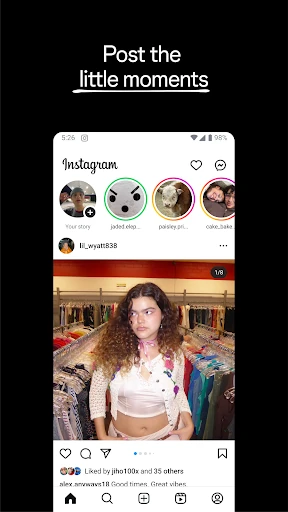
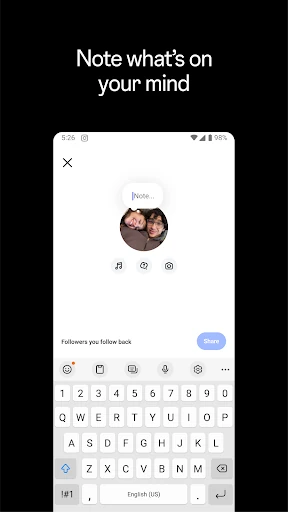
When I first opened Instagram, I thought of the ordinary moments I might want to share: a coffee with a friend, a walk after work, or a few photos from a weekend trip. Feed is suited to memories I want to post, while Stories and Notes offer a lighter, temporary way to share what is happening now. That mix makes the app feel useful both for occasional highlights and small everyday check-ins.
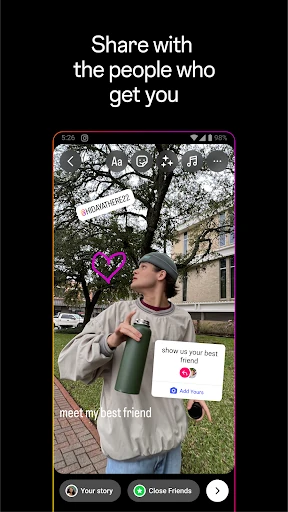
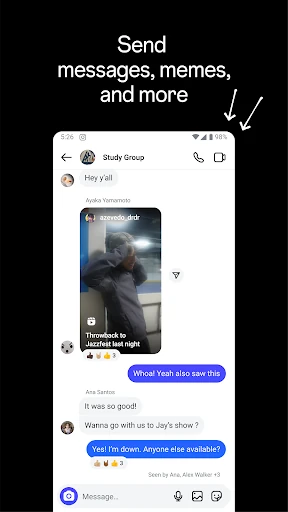
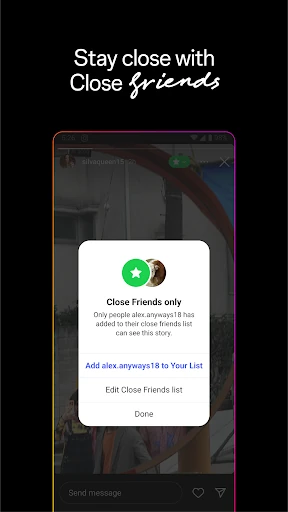
The social side matters just as much as posting. I can follow friends and other accounts, see what they share, and use group chats to keep a conversation going. Close Friends gives me a way to share some moments with a more limited circle. In practice, Instagram can turn a quiet spare minute into a quick catch-up, without requiring every interaction to be a polished post or a long conversation.
More Than a Photo Album
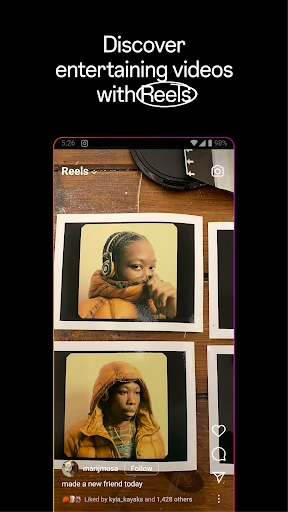
Compared with a simple photo-sharing app, Instagram brings together personal updates, short videos, conversations, and discovery. If I open it to see what friends have been doing, I may also come across creators, new accounts in Explore, or Reels. That range is a strength when I want one app for several kinds of social browsing, but it can make the experience feel busy if all I want is a quiet place to store pictures.
I would not treat Instagram as a private photo library or a focused messaging tool. Its description centers on sharing, connecting, and discovering, rather than organizing personal files or replacing every kind of conversation. The app also includes shopping discovery for relevant brands and small businesses, but that does not make it a dedicated shopping service. It suits people who enjoy a visual social network more than people seeking a single-purpose utility.
Small Habits That Help
I get more from Instagram when I decide what I came to do before opening it. I might check Stories for a quick update, reply in a group chat, or post a few photos from an event to Feed. That small intention helps me use the app as a social tool instead of drifting from one video to the next. The different formats make it easy to match the post to the moment.
For sharing, I find it helpful to think about audience and lifespan first. A lasting memory from a trip may fit Feed, while a passing everyday update can go in Stories or Notes, which disappear after 24 hours. Close Friends is another option when I want to share an unfiltered moment with a smaller group. These are simple choices, but they make posting feel more considered and less like repeating the same update everywhere.
More From Our News Desk

Zoom Meetings, Google Meet, or Teams: Which Is Easiest to Join?

How I Build a Free Streaming Lineup With Tubi

Why Crunchyroll Is the Default Anime App for So Many Fans

YouTube TV: A Practical Guide to Cutting Cable

Rummikub and the Small Comfort of Phone Games

TeamViewer Remote Control or AnyDesk for Helping Family?
Who Will Enjoy Instagram
I’d recommend Instagram to people who like keeping up with friends visually, sharing photos or short videos, and discovering accounts around their interests. It has room for casual check-ins as well as trip memories, creator videos, and group conversations. If your friends already use it, the mix of Feed, Stories, Notes, and Reels can make it a convenient place to follow their updates and share your own.
It may be a weaker fit if you want a minimal app with one clear purpose, or if an endless stream of social content tends to distract you. The combination of personal posts, creator content, and discovery can pull attention in several directions. I’d also suggest being thoughtful about what you share and with whom; the app provides different sharing formats and Close Friends, but it remains a social platform built around posting and viewing content.
Instagram is a social app from Instagram, released on April 3, 2012. Google Play shows more than 5 billion installs and a 4.0-star rating from about 169 million ratings. It is free to download, with ads and in-app purchases. The listed in-app purchase range is $0.19 to $10,000.00 per item, so purchases can vary considerably.
Google Play gives Instagram a Teen content rating. Its version is listed as varying with device, and the most recent update date provided is November 2, 2026. The Android version requirement is not included in the supplied app details, so anyone checking compatibility should consult the Google Play entry for their device.
How Instagram Fits Into Everyday Sharing
A Familiar First Impression
Instagram’s main appeal is apparent quickly: it is a place to share what is happening and see what friends, creators, and other accounts are posting. The app supports photos, videos, Stories, Notes, and Reels, so it is not limited to one type of update. I like that the formats suggest different levels of effort, from a short-lived note to a set of trip memories in Feed.
Getting started in a useful way is less about learning a complicated tool and more about deciding what I want from the social experience. I might primarily follow friends, or I might also want to explore videos and accounts tied to my interests. The description emphasizes both connecting with people and discovering new content, and that dual role shapes the app from the outset.
The Everyday Social Loop
On an ordinary day, Instagram works as a quick social check-in. I can see what friends have shared, catch a Story, or leave a brief update of my own. If something deserves more than a passing post, Feed gives me a place to share memories from an event or trip. This range makes the app flexible: not every moment needs the same format or the same level of permanence.
Conversation sits alongside browsing rather than feeling like a separate product. The app supports group chats and sharing with Close Friends, which can make it easier to exchange moments with people I know. I find this especially practical when several friends are following the same event or making plans around shared interests. It keeps social updates and conversation close together, though it can also mean more reasons to check the app.
Formats With Different Uses
Stories and Notes are designed for short-lived updates, disappearing after 24 hours. That makes them a natural fit for a passing thought or a small detail from the day, rather than a carefully assembled record. Feed, by contrast, can hold memories from a recent event or trip. I appreciate having the choice, because it lets me share something without treating every post as a permanent highlight.
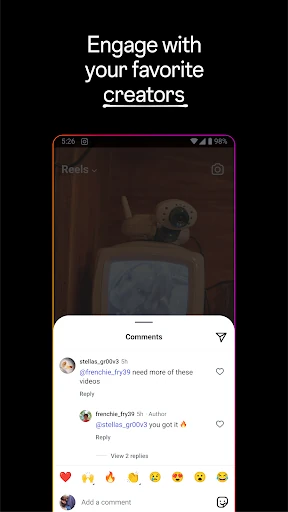
Reels bring short, entertaining videos into the mix, both for making and watching. Instagram also supports templates, music, stickers, and filters for customizing posts. These options give a post more personality without changing the basic purpose of sharing. I would not assume every tool is needed for every update; a straightforward photo can still do the job, while the extras are there when I want to play with presentation.
A Routine for Sharing
After a weekend away, I can imagine using Instagram in a few small steps: choose the memories I want to share in Feed, post a brief Story for the immediate highlights, then send a moment to Close Friends if it feels more personal. That routine uses the app’s different sharing formats without turning the trip into a constant production. It also gives friends more than one way to catch up.
On days when I have nothing to post, the app can still serve as a discovery tool. I can watch videos from creators I follow or explore photos and videos from new accounts. Instagram describes Explore as a way to find inspiration around interests, and Reels as a place to discover short videos. I find it helpful to decide whether I’m there to share or browse, since those activities can easily run together.
Things to Keep in Mind
Instagram’s variety is also its main trade-off. A quick visit to see a friend’s update can lead into creator videos and other recommended content. That may be enjoyable when I’m in a browsing mood, but less convenient when I only have a minute. The different formats make the app lively, yet people who prefer a quieter, single-purpose experience may find the steady range of content distracting.
The app includes advertising and offers in-app purchases, so it is not entirely free of commercial elements even though downloading it is free. Its description also notes that some features may not be available in every country or region. I would keep both points in mind when deciding whether it fits my routine, and check the store information for details relevant to my device and location.
Finally, Instagram is built around sharing with other people, so audience matters. Feed, Stories, Notes, group chats, and Close Friends offer different ways to communicate, but they do not change the fact that the app is social by design. I’d recommend choosing the format that fits the moment and being comfortable with the idea of posting and viewing updates as part of the experience.
Instagram works best for me as a flexible place to share everyday moments, keep up with friends, and find visual content around my interests. The variety of formats gives casual updates and trip memories room to feel different, while group chats add a conversational side. Its broad mix is useful, but it can also make a short check-in turn into a longer browsing session.
I’d recommend it to people who enjoy a visual social network and want sharing, discovery, and conversation together. If you prefer a focused tool or find social feeds distracting, the app may be harder to fit into your day. For the right user, though, Instagram offers plenty of ways to stay connected without requiring every update to be a big production.
Instagram Frequently Asked Questions
What is Instagram used for?
Instagram is a social app for sharing photos, videos, and everyday updates, and for keeping up with friends and other accounts. It includes Feed, Stories, Notes, Reels, group chats, and discovery through Explore. People can also watch creator videos and discover brands and small businesses. Some features may vary by country or region.
What devices can I use Instagram on?
The app details provided here cover Instagram on Android through Google Play. They do not specify other platforms or supported device models, so check the store information for your device before installing. The listed app version varies with device, which is another reason to consult Google Play for the version and compatibility details shown for your phone or tablet.
What Android version does Instagram require?
The supplied app details do not give a minimum Android version. Requirements can depend on the current app release and device, so check Instagram’s Google Play entry for the Android version required for your particular phone or tablet. The version itself is listed as varying with device, rather than as one fixed number.
Does Instagram cost money?
Instagram is free to download on Google Play, but the app contains ads and offers in-app purchases. The listed purchase range is $0.19 to $10,000.00 per item. That is a broad range, and what you encounter can depend on the available purchases. Check the current Google Play entry for details before making a purchase.
Is Instagram a good fit for me?
Instagram may suit you if you like sharing photos or short videos, following friends, and discovering creators and topics through visual content. It may be less appealing if you want a minimal app with one purpose or find social browsing distracting. Its mix of personal updates, Reels, and discovery can make it easy to spend longer than planned.
Pros
- Several formats cover quick updates, lasting memories, short videos, and conversations.
- Stories and Notes suit casual sharing without treating every moment as a permanent post.
- Explore and Reels offer ways to find creators and content around personal interests.
- Close Friends and group chats support sharing with smaller circles.
Cons
- The mix of social updates and discovery can make quick visits run long.
- Ads and in-app purchases are part of the otherwise free app.
- Some features may not be available in every country or region.
- Category
- Social