Google Play Games
- 13.13M
- 3.9
- Installs
- 5.00B
- Price
- Free

Screenshots
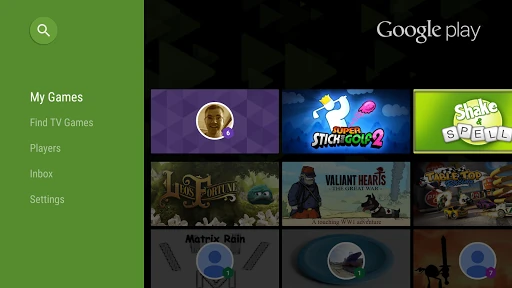
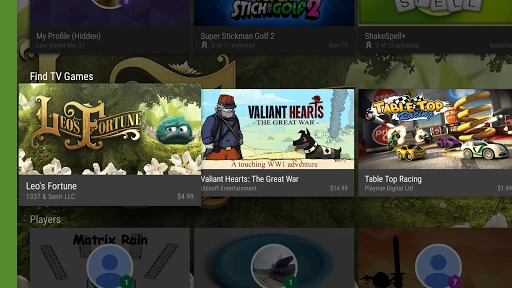
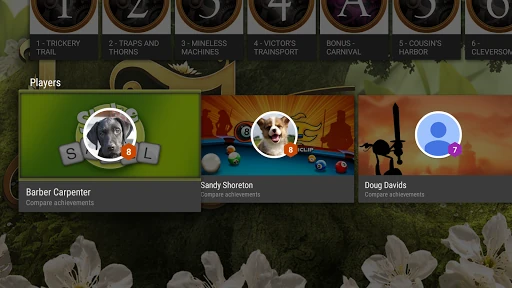
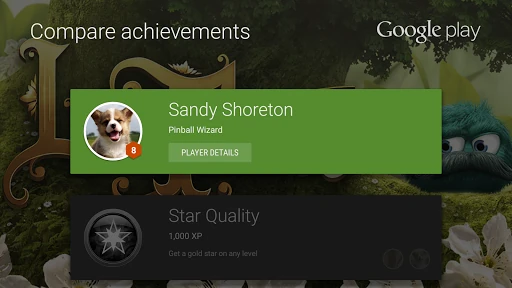
Analysis by Reviewed APKs
Google Play Games is a companion for discovering and playing games on Android, keeping track of achievements, and saving supported game progress. I found it most useful as a handy starting point between games, rather than a replacement for the games themselves. Its mix of instant-play options, built-in classics, and a gamer profile suits casual players who like a little continuity without much setup.
A quick break between tasks
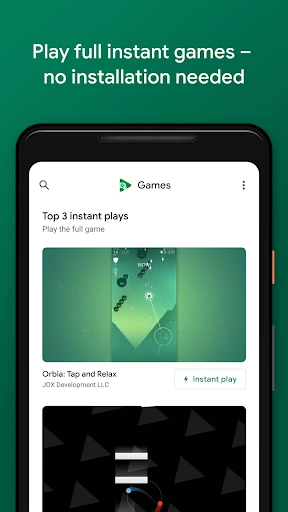
When I first opened Google Play Games, I thought of the small gaps in an ordinary day: waiting for dinner, riding along on a trip, or taking a few minutes between chores. The app brings game discovery and play into one place. If a game offers Instant play, I can try it without installing it first, which makes a short break feel less like a commitment.
I also like having a few familiar options close by. Solitaire, Minesweeper, Snake, PAC-MAN, Cricket, and Whirlybird are built into the app and can be played offline. That gives me something simple to reach for when I have no connection or do not want to browse for a new game. It is a practical little collection, not a substitute for a large game library.
A companion, not a game
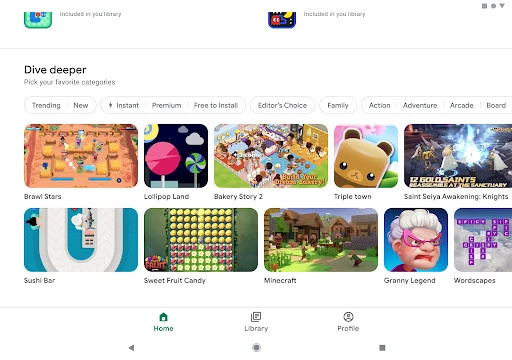
The obvious comparison is a game store or a phone’s home screen full of individual games. Google Play Games has a different job: it helps me find games, use instant-play titles, and keep a gamer profile with achievements and XP. For games that support cloud saves, it can also keep progress so I can pick up where I left off on another device.
That makes it a useful companion for someone who plays a mix of casual titles and wants their progress and achievements organized. It is not a single deep game, and the instant-play selection is not the same thing as installing a full game. If I already know exactly what I want to play, opening that game directly may be faster than browsing here.
Small habits that help
I get more from the app by checking whether a game has an Instant play button before deciding to install it. That keeps trying something new low-effort, especially when I am not sure I will stick with it. For games I do keep, I pay attention to the in-game message saying progress was saved by Play Games. It is a useful cue that cloud saving is active for that game.
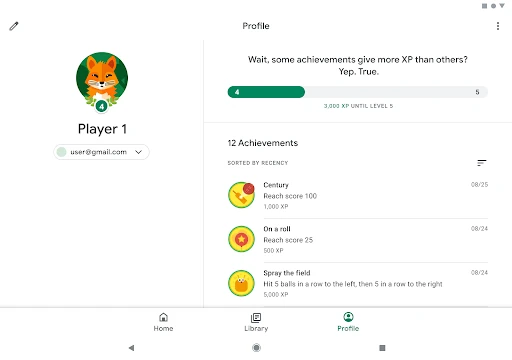
A custom gamer ID and the achievement list give me a simple way to keep track of what I have played and what I have unlocked. I can also use gameplay recording when I want to capture and share a good moment. I would treat those as optional extras, though. The app works best when I dip into the features that suit my routine instead of trying to turn every session into a project.
More From Our News Desk

Zoom Meetings, Google Meet, or Teams: Which Is Easiest to Join?

How I Build a Free Streaming Lineup With Tubi

Why Crunchyroll Is the Default Anime App for So Many Fans

YouTube TV: A Practical Guide to Cutting Cable

Rummikub and the Small Comfort of Phone Games

TeamViewer Remote Control or AnyDesk for Helping Family?
Who will enjoy it
I would recommend Google Play Games to Android users who move between casual games, enjoy achievements, or like trying a title before installing it. It is especially convenient if I want a familiar game during a short break or want supported progress saved through my Google Play Games profile. The built-in games also give the app a use even when I am offline.
It may be less appealing to someone who wants one particular game and has no interest in browsing, profiles, or achievements. Instant play applies to games that offer that option, and cloud saving is tied to supported games, so I would not expect every title to behave identically. Players who prefer a focused, standalone game may find the companion features unnecessary.
Google Play Games is an Android entertainment app from Google LLC. On Google Play it has over 5 billion installs and a 3.9-star rating from around 13.1 million ratings. It is free to download, and the supplied store information says it contains ads. It has a Teen content rating.
The supplied version is listed as varying with device. Google Play gives its release date as July 24, 2013, and its last update as October 22, 2026. The available facts do not specify a minimum Android version, so check the Google Play page on your device for current compatibility details.
A Useful Home Base for Casual Play
A straightforward first visit
My first impression was that Google Play Games is meant to sit alongside the games I already play, not take over the whole gaming routine. Its purpose is easy to understand: find something to play, use supported features such as achievements, and return to saved progress. That combination makes more sense once I think of it as a gaming hub rather than as a game in its own right.
The app’s custom gamer ID gives the experience a personal touch, while achievements and XP provide a lightweight sense of progress across supported games. I would start by looking around and choosing a game that suits the time I have. If a title offers Instant play, I can try it without installing it first; otherwise, the app still serves as a place to discover games.
The day-to-day experience
In everyday use, the main benefit is convenience. I can browse for a game when I have a few spare minutes, open one of the built-in choices, or return to a game whose progress is saved. That makes the app a natural stop when I feel like playing but have not already decided what to open. It can also make casual gaming feel a little more connected from one session to the next.
The saving feature is particularly useful when I switch devices, but it depends on the game supporting Play Games cloud saving. I look for the message that says progress has been saved rather than assuming every game handles it the same way. That small check keeps my expectations sensible and tells me when the feature is doing its job.
Features with everyday value
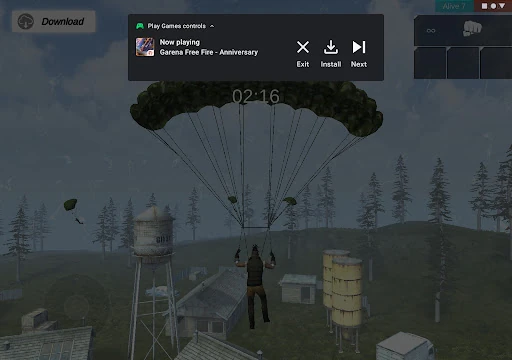
Instant play is the standout convenience for me. When a game offers it, I can try the full game without first installing it. That lowers the barrier to sampling something unfamiliar and is handy when I am only looking for a quick diversion. It does not mean every game can be played this way, so I treat the Instant play option as a useful bonus rather than a universal feature.
The built-in games add a different kind of value. Solitaire, Minesweeper, Snake, PAC-MAN, Cricket, and Whirlybird are available even when I am offline, which makes them well suited to a commute or a place with patchy service. They are recognizable, easy-to-grasp options for short sessions, rather than a promise of an extensive offline library.
The profile ties together gamer ID, achievements, and XP, while gameplay recording lets me capture and share memorable moments. I appreciate that these features serve different types of player: some will enjoy tracking milestones, while others may only use the app to find a game. None is necessary to enjoy the built-in titles.
A simple play routine
A routine I can imagine using is opening Google Play Games when I have a short break, browsing until a title catches my eye, and using Instant play if that option is available. If I want something dependable without a connection, I can choose one of the built-in games instead. That keeps the choice tied to the moment, rather than requiring me to plan a library of games in advance.
For a game I return to, I would check for the progress-saved message and glance at achievements when I feel like seeing how far I have got. On a session worth remembering, gameplay recording offers a way to capture and share a highlight. This is a loose routine, not something I need to follow every time; the app’s useful features are easy to pick up selectively.
Limits to keep in mind
The biggest limitation is that the experience depends on individual games. Not every title offers Instant play, and cloud saving applies when a game supports it. I would not rely on the app to make every game available instantly or to sync every kind of progress automatically. Checking for the relevant button or save message is a small but worthwhile habit.
Google Play Games is also a companion rather than a replacement for a full game. Someone looking for one specific title may be better served by opening that game directly, and a player who dislikes achievements or game discovery may not need this hub. The app contains ads, too, which is worth keeping in mind if interruptions matter to your preferences.
Google Play Games is a useful, low-pressure companion for casual Android gaming. I like the combination of instant-play options, offline built-in games, achievements, and supported cloud saves. Its strongest appeal is convenience: it gives me a place to browse or pick up a quick game without making every session feel like a major commitment.
I would try it if I play several supported games or enjoy having a few simple options ready for spare moments. If I only want one standalone game, it may add little to my routine. Overall, it is a practical hub, with the best results coming from using the features that individual games support.
Google Play Games Frequently Asked Questions
What is Google Play Games used for?
Google Play Games helps Android users discover and play games, including games with an Instant play option. It includes Solitaire, Minesweeper, Snake, PAC-MAN, Cricket, and Whirlybird, which can be played offline. The app also supports gamer IDs, achievements, XP, gameplay recording, and cloud saving for supported games.
Which devices can run Google Play Games?
Google Play Games is an Android app. The supplied facts do not give a minimum Android version, and compatibility can vary by device. Check the Google Play page on the device you plan to use for the current requirements and availability.
Is Google Play Games free?
The app is free to download, and the supplied facts say it contains ads and does not offer in-app purchases. Individual games may have their own terms or costs, so check the relevant Google Play page for details before installing or playing.
Does Google Play Games save my progress?
It can save progress to the cloud for games that support the feature. In a supported game, look for the message saying progress was saved by Play Games. Support can differ by game, so check the game itself rather than assuming every title saves or syncs progress.
Who should use Google Play Games?
It suits Android players who like browsing for games, trying supported titles without installing them first, tracking achievements, or having simple built-in games available offline. It may be less useful if you only play one standalone game or do not care about discovery and gamer-profile features.
Pros
- Instant play lets me try supported games without installing them first.
- Built-in classics provide simple offline options for short breaks.
- Achievements, XP, and a gamer ID add light progress tracking.
- Cloud saving can help continue supported games on another device.
Cons
- Instant play and cloud saving depend on support from individual games.
- The companion features may feel unnecessary to players focused on one game.
- The app contains ads.
- Category
- Entertainment