Phone by Google
- 52.38M
- 4.4
- Installs
- 5.00B
- Price
- Free

Screenshots
Analysis by Reviewed APKs
Phone by Google is a calling app for Android that brings everyday calls together with tools for identifying businesses, filtering suspected spam and managing voicemail. I see it as a practical choice for people who want more context around calls without replacing the basic job of making and answering them. Its familiar design and useful extras make a good impression, though some features depend on the device or location.
A Quieter Call Routine
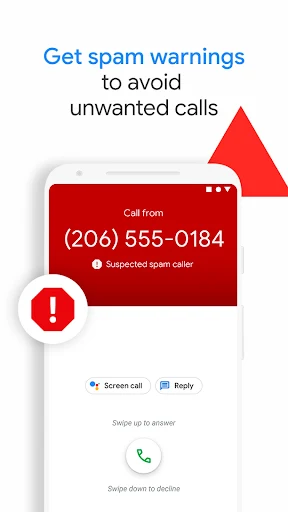
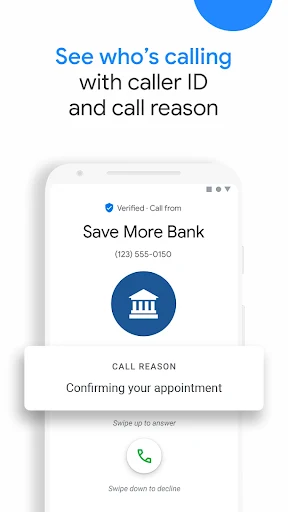
When I first opened Phone by Google, I thought about the familiar interruptions that break up a normal day: a call from an unknown number while I am cooking, or a business call I might actually need to take. Caller ID can identify businesses, while warnings can flag suspicious callers. That extra context helps me decide whether to answer, let the call go, or block a number that I do not want calling again.
The app’s usefulness is most apparent in small moments rather than a dramatic overhaul of calling. I can keep familiar people close at hand, handle a call, and deal with suspected spam in the same general space. If I miss a call, visual voicemail can make messages easier to review without dialing in. It is a straightforward fit for someone who wants a more informed version of the phone app they already use.
A Phone App, Not a Phone Plan
Phone by Google is best understood as a calling and call-management app, not a replacement for a mobile carrier or a separate messaging service. Its core job remains ordinary phone calls, with caller identification, spam warnings, blocking and voicemail tools around that job. Compared with relying on a basic dialer alone, it can offer more help deciding which calls deserve attention and what to do with messages afterward.
That focus also sets a useful boundary. I would not choose it as a general-purpose communications hub for every kind of conversation; the material describes phone calling features, not a broader set of chat services. Nor should anyone assume every extra works on every Android phone. Some capabilities are limited to certain devices, countries or languages, so it suits people who value the basics even when a particular extra is unavailable.
Small Habits That Help
A simple habit is to check caller information before answering a number I do not recognize. If the app flags a suspicious caller, I can make a more considered choice instead of interrupting what I am doing to pick up automatically. When a number keeps calling and I do not want further contact, blocking it is a direct next step. These small decisions are the practical center of the app.
I would also make voicemail review part of an existing routine, perhaps after lunch or at the end of the workday. Visual voicemail lets me choose which message to play and can show transcriptions where available, so I do not have to listen in sequence. Dark mode is another modest option for evening use. Together, these habits keep calls and messages easier to manage without turning the app into another task list.
More From Our News Desk

Zoom Meetings, Google Meet, or Teams: Which Is Easiest to Join?

How I Build a Free Streaming Lineup With Tubi

Why Crunchyroll Is the Default Anime App for So Many Fans

YouTube TV: A Practical Guide to Cutting Cable

Rummikub and the Small Comfort of Phone Games

TeamViewer Remote Control or AnyDesk for Helping Family?
Who May Find It Useful
I would recommend Phone by Google to Android users who make regular calls and want useful context when unfamiliar numbers appear. It is especially appealing if spam calls are a recurring nuisance, or if you prefer reviewing voicemail visually when that feature is available. The basic calling purpose is easy to understand, and tools such as caller ID and number blocking make sense without requiring a new communication routine.
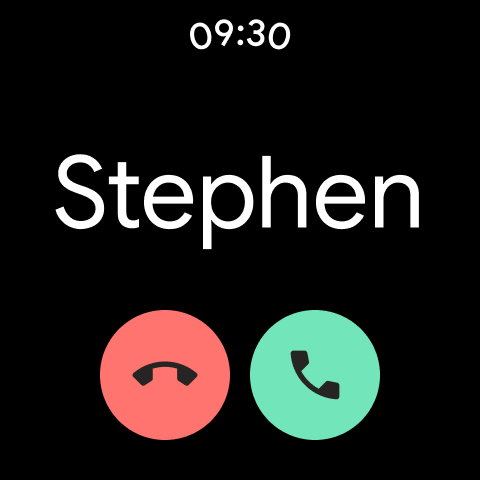
It may be less compelling for someone who only wants a minimal dialer and never uses voicemail or call screening. It is also worth keeping expectations measured if a specific feature is the main reason to try it: availability differs by device, region and language. People using supported Android devices can explore the app’s calling tools, while Wear OS is also mentioned as an available platform.
Phone by Google is made by Google LLC and is listed in the Tools category. On Google Play it has more than 5 billion installs and a 4.4-star rating from about 52.4 million ratings. It is free to download, contains no ads and has no in-app purchases. Its content rating is Everyone, making the store’s age classification suitable for a general audience.
The app was released on December 7, 2015, and its listed last update is October 26, 2026. Its version varies with the device. Phone by Google is available on most Android devices running Android 9.0 or later, and it is also available for Wear OS. Some features are restricted to particular devices, countries or languages.
Making Everyday Calls Easier to Handle
A Familiar First Impression
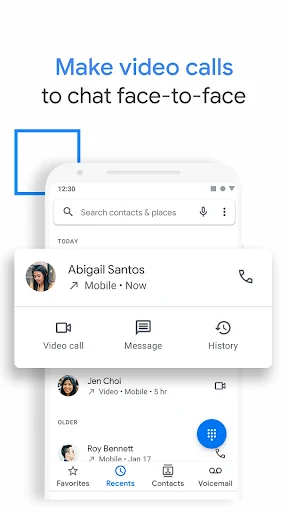
When I first opened Phone by Google, the appeal was its direct purpose: it is for making and receiving calls, with useful call details alongside. The design is described as simple and lightweight, and favorite people can be kept close at hand. That gives the app a practical starting point rather than asking me to learn a new way to communicate before it becomes useful.
The important setup consideration is the phone itself. The app is available on most Android devices running Android 9.0 and above, but some features are only available on certain devices that have Phone pre-installed. I would begin by treating the regular calling experience as the baseline, then see which additional tools appear on my device rather than assuming every advertised capability will be there.
The Everyday Call Flow
Day to day, the most useful difference is having more information around incoming calls. Caller ID can show which business is calling, and spam warnings can help identify suspicious numbers. That does not mean every unwanted call will be caught, but it gives me another signal before I answer. When a call is clearly one I do not want again, number blocking offers a simple follow-up.
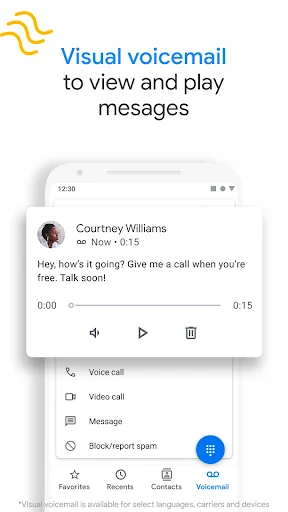
The same practical approach carries over to missed calls. Visual voicemail can let me view and play messages in any order, read available transcriptions, and save or delete messages in the app. I like that this puts the choice in my hands: listen to the most relevant message first, rather than treating voicemail as a queue I have to work through from the beginning.
Extras With Clear Uses
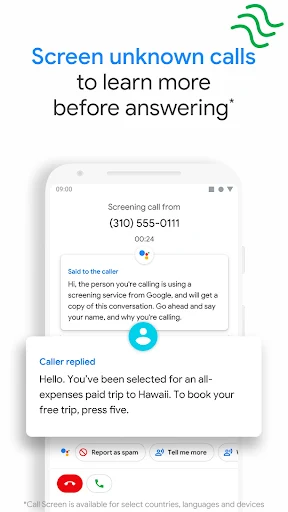
Call Screen is one of the more distinctive tools. It can answer unknown callers, filter detected spammers and help me learn more about an unfamiliar caller before picking up. Its reach has limits: manual screening is not available in every country or language, and automatic screening is limited to the US and English. The feature may also miss some spam, so I would see it as assistance, not a perfect gatekeeper.
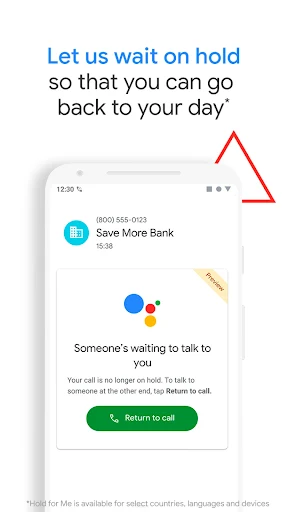
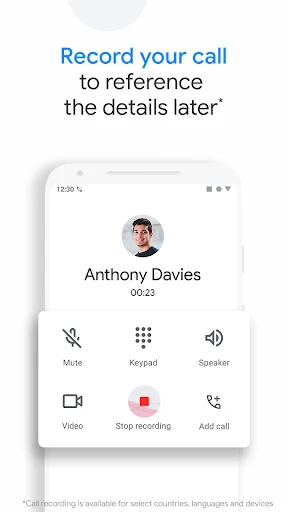
Hold for Me addresses a different irritation: waiting while a business keeps me on hold. On supported Pixel 2 and later devices, in the US and in English, it can wait on the line for toll-free numbers and alert me when someone is ready. Call recording can save a conversation on the phone, with a disclosure heard by everyone when recording starts.
There are also visual voicemail and emergency-support features. Emergency calling can show a current location and let a caller share information about needed assistance and location without speaking in the US, UK and Australia, in English. These features are useful in their specific situations, but their device and regional limits matter.
A Routine That Stays Simple
For a normal weekday, I would let caller information and spam warnings do their quiet work while I decide which calls need my attention. If I am busy, an unfamiliar caller can wait while I finish what I am doing. If a number becomes a repeat nuisance, I can block it rather than having the same interruption return. This is a low-effort routine, not a system that needs constant tending.
Later, I would check voicemail when I have a few minutes, using visual controls to jump to the messages that matter. A transcription can make a message quicker to scan where supported, while playback remains available. In the evening, dark mode may make the app more comfortable to look at. The point is to use the tools when they solve a small problem, not to turn every call into a project.
Limits to Keep in Mind
Feature availability is the main qualification. Some tools require Phone to have been pre-installed, and others are restricted by device, country or language. Automatic call screening is US-only and English-only; transcription is also limited to the US and English. Hold for Me has its own narrow conditions, including supported Pixel devices and toll-free numbers. I would check what is available on my own phone before relying on any one feature.
The app also cannot promise that every spam call will be detected. Call Screen may miss some, and caller information is best treated as helpful context rather than certainty. Emergency support has limited geographic availability too. These caveats do not erase the everyday value of calling, blocking and voicemail, but they make the experience less uniform than the simple app name might suggest.
Phone by Google earns its place through practical, familiar tools: caller ID, spam warnings, blocking and visual voicemail. The extra features can make particular calls less tedious, but their availability varies enough that I would not judge the whole app by one feature alone. Its core value is making ordinary calling a little easier to manage.
I recommend it to Android users who want more context and control around calls, especially if unwanted callers or voicemail are regular annoyances. If you prefer a bare-bones dialer, or need a feature that has strict device or regional limits, it may be less useful. For everyday calling, it is a sensible app to try.
Phone by Google Frequently Asked Questions
What is Phone by Google used for?
Phone by Google is a calling app for making and receiving calls. It also offers tools such as business caller ID, warnings about suspicious callers, number blocking and visual voicemail. Call screening, call recording and other features are available in some circumstances, with device, language or location restrictions.
Which devices support Phone by Google?
Phone by Google is available on most Android devices running Android 9.0 or later, and it is also available for Wear OS. Some features require the app to have been pre-installed on a supported device. Feature availability can differ, so check the Google Play information for your device.
Does Phone by Google cost money?
Phone by Google is free to download. It contains no ads and has no in-app purchases. Some calling features have device or regional requirements, so the set of tools available to you may vary. Check Google Play for current details about availability on your phone.
What Android version does Phone by Google need?
The app is available on most Android devices running Android 9.0 and above. Its listed version varies with the device. Individual features may have additional requirements or be limited to certain locations and languages, so the Google Play information and your device settings are worth checking.
Is Phone by Google suitable for everyday use?
I think it suits Android users who make regular calls and want help identifying businesses, handling suspected spam or reviewing voicemail. It may be less useful to someone who wants only a minimal dialer or depends on a feature that is restricted on their device or in their region.
Pros
- Caller ID and suspicious-call warnings add useful context before answering unfamiliar numbers.
- Number blocking offers a direct way to handle repeat unwanted callers.
- Visual voicemail can make reviewing and organizing messages more convenient.
- Simple design, dark mode and favorite contacts support everyday calling.
Cons
- Several standout features work only on specific devices, in certain regions or in English.
- Call screening may not detect every spam call.
- The experience can differ considerably depending on the phone and location.
- Category
- Tools