Google Voice
- 372.71K
- 4.1
- Installs
- 10.00M
- Price
- Free

Screenshots
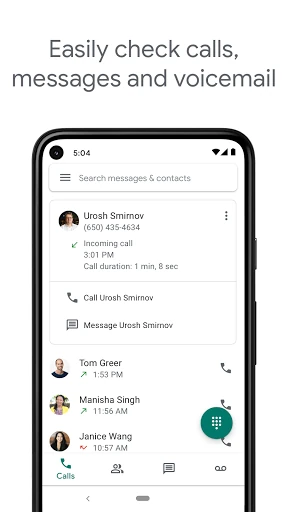
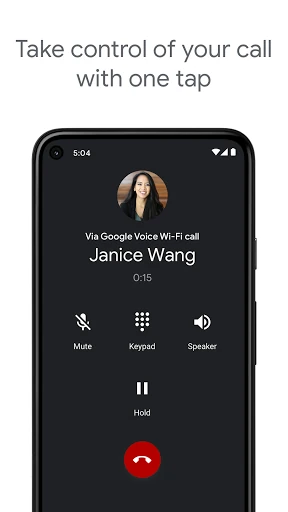
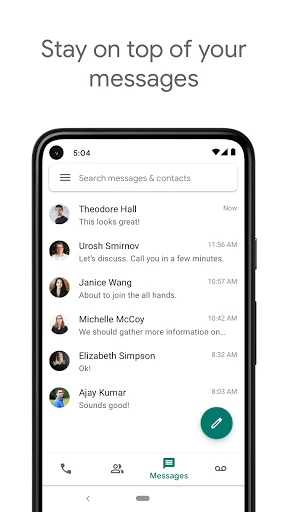
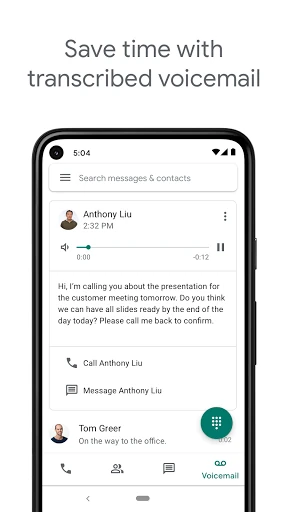
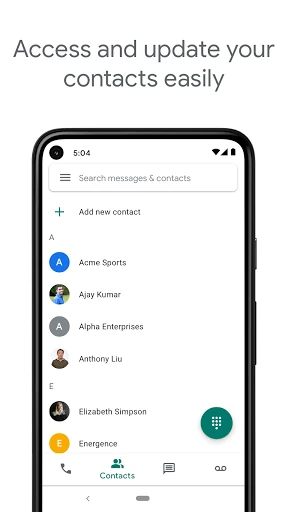
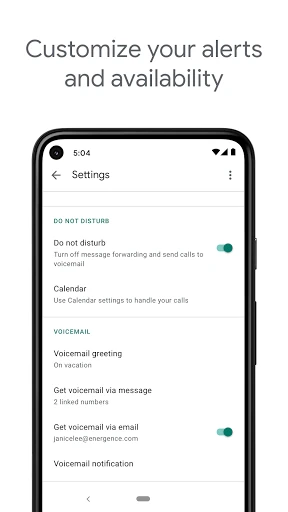
Analysis by Reviewed APKs
Google Voice gives you a phone number for calls, texts, and voicemail, with your history available across smartphones and computers. I’d consider it for someone who wants a separate number for everyday communication or a little more control over where calls go. Its strongest appeal is a useful mix of syncing, voicemail transcription, and adjustable call handling, though availability is limited by country and account type.
A Number for Everyday Calls
When I first opened Google Voice, I thought about the small bits of communication that pile up during a normal day: a call while I’m away from my desk, a text I want to catch up on later, or a voicemail I can’t listen to right away. The app brings those conversations together around a Google Voice number, so I can check calls, messages, and voicemail from a phone or computer.
That setup makes sense for a workday split between home and an office, or for someone who simply wants a number they can manage separately from their mobile carrier number. I can picture reading a voicemail transcription between errands, then checking the full history on another device later. The appeal is practical rather than flashy: it gives routine calls and messages a shared place to land.
More Than a Dialer
Compared with using only a carrier’s phone app, Google Voice puts more emphasis on syncing and managing a number across devices. It also keeps calls, texts, and voicemails backed up and searchable, and offers settings for forwarding them. That makes it a different kind of tool from a basic dialer: the point is not just placing a call, but having a number and its history available in more than one place.
It is not a universal replacement for a mobile plan or a messaging app. Google Voice is available in the US for personal Google Accounts, while Google Workspace access is limited to select markets; texting is not supported everywhere. Calls placed through an access number use standard minutes from your cell plan and may cost extra in some situations, such as international travel. Those boundaries matter before building a routine around it.
Small Habits That Help
I’d start by deciding where I want calls and messages to reach me, then adjust the forwarding settings to match that routine. Someone who spends part of the day away from a computer might prefer to keep the phone handy, while a desk-based stretch of work could make the computer more convenient. The useful part is being able to manage forwarding for calls, texts, and voicemail rather than treating every notification the same way.
I’d also make a habit of glancing at voicemail transcriptions when I have a spare minute, then opening the message itself if I need more context. Keeping the history searchable can help when I remember a conversation but not exactly when it happened. Spam filtering and blocking unwanted numbers are practical housekeeping tools, too. These habits do not require a complicated system; they simply make the number easier to manage over time.
More From Our News Desk

Zoom Meetings, Google Meet, or Teams: Which Is Easiest to Join?

How I Build a Free Streaming Lineup With Tubi

Why Crunchyroll Is the Default Anime App for So Many Fans

YouTube TV: A Practical Guide to Cutting Cable

Rummikub and the Small Comfort of Phone Games

TeamViewer Remote Control or AnyDesk for Helping Family?
Who may find it useful
I’d recommend Google Voice to people in supported regions who want a phone number for calls, texts, and voicemail that they can access from a smartphone and computer. It may suit someone balancing personal and work communication, or anyone who values being able to read a voicemail transcription instead of always stopping to listen. The adjustable forwarding and searchable history give it everyday usefulness beyond simply providing another place to make calls.
It may be a poor fit if you need a service that works everywhere, or if you expect every texting feature to be available in your market. The account rules also narrow the audience: personal Google Accounts are supported in the US, and Google Workspace access depends on the market and administrator. I’d check those conditions first, especially before relying on the number as the only route for important calls.
Google LLC develops Google Voice, a communication app with over 10 million installs on Google Play. It has a 4.1-star rating from around 373,000 ratings. The app is free to download, and the store facts show no in-app purchases or ads. Its content rating is Everyone, so the basic store information presents it as suitable for a general audience.
The current version shown is 2026.10.25.1007459589, and the app was last updated on October 28, 2026. Google Voice is available for personal Google Accounts in the US, with Google Workspace access in select markets. The description does not give a minimum Android version, so it is worth checking the Google Play details for device compatibility before installing.
A Flexible Home for Calls and Messages
Getting Started
My first impression is that Google Voice is built around a straightforward idea: use a Google Voice number for calls, texts, and voicemail, then keep that activity in sync across devices. That is easy to understand if you already know which number you want people to use. The more important first step is checking eligibility, since personal accounts and Workspace accounts have different regional availability.
Once access is in place, I’d take a moment to think through where I want calls and messages to reach me. Forwarding settings are part of the experience, so they are worth considering early rather than leaving every call to arrive in the same way. The app also offers spam filtering and number blocking, which can help make the number feel more manageable as routine use builds.
The Daily Rhythm
In day-to-day use, the draw is having calls, texts, and voicemail associated with one number and available on a smartphone or computer. If I’m moving between the two, I can pick up the history from whichever device is convenient instead of treating each one as a separate communication hub. That continuity is especially useful for catching up after a stretch away from my desk.
I also like the possibility of reading a voicemail transcription when listening is inconvenient. A quick scan can help me decide whether to respond now or return to it later. Calls, texts, and voicemails are stored and backed up, with history that can be searched. This gives the app a practical record-keeping role, without requiring me to remember exactly when each conversation happened.
Useful Control Features
The standout feature for me is the combination of call handling and voicemail transcription. I can set personalized forwarding for calls, texts, and voicemail, then read transcribed voicemail in the app or have it sent to email. That is more flexible than a voicemail routine built entirely around listening to every message as it arrives, particularly when I’m occupied or away from a quiet place.
Spam filtering and blocking numbers give users some control over unwanted contact, while searchable history helps with the less urgent task of finding an earlier exchange. Google Voice also supports individual and group SMS messaging across devices. Together, these features make it feel like a number-management tool as much as a calling app, rather than a bare screen for dialing.
A Workday Routine
A realistic routine might start with checking messages on a computer during the morning, then using the smartphone when heading out. If a call goes to voicemail during a meeting or commute, I can read its transcription later and decide whether a callback is needed. When I return to a desk, the conversation history remains available there too, which helps avoid losing track of the thread.
For a number that gets a mix of useful and unwanted calls, I’d periodically review how forwarding is set up and use blocking when needed. I’d also search the history rather than scrolling blindly when I need an old voicemail or conversation. These are modest habits, but they fit Google Voice’s strengths: keeping the number accessible, its history together, and communication settings adjustable to the day.
Limits to Keep in Mind
Availability is the first real limitation. Personal Google Accounts can use Google Voice in the US, while Google Workspace access is offered in select markets and may depend on an administrator. Text messaging is not available in every market. If someone travels often or needs broad international availability, I’d check the current conditions before treating this as a dependable primary number.
There is also a practical distinction between international calling rates and mobile plan charges. The description says international calls have competitive rates without extra international minutes from a mobile carrier, but Android calls may be placed through a Google Voice access number and use standard cell-plan minutes. That can bring costs, including while traveling internationally. It’s sensible to understand the access-number behavior and carrier terms before making calls away from home.
Finally, Google Voice is not necessarily a substitute for every communication service someone already uses. Its value depends on wanting a Google Voice number and being able to use it in the relevant market. If all you need is a basic carrier dialer, its syncing and management features may be more than you need; if you need a service with universal regional support, its availability limits may be decisive.
Google Voice is a useful option for people who want calls, texts, and voicemail tied to a number they can manage across a smartphone and computer. I especially like the combination of searchable history, forwarding controls, and readable voicemail transcripts. Those features address ordinary communication hassles without making the app sound more complicated than its core job.
I’d recommend it if you meet the account and regional requirements and want a flexible number with a shared history. I would not choose it without first checking availability, texting support, and how calls may use a mobile plan. For the right user, it is a practical communication companion; for everyone else, those limits are worth weighing before switching routines.
Google Voice Frequently Asked Questions
What is Google Voice used for?
Google Voice provides a phone number for calling, text messaging, and voicemail. It syncs across smartphones and computers, and keeps calls, texts, and voicemails backed up with searchable history. It also offers voicemail transcription, call and message forwarding settings, spam filtering, and number blocking. Availability and texting support depend on the market and account type.
Which devices can I use Google Voice on?
Google Voice is described as working on smartphones and computers, with activity synced across devices. The Android app is available through Google Play. The minimum Android version is worth checking in the current store details, since device requirements can vary. Google Workspace access is available only in select markets, and users may need to check with an administrator.
Does Google Voice cost money?
Google Voice is free to download, with no in-app purchases or ads shown in its store facts. International calls may have rates, and calls placed through a Google Voice access number use standard minutes from a cell phone plan. Those calls may incur costs in some situations, including while traveling internationally, so carrier charges are worth considering.
What Android version does Google Voice require?
The minimum Android version can vary with the app and device, so check the current Google Play details to confirm compatibility for your phone. The app is available for Android and is developed by Google LLC. Its current store version is 2026.10.25.1007459589, but that number alone does not establish which Android versions a device supports.
Is Google Voice right for me?
It may suit someone who wants a number for calls, texts, and voicemail that can be managed across a smartphone and computer. Personal Google Accounts can use it in the US; Google Workspace access is available in select markets. Texting is not supported everywhere, so check the store and account availability before relying on it for everyday communication.
Pros
- Keeps calls, texts, and voicemails synced across smartphones and computers.
- Transcribes voicemail so messages can be scanned when listening is inconvenient.
- Offers forwarding controls, spam filtering, and number blocking.
- Searchable, backed-up history makes older conversations easier to find.
Cons
- Personal Google Account availability is limited to the US.
- Text messaging is not supported in every market.
- Calls through an access number use cell-plan minutes and may incur costs.
- Category
- Communication
- Version
- 2026.10.25.1007459589