Spotify: Music and Podcasts
- 36.56M
- 4.3
- Installs
- 1.00B
- Price
- Free

Screenshots
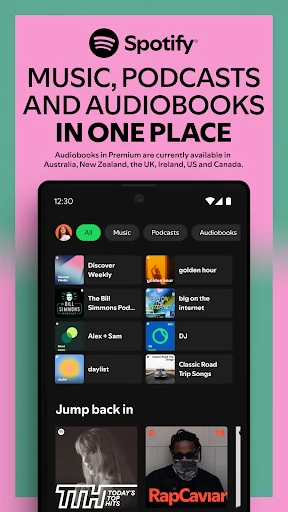
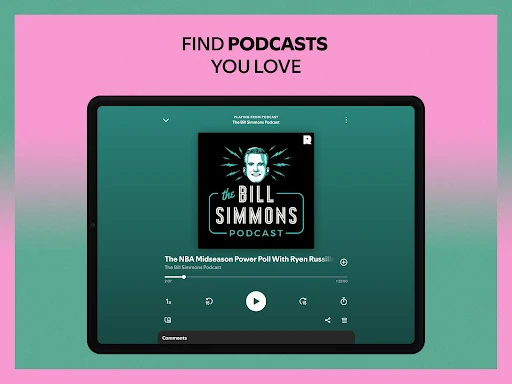
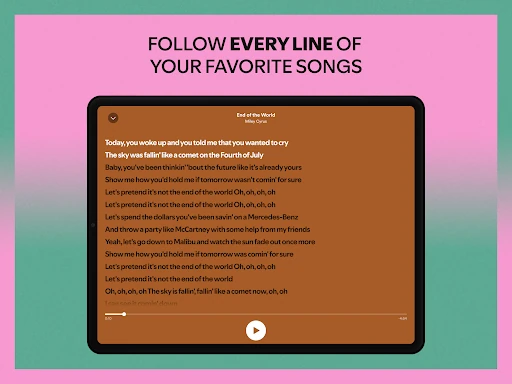
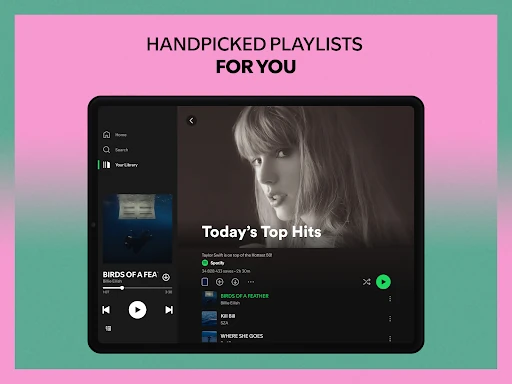
Analysis by Reviewed APKs
Spotify: Music and Podcasts is a streaming app for finding and playing music, podcasts, and audiobooks, with tools for building playlists and discovering what to hear next. I found it most useful as an everyday listening companion: it can follow me from a specific song search to a longer mood-based session. Its wide mix of listening options is appealing, though ads and Premium-only features shape the experience.
A Day With Spotify
When I first opened Spotify, I pictured the sort of morning when I want music but have no particular album in mind. I could search for an artist or song, browse playlists, or try one of the daily mixes made for me. That flexibility is the app’s basic strength: I can arrive with a precise request or just a rough mood and find something to play without planning a whole listening session.
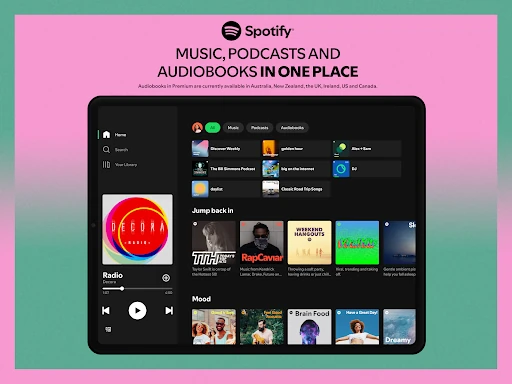
The same approach works later in the day. I might switch from music while getting ready to a podcast during a walk, then return to a playlist while doing chores. Spotify brings songs, podcasts, and audiobooks into one listening app, so those changes do not require jumping between separate services. I especially like having the choice to follow a familiar artist or let discovery take over when I am ready for something different.
More Than a Music Player
Compared with a basic music player, Spotify is built around streaming, searching, and discovery as much as playing a known collection. I can look for an artist, album, playlist, podcast, or even search for a song by typing a lyric. Playlists and daily mixes make it useful when I want someone else’s curation or a personalized starting point rather than choosing every track myself.
It is also not simply a podcast app or an audiobook service: those are part of a broader catalog alongside music. That makes Spotify a convenient all-in-one option, but it may not suit someone who wants only a local music library or prefers one focused app for each format. The free experience includes ads, while offline listening and some playback choices are tied to Premium, so it is not identical to an unrestricted on-demand player.
Small Listening Habits
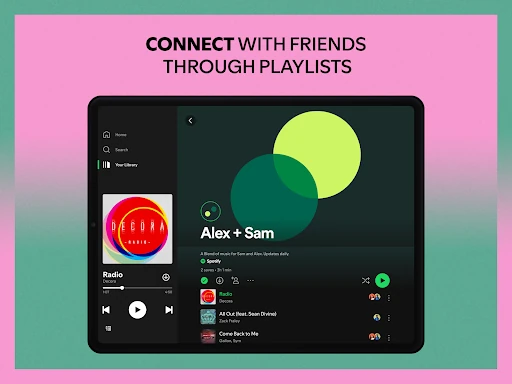
I get more from Spotify when I treat playlists as little containers for specific routines. A playlist for a commute, a workout, or a quieter evening gives me a one-tap starting point, and I can make and share my own rather than relying only on suggestions. The app also has playlists for genres, moods, decades, and other themes, which can help when I know the feeling I want but not the exact artist.
For podcasts, following a show is a simple way to keep its episodes within reach, and Spotify also lets me bookmark individual podcasts into playlists. Searching with a lyric is handy when a song has been stuck in my head but its title has not. I would use downloads as a deliberate Premium feature for times without a connection, rather than assuming every listening option is available offline.
Reads About Spotify
More From Our News Desk

Zoom Meetings, Google Meet, or Teams: Which Is Easiest to Join?

How I Build a Free Streaming Lineup With Tubi

Why Crunchyroll Is the Default Anime App for So Many Fans

YouTube TV: A Practical Guide to Cutting Cable

Rummikub and the Small Comfort of Phone Games

TeamViewer Remote Control or AnyDesk for Helping Family?
Who Will Enjoy It
I would recommend Spotify to people who listen in several formats and want one app for music, podcasts, and audiobooks. It is particularly convenient for anyone who likes to alternate between searching for a specific song and browsing playlists or mixes. People who enjoy making and sharing playlists, following podcast shows, or exploring music across genres may find plenty to return to over the course of a normal week.
It may be less appealing if ads are a deal-breaker or if offline listening and fully on-demand playback are essential without a subscription. Spotify’s free option is available, but Premium is the route described for ad-free albums and playlists, downloads, and on-demand playback. Someone who wants a simple player for music they already have may also find the streaming and discovery focus more than they need.
Spotify AB develops Spotify: Music and Podcasts, a free music and audio app with optional in-app purchases. On Google Play, it has over a billion installs and a 4.3-star rating from around 36.6 million ratings. The app contains ads. Its Google Play content rating is Teen, and the displayed version varies with device.
The listed in-app purchase range is $4.99 to $203.88 per item. The app’s release date is May 27, 2014, and its last update is dated October 23, 2026. Google Play does not provide a single minimum Android version in these details, so compatibility is best checked for the particular device in the store.
How Spotify Fits Into Daily Listening
Opening the App
My first impression is of a service designed to accommodate several kinds of listening, not just a search box for music. The catalog described by Spotify includes songs, albums, podcasts, and audiobooks, with playlists and discovery options alongside them. That breadth is useful once I know what I want, but it also gives me different ways to start when I have only a vague idea.
I would begin by searching for a familiar artist or track, then explore playlists and daily mixes when I wanted a change of pace. Searching by lyric is a thoughtful option for those half-remembered-song moments. The basic setup is easy to understand at that level: look for something specific, or browse and let a playlist set the mood.
The Everyday Experience
In day-to-day use, Spotify’s value is in reducing the effort between wanting something to listen to and having it playing. I can search for a song, pick an album, or choose a playlist rather than making a queue from scratch. A music session can sit alongside podcast listening in the same app, which suits routines that shift from background music to a show without much ceremony.
The free tier does have trade-offs. Spotify describes ad-free albums and playlists, offline downloads, and on-demand playback as Premium benefits, so I would not expect the free experience to provide all of those. Ads are also part of the app. That distinction is worth keeping in mind if I am choosing it for uninterrupted listening or for a trip where I need content saved ahead of time.
Discovery and Variety
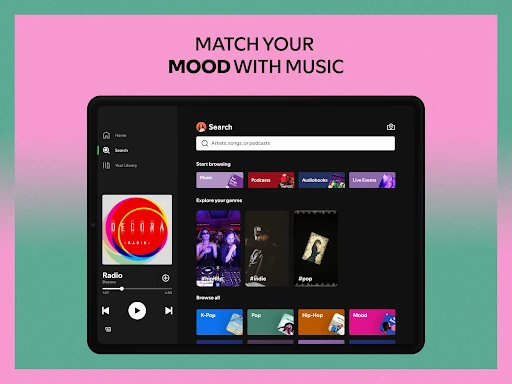
Discovery is one of Spotify’s most useful strengths. It offers daily mixes, playlists made around genres and moods, and ways to browse music from different countries or decades. I like having both broad categories and more personal mixes available: one helps me explore a scene, while the other gives me a convenient starting point when I do not want to choose every track.
The range extends beyond music. Spotify describes a large collection of podcasts and audiobook titles, and I can follow podcast shows or bookmark individual podcasts into playlists. I would not treat every format as equally available in every plan or region, but having these types of listening together makes the app more flexible than a music-only service.
A Practical Routine
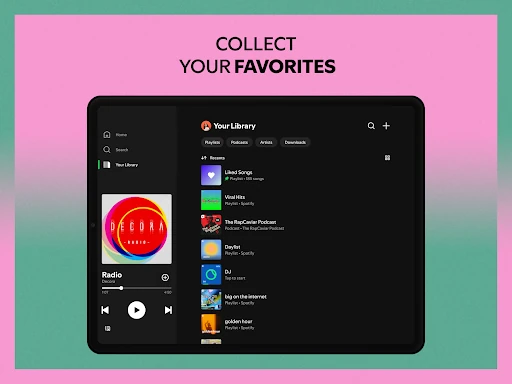
A routine that suits Spotify might start with a playlist for the morning, move to a followed podcast during a walk, and end with an album or a quieter mood playlist at home. I would keep playlists focused on occasions rather than trying to make one enormous list for everything. Creating and sharing my own playlists gives me a way to preserve the combinations I reach for most often.
When I am in a browsing mood, I can use the genre, mood, or decade collections as prompts. When a particular show becomes part of my routine, following it helps keep it close, and bookmarking a podcast into a playlist can group it with other listening. These are small habits, but they make a broad catalog feel more manageable instead of turning every session into another search.
Limits to Keep in Mind
The main limit is the difference between free listening and Premium. Ads are present, and the described benefits of downloads, listening offline, ad-free albums and playlists, and on-demand playback require Premium. That matters most if I want to select exactly what plays, listen without interruptions, or rely on saved content away from a connection. It is better to know that boundary before building a routine around those features.
The other consideration is focus. Spotify combines music, podcasts, and audiobooks, which is convenient for many listeners, but a person who wants only a straightforward player may not care about all the discovery and playlist options. Audiobook availability and Premium listening details can also depend on the plan and region described by Spotify. I would check the current store and service details before counting on a particular option.
Spotify works best for me as a flexible everyday listening hub: it brings music, podcasts, and audiobooks together and offers several ways to find something worth playing. Playlists, daily mixes, lyric search, and podcast following give it practical use beyond a basic music search, while the free tier makes it possible to start without a subscription.
I would recommend it to listeners who value variety and discovery and are comfortable with the free tier’s ads or considering Premium for its added features. If offline listening and uninterrupted, on-demand playback are must-haves, I would weigh the subscription carefully. For casual listening across formats, Spotify is an easy app to keep in the rotation.
Spotify Frequently Asked Questions
What is Spotify: Music and Podcasts used for?
Spotify is used to stream music, podcasts, and audiobooks. I can search for songs or artists, browse albums and playlists, create and share playlists, follow podcasts, and explore daily mixes. It suits both deliberate listening and moments when I would rather browse for a mood or genre than pick a specific track.
Which devices can I use Spotify on?
The app is available for Android phones and tablets. Spotify also describes listening across desktop, PlayStation, Chromecast, TV, Wear OS, and wearable devices. The available experience can depend on the device, so check the relevant store or device details if you have a particular setup in mind.
What Android version does Spotify require?
The minimum Android version can vary with the device and current app release. Google Play is the best place to check whether Spotify: Music and Podcasts is compatible with your particular phone or tablet before installing or updating it.
Is Spotify free, and does it have in-app purchases?
Spotify is free to install and use, and it contains ads. It also offers in-app purchases, with listed prices ranging from $4.99 to $203.88 per item. Premium is described as adding benefits such as offline downloads, ad-free albums and playlists, and on-demand playback; current plan details are worth checking in Google Play.
Who is Spotify: Music and Podcasts best for?
I think it is a good fit for people who want music, podcasts, and audiobooks in one app, especially if they enjoy playlists and discovering new listening. It may be less suitable for someone who dislikes ads or needs offline listening and on-demand playback without Premium. The Google Play content rating is Teen.
Pros
- Combines music, podcasts, and audiobooks in one listening app.
- Offers daily mixes, themed playlists, and lyric-based song search.
- Lets listeners create, share, and organize their own playlists.
- Free to install, with optional Premium features.
Cons
- The free app contains ads.
- Offline downloads and on-demand playback are Premium features.
- Its broad mix of formats may be more than a simple music player needs.
- Category
- Music & Audio