LINE: Calls & Messages
- 13.97M
- 3.3
- Installs
- 1.00B
- Price
- Free

Screenshots




Analysis by Reviewed APKs
LINE: Calls & Messages is a communication app for keeping up with friends and family through chats, voice calls, and video calls. I like that it also gives everyday conversations a more personal touch with stickers, emojis, and themes, while working across mobile, desktop, and Wear OS. It suits people whose contacts already use LINE; for everyone else, its appeal depends on whether they want another place to chat.
A Conversation That Travels
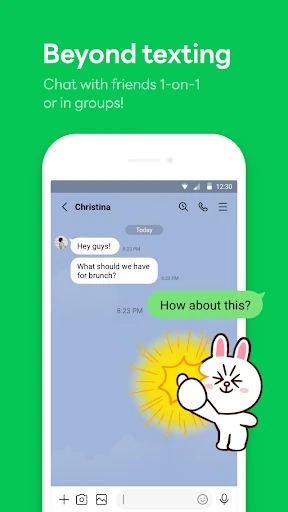
Picture a familiar evening: I want to message a friend about dinner, send a photo, then switch to a call when typing gets awkward. LINE brings those options together in one communication app. Messages, voice calls, and video calls are its central jobs, with stickers and emojis available when a plain sentence feels a little flat. That combination makes it suited to the small, frequent exchanges that keep family and friends in touch.
The same conversation can fit different parts of the day. I might check LINE on my phone while out, use a desktop version while working, or glance at messages on a Wear OS smartwatch. Keep Memo also offers a personal chatroom for temporarily storing messages, photos, and videos. These are useful extensions of a straightforward routine, rather than reasons to treat LINE as a replacement for every app on a device.
A Messenger, Not Everything
Compared with a basic text-only messenger, LINE puts more emphasis on expressive chat: stickers, emojis, and themes sit alongside messages and calls. It also reaches beyond a phone through desktop and Wear OS support. That wider mix may appeal if I want conversation and a bit of customization in the same app. The practical catch is that the people I want to reach need to be part of my LINE circle for those conversations to happen there.
I would choose LINE for personal messaging and calls, not as a general-purpose work suite or a place to manage projects. Its Home area provides access to the friends list, birthdays, sticker shop, and other LINE services and content, but that does not make it a task manager. The app description also does not present it as a customer-service or sales tool. Its clearest purpose is staying connected, with extra ways to express yourself.
Small Habits, More Ease
A simple habit is to use the channel that matches the moment: send a message when a quick update will do, and start a voice or video call when a conversation needs more back-and-forth. Stickers and emojis can add tone without turning every chat into a long explanation. I would keep those expressive extras as optional seasoning, though; a concise message still works perfectly well when the subject is practical.
Keep Memo makes sense as a temporary landing spot for a message, photo, or video I want to keep close at hand. I would treat it as a personal chatroom for short-term storage, not assume it replaces a dedicated archive. If I use LINE on a watch or desktop as well as a phone, I can choose the screen that fits the moment. A Wi-Fi connection or data plan is sensible for calls and messaging.
More From Our News Desk

Zoom Meetings, Google Meet, or Teams: Which Is Easiest to Join?

How I Build a Free Streaming Lineup With Tubi

Why Crunchyroll Is the Default Anime App for So Many Fans

YouTube TV: A Practical Guide to Cutting Cable

Rummikub and the Small Comfort of Phone Games

TeamViewer Remote Control or AnyDesk for Helping Family?
Who Might Enjoy LINE
I would recommend LINE to people whose friends or family already use it, especially anyone who wants messaging and voice or video calls in one place. The stickers, emojis, and themes offer a more playful option than plain text, while desktop and Wear OS access can suit routines that move between phone, computer, and watch. Keep Memo is a small convenience for temporarily holding personal messages and media.
It may be less appealing if my contacts are committed to another messenger and have no reason to switch, or if I want a focused work organizer rather than a communication app. Stickers and themes are extras, not necessities, and ads and in-app purchases are part of the app's store details. I would also check the Android requirement before installing, particularly on an older device.
LINE: Calls & Messages is a communication app developed by LINE (LY Corporation). On Google Play, it has over one billion installs and a 3.3-star rating from around 14 million ratings. It is free to download, contains ads, and offers in-app purchases. The stated price range for in-app items is $0.29 to $394.99 per item.
The app has an Everyone content rating and was released on June 23, 2011. Its most recent update in the provided store details was February 6, 2026. LINE recommends Android 11 or above for the fullest experience. The Android version requirement can vary, so I would check the Google Play details for the device-specific requirement before installing.
How LINE Fits Into Everyday Chat
Getting Started
My first impression of LINE is that it wants to be more than a blank text box. Messages and calls sit at the heart of the app, but stickers, emojis, themes, and the Home area give it a more decorated feel. Home gathers access to a friends list, birthdays, the sticker shop, and other LINE services and content. That can be handy, though people who want only a bare-bones messenger may prefer a quieter interface.
Before installing, I would check that my Android device meets the recommended operating system level and has enough free storage. LINE says that limited storage or a slow network can interfere with installation. Once it is ready, the most useful first step is simply to connect with the people I actually want to talk to; the app's communication features matter most when my contacts are there too.
The Daily Conversation
The everyday appeal is the ability to move between messages, voice calls, and video calls without making those separate parts of the app's purpose. A quick text suits a short update; a call makes more sense when I want a live conversation. LINE friends are the people the app is designed for, so the experience naturally centers on communicating with them rather than sending messages to anyone indiscriminately.
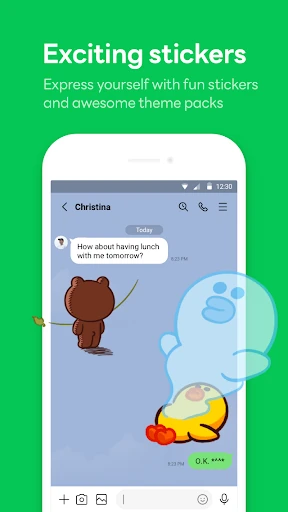
Stickers and emojis give chats a little room for personality. I can imagine using one to respond warmly to a family photo or make a casual exchange feel less stiff, while keeping ordinary messages direct. The choice is useful because it does not require every conversation to be playful. LINE's core remains communication, and the extras are there when they suit the tone.
Features With Personality
The most distinctive touch is the range of expressive options: stickers, emojis, and themes let me adjust how conversations and the app look. The sticker shop is accessible through Home, and themes provide another way to customize the app. These features give LINE a recognizable personality compared with a messenger focused entirely on plain text, though they are optional rather than essential to sending a message.
Keep Memo is another practical inclusion: it is a personal chatroom for temporarily storing messages, photos, and videos. I like the idea of having a place to set something aside without turning that into a separate conversation with a friend. LINE also describes Letter Sealing as encrypting messages, call history, and location information. That is a stated privacy feature, not a reason to make broader assumptions about every aspect of privacy.
A Routine Across Screens
A useful routine could start with a quick message during the day, continue with a voice or video call when plans need discussing, and end with a photo shared in the conversation. If something is only meant to be kept temporarily, Keep Memo can hold a message or media. I would avoid making the routine more complicated than that: LINE is most useful when it helps a real conversation happen, not when I spend time organizing around it.
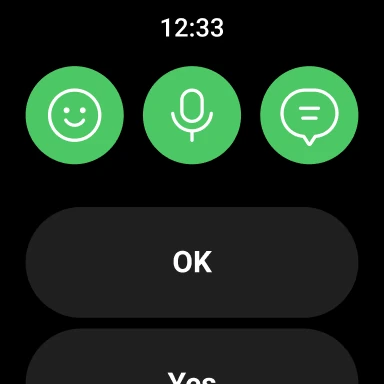
The app is available on mobile, desktop, and Wear OS, which can make it easier to check in from the screen already in front of me. On Wear OS smartwatches, LINE can show messages and add an app complication to the watch face. I would use a phone or desktop for a longer exchange and a watch for a quick glance. A Wi-Fi connection or data plan helps avoid unexpected data use.
Things to Keep in Mind
LINE's usefulness depends heavily on whether my friends and family are willing to use it. A generous set of stickers or multiple device options cannot solve the basic problem of having conversations split across different apps. I would think about who I need to reach before adding another messenger to my routine, especially if my existing contacts already have a preferred place to chat.
The store details include ads and in-app purchases, with individual items priced from $0.29 to $394.99. That is worth knowing if I prefer apps without advertising or optional spending. I can use the core communication purpose without assuming that every customization is necessary. The Android requirement is also worth checking on an older device; LINE recommends Android 11 or above for the fullest experience.
Finally, this is a communication app, not a complete system for planning work or managing information. Home offers access to various LINE content and services, but the main strengths described are messaging, calls, expressive options, and access across devices. Keeping those boundaries in mind makes it easier to judge LINE on what it is built to do.
LINE: Calls & Messages makes a good case for itself when the people I care about already use it. Messages, voice and video calls, stickers, Keep Memo, and support across mobile, desktop, and Wear OS cover a broad set of everyday communication needs. Its expressive extras add character without changing the app's basic job.
I would try LINE for personal chats and calls, particularly if I want stickers or access across more than one kind of device. I would skip it if my contacts are elsewhere or I want a stripped-down, work-focused tool. Check the Android requirement and store details first, then decide whether its extras suit your routine.
LINE Frequently Asked Questions
What is LINE: Calls & Messages used for?
LINE: Calls & Messages is for communicating with LINE friends through messages, voice calls, and video calls. It also includes stickers, emojis, themes, and Keep Memo, a personal chatroom for temporarily storing messages, photos, and videos. Home provides access to a friends list, birthdays, the sticker shop, and other LINE services and content.
Which devices can I use LINE: Calls & Messages on?
LINE is available on mobile, desktop, and Wear OS. On Wear OS smartwatches, it can show messages and let you add a LINE complication to the watch face. Device availability and compatibility can vary, so check the relevant store details for your device before installing.
What Android version does LINE: Calls & Messages need?
LINE recommends Android 11 or above to enjoy the app to the fullest. The required Android version can vary by device and current store details, so check Google Play before installing, particularly if you use an older phone. The app also notes that slow network speeds or limited device storage can affect installation.
Is LINE: Calls & Messages free, and does it have purchases?
LINE is free to download on Google Play. It contains ads and offers in-app purchases; the provided price range is $0.29 to $394.99 per item. Prices and available items can change, so check Google Play for current details before making a purchase.
Who is LINE: Calls & Messages best suited to?
LINE may suit people who want messaging and voice or video calls with friends and family, especially when those contacts already use LINE. Stickers, emojis, themes, and access across mobile, desktop, and Wear OS add flexibility. It may be less useful if your contacts use other messengers or you want a dedicated work-planning app.
Pros
- Combines messages, voice calls, and video calls for communicating with LINE friends.
- Stickers, emojis, and themes give conversations and the app room for customization.
- Supports mobile, desktop, and Wear OS, with messages available on compatible watches.
- Keep Memo provides a personal space for temporarily storing messages, photos, and videos.
Cons
- Its value depends on whether the people you want to reach use LINE.
- The app contains ads and offers in-app purchases across a wide stated price range.
- LINE recommends Android 11 or above for the fullest experience.
- Category
- Communication
- Version
- VARY











