X
- 22.86M
- 3.7
- Installs
- 1.00B
- Price
- Free

Screenshots
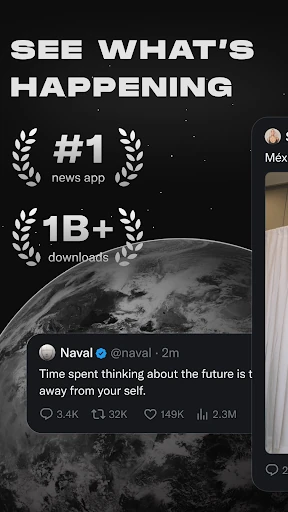



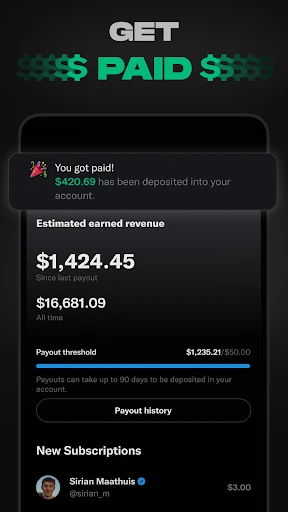

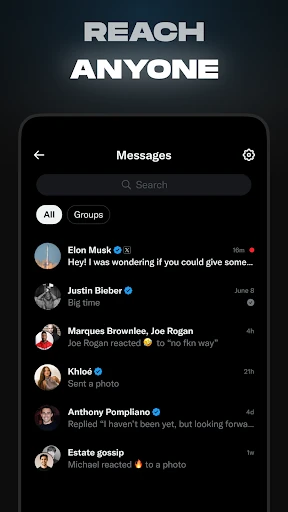
Analysis by Reviewed APKs
X is a social app for following live conversations, news, creators, and communities, then sharing your own posts or joining in through messages and audio discussions. I find it most useful when I want a quick sense of what people are talking about right now, especially around a live event. It can be lively and informative, but the fast-moving mix of posts means it works best when I use it with a little intention.
A quick check on the day
When I first opened X, I treated it like a quick morning check-in: I looked at posts from accounts I follow, then glanced at the topics getting attention. That makes sense when a big game, news story, or entertainment event is unfolding and I want reactions as well as updates. I can post a thought, photo, or video of my own, too, rather than only reading along.
The experience is less like opening a newspaper for a settled overview and more like stepping into a conversation while it is still happening. Posts arrive from people with different perspectives, and a trending topic can lead me from a short update to a longer video or a discussion in a community. I like that immediacy, though it also means I need to decide which voices and subjects deserve my attention.
Conversation, not a news desk
Compared with a dedicated news app, X puts public reaction and direct conversation close to the updates themselves. I can follow people who post about a subject, reply, share my own view, or use Direct Messages to talk privately. Live video and Spaces add another layer when a discussion is happening in real time. That makes X a useful companion to traditional reporting, not a replacement for careful, complete coverage.
It is also different from a private group chat or a simple photo-sharing feed: public posts, trending topics, communities, video, and audio discussions all sit within one social experience. That breadth suits people who like moving between interests and taking part in public conversation. It is less suited to anyone who wants a quiet, tightly edited reading experience or who would rather avoid fast-moving social discussion altogether.
Small habits that help
I get more from X when I enter with a purpose. If I am checking on a live event, I look for relevant conversations and accounts rather than scrolling without a stopping point. Following subjects and people I genuinely care about gives me a better starting place, while communities can help keep a particular interest in view. The app covers a broad range, including sports, technology, music, politics, gaming, and entertainment.
For a topic that is moving quickly, I find it useful to pause and look for context instead of treating the first post I see as the whole story. X describes Grok as an assistant that can summarize trending news, explain videos, or add context to posts. I can also switch from reading to posting, watching a video, or joining an audio conversation when that format fits what I am following.
More From Our News Desk

Zoom Meetings, Google Meet, or Teams: Which Is Easiest to Join?

How I Build a Free Streaming Lineup With Tubi

Why Crunchyroll Is the Default Anime App for So Many Fans

YouTube TV: A Practical Guide to Cutting Cable

Rummikub and the Small Comfort of Phone Games

TeamViewer Remote Control or AnyDesk for Helping Family?
Who will enjoy X
I would recommend X to people who enjoy following live events and public conversation, or who want to keep up with creators and communities across several interests in one app. It can be particularly handy when a subject is changing by the minute and people are sharing short updates, video, or reactions. People who like contributing their own thoughts, photos, and videos have a clear reason to use it beyond browsing.
It may not suit someone who wants a calm, curated news briefing or who finds a busy social feed tiring. The mix of posts and perspectives calls for personal judgment, and the experience can pull attention in several directions. If the main goal is simply to read a few carefully selected articles, a dedicated news service may feel more focused. X makes more sense when conversation and participation are part of the appeal.
X is developed by X Corp. and is available on Android through Google Play. The app has over a billion installs and a 3.7-star rating from around 22.9 million ratings. Its content rating is Mature 17+. The listed Android requirement is Android 9, and the current version in the supplied store details is 11.63.1-release.0.
The app is free to download, with in-app purchases priced from $0.99 to $490.00 per item, and it contains ads. The supplied release date is April 30, 2010, and the last update date is February 6, 2026. Those figures describe the store details provided for this review; the app’s price and availability may vary by region.
A closer look at the live feed
Opening the conversation
My first impression of X is that it is built around immediacy. The basic idea is easy to grasp: follow conversations, see what is trending, and join in with a post or reply. The app spans news, live events, entertainment, and personal interests, so there is usually more than one route into a subject. That range is appealing, although it can make the experience feel busy when I arrive without a particular topic in mind.
Getting started is most rewarding when I know what I want to follow. If I care about a sport, a technology topic, or a creator’s work, that gives the feed a clearer purpose than browsing every conversation that happens to be popular. X also supports communities organized around interests, so a specific subject can become a place to follow and take part in discussion rather than just a passing trend.
The everyday rhythm
In day-to-day use, X works well as a place to dip into an ongoing conversation. I might check posts during a break, look for reactions to a live event, or catch up on what people in a particular field are discussing. A post can lead to a video, a trending topic, or a reply thread, which gives the app a natural sense of momentum. That same momentum can make a quick visit stretch longer than I meant it to.
The app is not only for reading. I can share thoughts, photos, and videos, reply to other people, or use Direct Messages for private conversations with friends, followers, customers, or collaborators. When I want more than a short exchange, Spaces provides an audio format for discussions, interviews, or live podcast-style conversations. The range of ways to participate is one of X’s strongest practical advantages.
More than short posts
The video side gives X a different pace from a feed made up only of brief text updates. The app includes video from live news and sports clips to podcasts and gaming sessions, with videos described as running up to three hours. I can watch rather than read when a topic is better explained visually, or follow a live stream when being there as it happens is part of the appeal.
Spaces stands out because it brings live audio discussion into the same social setting as posts and video. A host can use it to hold an interview or open a discussion, while listeners can tune in to a conversation around a subject they follow. Communities add another useful format by grouping people around interests such as sports, gaming, entertainment, entrepreneurship, or technology.
Grok is another feature X highlights, described as an assistant powered by X’s real-time data. Its stated uses include summarizing trending news, explaining videos, and giving more context about posts. I see that as a way to explore material already circulating in the app, rather than a reason to stop checking the original conversation or look for additional context elsewhere.
A routine for live events
For a live game or major announcement, I would start by opening X with that event in mind. I can look at relevant trending conversations, follow posts from accounts that cover the subject, and watch related video as it appears. If people are discussing the event in a community or a Space, I can move into that format instead of staying in the feed. The different options make a single event feel more interactive.
Afterward, I can share a quick reaction or send a Direct Message to someone I know who is following the same thing. If I want to keep up with the subject beyond that day, following relevant accounts or joining a community gives me a route back to it. This routine keeps X useful as a companion to an event without expecting every post to provide the full picture.
Keep the limits in view
The main trade-off is the pace. X brings trending topics, posts, live video, and conversations together, so a visit can quickly branch into unrelated subjects. That variety is part of its appeal, but I find it helps to arrive with a specific reason for opening the app and to leave when I have found what I need. Otherwise, the stream of new material can take over a spare moment.
X is designed for public social activity as much as for keeping up with news. That means the experience depends on the people and topics I choose to follow, and on how much conversation I want in my day. The app offers tools for posting, messaging, and joining live discussions, but those features do not turn it into a focused reporting service or a private-only space.
The store details also matter for practical expectations: X contains ads and offers in-app purchases, including an X Premium subscription with features such as fewer ads, longer videos, post editing, and prioritized replies. Anyone considering those extras should check the current Google Play information for their region. The free app already covers the core social experience, but its advertising and optional paid features are worth factoring in.
X is at its best when I want to follow something unfolding now and take part in the discussion around it. Posts, communities, video, Spaces, and Direct Messages give me several ways to engage without leaving the app. Its broad, fast-moving feed is also the main reason I would use it selectively rather than as my only source of news.
I recommend X to people who enjoy live conversation and want a flexible place to follow interests, creators, and events. If you prefer a quiet, tightly edited feed, it may feel like too much. For everyone else, it is a capable social companion, provided you choose your topics with care and keep the pace in check.
X Frequently Asked Questions
What is X used for?
X is a social app for following breaking news, trending topics, creators, and conversations, then sharing your own thoughts, photos, or videos. It also includes communities, video, live audio discussions through Spaces, and private Direct Messages. I find it most useful for keeping up with subjects and events as they unfold, while remembering that a social feed is not the same as a complete news report.
Which devices can run X?
The supplied store information is for the Android app on Google Play, and it gives Android 9 as the minimum requirement. X is also described as supporting live video, audio discussions, messaging, and social posting within the app. Device compatibility can depend on the phone and current store requirements, so it is worth checking the Google Play entry for your device before installing.
Does X cost money to use?
X is free to download and contains ads. It also offers in-app purchases, with supplied prices ranging from $0.99 to $490.00 per item. X Premium is described as a paid option with features such as fewer ads, longer videos, post editing, and prioritized replies. Prices and available purchases may vary by region, so check Google Play for current details.
What Android version does X require?
The supplied Google Play details give Android 9 as the minimum Android version for X. The version number in those details is 11.63.1-release.0. Requirements can change as the app is updated, and compatibility may also depend on your specific device, so the current Google Play information is the best place to check before installing.
Who is X best suited to?
X is a good fit for people who like following live events, public conversation, and communities built around their interests. It offers several ways to engage, from posting and messaging to watching videos or joining audio discussions. It may be less appealing if you want a quiet, carefully edited news experience or prefer to avoid a fast-moving social feed.
Pros
- Combines posts, video, live audio, communities, and private messages in one social app.
- Useful for following live events and conversations as they develop.
- Supports a wide range of interests, from sports and technology to entertainment.
- Offers several ways to contribute, not just read the feed.
Cons
- The fast-moving mix of topics can make a quick visit feel distracting.
- Contains ads, and some additional features are available through in-app purchases.
- A social feed is not a substitute for a focused, complete news briefing.
- Category
- News & Magazines
- Version
- 11.63.1-release.0