Snapchat
- 39.84M
- 4.2
- Installs
- 1.00B
- Price
- Free

Screenshots

Analysis by Reviewed APKs
Snapchat is a communication app for sharing photos and videos, chatting with friends, and keeping up with Stories and short-form community posts. It suits people who want casual, visual conversations rather than a plain text-first messenger. After spending time with its camera, chat, and discovery features, I find it lively and flexible, though its many ways to browse and share can make it feel busier than a simple messaging app.
A Quick Camera Check-In
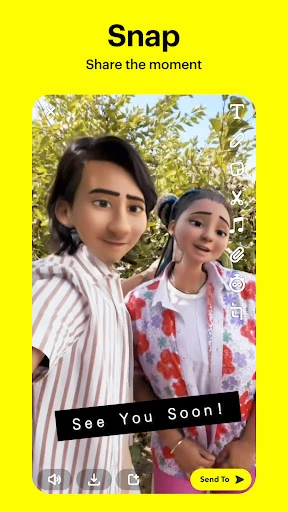
When I first opened Snapchat, landing straight on the camera made its purpose clear: this is built around sharing what is happening now. I could take a photo with a tap or hold to record video, then give the moment more personality with a Lens, Filter, or Bitmoji. That makes it a natural fit for a quick check-in with a friend, whether I am showing a coffee stop or a funny detail from the day.
The useful part is that a Snap can lead into a conversation rather than sit alone as a post. Friends can reply through live messaging, and Group Stories offer a way to share a day with a wider circle. I also found the camera-first design helpful when I wanted to send something spontaneous without composing a polished update. It encourages quick exchanges, although people who prefer typing first may need a moment to adjust.
More Than a Messenger
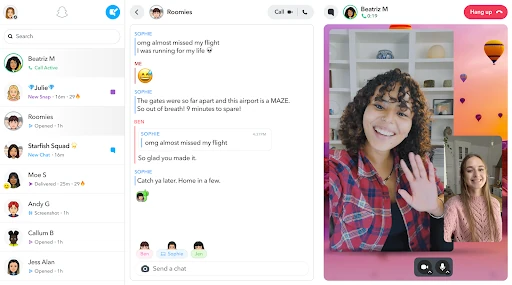
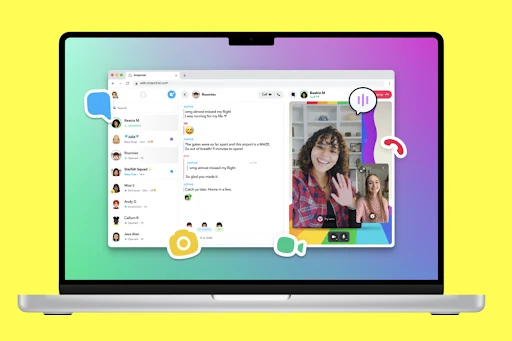
Compared with a straightforward messaging app, Snapchat puts more emphasis on visual expression and shared moments. The camera, community-made Lenses, Stories, and Spotlight all sit alongside direct chats, while video chat can include up to 16 friends. I can see the appeal for a group that likes to trade photos, reactions, and short videos as part of ordinary conversation, not just coordinate plans with text.
It is not simply a private chat tool, though. Stories from friends and the wider community, news, Original Shows, and Spotlight add plenty to browse beyond one-to-one conversations. The Map can also show friends who share their location. That breadth may be a plus for someone who enjoys a lively social feed, but it may not suit a person seeking a quiet, minimal messenger with no discovery content or location-related features.
Small Habits, Better Flow
A practical habit is to treat Memories as a place to revisit moments, not just a pile of saved files. Snapchat lets me save photos and videos there, edit older moments, send them to friends, or save them to the Camera Roll. I can also build a Story from favorite Memories. That makes it easier to share a small recap later, instead of trying to find and send every clip separately.
I would also keep the audience in mind before posting. Stories can be shared with friends, while community Stories and Spotlight offer broader viewing and sharing contexts. For a more personal check-in, a direct chat or Group Story may feel more fitting. And when using the Map, Ghost Mode is available for going off the grid. These choices make it worth pausing for a second before sharing, especially when a moment includes other people.
More From Our News Desk

Zoom Meetings, Google Meet, or Teams: Which Is Easiest to Join?

How I Build a Free Streaming Lineup With Tubi

Why Crunchyroll Is the Default Anime App for So Many Fans

YouTube TV: A Practical Guide to Cutting Cable

Rummikub and the Small Comfort of Phone Games

TeamViewer Remote Control or AnyDesk for Helping Family?
Who Will Enjoy Snapchat
I would recommend Snapchat to people who already trade photos and short videos with friends and want playful tools built into that routine. Its camera opens quickly, and Lenses, Filters, Bitmoji, and Friendmojis give everyday messages a more personal feel. Groups that enjoy video chats, shared Stories, and checking in visually may get more out of it than people who use messaging only for practical arrangements.
It may be less appealing if you want a basic text inbox or prefer not to encounter a mix of friend updates and broader discovery content. Snapchat includes Stories from the community, Spotlight, news, and Original Shows, so there is more to browse than direct messages. I would also suggest being thoughtful about what you share: messages can be captured or saved by recipients, including through screenshots or another camera.
Snapchat is developed by Snap Inc and is available on Google Play as a free app. It has more than one billion installs and a 4.2-star rating from about 39.8 million ratings. The app is rated Teen. Google Play also indicates that it contains ads, so the experience is not limited to friend-to-friend communication and may include advertising.
The listed version is 14.30.0.54, and the recorded release date is October 29, 2012. Its last update is dated October 27, 2026. Snapchat offers in-app purchases, with listed item prices ranging from $0.49 to $399.99. The minimum Android version is not included in the supplied app details, so check the Google Play page for current device compatibility.
How Snapchat Fits Everyday Sharing
Opening on the Camera
My first impression was that Snapchat wants me to do something, not just read something. It opens on the Camera, with the basic choice immediately understandable: tap for a photo or press and hold for video. That removes a few steps when I have a moment worth sending. It also gives the app a distinct feel from a traditional inbox, where the first screen usually asks me to choose a conversation.
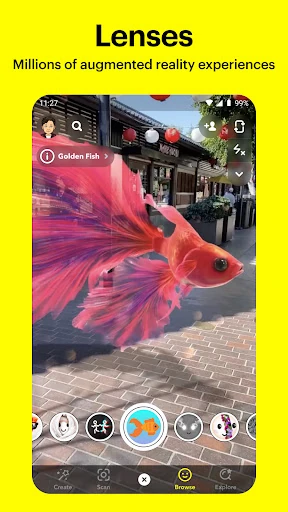
Once I had taken a Snap, the creative options gave me several ways to change its tone. Lenses and Filters can make a quick image feel playful, while Bitmoji adds a familiar personal touch. The community creates new Lenses daily, so there is an ongoing stream of options to try. I would not use every effect, but having them close at hand makes experimentation easy rather than a separate editing task.
Everyday Chat and Stories
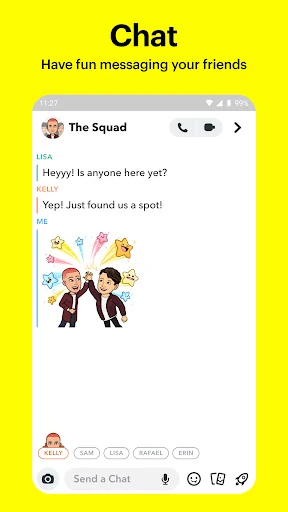
For ordinary conversation, Snapchat brings live messaging together with photo and video sharing. That mix works well when a text message would explain something but a picture would show it faster. I can imagine using it to share a quick update with a friend, then continuing the conversation in chat instead of switching between separate tools. Group Stories add another way for friends to follow a shared day.
Video chat expands the social side, supporting up to 16 friends at once. Lenses and Filters can be used during those chats, which keeps the app's visual style present even when the exchange is live. I would be more likely to use that for a group catch-up than a formal call. For a quick practical message, though, a camera-focused interface can feel like more than I need.
Discovery Beyond Friends
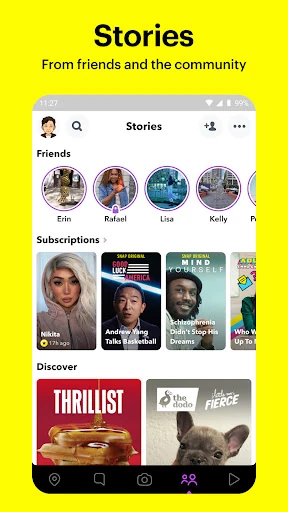
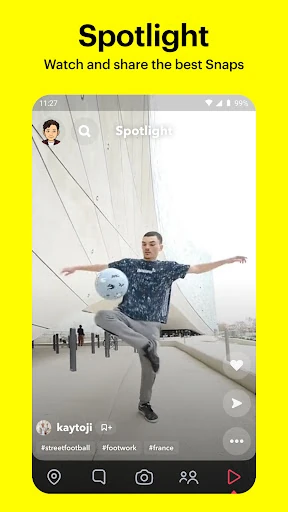
The app's broader content options give it a second role as a place to browse. I can watch friends' Stories, explore community Stories based on interests, and find news or Original Shows. Spotlight adds short community posts, with options to submit Snaps, watch, pick favorites, and share them with friends. These features mean Snapchat can fill spare moments as well as support direct conversations.
The Map is another feature that changes how the app can be used. When friends share their location, I can see what they are up to on a personal map, and I can explore live community Stories nearby or farther away. Ghost Mode offers a way to go off the grid. I would treat the Map as an intentional social feature, rather than something to open casually without considering location sharing.
A Simple Sharing Routine
One routine that makes sense to me is capturing a moment as it happens, sending it to the people who will appreciate it, and saving the best bits to Memories. Later, I can revisit those photos and videos, edit them, or make a Story from favorites. That creates a useful bridge between spontaneous sharing and a more considered recap for friends or family.
Friendship Profiles add a more personal layer to that routine. Each friendship has a profile where saved moments together can be viewed, and Charms can highlight things such as how long two people have been friends, astrological compatibility, or Bitmoji fashion sense. I would see these as light conversation starters rather than essential tools. They make more sense when both people enjoy the app's playful social details.
Privacy and Attention Limits
The biggest practical caution is that a message's format does not control what another person does with it. Snapchat notes that recipients can capture or save messages with a screenshot, another camera, or other means. I keep that in mind before sending anything personal. The app offers ways to choose audiences and a Ghost Mode for the Map, but thoughtful sharing still matters.
The other limitation is sheer variety. Camera tools, direct chat, Stories, Spotlight, community content, the Map, and Memories give Snapchat plenty to explore, but someone who wants only a no-frills messenger may find the extra destinations distracting. Ads and optional in-app purchases are also part of the overall app experience. I would approach it as a broad social app, rather than a single-purpose chat utility.
Snapchat works best when visual messages are already part of how I stay in touch. Its camera-first design, lively creative tools, group chat options, Stories, and Memories make everyday sharing feel flexible. I especially like that a quick photo can become a direct conversation or, later, part of a saved recap.
I recommend it to people who want a playful social space for friends and are comfortable with a broader mix of content. If you want only a quiet text messenger, Snapchat may feel crowded. And whatever you send, remember that recipients can save or capture it.
Snapchat Frequently Asked Questions
What is Snapchat used for?
Snapchat is used to share photos and videos, message friends, and keep up with Stories. It also includes video chat, community content, Spotlight, a Map, and Memories for saving and revisiting photos or videos. The camera is the starting point for sending a quick Snap, while chat and Stories support ongoing exchanges with friends and groups.
Which devices can run Snapchat?
Snapchat is an Android app available through Google Play. The supplied app details do not specify a minimum Android version, and compatibility can vary by device and app release. Check the Google Play page for the current requirements before installing. Snapchat's listing information here covers the Android app, so other platform availability is worth checking separately.
Does Snapchat cost money?
Snapchat is free to download and use, and it contains ads. It also offers in-app purchases; listed item prices range from $0.49 to $399.99. What you encounter can depend on the app and available purchase options, so check Google Play for current details before buying anything.
Is Snapchat suitable for private conversations?
Snapchat supports direct messaging and sharing with friends, but users can capture or save messages by taking screenshots, using another camera, or otherwise. I would not treat a message as impossible to preserve. The app also offers Ghost Mode for going off the grid on the Map, and its content rating is Teen.
Who is Snapchat best suited to?
Snapchat is a good fit for people who enjoy visual conversation, creative camera effects, and sharing Stories with friends. Its broader community content and Spotlight may also appeal to people who like browsing. It may be less suitable for someone who wants only a simple text messenger or prefers to avoid social discovery features and ads.
Pros
- Camera-first design makes quick photo and video sharing feel direct.
- Lenses, Filters, Bitmoji, and Friendmojis add playful ways to personalize messages.
- Memories can be revisited, edited, sent, or shaped into Stories.
- Video chat supports groups of up to 16 friends.
Cons
- The many social and discovery features may feel busy to messaging-only users.
- Recipients can capture or save messages, so sharing still calls for care.
- The app contains ads and offers a wide range of in-app purchase prices.
- Category
- Communication
- Version
- 14.30.0.54