Google Gemini
- 50.29M
- 4.5
- Installs
- 1.00B
- Price
- Free

Screenshots
Analysis by Reviewed APKs
Google Gemini is an AI assistant for asking questions, drafting and planning, learning, and working with files or images. I found it most useful when I wanted a quick starting point for a task rather than another app full of tools to manage. It suits curious, busy people who already use Google services, though the range of options can feel like more than you need for a simple question.
A day with Gemini
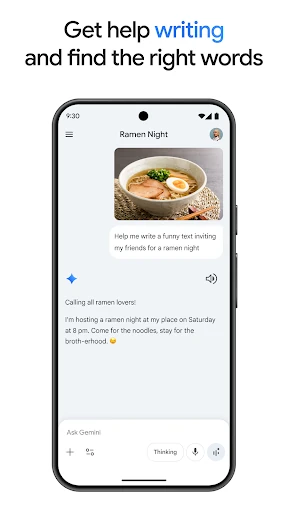
When I first opened Gemini, I thought about the small questions that crop up between other tasks: how to organize an afternoon, how to phrase a message, or what to make of a document I have not had time to read. The chat format makes it easy to start with an unfinished thought. I can ask for a plan, then follow up with details instead of trying to get the wording perfect on the first try.
For a more involved example, I can upload a document or spreadsheet and ask for a summary or insights, rather than scrolling through it all on my phone. If I am studying, the app can turn uploaded class notes into practice quizzes and interactive visuals. That makes Gemini feel less like a novelty and more like a flexible helper for moments when I need a first pass, an explanation, or a way into a larger task.
Assistant, not a full toolkit
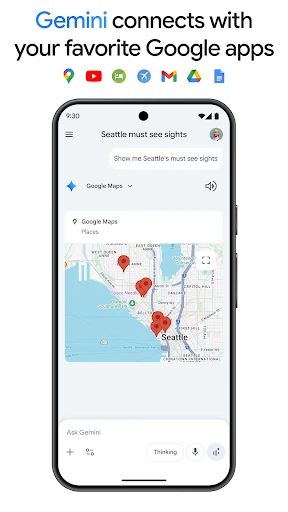
Gemini sits somewhere between a search-style question box and a general creative assistant. I can ask about a topic, brainstorm ideas, work with uploaded content, or request help with writing and planning in the same conversation. Its connection options for Google apps such as Gmail, Calendar, Google Photos, YouTube, and Search may make it a more natural fit for people whose everyday digital life already runs through Google.
I would not treat it as a replacement for every dedicated app or specialist workflow. A chat assistant can help me develop a draft or prototype, but that is different from choosing a purpose-built tool for a finished project. Gemini is also not just a conventional voice assistant: some Google Assistant voice features are not available through it. If those are part of your routine, you can switch back to Google Assistant in settings.
Small habits that help
I get more useful answers when I treat the first response as a starting point. Rather than asking a broad question and stopping, I can clarify the audience, format, or length I need in a follow-up. For planning, that might mean adding a time constraint; for a draft, it might mean asking for a warmer or more concise version. This conversational approach is a better fit than expecting one perfect prompt to do everything.
It also helps to match the input to the job. If I want answers about a particular file, I can upload it and ask about its contents; if I want to talk through something I am looking at, Gemini Live supports sharing a screen or camera. For ongoing research, NotebookLM can provide responses grounded in sources in a notebook. Choosing the relevant route keeps a sprawling assistant from becoming a muddle.
Reads About Google Gemini
More From Our News Desk

Zoom Meetings, Google Meet, or Teams: Which Is Easiest to Join?

How I Build a Free Streaming Lineup With Tubi

Why Crunchyroll Is the Default Anime App for So Many Fans

YouTube TV: A Practical Guide to Cutting Cable

Rummikub and the Small Comfort of Phone Games

TeamViewer Remote Control or AnyDesk for Helping Family?
Who will get the most from it
I would recommend Gemini to people who regularly need help getting started: students reviewing notes, busy users making plans, or anyone who wants to summarize a document and ask follow-up questions. It is especially appealing if you already use Google apps and want an assistant that can connect with services like Calendar or Gmail. The ability to work with text, images, and uploaded files gives it more everyday range than a basic question-and-answer chat.
It may not suit someone who wants a very simple assistant for a narrow task, or someone who relies on every Google Assistant voice feature. The many creative and productivity possibilities can take some exploring, and a conversational answer still needs your judgment before you rely on it. I would also look closely at the available plan details if you are considering more complex work, since the app describes upgrades to Google AI plans.
Google Gemini is a productivity app from Google LLC. On Google Play, it has over one billion installs and a 4.5-star rating from around 50 million ratings. The app is free to download, and its content rating is Teen. Google describes optional upgrades to Google AI Plus, Pro, and Ultra plans for users who want to take on more complex tasks and projects.
The version shown is 1.0.995038376. Google Play gives its release date as February 5, 2024, and its last update as October 13, 2026. The Android version requirement can depend on the current release and device, so it is worth checking the Google Play page for compatibility before installing.
A Closer Look at Everyday AI Help
Getting started
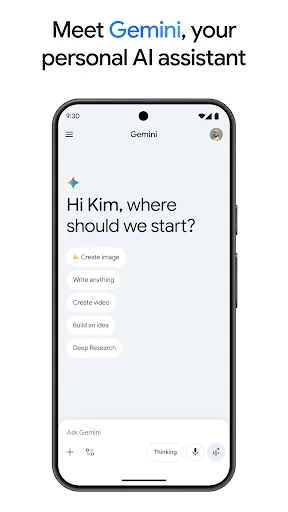
My first impression was that Gemini is built to be approached with a question, not a setup project. I could start with a prompt and let the conversation take shape from there. The app also presents itself as an assistant that can help with writing, planning, creating, and learning, so there is no single narrow task I have to understand before trying it.
One choice matters if I use it as my phone assistant: opting in replaces Google Assistant as the primary assistant. Google notes that some Assistant voice features are not yet available through Gemini, while settings let me switch back. I would keep that in mind before changing a familiar routine, especially if I depend on a particular voice feature.
The everyday conversation
The chat format is the center of the experience. I can ask for a response, react to it, and refine the request without starting over. That feels practical for tasks where the goal is still taking shape, like outlining an idea or turning a rough question into a more useful plan. Gemini can also present responses with elements such as images, timelines, and interactive visuals rather than only a block of text.
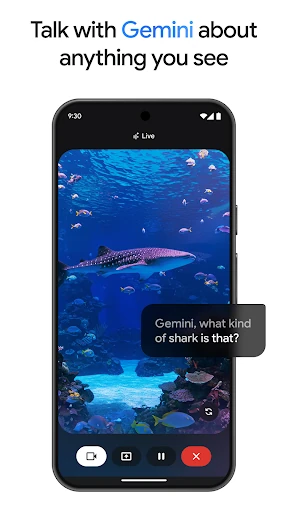
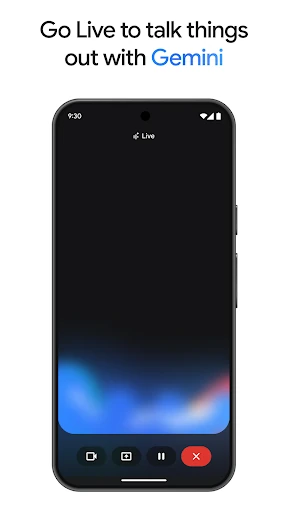
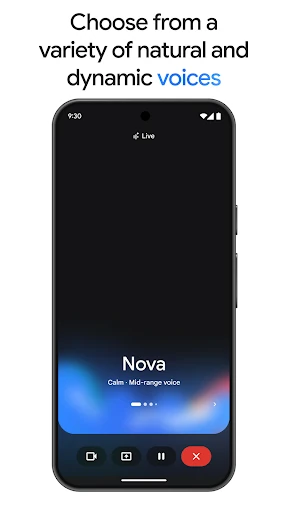
For hands-free or more visual conversations, Gemini Live supports real-time brainstorming and discussion of what I share through the screen or camera. That gives the assistant a different role from a standard text prompt. I would use it when talking through something is easier than typing a long description, while remembering that the value still depends on asking clear questions and checking whether the response fits.
Creative and study tools
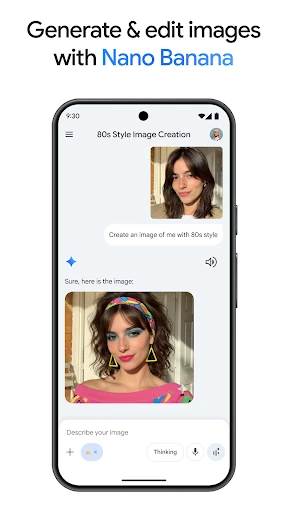
The creative options make Gemini broader than a writing helper. Its image tools can generate and edit photos, including applying camera and lighting controls, combining images into mockups, making posters with text, and building diagrams. The app also describes Lyria 3 for creating soundtracks. These features give me ways to explore an idea visually or musically, rather than stopping at a written suggestion.
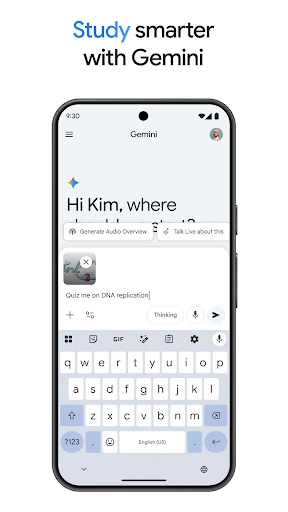
For study and research, I can upload class notes for custom practice quizzes and interactive visuals. NotebookLM is another route when I want responses grounded in sources in a notebook. Gemini can also turn files into a podcast-style overview to listen to while on the move. Those options stand out because they adapt the same general assistant to different kinds of material and attention spans.
There are also more ambitious creative projects: Gemini describes turning a prompt into a prototype such as a web page, game, or dashboard. Cinematic video creation is available through Gemini Omni for Google AI Plus, Pro, Ultra, and Workspace users. That distinction is useful to keep in view; not every capability is presented as part of the same access level.
A practical weekly routine
A simple routine could start with planning. I might ask Gemini to help organize a busy day, then refine the answer around the time I have. Later, if a document arrives that I cannot read immediately, I can upload it and ask for a summary or specific insights. The point is not to hand over every decision, but to use the assistant to reduce the effort of getting oriented.
For learning, I could add class notes and ask for practice questions, then use follow-up prompts to focus on a difficult section. For a creative project, I might move from a rough idea to a mockup or diagram. These are separate use cases, but the common habit is to give Gemini context, ask for a useful first step, and then narrow the result through conversation.
Keep expectations grounded
The breadth of Gemini is a strength, but it can also make the experience feel less focused than a dedicated app. If I only want one quick fact, the creative tools, file workflows, and connected services may be beside the point. I would start with the task at hand and avoid spending time exploring every option unless I have a reason to use it.
I also would not assume that every feature has the same availability. The app describes some video creation for specific Google AI and Workspace users, and it promotes upgrades for more complex tasks. For connected Google apps, I would check the connection options that apply to my own account and decide what I actually want to link.
Finally, Gemini is not a complete stand-in for Google Assistant. Since some voice features are not available through Gemini, people who rely on those should weigh the trade-off before making it their primary phone assistant. The option to switch back is reassuring, but it is still a limitation worth knowing before building a routine around it.
Google Gemini is a capable, flexible assistant for people who want one place to brainstorm, work with files, study, and explore creative ideas. I like that a conversation can move from a rough prompt to a more specific task without much ceremony. Its strongest appeal is that range, especially for users already comfortable with Google services.
I recommend trying it if you want a general-purpose AI helper and are willing to guide its answers with context and follow-ups. If you need a narrow tool or depend on particular Google Assistant voice features, consider those limits first. Gemini works best as a practical starting point, not as a substitute for your own judgment or every dedicated app.
Google Gemini Frequently Asked Questions
What is Google Gemini used for?
Google Gemini is an AI assistant for tasks such as writing, planning, learning, brainstorming, and creative work. It can respond to questions, work with uploaded documents, spreadsheets, photos, and videos, and help generate summaries or insights. The app also describes study tools, image creation and editing, and research with NotebookLM.
Which devices and platforms support Google Gemini?
The app in this review is the Android version, distributed through Google Play. Its description also says it can replace Google Assistant as the primary assistant on a phone if you opt in. Compatibility depends on the device and current app requirements, so check Google Play for the details that apply to your phone.
What Android version does Google Gemini require?
The Android version requirement can vary with the app release and device. Check the Google Play page for the current compatibility information before installing. The version shown for the app is 1.0.995038376, but that number does not by itself determine whether a particular phone can run it.
Is Google Gemini free, and are there paid options?
Google Gemini is free to download. The app describes optional upgrades to Google AI Plus, Pro, and Ultra for more complex tasks, and some video creation is associated with specific plans and Workspace users. Plan availability and pricing may vary, so check Google Play and the plan details for current information.
Is Google Gemini a good fit for everyday use?
It may suit people who want help with everyday questions, planning, writing, studying, or working with files, especially if they use Google apps. It may be less suitable if you want a narrowly focused tool or rely on Google Assistant voice features that Gemini does not yet support. You can switch back to Google Assistant in settings.
Pros
- Handles writing, planning, study, and creative prompts in one conversational assistant.
- Can work with uploaded files and discuss shared screen or camera content through Gemini Live.
- Offers study support, image tools, NotebookLM research, and podcast-style file overviews.
- Connects with Google apps including Gmail, Calendar, Photos, YouTube, and Search.
Cons
- Some Google Assistant voice features are not available through Gemini yet.
- Some capabilities, including cinematic video creation, are tied to specific plans or users.
- Its wide range of tools may feel excessive for people who only need a simple assistant.
- Category
- Productivity
- Version
- 1.0.995038376