Google Home
- 3.67M
- 4
- Installs
- 1.00B
- Price
- Free

Screenshots
Analysis by Reviewed APKs
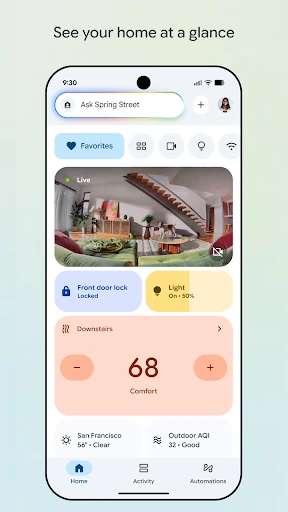
Google Home is a hub for checking on and controlling compatible Nest, Chromecast, and Google Home devices from one app. It suits people who want a clearer view of connected devices and, where available, camera activity and Gemini for Home controls. My overall take is that it is most useful as a practical home dashboard: its value depends on having compatible devices, but the updated organization gives everyday check-ins a sensible place to happen.
A quick home check-in
When I first opened Google Home, I thought about the small checks that come up during a normal day: seeing whether a connected device is available, looking in on the home, or reviewing what a camera may have captured. The app is designed to put home status and device controls together, so I can imagine using it between other tasks rather than treating it as a separate project.
The clearest everyday scenario is a short check-in before heading out or after getting home. I can look over the devices arranged in dashboards, then use the camera live view or history when I want to see more. That combination makes the app feel less like a single-purpose remote and more like a place to catch up on the state of a compatible connected home.
A hub, not a universal remote
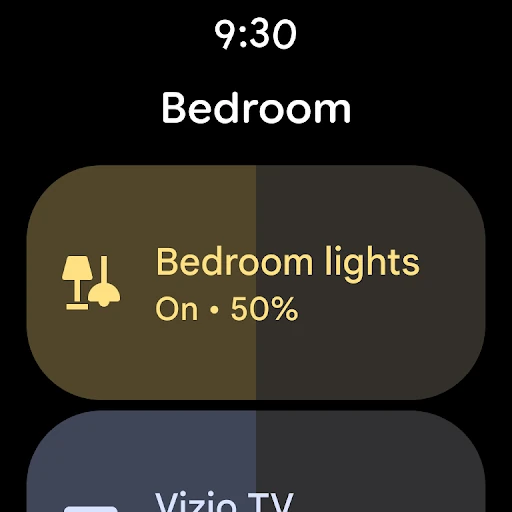
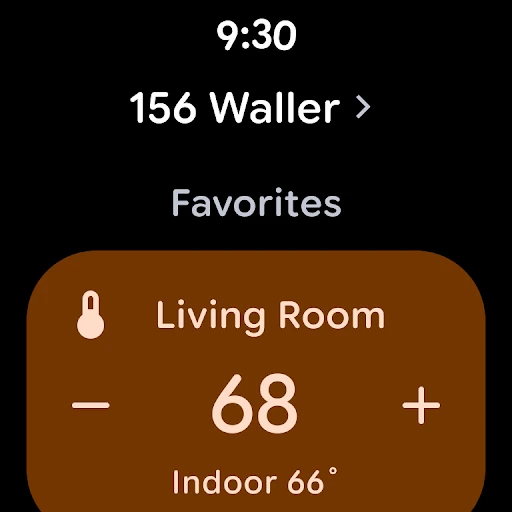
Google Home makes the most sense if a household already has compatible Nest, Chromecast, or Google Home devices. Instead of switching between unrelated controls, the app brings supported devices into a shared home view, with dashboards and settings organized for easier navigation. Camera live view and event history add another reason to open it, especially for people who use compatible cameras.
It is not a general-purpose assistant app for every phone task, nor is it a substitute for having compatible home products. Its usefulness is tied to the devices and features available to a particular household and region. If all I want is a way to browse camera footage from an unrelated product, or to manage devices the app does not support, Google Home is not the right answer.
Make the dashboard yours
A useful habit is to group devices into dashboards in a way that matches how I think about the home. The updated organization is meant to make groups and settings easier to navigate, so a little attention to the layout can make routine check-ins feel less like searching. I would start with the devices I actually check most often, rather than trying to make every screen feel busy.
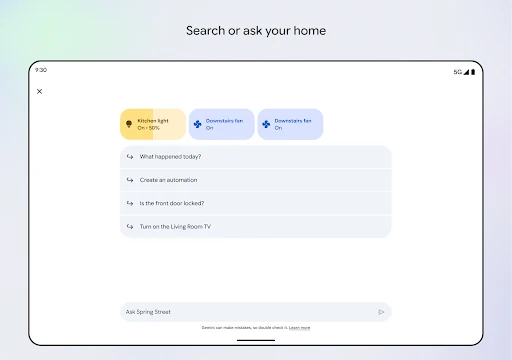
For camera users, I would make a separate moment for reviewing history instead of relying only on live view. The app brings those views together to make it quicker to scan what happened. And if Gemini for Home is available for the compatible devices in a household, asking for a control or searching may offer another way to act without digging through the interface.
More From Our News Desk

Zoom Meetings, Google Meet, or Teams: Which Is Easiest to Join?

How I Build a Free Streaming Lineup With Tubi

Why Crunchyroll Is the Default Anime App for So Many Fans

YouTube TV: A Practical Guide to Cutting Cable

Rummikub and the Small Comfort of Phone Games

TeamViewer Remote Control or AnyDesk for Helping Family?
Who will get the most from it
I would recommend Google Home to people who have compatible devices and want one place to check their status and manage supported controls. It is a particularly natural fit for homes that include Nest or Chromecast products, or Google Home devices, and for people who value a visual overview. Camera owners may also appreciate having a live view and event history in the same app.
It may be a poor fit for someone without compatible devices, or for anyone expecting one app to control every connected product regardless of brand. The experience also depends on which products and features are available in a region. If I only needed a basic tool for a single device, I would compare that device’s own control options before deciding whether Google Home adds enough convenience.
Google Home is a Lifestyle app developed by Google LLC. Google Play shows over a billion installs and a 4.0-star rating from about 3.7 million ratings. The app is free to download and contains no ads. It does offer in-app purchases, with listed item prices ranging from $0.05 to $999.99; those figures do not mean every user needs to make a purchase.
The app is rated Everyone on Google Play. Its version varies with device, and the listed release date is July 18, 2013. The last update shown is November 4, 2026. The Android requirement can vary by device and should be checked on Google Play before installing.
A closer look at the home dashboard
First impressions and setup
When I first opened Google Home, the main idea was easy to understand: it is a place to see the status of a compatible home and get to its controls. That focus is more useful than a screen that tries to be an all-purpose personal organizer. The updated design emphasizes dashboards and streamlined navigation, which sounds helpful when a household has enough devices to make a flat list feel unwieldy.
The practical first step is having compatible products to connect with the app. Google Home is built around Nest, Chromecast, and Google Home devices, and its features require compatible devices. I would think about what I actually want to check or control before arranging a dashboard. Some products and features may not be available in every region, so the experience can differ between homes.
Everyday control and status
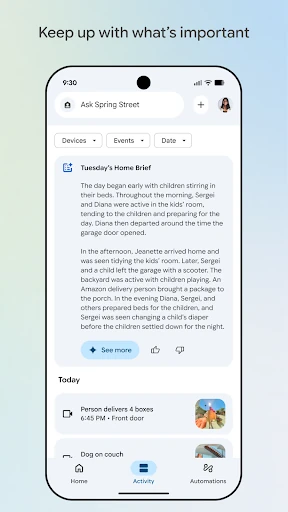
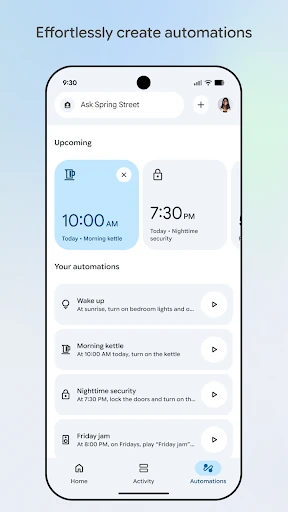
Day to day, the app’s basic appeal is having home status and device controls together. I can picture opening it for a quick look rather than spending time moving between separate screens. Dashboards provide a way to group devices, while the updated organization is intended to make settings easier to find. That is a practical improvement for a tool people may open briefly and often.
The app also offers a way to check in on the home anytime, as long as the relevant compatible products and features are available. I would keep expectations specific: Google Home is a control and monitoring hub for supported devices, not proof that every part of a home is connected or visible. The best everyday experience will come from the devices a household actually uses.
Camera views and Gemini controls
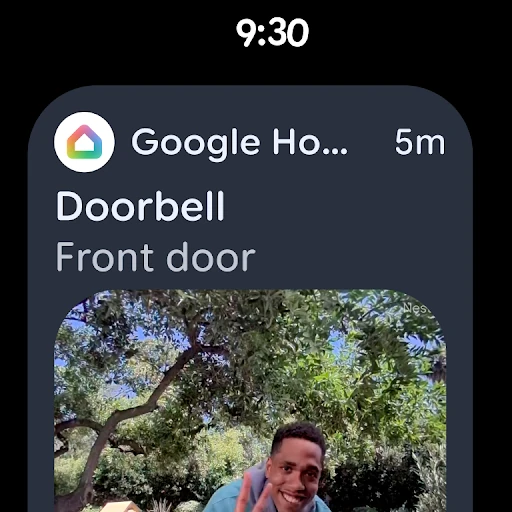
The camera experience is one of the more concrete parts of the app. Google Home brings live view and camera history into an interface designed to make it easier to see what happened. For a household with compatible cameras, that can make a quick review feel more direct than opening a separate tool just to check recent events.
Another notable addition is Gemini for Home. The app describes a way to search or ask for home controls, including telling devices what to do. I like the idea of having that alongside the more visual dashboard: sometimes a direct request may be convenient, while at other times I would rather scan the devices myself. Availability depends on compatible products and regional support.
A simple home routine
A realistic routine might be a brief morning check: open the app, scan the dashboard for the devices that matter, and check a camera view if there is a reason to. Later, I might return to camera history to review what happened, or use a supported Gemini for Home control when a direct request feels easier than navigating settings.
The trick is keeping the app’s layout tied to real habits. I would group the devices I check most often together and leave less-used controls out of the way. That makes a quick visit genuinely quick. There is no need to make the dashboard a project in itself; a useful arrangement is one that saves a few taps during ordinary home check-ins.
Keep compatibility in mind
The main limitation is also the app’s central condition: compatible devices are required, and not every product or feature is available in every region. That means two people can install the same app and have different reasons to use it. Before relying on a particular control or camera feature, I would check that the relevant product is supported in the household’s location.
Google Home is also less compelling if someone has no compatible home devices or wants a universal controller for products outside its supported ecosystem. The app is free and has no ads, but it offers in-app purchases, so users who want to know whether a specific feature involves a cost should check the current store details. Its version varies with device, too.
Google Home is a capable, focused home hub when the right devices are already in place. I like its emphasis on a home overview, organized dashboards, camera views, and supported Gemini for Home controls. Those features give it several practical reasons to earn a spot on a phone, without making it useful to every household.
I would recommend trying it if you use compatible Nest, Chromecast, or Google Home devices and want a simpler way to check and control them. If your home products are not compatible, or you only need a one-off control tool, the app may have little to offer. Compatibility is the deciding factor.
Google Home Frequently Asked Questions
What is Google Home used for?
Google Home helps users set up and control compatible Nest, Chromecast, and Google Home devices. It can show home status, organize devices in dashboards, and provide camera live view and history for compatible products. It also supports asking or searching for home controls with Gemini for Home where available.
Which phones and devices can run Google Home?
Google Home is an Android app on Google Play. The Android version requirement can vary by device, so check the current store listing for your phone before installing. The app also requires compatible home products for its device controls, and some products or features may not be available in every region.
Does Google Home cost money?
Google Home is free to download and contains no ads. It offers in-app purchases, with Google Play showing item prices from $0.05 to $999.99. Whether a particular feature or product involves a cost may vary, so check the current Google Play details for the specific purchase you are considering.
Does Google Home work with every smart home device?
No. Google Home is for compatible devices, including supported Nest, Chromecast, and Google Home products. Compatibility and feature availability can vary by product and region. If you are considering a particular device, check its compatibility and the current Google Play listing rather than assuming every connected product will appear in the app.
Who is Google Home best suited to?
It is best suited to people who already use compatible Google home devices and want a shared place to check status, manage supported controls, or review camera activity. It may not suit someone without compatible products or someone looking for a universal controller for an unrelated device ecosystem.
Pros
- Combines compatible device controls and a home overview in one app.
- Organizes devices into dashboards for easier navigation.
- Includes camera live view and history for compatible products.
- Offers Gemini for Home control options where available.
Cons
- Requires compatible home devices to be useful.
- Product and feature availability can vary by region.
- The app may offer little to households outside its supported ecosystem.
- Category
- Lifestyle