Ring - Always Home
- 598.50K
- 4.7
- Installs
- 10.00M
- Price
- Free

Screenshots
Analysis by Reviewed APKs
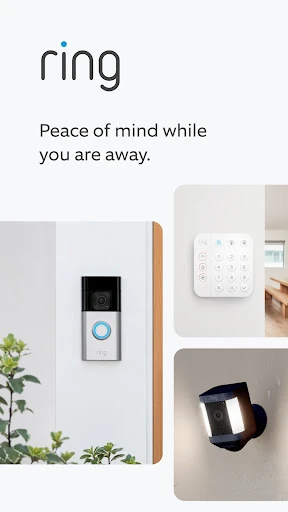
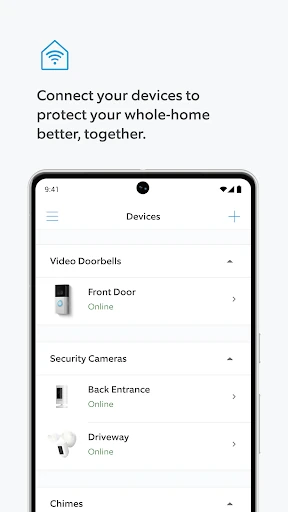
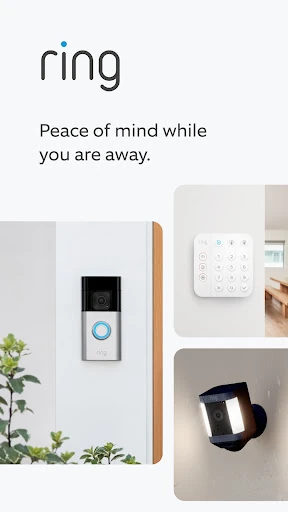
Ring - Always Home is a companion app for Ring video doorbells, cameras, alarm systems, and smart lights. It suits people who want to check on home activity from a phone or tablet while they are away, or manage compatible devices at home. After looking through its everyday uses, my take is that it has a clear purpose: bring several kinds of home monitoring and control together, provided you have Ring equipment to use with it.
A Quick Check From Anywhere
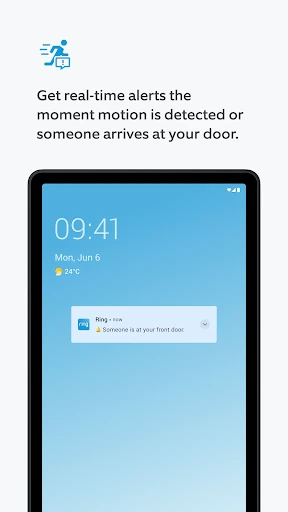
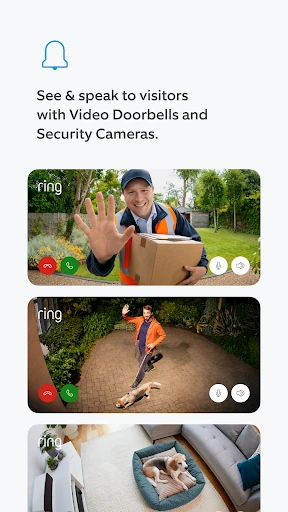
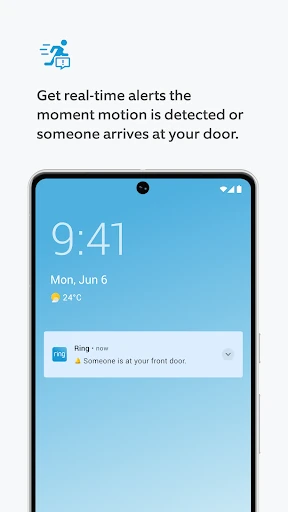
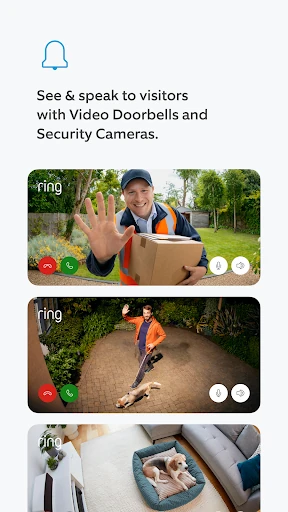
Picture getting a motion alert while you are out picking up groceries. With a compatible Ring camera or doorbell, the app can notify you, then let you open a live HD video view and see what is happening. If someone is at the door, Two-Way Talk gives you a way to speak with them through the app. That makes the basic routine straightforward: notice an alert, check the scene, and decide whether to respond.
I can see the appeal in ordinary moments, not just dramatic ones. You might be at work and want to see who came to the door, or away for the weekend and want to check an area covered by a camera. Ring Alarm sensors can also send alerts when triggered, while compatible smart lights can be controlled and scheduled. The app's central job is turning those connected devices into something you can check and manage from your mobile device.
A Companion, Not a Standalone Camera
Ring makes most sense if your home already has, or you plan to use, compatible Ring devices. It brings doorbell and camera video, alarm notifications, and smart-light controls into one app rather than asking you to treat each device as a separate task. Compared with simply looking through a door viewer or relying on a basic light switch, it adds remote access and alerts, but that convenience depends on having the relevant hardware.
This is not a general-purpose home automation hub or a replacement for every kind of security service. The features described center on Ring Doorbells, Cameras, Alarm systems, and Smart Lights. Some capabilities also depend on a Ring Protect subscription: reviewing, saving, and sharing videos requires a subscription or free trial, and professional alarm monitoring has its own compatible subscription requirement. If you do not use Ring equipment, there is little reason to install it.
Make Alerts Easier to Use
A useful habit is to treat an alert as a prompt to check, rather than as a reason to keep the app open all day. When a doorbell or camera reports someone at the door or motion, open the live view if you need more context. If a visitor is there, Two-Way Talk can make a quick exchange possible without you having to be at home. This kind of short check-in is where the app feels most practical.
For a calmer routine, use the controls that match your devices instead of trying to do everything from one screen at once. Schedule compatible Ring Smart Lights for the times you want them on, and check alarm notifications when a sensor is triggered. If you want to keep a video for later or share it, remember that those actions require Ring Protect or a free trial. A little familiarity with those distinctions can prevent surprises.
Reads About Ring
More From Our News Desk

Zoom Meetings, Google Meet, or Teams: Which Is Easiest to Join?

How I Build a Free Streaming Lineup With Tubi

Why Crunchyroll Is the Default Anime App for So Many Fans

YouTube TV: A Practical Guide to Cutting Cable

Rummikub and the Small Comfort of Phone Games

TeamViewer Remote Control or AnyDesk for Helping Family?
Who Will Get the Most From It
I would recommend Ring - Always Home to people who own compatible Ring devices and want a convenient way to check doorbell or camera activity while away. It is also a sensible fit for households using Ring Alarm sensors or Smart Lights, since the app covers those functions alongside video. The strongest use case is simple: you want alerts and remote access to the Ring equipment you already rely on.
It may not suit someone looking for a camera app that works independently of hardware, or someone who wants every video feature included without a subscription. Video review, saving, and sharing require Ring Protect or a free trial, and professional monitoring requires a compatible subscription. I would also look elsewhere if your priority is managing devices outside the Ring family; the app is focused on Ring products rather than broad, brand-neutral home control.
Ring - Always Home is a free Lifestyle app from Ring.com on Google Play. It has more than 10 million installs and a 4.7-star rating from about 599,000 ratings. The app is rated Everyone. Those figures give a useful sense of its broad reach, though install and rating totals can change over time.
The current version is 3.115.0, and the recorded release date is November 18, 2014, with the latest update dated October 28, 2026. The app has no listed in-app purchases or ads. Some service features described for Ring devices require a Ring Protect subscription or free trial, so the app being free does not mean every connected service is included.
The Everyday Rhythm of Ring
A Clear First Impression
When I first considered the app, its purpose was easy to understand: it is the mobile control point for Ring home devices. The device categories are familiar—doorbells, cameras, alarms, and lights—and the main actions described are practical ones such as checking video, speaking to a visitor, or receiving an alarm alert. That focus is reassuring if you want a companion for Ring equipment rather than a broad collection of unrelated tools.
Getting value from it starts with having compatible Ring devices in place. The app is not presented as a way to turn a phone into a doorbell camera or alarm sensor by itself. Once you have Ring equipment, the mobile app gives you a way to receive its alerts and access supported controls remotely. I would approach setup with a specific goal in mind, such as checking a front door or managing a light.
Checking In Day to Day
The everyday experience revolves around notifications and short visits to the app. A doorbell or camera can send an alert when someone is at the door or motion is detected, and you can open live HD video to look. If you want to address a visitor, Two-Way Talk lets you speak through the app. That sequence is easy to picture in the middle of a workday: glance at the alert, get context, and move on.
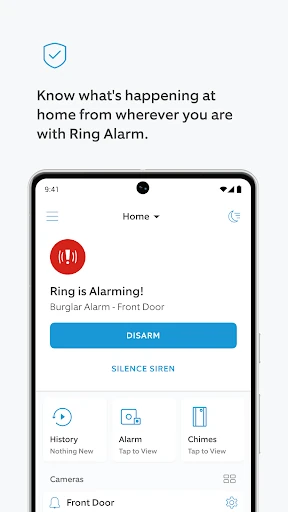
Alarm sensors provide a different kind of check-in. When a sensor is triggered, the app can send a real-time alert, giving you a reason to look into what happened. Smart Lights add a more routine interaction: compatible lights can be controlled and scheduled. These are distinct tasks, but putting them in one Ring app helps make it a single place to check on the devices rather than a set of disconnected reminders.
Video, Talk, and Lighting
Live HD video and Two-Way Talk are the most immediately useful features for a doorbell or camera. Video helps you see what is happening, while talking gives you a way to greet visitors remotely. The app can also send alerts for door activity or detected motion. I like that these functions connect an alert with a next step: open the live view, get a better look, and speak if that is useful.
Video history has a separate condition worth understanding. Ring Protect, or a free trial, is required to review, save, and share Ring videos. That is different from receiving an alert or viewing live video, so it is helpful to know which task you want before assuming everything works the same way. Ring Smart Lights offer another supported feature set, including control and scheduling, with motion notifications available on some models.
A Simple Home Routine
One practical routine could be checking a doorbell alert during the day and using the live view only when you need to identify a visitor. If the person is waiting, Two-Way Talk can handle a brief conversation. Later, you might check an alarm notification if a sensor has been triggered. The app is most useful in these small, specific moments; it does not need to become something you watch constantly.
Lighting can fit into a quieter routine. If you have compatible Ring Smart Lights, you can set a schedule and use the app to control them when needed. Some models can send motion alerts and trigger other compatible Ring devices to record. Those options make the lights more than a remote switch, though the available behavior depends on the model. I would start with one useful schedule or alert rather than changing every setting at once.
Keep the Boundaries in View
The biggest practical limit is the reliance on Ring hardware. Without a compatible doorbell, camera, alarm, or light, the app has little to do. Even within the Ring setup, different devices support different functions; for example, motion notifications are available on some Smart Light models. It is best to match expectations to the device you own instead of assuming every feature applies across the whole product range.
Subscription requirements also shape the experience. Reviewing, saving, and sharing videos requires Ring Protect or a free trial, while professional alarm monitoring requires a compatible Ring Protect subscription. Professional monitoring is described as available in the 50 U.S. states and Canada excluding Quebec, with additional conditions and possible fees depending on circumstances. That is a reason to check the terms for the service you intend to use before relying on it.
Ring - Always Home is a focused companion for people who want to see and manage activity from compatible Ring devices. Its strongest everyday moments are quick and concrete: checking a doorbell alert, talking to a visitor, or controlling a scheduled light. I would not install it expecting a standalone camera or a universal smart-home dashboard.
If you already use Ring hardware, I think the app is worth trying as the place to handle alerts and remote checks. Just keep subscription-dependent video history and monitoring in mind. If you do not own Ring devices, or want a tool that works across many brands, this is probably not the right fit.
Ring Frequently Asked Questions
What is Ring - Always Home used for?
Ring - Always Home is a companion app for Ring Video Doorbells, Security Cameras, Alarm systems, and Smart Lights. It can deliver doorbell, motion, and alarm alerts, show live HD video, and let you speak with visitors through Two-Way Talk. Compatible lights can be controlled and scheduled. Reviewing, saving, and sharing Ring videos requires Ring Protect or a free trial.
Which phones and devices can use Ring - Always Home?
Ring - Always Home is an Android app available through Google Play, and the description also refers to use on a smartphone or tablet. Its features are intended to work with compatible Ring devices, including doorbells, cameras, alarm systems, and smart lights. Device compatibility and availability can vary, so check the Google Play store information and Ring device details before installing.
What Android version does Ring - Always Home require?
The minimum Android version can vary with the app's current release and your device. Check the Google Play store listing for the requirement shown for your phone or tablet. The app's core purpose is to connect with compatible Ring equipment, so also make sure the particular Ring device and feature you want to use are supported.
Does Ring - Always Home cost money?
The app is free to download and has no listed in-app purchases or ads. Some Ring services described in the app do require a subscription: Ring Protect or a free trial is needed to review, save, and share videos, and a compatible Ring Protect subscription is required for professional alarm monitoring. Service terms and availability can vary, so check the store and Ring service details.
Is Ring - Always Home right for someone without Ring devices?
It is mainly useful if you own compatible Ring doorbells, cameras, alarm systems, or smart lights. The app is not described as a standalone camera or a general control app for devices from any brand. If you want remote alerts and checks for Ring equipment, it may suit you; without Ring hardware, its main functions will not have much to connect to.
Pros
- Combines alerts and controls for Ring doorbells, cameras, alarms, and compatible lights.
- Live HD video and Two-Way Talk make remote visitor checks practical.
- Compatible Smart Lights can be controlled and scheduled in the app.
- Free to download, with no listed ads or in-app purchases.
Cons
- Most of its value depends on owning compatible Ring devices.
- Reviewing, saving, and sharing video requires Ring Protect or a free trial.
- Some lighting and monitoring features depend on specific models or subscriptions.
- Category
- Lifestyle
- Version
- 3.115.0