Tuya - Smart Life,Smart Living
- 485.62K
- 4.6
- Installs
- 10.00M
- Price
- Free

Screenshots
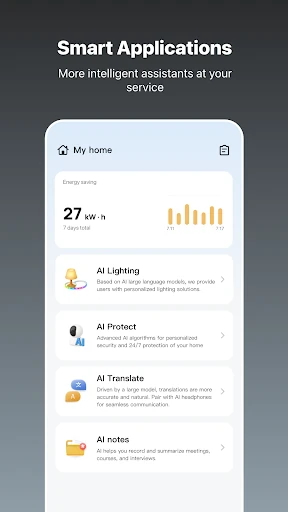
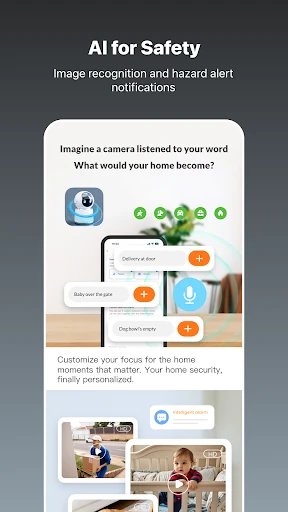
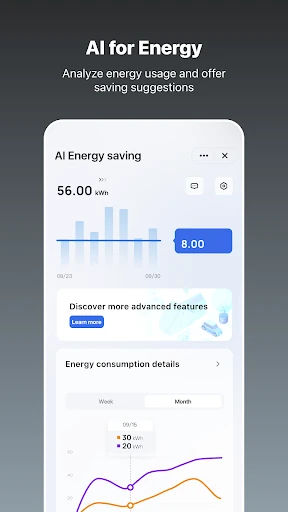
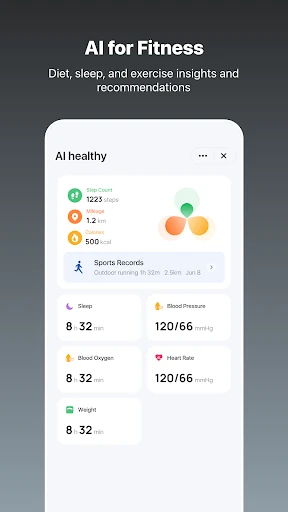
Analysis by Reviewed APKs
Tuya - Smart Life,Smart Living is a lifestyle app for managing connected home devices, setting automations, and keeping household tasks in view. It also brings together tools for planning meals, fitness goals, pet care, and other everyday needs. I see its strongest appeal in giving smart-home owners one place to manage routines, while its wide mix of extras may feel less essential to people who only want a simple device remote.
A home routine in one place
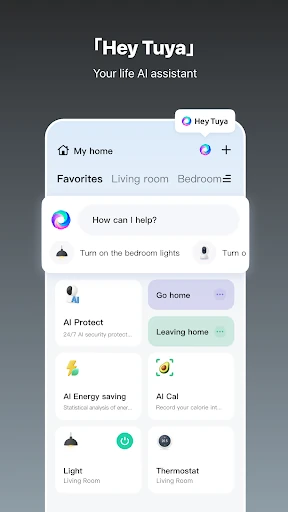
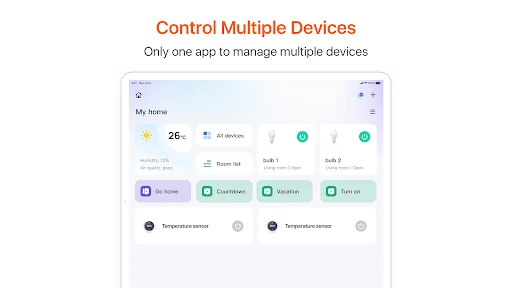
Picture arriving home near sunset with your hands full. Rather than opening separate controls for each connected device, Tuya is designed to let you manage supported devices from one app, using taps or voice commands. I like the idea of checking a household routine and then getting on with dinner instead of treating every light or appliance as its own little project. The practical benefit depends on having connected devices to manage.
The automation options make that routine more useful than a collection of remote controls. Tuya describes custom automations based on time, weather, or device status, so a household can set up behavior around a predictable schedule or changing conditions. Home monitoring and instant alerts add another reason to keep the app handy. I would start with one small, easy-to-understand routine and see how it fits before trying to automate everything.
More than a device remote
The obvious comparison is a device maker's individual app: those can be a straightforward choice when you only use one kind of connected product. Tuya takes a broader approach, bringing smart-device control together with automation, energy insights, household reminders, and lifestyle tools. That range is appealing if you would rather look in one place for several kinds of everyday tasks, though the app's value still depends on which of its features you actually use.
Tuya is not a replacement for the connected devices themselves, and it is not just a minimalist on-and-off switch. The app is meant to work with connected devices, while its extra tools cover things like meal planning, fitness goals, meeting notes, and pet care. If you have no interest in smart-home controls or those household helpers, the breadth may feel like more than you need. People seeking a single narrow-purpose tool may prefer something simpler.
Make routines earn their keep
I would get more from Tuya by adding habits gradually. First, identify a recurring moment that would benefit from a device routine, then use the app's time, weather, or device-status automation options to shape that behavior. Keeping the first routine focused makes it easier to judge whether it is genuinely convenient. It also avoids turning setup into an afternoon of tinkering before the app has proved useful in daily life.
The household tools suggest another low-effort approach: use reminders and shared to-dos for tasks that are easy to forget, and try energy insights as a way to pay attention to usage. The lifestyle tools are best treated as optional helpers rather than obligations. I would pick one, such as meal planning or pet care, only if it answers a real need in my week. A few purposeful habits are more useful than trying every feature at once.
More From Our News Desk

Zoom Meetings, Google Meet, or Teams: Which Is Easiest to Join?

How I Build a Free Streaming Lineup With Tubi

Why Crunchyroll Is the Default Anime App for So Many Fans

YouTube TV: A Practical Guide to Cutting Cable

Rummikub and the Small Comfort of Phone Games

TeamViewer Remote Control or AnyDesk for Helping Family?
Who may enjoy Tuya
I would recommend Tuya to people who already use connected home devices and want a central place for controls and custom automations. It also looks worth a look for households that want device routines alongside shared reminders, energy insights, or practical lifestyle tools. The combination is the point: the app can serve as a home-control hub and a place to organize a few everyday tasks without requiring each one to be the main event.
It may not suit someone who wants a highly focused app for just one task, or someone without connected devices who has little use for home controls. The range of tools could also be distracting if all you want is a simple way to operate one product. I would approach it as a flexible collection of options, not a promise that every feature will matter to every household. Start with the part that solves an actual problem.
Tuya - Smart Life,Smart Living is a free Android lifestyle app from Tuya Smart Inc. Google Play shows over 10 million installs and a 4.6-star rating from about 486,000 ratings. The app contains in-app purchases, with listed items ranging from $0.49 to $259.99 each. It does not contain ads, and its content rating is Everyone.
The Android version requires Android 6.0 or later. The current version is 7.2.8, and Google Play gives its release date as November 11, 2015, with the latest update dated February 9, 2026. Those details provide a useful baseline when checking whether the app suits a particular device. The listed in-app purchase range is broad, so I would check the store for the current details of any purchase that interests me.
A Closer Look at Everyday Smart Living
A broad first impression
When I first look at Tuya, what stands out is how much it tries to bring together. Smart-home controls sit alongside household planning and personal lifestyle tools, so it is not framed as a single-purpose remote. That breadth can be reassuring if I want one app to explore for several needs. It also means my first step would be deciding which part I actually want to use, rather than treating every feature as equally important.
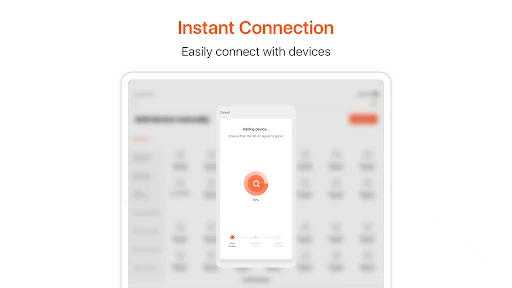
The main starting point is connecting and managing compatible smart devices, according to the app description. From there, routines and alerts give those controls more everyday context. I would begin with the device side if that is why I installed Tuya, then look at extras once the central job feels clear. This keeps the first impression practical: the app has a wide menu of possibilities, but usefulness comes from the few that match my home.
The day-to-day control
On an ordinary day, the appeal is being able to reach connected devices from one app and control them with a tap or voice command. That sounds especially handy when moving between household tasks, since the point is to avoid making device control a separate chore. Tuya also describes real-time monitoring and instant alerts for home security, which gives the app a role beyond changing settings when I am standing nearby.
I would keep expectations tied to the devices and routines I actually have. An app cannot make an unconnected home feel automated by itself, and a control hub is only as helpful as the devices it manages. Still, combining manual control with condition-based routines gives Tuya a practical balance: I can use it for an immediate action or set up behavior that follows a time, weather, or device status.
Features with range
The automation options are among the more useful features on paper because they let routines respond to more than a fixed clock. Tuya describes triggers based on time, weather, or device status. That gives a household room to build routines around a schedule or a change in conditions, rather than remembering every action manually. I would keep those routines simple at first and add complexity only when there is a clear everyday payoff.
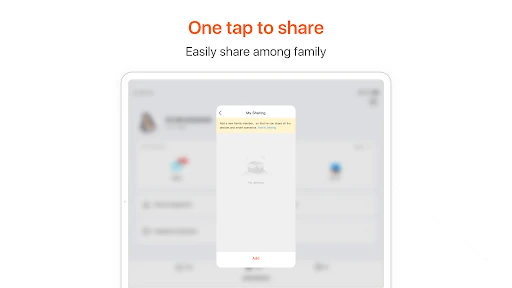
The app also describes energy insights, with usage tracking and recommendations, plus a family planner for to-dos, reminders, and shared tasks. Those features broaden the app beyond device control. I like that they address practical household friction, such as remembering a task or keeping an eye on energy use. The most useful ones will vary from home to home, so I would treat them as optional tools rather than a required part of using Tuya.
A practical weekly rhythm
For a realistic routine, I would use Tuya first for a recurring moment at home: a scheduled device action, a response tied to device status, or a weather-based automation. Once that has settled into the week, I would check whether home monitoring and alerts provide useful awareness. The goal is not to make every moment automatic. It is to remove a small repeat task or make a household routine easier to remember.
Then I might bring in one planning feature if it fits the same routine. A family to-do or reminder can help keep household responsibilities visible, while meal planning or pet care may be relevant for a particular household. Energy insights could offer another reason to check in. I would avoid building a complicated system around all of these at once; a couple of features that serve clear purposes are easier to keep using.
Keep the scope realistic
Tuya's biggest strength, its range, is also something to keep in perspective. Smart-device control, household planning, security monitoring, energy information, and AI-powered lifestyle tools cover quite different needs. That can make the app feel versatile, but it may also make it less appealing to someone who wants one sharply focused tool. I would choose a specific reason to install it and judge the experience on that, rather than expecting every category to be equally polished for my routine.
The connected-home side also depends on having devices to connect and manage. For someone without that setup, several of the app's main controls will be less relevant, even though the description includes separate lifestyle and planning tools. And while the app is free to download, it offers in-app purchases with a wide listed price range. I would check the current store details before making a purchase and keep my use centered on the features I need.
Tuya makes the most sense as a flexible home-and-life hub for people already interested in connected devices. Its mix of controls, automations, monitoring, and household tools gives it more reach than a basic remote, while still leaving room to use only the pieces that suit a routine. The key is to begin with a clear, everyday task rather than trying to adopt the whole app at once.
I would recommend giving Tuya a look if you want connected-device management and the option to add routines or household planning in the same app. If you only need one simple function, a narrower tool may feel easier to live with. For smart-home users who value flexibility, though, Tuya offers a useful set of possibilities worth exploring at a comfortable pace.
Tuya Smart Frequently Asked Questions
What is Tuya - Smart Life,Smart Living used for?
Tuya is used to connect and manage smart devices, create automations based on time, weather, or device status, and access home monitoring and alerts. It also describes energy insights, shared household tasks and reminders, and lifestyle tools such as meal planning and pet care. Which parts are useful depends on your devices and everyday needs.
Which devices and platforms support Tuya?
Tuya is available as an Android app on Google Play. Its description focuses on managing connected smart devices, but the exact devices that suit your setup can vary. Check the Google Play information and the details for your devices before relying on a particular connection. The supplied platform information covers Android.
What Android version does Tuya require?
Tuya requires Android 6.0 or later. The current version is 7.2.8, and it was last updated on February 9, 2026. Requirements can change as the app is updated, so it is worth checking the Google Play store information for the latest compatibility details before installing.
Is Tuya free, and does it have in-app purchases?
Tuya is free to download and contains in-app purchases. The listed purchase range is $0.49 to $259.99 per item, and the app does not contain ads. Prices and available purchases may vary, so check the Google Play store for current details before buying anything.
Is Tuya a good fit for my household?
It is most likely to suit people who want to manage connected devices and may also use automations, household reminders, or energy insights. If you do not have connected devices or prefer an app focused on one task, its broad set of options may be more than you need. The best fit depends on which tools match your routine.
Pros
- Brings connected-device controls and custom automations together in one app.
- Offers routines triggered by time, weather, or device status.
- Adds household reminders, shared tasks, and energy insights.
- Includes optional lifestyle tools for needs such as meal planning and pet care.
Cons
- Its wide range of tools may feel unfocused if you want one simple function.
- The main smart-home controls depend on having connected devices to manage.
- In-app purchase prices span a broad range, so check details before buying.
- Category
- Lifestyle
- Version
- 7.2.8