TP-Link Tapo
- 456.21K
- 4.6
- Installs
- 10.00M
- Price
- Free

Screenshots
Analysis by Reviewed APKs
TP-Link Tapo is a companion app for setting up and controlling Tapo smart devices, with remote controls, schedules, timers and shared access for family members. I see it as a practical fit for people who already use compatible Tapo gear and want everyday controls in one place. Its strongest appeal is straightforward automation; it is less compelling if you are looking for a general smart-home app for devices from any brand.
A More Convenient Evening
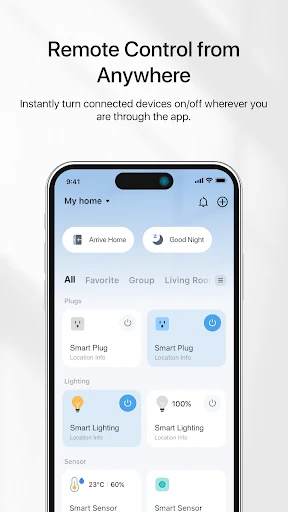
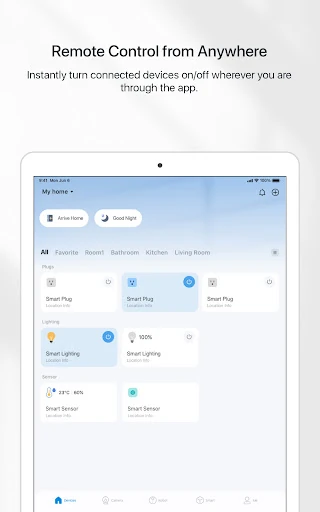
When I imagine using Tapo on an ordinary weekday, the appeal is not a dramatic transformation of the house. It is being able to check a compatible device from my phone instead of walking back across the room, or setting a timer so a device switches off without me having to remember later. The app’s central job is to make those small controls accessible, whether I am at home or away.
The routine might start with setting up a Tapo device in the app, then choosing a schedule that matches how I actually use it. A countdown timer works for a one-off task, while a repeating on-or-off schedule suits a regular habit. If plans change, remote control gives me a way to adjust things from elsewhere. That combination makes the app most useful when it supports a routine I already have.
A Companion, Not a Universal Hub
Tapo is best understood as the control point for Tapo smart devices, rather than a general-purpose home automation dashboard. If your home already includes compatible Tapo gear, having setup and everyday controls in one app is a sensible alternative to relying only on manual switches or managing each routine by memory. The app also supports voice control through Google Home and Amazon Echo, giving users another way to reach device controls.
That focus is also a boundary. I would not choose Tapo expecting it to manage every smart device in a mixed-brand home, or to replace a broader system for unrelated household services. The description centers on Tapo devices and their controls, schedules, timers, Away mode and shared management. For someone who wants a single app for a wide range of brands, that narrower purpose may be a mismatch rather than a flaw.
Make Automation Stick
A useful habit is to choose one repetitive task first, rather than trying to automate everything at once. I would start with a device I use at a predictable time, set an on-or-off schedule, and see whether it fits my week. If the need is temporary, a countdown timer is a better match. Keeping those two options distinct makes the app easier to use with intention instead of piling on settings I may soon forget.
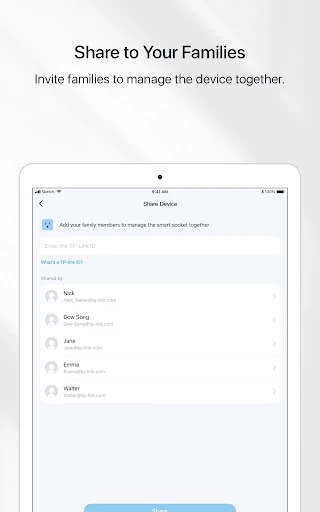
For a household, inviting family members to manage a device together can make shared routines less dependent on one person’s phone. Away mode is another option when I want a device to help make it seem as though someone is home. I would treat it as a specific preset, not a substitute for thinking through what a device should do while I am away. Simple, deliberate routines are the point.
More From Our News Desk

Zoom Meetings, Google Meet, or Teams: Which Is Easiest to Join?

How I Build a Free Streaming Lineup With Tubi

Why Crunchyroll Is the Default Anime App for So Many Fans

YouTube TV: A Practical Guide to Cutting Cable

Rummikub and the Small Comfort of Phone Games

TeamViewer Remote Control or AnyDesk for Helping Family?
Who Will Appreciate Tapo
I would recommend TP-Link Tapo to people who own, or are planning to use, Tapo smart devices and want an approachable way to set them up and control them. It makes particular sense for anyone who likes the idea of setting a schedule once, using a timer for a one-off situation, or checking a device remotely instead of needing to be beside it. Shared management may also suit households where more than one person handles home routines.
It may be less suitable for people who do not have Tapo devices, or who expect one app to be a universal manager for a broad mix of smart-home brands. The feature set described is focused on device control and basic automation rather than a wide range of unrelated household tools. I would also suggest keeping expectations practical: the value depends on having compatible devices and on whether their controls match the jobs you want the app to handle.
TP-Link Tapo is published by TP-LINK SYSTEMS INC. on Google Play, where it has over 10 million installs and a 4.6-star rating from about 456,000 ratings. The app is free to download, contains in-app purchases, and has no ads. Google Play gives it an Everyone content rating. Those figures offer a useful snapshot of its broad reach, though they do not guarantee that every user’s devices or routines will be a perfect fit.
The listed minimum requirement is Android 7.0, and the current version shown is 3.16.185. The app was released on September 3, 2019, and was last updated on February 3, 2026; the recent changes mention bug fixes and stability improvements. In-app product prices range from $2.49 to $199.99 per item. That range is store information, so I would check Google Play for current purchase details before deciding.
Small Routines, Easier Device Control
Starting With Setup
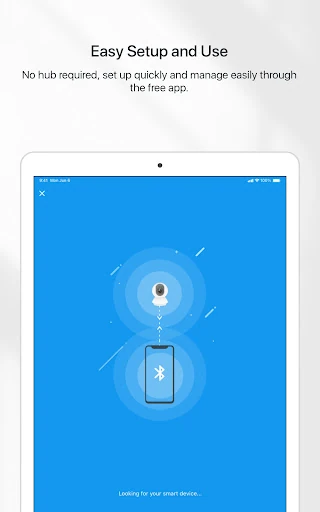
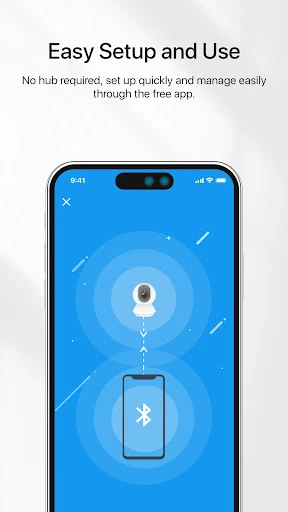
My first impression of Tapo is that its purpose is easy to explain: set up Tapo smart devices, then use the app to control them. That clear scope is helpful. I do not have to treat it as a general smart-home command center to see what it is for. The description says setup can be completed within minutes, though the experience will naturally depend on the device and the steps involved.
I would begin by getting the device ready and following the app’s setup process, then check that its basic controls are convenient before adding automation. That order matters in everyday use: there is little point in creating a schedule until I know what I want the device to do. Starting simply also makes it easier to tell whether remote control, a timer or a repeating schedule is the right next step.
Everyday Controls
The day-to-day appeal is being able to control a Tapo device from the app, including when I am away from home. That can be useful when I have changed plans or want to check a control without returning to the device. I would not treat remote access as a reason to interact constantly; the more practical payoff is being able to handle occasional changes without building a trip across the house into my routine.
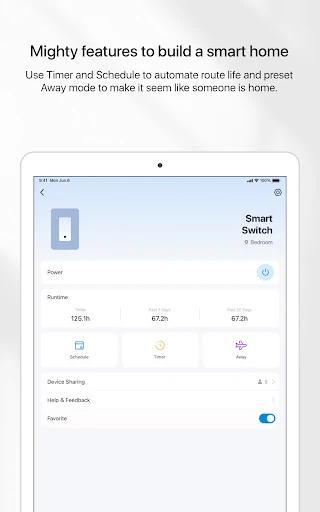
For tasks that happen at a known time, schedules can turn a device on or off automatically. For a single occasion, a countdown timer offers a different kind of convenience. I like that these use cases are easy to distinguish: a schedule supports repetition, while a timer handles a time-limited action. Choosing the simpler option for each job should keep the app’s automation useful rather than unnecessarily complicated.
Useful Standout Options
Away mode is one of the more distinctive options described for Tapo. Its purpose is to make it seem like someone is home, which gives the app a use beyond simply setting an everyday on-or-off schedule. I would consider it when leaving the house, while remembering that its role is limited to that preset and the compatible device being controlled. It is a practical extra, not a promise of broader home monitoring.
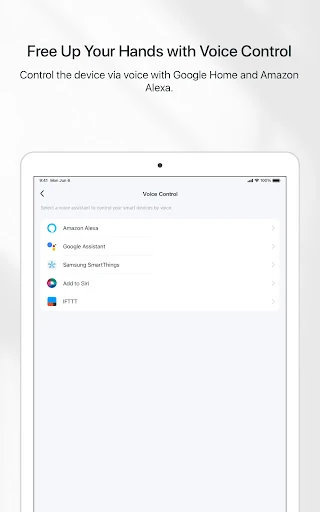
Voice control through Google Home and Amazon Echo can be helpful for people who already use those services. It offers another route to a device control, while the Tapo app remains the place described for setting up and managing Tapo devices. Family members can also be invited to manage a device together. Those options make the app more adaptable to shared homes and existing voice-control habits without changing its Tapo-centered focus.
A Routine That Makes Sense
A sensible way to build a routine is to pick one device and one predictable job. I would first use the app to set it up, then decide whether that job happens at a regular time or only needs to run for a defined period. A schedule fits the repeated task; a countdown timer fits the one-off. After trying the choice in ordinary life, I could adjust the routine rather than adding several automations before knowing what is useful.
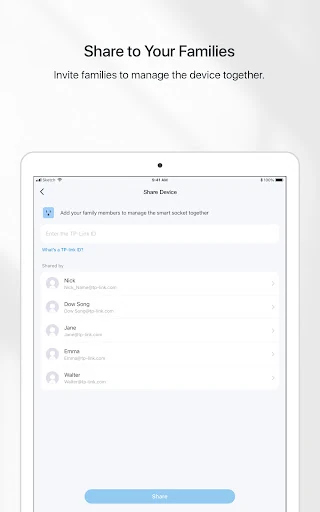
If other people in the household also need access, inviting family members to manage the device can make the routine less dependent on a single person. When leaving home, Away mode may suit a different need. I would keep these habits separate: daily schedules for repetition, timers for temporary control, shared access for household coordination, and Away mode for the specific impression it is meant to create.
Keep the Scope in Mind
The most important limitation is that Tapo is built around Tapo smart devices. That makes it a straightforward choice for someone invested in that range, but a narrower one for a home with equipment from many unrelated brands. I would not assume that every device in a smart home can be added or controlled through it. Its strongest case is simple management of the compatible devices it is designed to support.
The app’s described strengths are control, setup, schedules, timers, Away mode, voice control through Google Home and Amazon Echo, and shared device management. If someone needs a broader collection of features, they should compare their actual requirements with that focus before relying on Tapo as their main home app. The store also shows in-app purchases, so it is worth checking Google Play for current details rather than assuming every part of the experience has the same cost.
TP-Link Tapo makes the most sense as a practical companion to Tapo smart devices. Its schedules and timers can support ordinary routines, while remote controls, Away mode and shared management add useful flexibility. I like that the central job is easy to understand, even if the app’s narrower ecosystem focus will not suit every smart-home setup.
I would try it if I owned compatible Tapo devices and wanted a simple place to set them up and manage them. I would look elsewhere if I needed one app to cover a broad mix of brands or unrelated home functions. For the right household, Tapo’s everyday conveniences are clear; the best test is whether its supported controls match the routines I actually want.
TP-Link Tapo Frequently Asked Questions
What is TP-Link Tapo used for?
TP-Link Tapo is used to set up and control Tapo smart devices. The app supports control from anywhere, schedules and countdown timers for switching a device on or off, an Away mode intended to make it seem as though someone is home, voice control through Google Home and Amazon Echo, and shared device management with family members.
Which devices and platforms support TP-Link Tapo?
TP-Link Tapo is an Android app on Google Play, and its described purpose is managing Tapo smart devices. The listed minimum Android requirement is Android 7.0. The description does not give a device-by-device compatibility list, so check the Google Play store listing and the relevant device information to confirm that a particular device and phone are supported.
What Android version does TP-Link Tapo require?
The listed minimum requirement for TP-Link Tapo is Android 7.0. Its current version is shown as 3.16.185, with a last update date of February 3, 2026. Requirements and compatibility can vary as the app changes, so it is worth checking Google Play for the current details before installing or updating.
Is TP-Link Tapo free, and does it include purchases?
TP-Link Tapo is free to download and contains in-app purchases. Google Play lists in-app product prices from $2.49 to $199.99 per item, and says the app contains no ads. Purchase details may vary, so check the current Google Play store listing for what is available and any costs relevant to your use.
Who is TP-Link Tapo best suited for?
I would recommend TP-Link Tapo to people who use compatible Tapo smart devices and want app-based controls, schedules, timers or shared access. Voice control and Away mode may also suit particular households. It may not fit someone seeking a universal manager for devices from many brands. Check the store and device details to make sure the app supports your setup.
Pros
- Remote controls, schedules and countdown timers cover several practical everyday needs.
- Away mode and family sharing add options beyond basic on-and-off control.
- Voice control is supported through Google Home and Amazon Echo.
- Free to download, with no ads listed on Google Play.
Cons
- Its focus on Tapo devices may not suit mixed-brand smart homes.
- In-app purchases are offered, with prices that can reach $199.99 per item.
- The app’s usefulness depends on owning compatible Tapo smart devices.
- Category
- Lifestyle
- Version
- 3.16.185