Ford™
- 467.98K
- 4.7
- Installs
- 10.00M
- Price
- Free

Screenshots
Analysis by Reviewed APKs
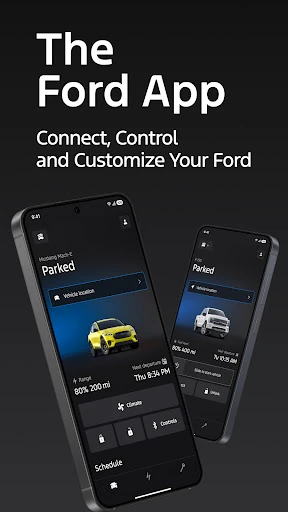
The Ford app brings several vehicle-related tasks together for Ford owners, from checking fuel or charge status to scheduling service and using remote controls on compatible vehicles. I found its appeal clearest for people who like handling small car jobs from their phone rather than waiting until they are in the driver’s seat. It is useful and broad, though what you can actually do depends on your vehicle and its connected features.
A quick check before leaving
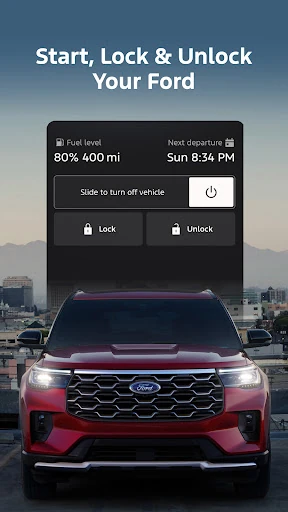
Picture a cold morning when I’m getting ready to leave and want to check whether my Ford is locked or see its fuel level before heading out. The app puts vehicle status and supported remote commands in one place, so I can handle those checks on my phone instead of walking back outside. On a compatible vehicle, remote start and lock or unlock can also help with a rushed departure.
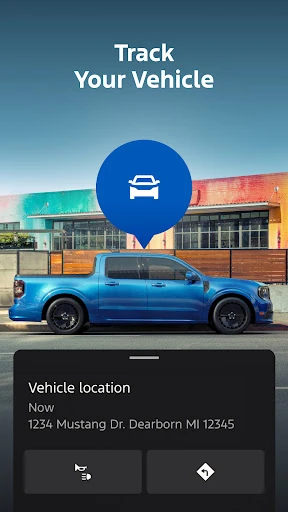
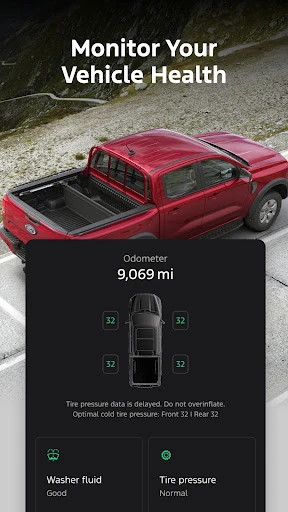
That kind of quick check is the app’s most persuasive everyday job. I can also use it to find the vehicle’s GPS location, review vehicle stats, or check charge levels on an electric Ford. The app does not make every vehicle behave the same way: remote features require an activated vehicle modem, and available functions vary by model. It is worth treating the displayed controls as vehicle-dependent rather than universal.
A companion, not a car
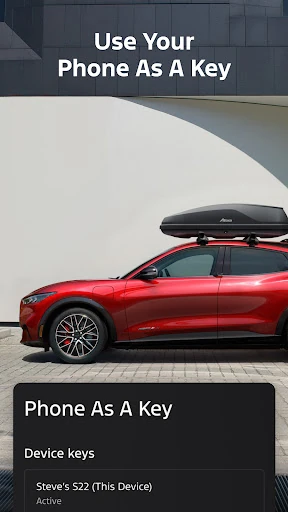
I think of the Ford app as a companion to owning and maintaining a Ford, not as a replacement for the vehicle’s own controls or a general driving tool. It brings remote features, vehicle information, service scheduling, connected services and rewards into one phone app. For a Ford owner who wants those jobs in one place, that is a more focused proposition than opening separate tools for every ownership task.
It is not a way to add features that a particular Ford does not support, and it is not presented as a universal route planner or a place to compare parking and fuel prices. Some connected features depend on vehicle capability, an activated modem or available services. If you do not own a Ford, or rarely need digital access to your car, much of the app’s purpose may not apply to your routine.
Small habits that help
I’d get more from the app by making it part of a few existing habits rather than opening it just to explore. A quick vehicle-status check before a longer drive, a glance at fuel or range when planning an errand, and a look at charge levels before leaving an electric Ford are all practical moments to use it. GPS location can also be handy when I’ve parked somewhere unfamiliar.
Service planning is another useful reason to keep the app in the rotation. Selecting a preferred dealer and scheduling maintenance can turn a reminder into a concrete next step. Owners with available Ford Rewards can also check the rewards area for ways to redeem points. I would first make sure the vehicle and any relevant account or connected features are set up, since several functions rely on those details.
More From Our News Desk

Zoom Meetings, Google Meet, or Teams: Which Is Easiest to Join?

How I Build a Free Streaming Lineup With Tubi

Why Crunchyroll Is the Default Anime App for So Many Fans

YouTube TV: A Practical Guide to Cutting Cable

Rummikub and the Small Comfort of Phone Games

TeamViewer Remote Control or AnyDesk for Helping Family?
Who will get the most from it
I’d recommend the Ford app to Ford owners who want vehicle information and ownership tasks close at hand. It makes particular sense if your model supports remote commands, if you regularly check fuel or range, or if you want to schedule service through the app. Electric Ford owners may also appreciate having charge information, preconditioning and public charging details gathered alongside the other vehicle tools.
It may be less compelling if your Ford does not support the connected features you care about, or if you prefer to manage service and vehicle information another way. The app’s value is tied to the vehicle, its modem and available services, so two owners may have different experiences. I would not install it expecting it to function as a general-purpose driving, navigation or car-shopping app.
The Ford app is published by Ford Motor Co. and is available for Android through Google Play. It is free to download, with no in-app purchases or ads reported in the store facts. Google Play shows more than 10 million installs and a 4.7-star rating from about 468,000 ratings. Its content rating is Everyone.
The recorded release date is April 28, 2016, and the last update date is October 23, 2026. The current version is listed as varying with device. The minimum Android version is not specified in the facts available for this review, so check the Google Play page on your device for current compatibility details.
A closer look at Ford ownership
Getting started
When I first opened the Ford app, its range of jobs made it feel less like a single-purpose remote and more like a home for day-to-day vehicle ownership. The useful question is not simply whether the app has a feature, but whether that feature is available for my particular Ford. The description makes clear that remote functions and connected services depend on vehicle capability, so expectations should start with the car.
The setup experience is best approached with a specific task in mind: checking vehicle status, arranging service, or looking into connected features. Some remote functions require an activated vehicle modem. That is a practical detail, not fine print to skim past, because it affects whether a command can reach the vehicle. I’d check what my model supports before relying on any particular control.
Everyday vehicle checks
The core experience is about bringing a quick look at the car to the phone. Depending on the vehicle, I can check fuel or range status and other vehicle stats, then use supported remote features such as starting, locking or unlocking. This is the sort of app I might open while getting ready to leave, or when I want reassurance that I remembered to lock up.
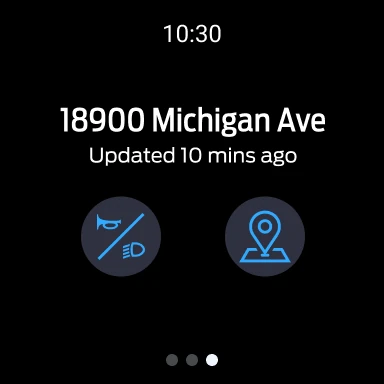
GPS location adds a simple practical use: finding where I left the Ford. It is not a substitute for paying attention to where I parked, but it can help when a large lot or unfamiliar street makes the car harder to spot. I like that these checks sit alongside service and ownership tools, though the exact mix remains tied to the model.
Features with real purpose
Electric vehicle owners get a distinct set of tools in the app. They can check charge levels, precondition their Ford and find public charging information. Those features make the app relevant beyond the moment of driving: a quick check before a trip can help me understand the vehicle’s current charge, while preconditioning is available as part of the connected experience.
Service scheduling is another feature with a clear job. I can select a preferred dealer and schedule maintenance, keeping that task close to the vehicle information I already use. Ford Rewards is also available for eligible account holders, with points that can be redeemed for items such as Ford service, accessories and available connected services. The program has its own account requirement and terms, so it is best viewed as an optional ownership feature.
A routine for owners
A useful weekly routine could be modest: check fuel or range before a busy stretch, glance at vehicle stats when something seems different, and use the service area when maintenance needs scheduling. I would not turn the app into another chore with constant checking. The point is to have the information and controls ready when they answer a real question about the car.
For an electric Ford, I’d fold charge checks and public charging information into trip preparation, then use preconditioning where supported. Owners who have connected services can also use the app to activate available trials, purchase plans or manage services. Software update scheduling is available through the app or directly in the vehicle, which gives owners a choice about where to handle that task.
Limits to keep in mind
The biggest limitation is that the app’s capabilities are not identical across the Ford range. Remote features may vary by model and require an activated vehicle modem. Evolving technology, cellular networks and vehicle capability can limit or prevent functionality. That means I would not build an important routine around a remote command without first confirming that it works with my vehicle.
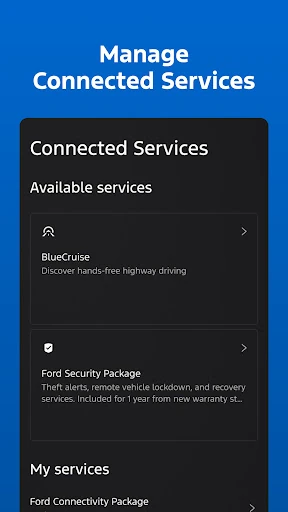
There is also a distinction between having the app and having access to every connected service. The app can surface available services and let owners manage them, but availability depends on the vehicle and service. For remote use, message and data rates may apply. These conditions do not erase the app’s usefulness; they simply make it a better fit for owners who check compatibility and treat it as a vehicle companion rather than a promise of identical features for everyone.
The Ford app earns its place most easily when I use it for specific ownership jobs: checking status, locating the vehicle, scheduling service or using supported remote controls. Its range is appealing, particularly for owners of connected and electric Fords, but the model-dependent details matter. It is a practical companion, not a reason by itself to expect every feature on every car.
I’d recommend giving it a try if you own a Ford and want vehicle tasks gathered on your phone. Before relying on remote or connected features, check what your model supports and whether its modem and services are active. If you prefer handling everything in person, you may not need it often, but the free app offers a convenient option to keep available.
Ford Frequently Asked Questions
What is the Ford app used for?
The Ford app helps owners manage parts of their vehicle experience. Depending on the Ford, it can provide remote start, lock and unlock, vehicle stats, fuel or range status, GPS location and electric vehicle charge information. It also supports service scheduling, connected service management, Ford Rewards and software update scheduling.
Which phones and devices can use the Ford app?
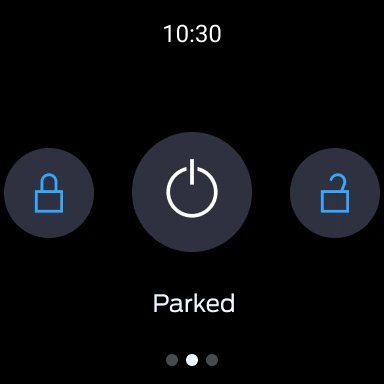
The app is available for Android through Google Play. The description also mentions commands and vehicle status on Wear OS smartwatches. Supported functions can depend on the vehicle and its capabilities. For current phone compatibility and device requirements, check the Google Play page for the app.
What Android version does the Ford app require?
The minimum Android version can vary with device and may change over time. Check the Ford app’s Google Play page from your phone to see the current compatibility information for your device. The app’s available vehicle features also vary by Ford model and may require an activated vehicle modem.
Does the Ford app cost money?
The Ford app is free to download, and the store facts report no in-app purchases or ads. Some connected services can involve available trials or plans that owners can manage in the app, so the terms for those services may differ. Message and data rates may apply when using remote features.
Is the Ford app useful for every Ford owner?
It can be useful for Ford owners who want vehicle information, service scheduling or supported remote features on their phone. Not every feature works with every model, and remote functions require an activated vehicle modem. Owners should check their vehicle’s capabilities and the Google Play page before relying on a specific function.
Pros
- Combines vehicle status, service scheduling and supported remote controls in one app.
- Includes electric vehicle tools for charge checks, preconditioning and public charging information.
- GPS location and Ford Rewards add practical ownership features beyond remote commands.
- Free to download, with no ads or in-app purchases reported.
Cons
- Remote features depend on vehicle capability and an activated modem.
- Available functions vary by Ford model and connected service.
- Message and data rates may apply when using remote features.
- Category
- Lifestyle