Amazon Alexa
- 5.81M
- 4.1
- Installs
- 100.00M
- Price
- Free

Screenshots


Analysis by Reviewed APKs
Amazon Alexa is a companion app for setting up and managing Alexa-enabled devices, keeping everyday lists, and controlling compatible smart-home products. I found it most useful as a practical hub for an Echo-equipped home, rather than as a reason to replace every app I already use. It brings several household tasks together, though its best features depend on having compatible devices and services.
A More Organized Morning
On a busy morning, I can see the appeal of having my shopping and to-do lists, timers, alarms, weather, and news updates gathered around the same Alexa setup. I might add something to a list while getting ready, check the weather before heading out, then set a timer later while cooking. The app gives those small tasks a shared home instead of making me jump between several separate tools.
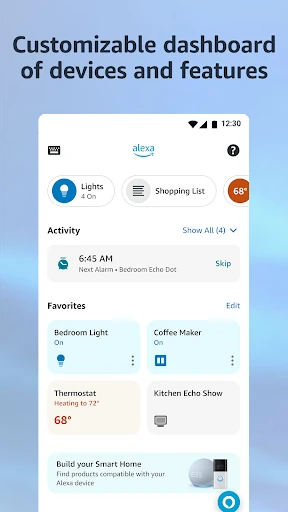
The home feed is designed to help me pick up where I left off with lists, shopping, or recently played music and books. That makes the app feel more useful when I return to an ongoing task than when I open it just to browse. It is still a companion to Alexa-enabled devices and services, but for an Echo household, it can help make routine errands and device controls easier to keep track of.
A Hub, Not a Replacement
Compared with opening a dedicated music service, list app, or smart-home control app, Amazon Alexa aims to put several familiar jobs under one roof. It can connect to services including Amazon Music, Pandora, Spotify, TuneIn, and iHeartRadio, while also helping manage compatible lights, locks, and thermostats. If my household already uses Echo devices, that mix can be convenient; I can manage more of the Alexa side of things from one place.
I would not treat it as a universal replacement for every service or device app. Its controls are for compatible Alexa-enabled products, and the music experience is built around connected services and Alexa-enabled devices. Someone who does not use Alexa-compatible hardware may find less reason to keep the app close at hand. It is best understood as a companion for an Alexa-centered setup, not a general-purpose home-control solution.
Small Habits That Help
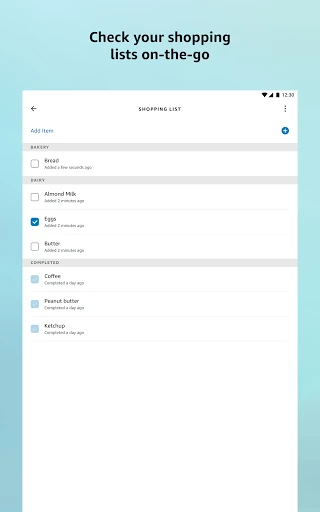
A simple habit is to keep lists current as errands and household jobs come up, rather than trying to reconstruct everything right before shopping. The app supports viewing and editing shopping and to-do lists on the go, so I can make a quick change while away from home. That is a modest feature, but it works naturally with the rest of the day-planning tools, such as alarms, timers, weather, and news.
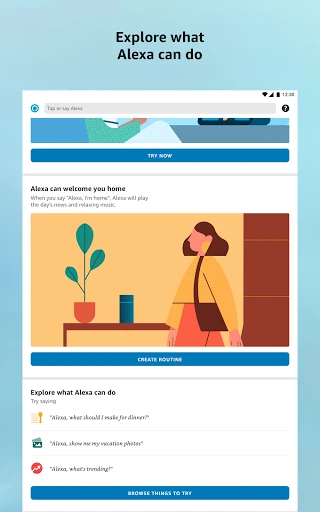
For a connected home, routines are worth exploring once the basic device controls are in place. The app can create routines to automate smart-home devices, so recurring actions do not have to be handled one at a time. I would also check the home feed for recommendations and recently played items when I want to discover more. These habits are most useful when they match devices and services I already use.
More From Our News Desk

Zoom Meetings, Google Meet, or Teams: Which Is Easiest to Join?

How I Build a Free Streaming Lineup With Tubi

Why Crunchyroll Is the Default Anime App for So Many Fans

YouTube TV: A Practical Guide to Cutting Cable

Rummikub and the Small Comfort of Phone Games

TeamViewer Remote Control or AnyDesk for Helping Family?
Who Will Get the Most From It
I would recommend Amazon Alexa to people who already have Alexa-enabled devices, especially Echo owners who want one place to set them up, check compatible smart-home products, and manage routines. The lists, news and weather updates, alarms, and music connections give the app a role beyond device setup. It can be a handy everyday companion when Alexa is already part of the household routine.
It may be less compelling for someone without Alexa-compatible hardware or for anyone who wants a dedicated app for just one task. The app brings together many functions, but some depend on compatible devices and connected music services. If I only wanted a shopping list or music player, I might prefer the service I already use. Its strongest case is convenience across an existing Alexa setup, rather than a standalone reason to change habits.
Amazon Alexa is a free Lifestyle app from Amazon Mobile LLC. On Google Play, it has over 100 million installs and a 4.1-star rating from around 5.8 million ratings. Its content rating is Teen. The app is listed as version 2.2.724579.0, with a release date of November 17, 2014 and a last update of October 19, 2026.
The app is free to download, and the provided store facts report no in-app purchases or ads. It is an Android app, but the minimum Android version is not specified in the available facts. Requirements can change with updates, so I would check the Google Play details for the device I plan to use.
A Practical Companion for Alexa Homes
Getting Started
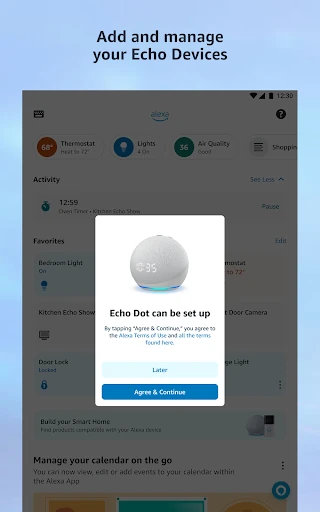
When I first opened Amazon Alexa, I saw its purpose as broader than simply configuring an Echo. The app is intended to set up Alexa-enabled devices, but it also brings together device controls, lists, music, books, and day-to-day updates. That range makes the app easier to understand if I think of it as a home hub for Alexa, rather than as a single-purpose remote.
The setup value depends on what I already own. With Alexa-enabled devices in the house, I can use the app to set them up and then manage compatible products such as smart lights, locks, and thermostats. Without that kind of hardware, many of the most distinctive controls have less practical use. I would start by connecting the devices and services I actually have, then explore the rest as needed.
The Everyday Experience
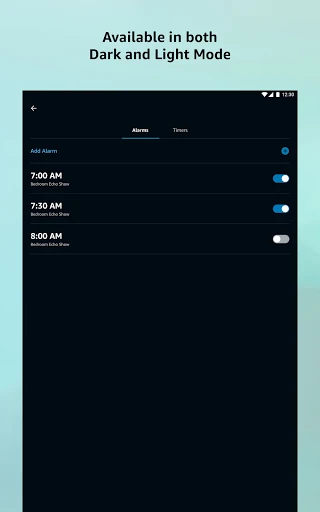
Day to day, the app's appeal is the way it gathers common household tasks. I can view or edit a shopping list while out, check a to-do list, manage a timer or alarm, and get news or weather updates. None of those jobs is complicated on its own. The useful part is having them sit alongside controls for an Alexa-enabled home, rather than treating them as unrelated activities.
The home feed supports that return-and-continue rhythm by surfacing lists, shopping, and recently played music and books. I like the idea of being able to resume something without starting from scratch. It also means the app has a more practical role between device setup sessions. I would expect its usefulness to reflect how often I use Alexa devices and the services connected to them.
Connected Home and Audio
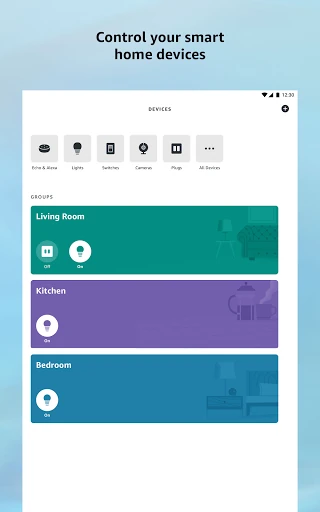
Smart-home control is one of the app's clearest strengths. I can control or check the status of compatible lights, locks, and thermostats at home or while away, and create routines to automate smart-home devices. That makes the app more than a setup tool: it can remain part of the routine after the initial connection. The compatibility qualifier matters, since these controls are for supported products.
Music and books add another layer. The app can connect to services such as Amazon Music, Pandora, Spotify, TuneIn, and iHeartRadio, then let me choose a song or playlist to play on Alexa-enabled devices. For compatible Echo devices, speaker groups support music across multiple speakers. These options make sense for a household already listening through Echo, though they are not a substitute for every service's own app.
A Useful Home Routine
A practical routine might begin with adding groceries and errands to the appropriate lists as I think of them. Later, I can review and edit those lists on the go, instead of relying on memory when I reach the store. Back at home, I can use an alarm or timer, check the weather or news, and control compatible devices through the same Alexa setup. It is a straightforward pattern built around ordinary tasks.
For recurring smart-home actions, I would spend a little time creating routines once the relevant devices are connected. The point is to automate supported devices rather than repeatedly controlling each one manually. I would keep the routine focused on actions I actually repeat, then use the app as a place to check device status or make changes. That approach gives the automation a clear purpose without turning setup into a project of its own.
What to Keep in Mind
The biggest limitation is that the app's most distinctive features rely on compatible Alexa-enabled devices. Smart-home controls, speaker groups, Drop In, and calling or messaging are tied to supported devices or compatible Echo products. A person without that hardware can still see the app's other described uses, such as lists and updates, but the overall experience may feel less central to daily life.
The app also brings together different kinds of tasks, which is convenient but not the same as having a dedicated tool for each one. Music depends on connected services, while device features require compatibility. I would keep my expectations grounded in the products already in my home and use the app where it saves a step. That makes its range feel like a benefit instead of a promise that every feature will suit everyone.
Amazon Alexa makes the most sense as a companion to an Alexa-enabled home. I like the combination of device setup and controls with lists, routines, music, alarms, and everyday updates. The app can help bring those jobs together, particularly when Echo devices and compatible smart-home products are already part of the household.
I would recommend trying it if you use Alexa devices and want a single place to manage more of that setup. If you do not have compatible hardware, its advantages are less obvious, and a dedicated app may suit a single task better. For the right household, it is a practical utility rather than a must-have for everyone.
Alexa Frequently Asked Questions
What is Amazon Alexa used for?
Amazon Alexa is used to set up and manage Alexa-enabled devices, control compatible smart-home products, create routines, and work with music services. It also supports shopping and to-do lists, news and weather updates, alarms, and timers. Features such as speaker groups and Drop In are intended for compatible Echo or Alexa-enabled devices.
Which devices can run Amazon Alexa?
Amazon Alexa is an Android app available through Google Play. The Android version requirement can vary with app updates and device compatibility, so check the Google Play details for your phone or tablet. Many of the app's device-control and communication features also depend on compatible Alexa-enabled products.
Does Amazon Alexa cost money?
The app is free to download. The provided store facts report no in-app purchases and no ads. The app can connect to music services and work with compatible devices, so the services and hardware you use may affect what features are available. Check Google Play for current app details.
What Android version does Amazon Alexa require?
The minimum Android version can vary as the app is updated. Check the current Google Play details on the device you plan to use before installing. Compatibility with Alexa-enabled devices and smart-home products is a separate consideration, since some app features work with supported products.
Is Amazon Alexa useful without an Echo?
It can still help with lists and everyday updates, but many of its most distinctive features are built around Alexa-enabled devices. Smart-home controls, speaker groups, and Drop In rely on compatible products. I would recommend it most to people who already use Alexa hardware or are setting up an Alexa-centered home.
Pros
- Combines Alexa device setup with lists, routines, and everyday updates.
- Can control or check compatible lights, locks, and thermostats.
- Connects supported music services with Alexa-enabled devices and speaker groups.
- Free to download, with no ads or in-app purchases reported.
Cons
- Many standout controls depend on compatible Alexa-enabled devices.
- Music and multi-speaker playback rely on connected services and compatible Echo devices.
- May feel unnecessary for people who do not use Alexa hardware.
- Category
- Lifestyle
- Version
- 2.2.724579.0