Samsung Wallet (Samsung Pay)
- 1.15M
- 4.1
- Installs
- 100.00M
- Price
- Free

Screenshots

Analysis by Reviewed APKs
Samsung Wallet (Samsung Pay) brings payment cards and other digital essentials together on compatible Samsung devices. I’d recommend it to people who already use a Samsung phone and want to tap to pay, keep membership cards handy, or try digital keys and boarding passes where available. Its appeal is convenience more than novelty, though the experience depends heavily on device, bank, and regional support.
A quicker checkout routine
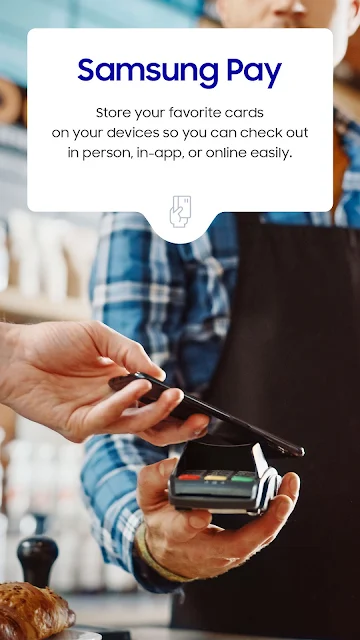
Picture a regular grocery run: I reach the register, open Samsung Wallet with a swipe, choose a payment card, and tap my phone instead of searching through a physical wallet. The same setup can hold gift and membership cards, so the app has a useful role beyond payment. For everyday errands, the main benefit is keeping a few frequently used items close at hand.
I can also see it helping on a travel day. A boarding pass from a supported airline can be added to Wallet and brought up with a swipe, which is less fiddly than hunting through email while moving through an airport. The app’s Quick Access approach suits short, repeated tasks: bring up the item you need, use it, and get back to what you were doing.
Wallet, not a whole phone
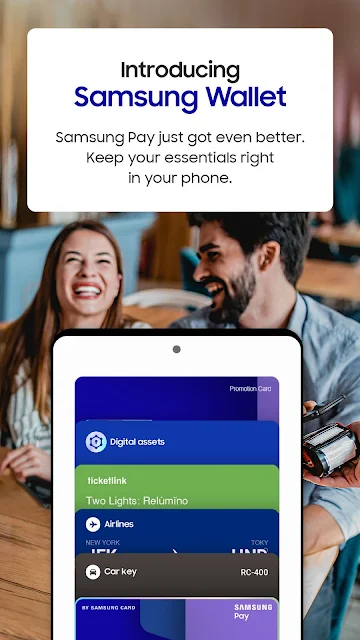
Compared with carrying separate cards and passes, Samsung Wallet aims to make common items available in one place on a compatible Samsung device. It combines Samsung Pay features with Samsung Pass, digital keys, and digital asset management. That breadth is useful if those services fit your routine, but there is no reason to add every category just because it is present.
I would not treat it as a universal replacement for every wallet or travel app. Payments work only with eligible cards from participating banks and qualifying devices; keys and passes have their own compatibility limits. It also isn’t a general-purpose money manager: its asset tools let users check crypto balances and prices through linked exchange partners, rather than covering every financial task.
Make it a small habit
The app works best when I add only the items I actually reach for. A payment card for daily shopping, a membership card for a regular store, and a boarding pass before a trip are a more manageable starting point than trying to digitize everything at once. Quick Access is designed to make those saved items easy to reach with a swipe.
Before relying on a card or key away from home, I’d check that it can be added and works with my device and region. That little bit of preparation matters more than building an elaborate collection in the app. When a trip or new vehicle is involved, adding the relevant pass or eligible digital key ahead of time makes Wallet feel like a practical backup rather than one more thing to set up in a rush.
More From Our News Desk

Zoom Meetings, Google Meet, or Teams: Which Is Easiest to Join?

How I Build a Free Streaming Lineup With Tubi

Why Crunchyroll Is the Default Anime App for So Many Fans

YouTube TV: A Practical Guide to Cutting Cable

Rummikub and the Small Comfort of Phone Games

TeamViewer Remote Control or AnyDesk for Helping Family?
Who will get the most from it
I’d suggest Samsung Wallet to Samsung device owners who want convenient tap-to-pay access and a place for compatible membership or gift cards. It is also worth exploring for people whose airline, smart lock, or car supports a Wallet feature. Those extras make the app more useful when they match an existing routine, rather than being reasons on their own to switch devices or services.
It may be a poor fit if you use a non-Samsung device, if your bank does not support the card you want to add, or if the features you need are unavailable in your region. People who prefer to keep payment and travel tools separate may also find the all-in-one approach unnecessary. I’d check the specific compatibility details before making it central to a daily routine.
Samsung Electronics Co., Ltd. develops Samsung Wallet (Samsung Pay). On Google Play, it has more than 100 million installs and a 4.1-star rating from about 1.1 million ratings. It is free to download, with no in-app purchases or ads. The content rating is Everyone, making the store information easy to scan before installing.
The provided Google Play details give version 2.5.79, an original release date of October 17, 2015, and a last-updated date of October 30, 2026. No minimum Android version is provided in these details. The app description says Samsung Wallet is compatible with select Samsung devices and that feature availability can vary by model, carrier, firmware, and country or region.
A closer look at daily Wallet use
A simple first impression
When I first opened the idea of Samsung Wallet, its biggest draw was how quickly it wants to surface everyday essentials. The description calls out Quick Access: swipe up to launch the app and reach saved items. That makes sense for payment cards and boarding passes, where a few extra taps can feel inconvenient when a line is moving or a gate is busy.
Getting everything ready may take more than one step. Samsung notes that additional updates may be prompted during setup, and the app works only with select Samsung devices. I’d start by checking device and regional availability, then add one compatible card. That gives a useful test of the basic experience before spending time exploring digital keys or other optional categories.
The everyday payment flow
For routine purchases, Samsung Wallet’s core job is straightforward: store supported credit, debit, gift, and membership cards, then use a phone tap to pay at checkout. I like that the app puts payment and other frequently used cards under the same umbrella, rather than asking me to remember which separate app holds a particular membership card.
The important caveat is that card support is selective. Samsung says compatible Visa, Mastercard, American Express, and Discover cards must come from participating banks and be used with qualifying Samsung devices. I’d check with the bank or issuer before counting on a card at the register. Cash Back Awards are also described as a way to get additional savings at participating merchants, though availability can vary.
More than payment cards
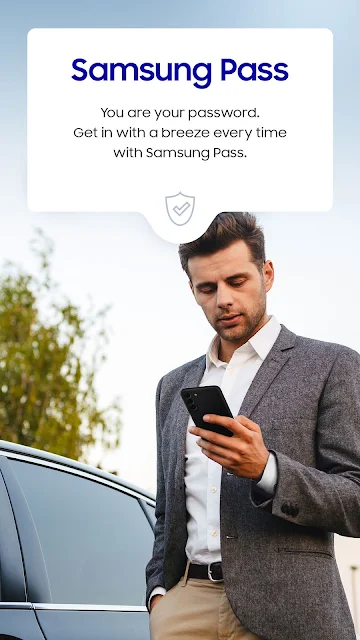
What surprised me was how many different kinds of digital items Samsung includes. Samsung Wallet brings together Samsung Pay and Samsung Pass, and its described features also include digital home and car keys, boarding passes from select airlines, and digital asset management. That gives the app a broader role than a payment-only tool, particularly for Samsung owners whose other services are compatible.
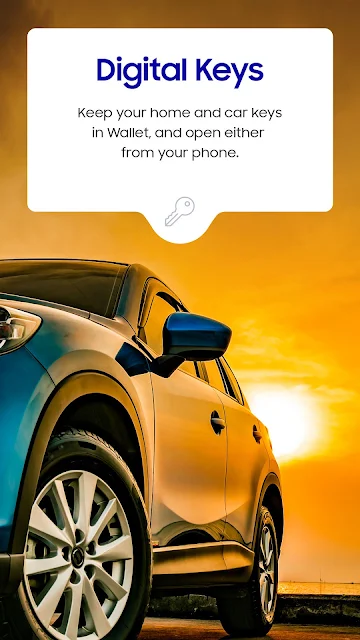
The details matter with these extras. Digital keys are limited to select SmartThings-compatible smart locks and certain vehicles, while asset information is available for supported exchanges. The description also says Samsung Pass functions and compatible applications can vary by partner policy. I’d treat these as useful possibilities to check for, not features that every user will see in the same form.
A practical weekly routine
For a normal week, I’d keep one main payment card and the membership cards I use often in Wallet, then use Quick Access at shops where mobile payment is accepted. Before a flight, I’d add a boarding pass from a supported airline so it is ready when I need it. This modest routine keeps the app focused on things I might otherwise carry or search for.
If I had a compatible door lock or car, I’d check the model requirements before trying to make a digital key part of that routine. The same goes for linked exchange features: I’d use them only if my exchange is supported and I want balance and price information in Wallet. Keeping expectations tied to actual compatibility helps avoid a last-minute scramble or a feature that doesn’t apply to my setup.
Compatibility sets the limits
The main limitation is that Samsung Wallet is not equally available to every Samsung owner everywhere. The app description says features may vary by device model, carrier, firmware version, and country or region, and the app itself may not be available in some regions. That makes checking local support a necessary first step, especially for keys, passes, and payment cards.
There is also a setup trade-off: useful features depend on outside compatibility, including a participating bank, supported airline, eligible device, or partner service. If your main card or car is not supported, the broader feature list may matter less. I’d judge Wallet by whether it handles the few essentials I need, rather than assuming every advertised category will be available.
Samsung Wallet is a practical convenience app when its supported features line up with the way I already pay, travel, or access a compatible lock or vehicle. Quick Access and the mix of cards, passes, and keys give it a useful everyday purpose without requiring me to use every feature.
My recommendation is strongest for Samsung device owners who have a participating bank card and want a central place for compatible digital essentials. If device or regional support is uncertain, I’d check before depending on it. For everyone else, its value comes down to whether the specific cards and services they use are supported.
Samsung Wallet Frequently Asked Questions
What is Samsung Wallet used for?
Samsung Wallet is used to keep supported payment, gift, and membership cards on a compatible Samsung device and to make contactless payments. It also supports features such as boarding passes from select airlines, digital keys for eligible locks and vehicles, Samsung Pass, and digital asset information for supported exchanges.
Which devices can run Samsung Wallet?
Samsung Wallet is described as compatible with select Samsung devices. Availability can depend on the device model, carrier, firmware, and country or region. The Google Play details provided here do not specify a minimum Android version, so check the store information and device compatibility details before installing.
Does Samsung Wallet cost anything?
Samsung Wallet is free to download on Google Play, and the provided store details show no in-app purchases or ads. Whether a particular payment card or extra feature works depends on participating banks and other compatibility requirements, so check those details for the services you plan to use.
Can I use Samsung Wallet with any bank card?
No. The app description says it supports only compatible Visa, Mastercard, American Express, and Discover cards from participating banks, with qualifying Samsung devices. Card availability can vary, so check with your bank or card issuer before relying on Samsung Wallet for a purchase.
Is Samsung Wallet a good fit for me?
It is most likely to suit Samsung device owners who want payment cards and other compatible digital essentials close at hand. It may not suit you if your device, region, bank, or preferred services are unsupported, or if you prefer separate apps. Check current compatibility in the store and with relevant providers.
Pros
- Combines supported payment cards, gift cards, and membership cards in one app.
- Quick Access is designed to bring saved essentials up with a swipe.
- Can also support select boarding passes, digital keys, and exchange information.
- Free to download, with no in-app purchases or ads shown in store details.
Cons
- Requires a compatible Samsung device and support varies by region and model.
- Payment cards must be eligible and issued by participating banks.
- Digital keys, boarding passes, and exchange features have additional compatibility limits.
- Category
- Lifestyle
- Version
- 2.5.79