Expo Go
- 24.86K
- 4.8
- Installs
- 1.00M
- Price
- Free

Screenshots
Analysis by Reviewed APKs
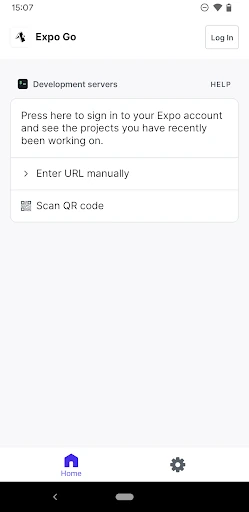
Expo Go is a companion for people building mobile experiences with JavaScript and React Native. It lets you work with a computer and an Android device while exploring interactive gestures, graphics, and features such as camera, audio, and SQLite. I see it as a practical tool for developers who want to work hands-on with their projects, rather than a general-purpose app for everyday phone use.
A project on your phone
When I first opened Expo Go, I thought about the gap between writing code on a computer and experiencing an app on a phone. Expo Go is designed to help bridge that gap: it is a developer tool for creating mobile experiences with JavaScript and React Native, with an Android device as part of the process. That makes it relevant when you want your work to involve the phone itself, not just a desktop screen.
A realistic use might be spending an evening building an interactive idea at your computer and wanting to explore how it feels as a mobile experience. The app’s stated feature areas include gestures and graphics, along with camera, background location, audio and video, and SQLite. Those examples suggest a tool for trying out a range of app capabilities. Some programming experience is recommended, so this is more useful once you are ready to work with code.
A tool, not a finished app
Expo Go occupies a different space from the apps most people open to message friends, edit photos, or manage daily tasks. It is aimed at building experiences, not consuming them. If you are curious about JavaScript and React Native development, it can put an Android device into that process. If you simply want a polished app that performs one everyday job, Expo Go is not meant to fill that role.
Compared with doing all your work on a computer, the appeal here is having an Android device involved in building experiences. But this is not a substitute for learning how to program: the description specifically recommends some programming experience. It also should not be mistaken for a ready-made collection of unrelated apps. Its purpose is tied to development, and the features make most sense in that context.
Make experiments manageable
I would get the most from Expo Go by approaching it with a specific project or question in mind. For example, decide whether you are exploring graphics, gestures, or one of the listed device capabilities before settling into a coding session. That gives the work a useful focus and helps you judge what you want to build, instead of treating the app as something that will supply a finished project on its own.
A second helpful habit is to keep the computer and Android device in the same working routine. The description presents them as partners in creating experiences, so I would plan time to move between writing code and considering the mobile result. If you are new to programming, keep your first goal modest and allow time to learn. Expo Go is most rewarding when you bring patience and a willingness to experiment.
More From Our News Desk

Zoom Meetings, Google Meet, or Teams: Which Is Easiest to Join?

How I Build a Free Streaming Lineup With Tubi

Why Crunchyroll Is the Default Anime App for So Many Fans

YouTube TV: A Practical Guide to Cutting Cable

Rummikub and the Small Comfort of Phone Games

TeamViewer Remote Control or AnyDesk for Helping Family?
Who will get the most from it
I would recommend Expo Go to Android users who already have some programming experience and want to work on mobile experiences with JavaScript and React Native. It is a particularly natural fit for someone who wants to explore interactive graphics or gestures, or work with capabilities such as camera, audio, video, background location, and SQLite. The app is free, so trying it does not require a purchase.
It may not suit someone looking for a complete consumer app, a no-code introduction, or a standalone way to create polished projects without programming. The description recommends some experience, and the purpose is distinctly developer-focused. If you are not interested in writing code or experimenting with mobile features, much of what makes Expo Go useful will not apply to your routine.
Expo Go is developed by Expo Project and is categorized as Libraries & Demo on Google Play. It has more than one million installs and a 4.8-star rating from about 24,900 ratings. The app is free, with no in-app purchases and no ads. Its content rating is Everyone.
The Android version requirement is Android 7.0 or later. The current version in the supplied store details is 54.0.6. Expo Go was released on December 8, 2015, and was last updated on October 2, 2025.
A closer look at Expo Go
A developer-minded first impression
When I first considered Expo Go, its purpose stood out quickly: it is for building experiences, not for browsing a catalog of finished apps. The description connects Android use with a computer and frames the work around JavaScript and React Native. That gives the app a clear audience, even if it will feel specialized to anyone who has no interest in development.
The learning curve is worth keeping in mind from the start. Expo recommends some programming experience, which sets a realistic expectation for newcomers. I would approach the app with a project in mind and the patience to work through development concepts, rather than expecting setup alone to produce an app.
Working through the day
Day to day, Expo Go makes the most sense as one part of a development routine. I would think of the computer as where I build and the Android device as an important part of creating mobile experiences. That framing is useful when a project involves how something feels on a phone, rather than only how it appears as code or on a desktop.
The available description does not spell out a particular sequence of setup steps or a specific way to connect a project. So I would avoid assuming the app will remove every development hurdle. What it does establish is the central idea: use your Android device and computer as you work with JavaScript and React Native.
A broad set of capabilities
The listed capabilities give Expo Go a wider scope than a tool centered on a single type of mobile experience. Camera, background location, audio and video, and SQLite cover notably different areas. That range makes the app relevant to developers exploring varied project ideas, while the mention of interactive gestures and graphics points to work that involves direct interaction.
I like that these examples are concrete enough to help a developer decide whether the tool fits a project. They are not a promise that every project will be effortless or that no other development work is needed. Instead, they show the kinds of capabilities the platform is intended to support, with JavaScript and React Native at its foundation.
A practical project routine
For a practical session, I would choose one capability and make it the focus of the work. A developer exploring audio, for instance, can keep the goal centered on audio rather than trying to tackle every possible feature at once. The same approach makes sense for camera, graphics, gestures, or SQLite. It gives an evening of experimentation a clear purpose.
I would also make room for short sessions that build familiarity over time. Start with a manageable idea, use the computer and phone as parts of the same process, and return to the next question once the first one is understood. This is a general way to organize development work, not a special feature claim. Expo Go’s developer focus makes that kind of deliberate practice a sensible fit.
Keep the scope in view
The main limitation is also the app’s defining quality: Expo Go is specialized. Someone who does not use JavaScript or React Native is unlikely to find much reason to keep it on their phone. And while the listed capabilities are appealing, using them assumes a development context rather than a casual tap-and-go experience for general users.
I would also keep the programming recommendation in view when deciding whether to try it. Beginners can still be interested, but the app is not presented as a replacement for learning the basics. Its Android focus matters too: the supplied app details describe an Android release, so I would not treat this review as a claim about availability on other platforms.
Expo Go is a focused option for people who want to build mobile experiences with JavaScript and React Native and involve an Android device in that work. Its range of example capabilities is appealing, and its free, ad-free model is straightforward. The trade-off is equally clear: this is a developer tool, not an everyday consumer app.
I recommend giving Expo Go a look if you have some programming experience and a project to explore. If you are looking for an app that works without a development goal, or want to avoid coding, it is probably not the right fit. For its intended audience, its purpose is clear and practical.
Expo Go Frequently Asked Questions
What is Expo Go used for?
Expo Go is a developer tool for creating mobile experiences with JavaScript and React Native, using an Android device and a computer. The description highlights interactive gestures and graphics, as well as camera, background location, audio and video, and SQLite. Some programming experience is recommended, so it is aimed at people interested in building rather than simply using apps.
Which devices can run Expo Go?
The app described here is the Android version of Expo Go. It requires Android 7.0 or later, and the description presents an Android device and a computer as part of building experiences. Availability on other platforms may vary, so check the relevant store for current device support and requirements.
Does Expo Go cost money?
Expo Go is free on Google Play. The supplied details say it has no in-app purchases and no ads. Store information can change, so it is worth checking the Google Play page for the latest pricing and purchase details before installing.
What Android version does Expo Go require?
The supplied Google Play details give Android 7.0 as the minimum version. The current version shown in those details is 54.0.6, though requirements and version information can change over time. Check the store page on your device for the latest compatibility information.
Is Expo Go suitable for beginners?
It may suit beginners who are motivated to learn, but Expo recommends some programming experience. The app is designed for creating mobile experiences with JavaScript and React Native, rather than providing a finished, no-code app-building experience. If you want to explore development and are comfortable learning as you go, it may be worth trying.
Pros
- Supports development work involving JavaScript and React Native on an Android device.
- Highlights a useful range of capabilities, including camera, audio, video, and SQLite.
- Free to install, with no in-app purchases or ads.
- Its developer-focused purpose is clear from the outset.
Cons
- Some programming experience is recommended, so it is not a no-code tool.
- Its specialized developer purpose will not suit most everyday app needs.
- The supplied details focus on Android rather than other device platforms.
- Category
- Libraries & Demo
- Version
- 54.0.6