Endoscope Camera Connector
- 7.70K
- 3.6
- Installs
- 100.00K
- Price
- Free
Screenshots
Analysis by Reviewed APKs
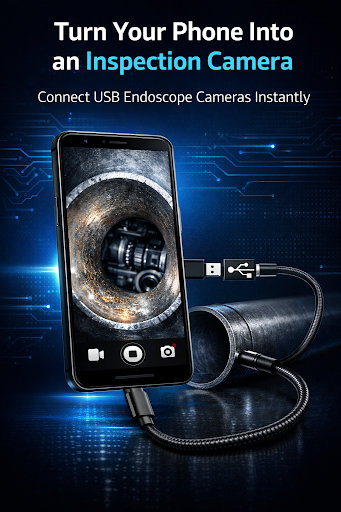
Endoscope Camera Connector turns an Android phone or tablet into a viewing screen for a compatible USB endoscope or borescope. It is aimed at people who need to look into pipes, engine spaces, ducts, or other tight spots, rather than anyone seeking a general camera app. I like the practical focus: connect the camera, check the live view, and save inspection photos for later.
A Look Into Tight Spaces
Imagine a slow afternoon repair when you want to see what is happening inside a narrow pipe without dismantling everything around it. With a compatible USB endoscope and an OTG adapter, the app can show the camera’s live feed on your Android screen. I would use that view to inspect the area, adjust the camera position by hand, and take a photo if I needed a record to check again.
That simple routine is the app’s main purpose. It can capture photos from the live view and saves them in an Endoscope Camera folder, with a built-in gallery for reviewing and deleting images. I appreciate that the job stays focused on looking and documenting rather than trying to diagnose a problem automatically. The camera and cable do the exploring; the app provides the phone-based preview and basic image handling.
A Viewer, Not a Repair Suite
The closest alternative is whatever viewing software came with a USB endoscope, if the camera has its own companion app. Endoscope Camera Connector instead describes a direct USB OTG connection and a live preview, with photo capture and a small gallery included. It may be useful when you want to use an Android device as a portable monitor, but the camera must be UVC-compatible and the device must support USB OTG.
This is not a replacement for a dedicated inspection system, a conventional phone camera, or professional diagnostic equipment. Its stated focus is live camera viewing and photos, not video recording, automatic fault detection, or medical examination. I would treat the images as a useful visual reference, not as a final answer about what is wrong. Compatibility also depends on the phone and camera chipset, so a matching connector alone does not guarantee a working setup.
Make the Session Easier
A little preparation can make an inspection less fiddly. I would check that the phone supports USB OTG, identify which adapter fits its port, and make sure the endoscope is UVC-compatible before heading into a cramped workspace. The app includes an OTG compatibility check and setup guidance, which gives you somewhere to start if the camera is not detected. These checks are especially helpful when you are setting up away from a desk.
During the inspection, I would take photos only when a view is worth keeping, then use the built-in gallery to review the results afterward. The available controls include resolution selection, mirror mode, orientation flipping, and brightness adjustment, so it can be worth trying those when the initial view is awkward. Keeping the camera, adapter, and phone together as a small kit also avoids discovering a missing connection piece halfway through a repair.
More From Our News Desk

Zoom Meetings, Google Meet, or Teams: Which Is Easiest to Join?

How I Build a Free Streaming Lineup With Tubi

Why Crunchyroll Is the Default Anime App for So Many Fans

YouTube TV: A Practical Guide to Cutting Cable

Rummikub and the Small Comfort of Phone Games

TeamViewer Remote Control or AnyDesk for Helping Family?
Who May Find It Useful
I would recommend Endoscope Camera Connector to DIY-minded Android users, tradespeople, and vehicle owners who already have a compatible USB inspection camera and want a phone-based preview. It suits occasional checks around a home or workshop, particularly when the useful view is somewhere an ordinary phone camera cannot reach. The photo capture and gallery are practical extras for comparing what you saw or keeping a simple visual record.
It may not suit someone who expects the app itself to provide the camera, or who wants a complete repair or diagnostic workflow. You need an OTG-capable Android device, an appropriate adapter, and a compatible USB camera, and some cameras may require drivers that are not supported. If you need medical imaging, this is not intended for that purpose. For everyone else, I would check the hardware match before relying on it for a task.
Endoscope Camera Connector is a free Android app from FastSoft in the Libraries & Demo category. Google Play shows more than 100,000 installs and a 3.6-star rating from around 7,700 ratings. It contains ads, and the store information says it does not offer in-app purchases. The listed content rating is Everyone.
The app was released on July 2, 2020. Its version is described as varying with the device. The supplied store details do not give a minimum Android version or a last-update date, so those are worth checking on Google Play for the specific device you plan to use. The description calls for an Android phone or tablet with USB OTG support, a UVC-compatible USB endoscope, and a suitable OTG adapter.
A Practical Phone-Based Inspection Setup
First Connection
When I first opened the app, the important question was not how many settings it had; it was whether my phone and camera could communicate. The setup described is straightforward: connect a UVC-compatible USB endoscope through an OTG adapter, respond to the USB permission request when prompted, and view the camera feed. There is also an OTG compatibility check, a useful first stop before assuming the camera itself is the problem.
The app includes setup instructions and troubleshooting tips for cases where the camera is not detected. I like having that guidance close to the task, since USB accessories can be temperamental when several pieces are involved. Still, the app cannot make unsupported hardware compatible. Device models and camera chipsets differ, and some cameras require drivers that may not work on every phone.
The Everyday View
The core experience is a live camera preview on the Android screen. That makes the phone a convenient monitor while the endoscope is moved into a hard-to-reach space. In a home repair or an automotive check, I would keep the screen where I can see it and move the camera slowly, using the preview to orient myself rather than repeatedly pulling the camera back out.
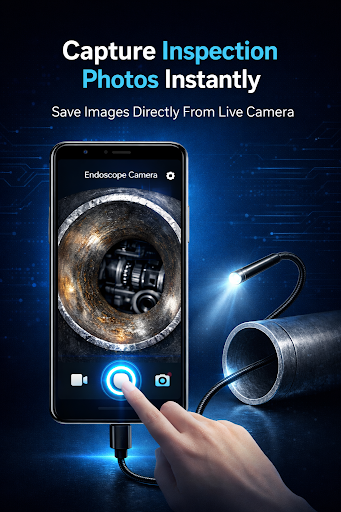
When I wanted to keep a useful view, the one-tap photo capture was the relevant tool. Captured images are saved automatically, so there is no separate manual export step described in the normal workflow. The app is deliberately centered on live viewing and still images. That narrow focus is easy to understand, though users looking for a broader media toolkit should keep their expectations in check.
Controls That Help
The standout features are practical adjustments rather than elaborate analysis. Resolution selection, mirror mode, orientation flipping, and brightness controls can help make a camera view easier to interpret in different positions. A mirrored image or flipped orientation can be useful when the camera is turned around in a confined space, while brightness adjustment offers a way to adapt the picture to the inspection.
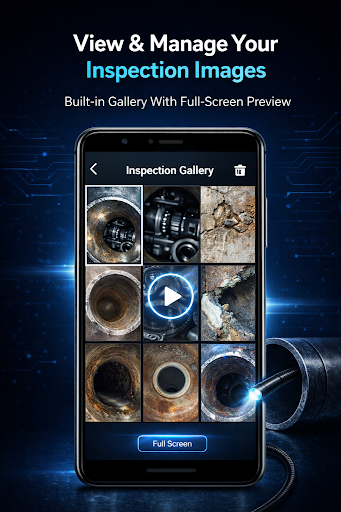
I also value the built-in image gallery because it keeps captured inspection photos available inside the app. It supports full-screen previews and quick deletion, which covers the basic cycle of taking a picture, checking it, and removing an unwanted one. The images are stored in an Endoscope Camera folder as well, giving the collection a clear place rather than scattering inspection shots among unrelated camera photos.
A Simple Inspection Routine
For a routine check, I would begin by making sure the phone, OTG adapter, and endoscope are together and that the phone supports USB host connections. Once connected, I would allow the USB permission request and wait for the live preview. If the camera does not appear, the app’s setup help is a reasonable next step, followed by checking whether the camera and device are actually compatible.
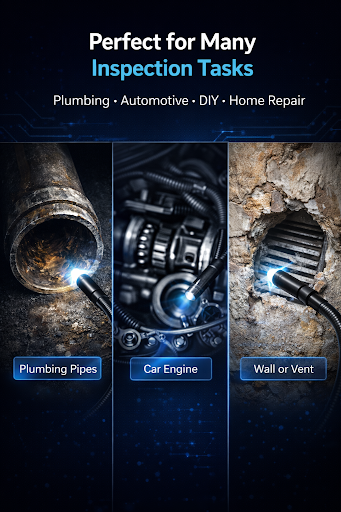
After the feed appears, I would adjust the view with the available controls, take a photo of anything I want to revisit, and review the result in the gallery. That sequence works for a quick look at a pipe, a narrow engine area, a wall cavity, or a cable channel. It keeps the phone involved as a viewer and record-keeper, without pretending that a saved image replaces hands-on inspection or expertise.
Limits Before You Start
The biggest limitation is hardware compatibility. The description calls for USB OTG support on the Android device, a UVC-compatible endoscope, and the right USB-C or Micro-USB adapter for that device. It also cautions that compatibility can vary by phone model and camera chipset, and that some cameras depend on drivers that are not supported everywhere. I would check those pieces before planning an inspection around the app.
There are a few other boundaries worth remembering. The app focuses on live preview and photo capture, not a full diagnostic workflow, and the description says it is not intended for medical diagnosis or procedures. Google Play reports a 3.6-star rating from around 7,700 ratings, which suggests experiences are mixed. Ads are present, though there are no in-app purchases in the supplied store facts.
Endoscope Camera Connector is a focused utility for a specific combination: an Android device with OTG support and a compatible USB inspection camera. Its live preview, photo capture, image gallery, and basic viewing controls cover the essentials without adding much complexity. The trade-off is that the app’s usefulness depends heavily on hardware compatibility, not just on installing it.
I would try it if I already owned a compatible endoscope and wanted a simple phone monitor for home, workshop, or vehicle inspections. I would not buy accessories on the assumption that every camera will work, or expect the app to interpret what the camera sees. Check the device and camera requirements first, then use the app as a practical viewing aid.
Endoscope Camera Frequently Asked Questions
What is Endoscope Camera Connector used for?
Endoscope Camera Connector lets an Android phone or tablet display a live feed from a compatible USB endoscope or borescope connected through an OTG adapter. It can capture inspection photos and provides an in-app gallery for reviewing and deleting them. It is intended for looking into hard-to-reach areas, not for medical diagnosis or procedures.
Which devices work with Endoscope Camera Connector?
The app is for Android phones and tablets that support USB OTG, paired with a UVC-compatible USB endoscope and the appropriate OTG adapter. Compatibility can depend on the device model and camera chipset, and some cameras may require unsupported drivers. The description does not provide a specific minimum Android version, so check Google Play for device-specific requirements.
Does Endoscope Camera Connector cost anything?
Google Play lists Endoscope Camera Connector as free and the supplied store facts say it has no in-app purchases. The app does contain ads. The endoscope camera and adapter are separate hardware requirements, so the app being free does not mean the full setup has no cost. Store details can change, so check Google Play for current information.
What Android version does Endoscope Camera Connector require?
The available requirements call for an Android phone or tablet with USB OTG, but do not specify a minimum Android version. The listed app version varies with the device. For the most relevant compatibility information, check the app’s Google Play page from the Android device you plan to use, and verify that the phone supports USB host connections.
Is Endoscope Camera Connector right for casual home checks?
It can suit an Android user who already has a compatible USB endoscope and wants to inspect places such as pipes, ducts, or tight spaces around a vehicle. Its live preview and photo capture are straightforward uses. It may not suit people without the required hardware or anyone seeking medical use, automatic diagnosis, or a more extensive inspection system.
Pros
- Live preview makes an Android phone a handy screen for compatible USB endoscopes.
- Photo capture and an in-app gallery keep inspection images easy to review.
- Mirror, flip, brightness, and resolution controls support different viewing situations.
- OTG checking and setup guidance offer a starting point when connections fail.
Cons
- The phone, adapter, and camera all need to meet compatibility requirements.
- Some camera chipsets or required drivers may not work with every Android device.
- The app focuses on live viewing and photos rather than diagnosis or video recording.
- Category
- Libraries & Demo