Microsoft Bing Search
- 1.74M
- 4.6
- Installs
- 100.00M
- Price
- Free

Screenshots

Analysis by Reviewed APKs
Microsoft Bing Search is a general-purpose search app for people who want quick answers, useful web links, and a few ways to explore beyond a basic text query. Its mix of conventional search and AI-generated summaries makes it handy for everyday questions as well as longer research sessions. I like the range of search options, though it is a busier package than someone who only wants a plain search box may need.
From quick question to follow-up
Imagine I’m planning a weekend outing and want to check the forecast, look up a place I’ve heard about, and get a better sense of what to do there. Bing gives me several routes into that search: I can type, speak, or use a picture, then scan a concise answer and open web links for more detail. That combination suits the way everyday questions tend to branch into new ones.
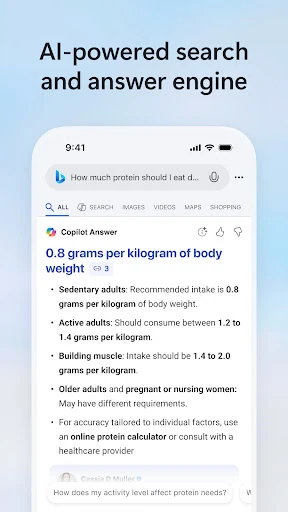
The AI-assisted results are most useful as a starting point, not a reason to stop thinking. When a query brings up a summary, I can get the main points quickly, then use the linked sources or clickable follow-up topics to dig into a detail. I appreciate that bridge between a short answer and the wider web. It keeps a casual search from feeling like a dead end.
More than a search box
Compared with a minimalist search app, Bing is trying to be a broader discovery hub. Alongside regular web searches, it offers Copilot Search, voice and visual search, Image Creator, weather, wallpaper, and Microsoft Rewards. That variety can save a few trips between apps when I’m moving from a question to a picture search or checking the week’s forecast.
That breadth also means Bing is not the best fit for everyone. If I only want a quiet, uncluttered field for typing a query, the homepage and extra features may feel like more than I asked for. Nor is it a substitute for carefully checking sources when accuracy matters. Its summaries can help me orient myself, but the web links are still important when I need context or want to verify a claim.
Small habits, better searches
I get more out of Bing when I treat a search as the beginning of a short trail. I start with a clear question, scan the answer or summary, and follow a suggested topic only if it addresses something I still want to know. That keeps exploration useful rather than letting a long session turn into a pile of unrelated searches.
It also helps to choose the right input for the moment. Voice search is convenient when my hands are occupied, while visual search can be a natural option when I have a picture to search from. I can check weather as part of planning, and use the homepage’s suggested queries when I want a prompt for something new. Some features and displays vary by market.
More From Our News Desk

Zoom Meetings, Google Meet, or Teams: Which Is Easiest to Join?

How I Build a Free Streaming Lineup With Tubi

Why Crunchyroll Is the Default Anime App for So Many Fans

YouTube TV: A Practical Guide to Cutting Cable

Rummikub and the Small Comfort of Phone Games

TeamViewer Remote Control or AnyDesk for Helping Family?
Who will get the most from it
I’d recommend Bing to people who search often and like having different ways to start: typed questions, voice, or an image. It suits curious readers who want a quick overview and a route into further reading, and it may be especially useful for casual research, learning about a new topic, or exploring a personal interest. The extra homepage features may also appeal if you enjoy having discovery options gathered in one app.
It may be less appealing if you prefer a bare-bones search tool and rarely use anything beyond standard web results. People who need to make decisions based on precise details should also go beyond an AI summary and inspect the linked pages. Bing’s range is a strength when I want options, but a little extra visual and feature variety can feel like clutter when I’m trying to do one quick lookup and get back to my day.
Microsoft Bing Search is an Android app from Microsoft Corporation in the Tools category. Google Play shows more than 100 million installs and a 4.6-star rating from about 1.7 million ratings. It is free to download, contains ads, and offers in-app purchases. The listed in-app purchase prices range from $9.99 to $199.99 per item, so anyone considering a purchase should review the details shown in the store.
The app has an Everyone content rating. Its version is listed as varying with device, and the provided release date is November 11, 2010. The recorded last update is October 16, 2026. No minimum Android version is specified in the available app details, so it is worth checking Google Play for compatibility with a particular device. Features and display contents can vary by market.
A Search App Built for Curiosity
A busy first impression
When I first open Bing, I’m looking at more than a blank search field. The app describes a homepage with topics to follow and quick access to Microsoft features, so the first impression is that search is only one part of the experience. That can be welcoming if I want ideas or useful extras close by, though it takes a moment to focus on the basic job.
For getting started, I’d begin with a simple question and see how Bing presents the answer. The app’s central promise is to bring a clear response or an easy-to-scan summary near the top when the query supports it. From there, web links and follow-up topics provide a natural next step. The experience is designed to make discovery feel connected rather than like a series of separate searches.
The everyday search rhythm
Day to day, Bing’s appeal is the ability to move between a quick lookup and a longer exploration without changing the basic search flow. I might look up a term, read a short summary, and then open a link to learn more. If I’m not sure what to ask next, clickable follow-up topics can suggest another angle. That is a practical way to keep momentum when a subject catches my interest.
I would still keep the question in view while using those summaries. A concise answer can make a broad topic easier to approach, but the linked pages are where I can continue reading and get more context. I like that Bing presents both a quick route and a deeper one. It lets me decide how much time to spend instead of treating every search as a full research project.
A few useful extras
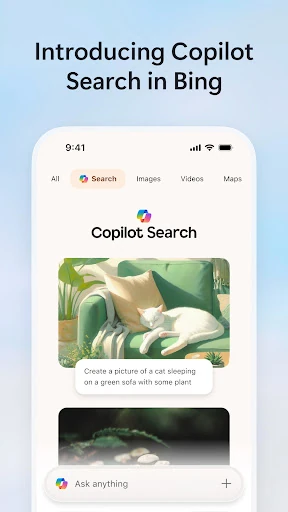
Copilot Search is the feature that most clearly distinguishes Bing’s current search pitch. Depending on the query, it can surface a clear answer, a summary of key points, or an easy-to-scan layout. The helpful web links and follow-up topics matter just as much: they give me a way to keep exploring rather than leaving me with only a generated response.
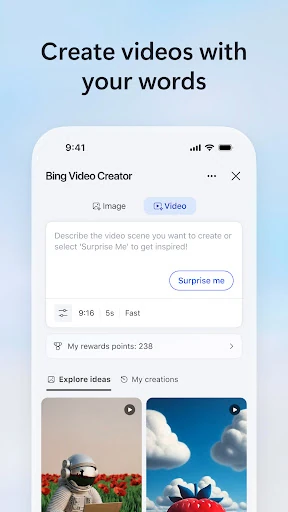
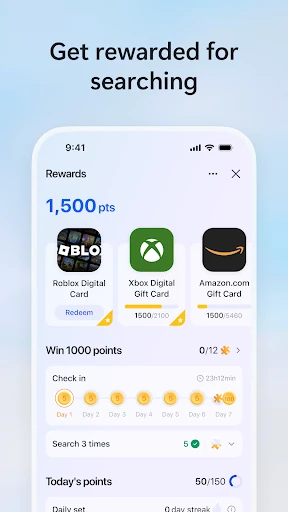
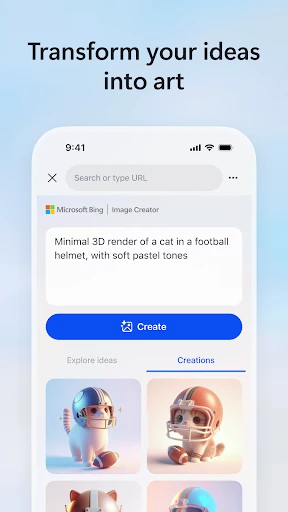
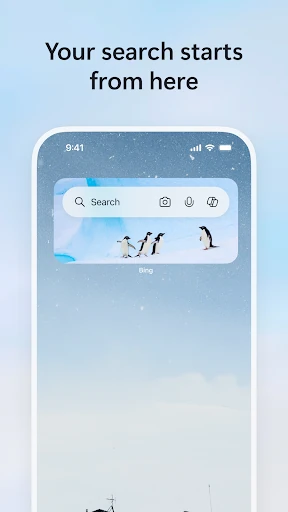
The other features give the app a wider everyday role. Bing includes voice search through a microphone icon, visual search using the camera or an uploaded picture, and Image Creator for making images from words with AI. The homepage also offers weather, wallpaper selections, Microsoft Rewards, and access to topics I follow. Which features appear can depend on the market, so the experience may not be identical for everyone.
A practical routine
For a small research task, I’d start with a question that is specific enough to guide the results, such as asking for an overview of a topic I’m learning about. I’d read the summary if one appears, then open a web link for the part that matters most. If I want another perspective, I can try one of the clickable follow-up topics rather than rewriting the whole search from scratch.
For planning a day, I could use Bing more casually: check the forecast, search for a place or activity, and follow a related topic if I want more ideas. If the thing I’m curious about is in front of me rather than in my head, visual search gives me another starting point. That routine makes the app feel most worthwhile when I’m happy to move between information and discovery.
Keep the limits in mind
Bing’s broad feature set is also its main compromise. A homepage that brings together search, topics, and Microsoft features will not feel as focused as a stripped-down search tool. If I’m opening the app for one quick fact, extra choices can be distractions. The app is at its best for someone who welcomes those options, rather than someone who wants every screen to do exactly one thing.
AI summaries should not be the last stop for a question that calls for careful reading. Bing itself points toward web links and deeper exploration, and I’d use them when details or context matter. There is also some variation in feature availability and display by market. That makes the overall package flexible, but means a particular tool may not be presented the same way for every user.
Microsoft Bing Search makes a good case for combining ordinary web search with quick summaries, follow-up topics, and several alternative ways to search. I like that it can serve a passing question and then support a deeper look without making those feel like separate tasks. The trade-off is a fuller, busier experience than a plain search app.
I’d try Bing if I enjoy exploring topics or want voice, visual, and AI-assisted search in one place. If I only want the simplest possible search screen, its extra features may not earn their space. Either way, I’d treat summaries as a starting point and use the linked pages when I want the fuller picture.
Bing Frequently Asked Questions
What is Microsoft Bing Search used for?
Microsoft Bing Search is for looking up information and exploring topics through web search. It can provide AI-assisted answers or summaries, with links and follow-up topics for further reading. The app also includes voice and visual search, Image Creator, weather, wallpaper, and Microsoft Rewards. Feature availability and display can vary by market.
Which devices can run Microsoft Bing Search?
Microsoft Bing Search is an Android app available through Google Play. The app version is listed as varying with device. If you are checking compatibility for a particular phone or tablet, consult the Google Play store details for that device, since the minimum Android version is not specified in the app information here.
What Android version does Microsoft Bing Search require?
The available app details do not give a specific minimum Android version. Compatibility can depend on the device and the version offered to it, so check Microsoft Bing Search on Google Play before installing if you need to confirm support for a particular Android device.
Does Microsoft Bing Search cost money?
Microsoft Bing Search is free to download, contains ads, and offers in-app purchases. The listed purchase prices range from $9.99 to $199.99 per item. Check Google Play for the purchase details currently shown in your region before buying, as store information and availability may vary.
Is Microsoft Bing Search a good fit for me?
It may suit you if you want everyday web search alongside AI-assisted summaries, voice or visual search, and ways to explore follow-up topics. If you prefer a minimal search box or need to examine a subject in depth, you may find the added features busy and should follow the web links for more context.
Pros
- Combines AI-assisted summaries with web links and clickable follow-up topics.
- Supports text, voice, and visual search, plus AI image creation.
- Adds weather, wallpaper, followed topics, and Microsoft Rewards to search.
- Free to download and rated Everyone on Google Play.
Cons
- The homepage and extra features may feel busy for simple searches.
- AI summaries are a starting point, not a replacement for reading sources.
- Some features and display contents vary by market.
- Category
- Tools