Zedge™ Wallpapers & Ringtones
- 17.28M
- 4.7
- Installs
- 500.00M
- Price
- Free
Screenshots
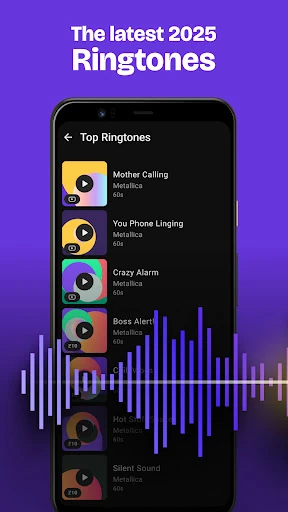
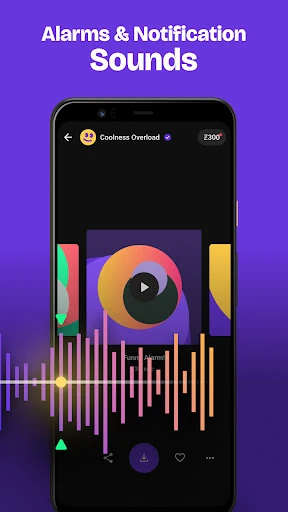
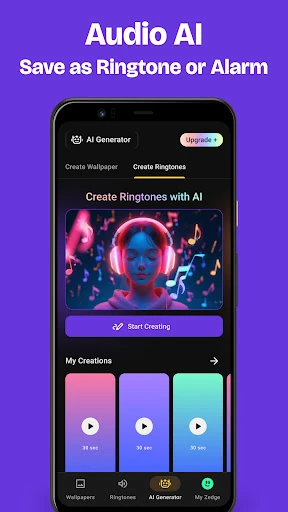
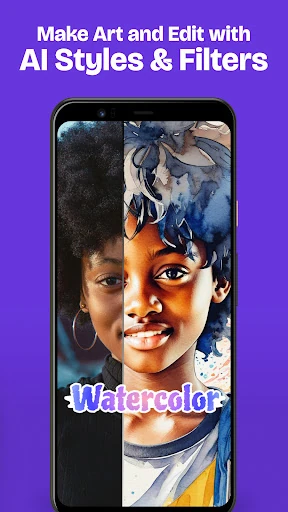
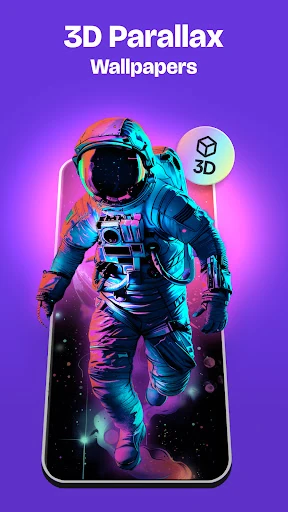
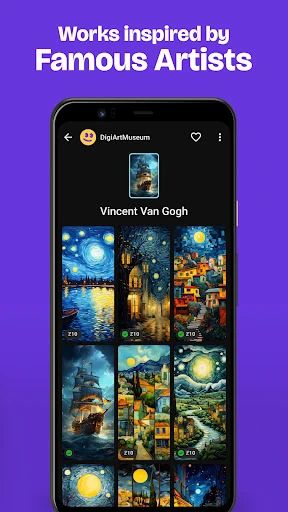
Analysis by Reviewed APKs
Zedge™ Wallpapers & Ringtones is an Android personalization app for finding wallpapers, live backgrounds, ringtones, alarm sounds and notification tones, with an AI wallpaper maker for people who want to create something of their own. I like that it brings visual and audio choices together rather than focusing on just one. It suits anyone who enjoys changing a phone’s look or sounds, though its ads and many options may take some patience.
A Quick Phone Refresh
When I first opened Zedge, I thought about the small moments when my phone starts to feel a little too familiar: the same background on my home screen, the same default alert during a busy afternoon. The app gives those details a place to change. I can browse artwork for a new background, then look for a ringtone or notification sound that feels more like my own choice.
For a weekend refresh, I might start with a wallpaper collection, save a few possibilities to favorites, and come back to decide which one suits my screen. If I want a more noticeable change, I can explore live wallpapers or try describing an idea to the AI wallpaper maker. Zedge supports setting artwork on the home screen or lock screen, so the browsing can lead directly to a practical change.
More Than a Wallpaper App
Compared with an app devoted only to wallpapers, Zedge covers more of the phone’s familiar personalization details. It combines still and live backgrounds with ringtones, alarm sounds and notification sounds, and it also offers an AI tool for making wallpaper art from a written description. That breadth is useful if I want to handle several little changes in one place instead of searching separately for images and sounds.
I wouldn’t treat it as a general photo editor, a music player or a tool for managing every part of a phone. Its focus is finding or creating material intended for personalization. The collection may appeal to people who like browsing lots of styles, but someone who wants one specific image quickly, or who never changes system sounds, may find the range broader than necessary.
Make Browsing Count
A small habit that helps is saving promising sounds and backgrounds to favorites before making a decision. That gives me a short list to revisit instead of asking myself later where I saw a particular design. Zedge also describes favorites as a way to hold onto content without downloading it, which makes them useful when I’m browsing casually and don’t want to commit to a change right away.
For a more deliberate refresh, I’d choose one category at a time: first a home-screen background, then perhaps a lock-screen image or a sound. The app supports rotating backgrounds at selected intervals, so a person who enjoys variety can consider that option rather than picking one image forever. I’d also keep the AI maker for moments when browsing doesn’t turn up the specific look I have in mind.
More From Our News Desk

Zoom Meetings, Google Meet, or Teams: Which Is Easiest to Join?

How I Build a Free Streaming Lineup With Tubi

Why Crunchyroll Is the Default Anime App for So Many Fans

YouTube TV: A Practical Guide to Cutting Cable

Rummikub and the Small Comfort of Phone Games

TeamViewer Remote Control or AnyDesk for Helping Family?
Who May Enjoy Zedge
I’d recommend Zedge to people who enjoy making their phones feel personal through visuals and sounds, especially anyone who likes exploring different themes rather than settling for the first result. Wallpaper fans get still images, live options and an AI creation tool; sound fans can browse ringtones, alarms and alerts. Having both kinds of content together makes it a handy occasional stop for a phone refresh.
It may be less appealing if you prefer a minimal app experience, don’t want to encounter ads, or rarely change your wallpaper and sounds. The catalog and creation options are part of the appeal, but they also mean there is more to browse than someone seeking a single quick setting may need. People who want to create wallpaper art from a prompt may find the AI feature more relevant than those who only want ready-made images.
Zedge™ Wallpapers & Ringtones is made by Zedge and is available for Android. Google Play shows over 500 million installs and a 4.7-star rating from around 17.3 million ratings. The app is free to install and contains ads. Its content rating is Teen, which is worth keeping in mind when deciding whether it suits a younger user.
The listed Android requirement is Android 9, and the current version in the supplied app details is 9.6.1. In-app purchases are available, with listed item prices ranging from $0.49 to $399.99. The app was last updated on February 5, 2026. I’d check Google Play for current device compatibility and purchase details before installing or buying anything.
The Details Behind a Phone Refresh
Getting Started
My first impression is of an app with several directions to explore: wallpaper art, live backgrounds, audio, and the AI wallpaper maker. That variety makes the first visit feel more like browsing a collection than opening a single-purpose utility. I’d begin with the kind of change I actually want, rather than trying to inspect every category at once.
The recent update notes mention a new bottom navigation bar intended to make moving around the app easier, along with bug fixes and optimizations. That sounds useful for an app with multiple content types. I would still approach setup with a practical goal, such as finding a background or sound, then explore other areas only if I feel like making more changes.
Everyday Browsing
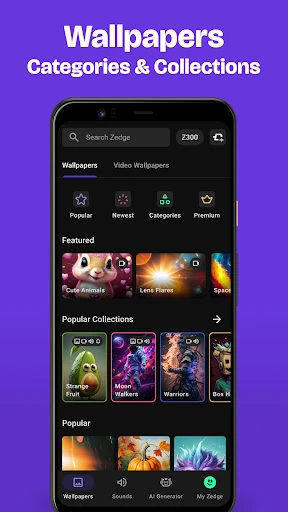
The day-to-day appeal is the mix of searching and discovery. I can look for a particular kind of wallpaper or sound, or browse collections when I don’t have a clear idea yet. The description spans styles such as sci-fi, space, anime and urban artwork, as well as music and effects for sounds. That range makes the app useful both for a targeted search and for a little inspiration.
When something catches my eye or ear, I can save it to favorites and return to it later. For backgrounds, the app supports setting an image as a home-screen or lock-screen wallpaper. For sounds, it describes options including a default ringtone, contact-specific ringtones, alarms and notifications. Those are concrete ways browsing can turn into a change I’ll actually notice during an ordinary day.
Creation and Motion
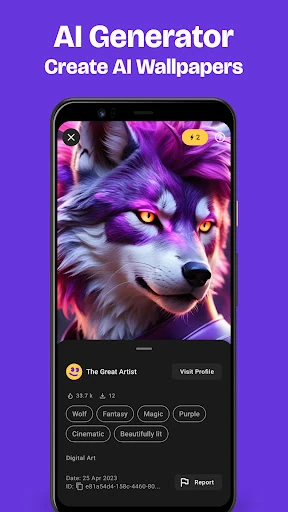
The AI wallpaper maker is one of the more distinctive options. I can describe a subject, style or mood in words and use the generated artwork as a wallpaper or lock-screen image, with the option to save it for later. There is also a community gallery for looking at other AI-made images. It gives people who enjoy imaginative prompts a way to go beyond choosing from existing artwork.
Parallax wallpapers add another visual choice: the app describes an effect in which background and foreground elements move differently to create a sense of depth. Live wallpapers are also available, with video effects on the home screen. Zedge says its live wallpapers play once when the home screen is turned on. These options are best understood as extra ways to dress up a screen, not requirements for using the basic wallpaper collection.
A Simple Refresh Routine
A low-effort routine would be to browse when I have a few spare minutes, save a handful of possible images, and choose one later when I’m ready to change my screen. If I’m looking for a seasonal feel or a particular theme, the collections can give me a starting point. I can then set a chosen background to the home screen or lock screen instead of leaving it in a saved list.
I’d handle sounds separately so the choices stay easy to judge. A ringtone needs to work for calls, while an alarm or notification tone has a different job. Zedge supports browsing those sound types and setting them for the relevant uses, including individual contacts for ringtones. Keeping the task small makes the app feel like a practical personalization stop rather than a project that requires a full afternoon.
Things to Keep in Mind
The catalog’s breadth can be a double-edged sword. If I open the app without an idea of what I want, it may be easy to spend time browsing instead of making a choice. Favorites help with that, but the experience is naturally more rewarding for someone who enjoys exploring visual styles and sounds than for someone who wants a single preset and then plans to forget about the app.
Zedge is free to install, but it contains ads and offers in-app purchases. That matters if I prefer a completely uninterrupted browse or want to avoid optional spending. Purchases have a broad listed price range, so I’d pay attention before selecting one. Live backgrounds and AI-made art are additional choices, but people who only need basic still wallpapers and ordinary tones may not have much use for them.
Zedge brings together enough wallpaper and sound choices to make a phone refresh feel easy to start, while the AI maker and live options give curious users a few more ways to personalize. I especially like the practical combination of browsing, saving favorites and setting the result for a screen or sound use.
I’d try it if changing backgrounds or alerts is something I enjoy doing, and I’d recommend it to people who like variety. If ads, in-app purchases or extensive browsing are deal-breakers, a simpler option may suit better. For the right user, Zedge is a flexible place to make a phone feel less generic.
ZEDGE Frequently Asked Questions
What is Zedge Wallpapers & Ringtones used for?
Zedge is used to find wallpapers, live wallpapers, ringtones, alarm sounds and notification sounds for an Android phone. It also includes an AI wallpaper maker that turns a written description into artwork. Users can save content to favorites and set wallpapers or sounds for supported uses. It is focused on phone personalization rather than general photo editing or music playback.
Which devices can run Zedge Wallpapers & Ringtones?
Zedge is an Android app, and the supplied requirement is Android 9. It is intended for personalizing a phone with backgrounds and sounds. Whether a particular device is compatible can depend on its software and other details, so it is worth checking the Google Play entry for your device before installing. The app’s listed version is 9.6.1.
Does Zedge Wallpapers & Ringtones cost money?
Zedge is free to install and contains ads. It also offers in-app purchases, with listed prices ranging from $0.49 to $399.99 per item. The app description includes free wallpaper and sound content as well as premium content. Prices and available purchase options can vary, so check Google Play for current details before buying.
Can Zedge Wallpapers & Ringtones set ringtones and alarms?
Yes. Zedge offers ringtones, alarm sounds and notification sounds, and its description says users can set a default ringtone, choose ringtones for individual contacts, and set alarm and alert sounds. The app also offers wallpapers for home and lock screens. Exact behavior can depend on the Android device, so check the app and device settings if an option differs.
Who is Zedge Wallpapers & Ringtones best for?
It is a good fit for Android users who enjoy changing wallpapers, exploring live backgrounds, or choosing their own ringtone and alert sounds. The AI wallpaper maker may also appeal to people who want to try creating an image from a prompt. It may suit less well if you want a minimal experience, dislike ads, or rarely personalize your phone.
Pros
- Combines wallpapers, live backgrounds, ringtones, alarms, and notification sounds.
- AI wallpaper maker offers a creative alternative to browsing existing images.
- Favorites make it easy to return to sounds and artwork later.
- Supports home-screen and lock-screen backgrounds, plus selected-interval rotation.
Cons
- Ads may interrupt an otherwise casual browsing session.
- The large range of content can take time to browse.
- In-app purchase prices span a wide range.
- Category
- Personalization
- Version
- 9.6.1