Niagara Launcher ‧ Home Screen
- 260.24K
- 4.8
- Installs
- 10.00M
- Price
- Free

Screenshots
Analysis by Reviewed APKs
Niagara Launcher replaces the usual grid of icons with a cleaner Android home screen built around quick access and less visual clutter. It suits people who want to reach apps comfortably with one hand, while still having room for useful widgets and personal touches. After spending time with its pared-back approach, I see it as a thoughtful alternative to busier launchers, though it asks you to rethink familiar home-screen habits.
A Quieter Start To The Day
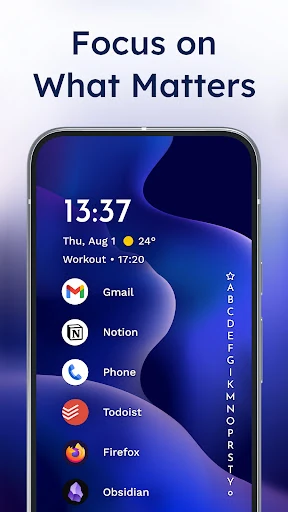
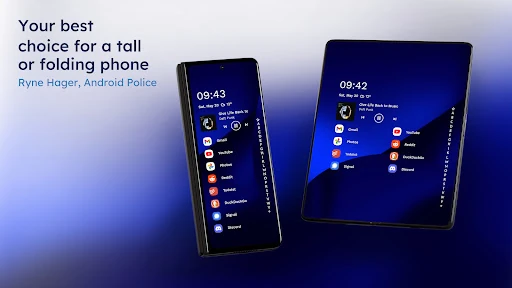
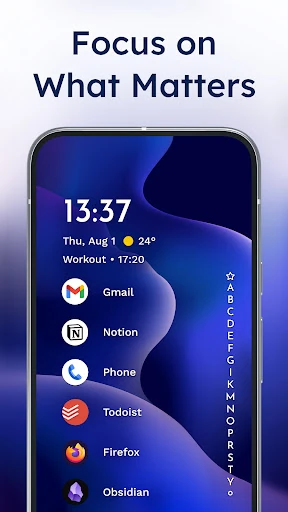
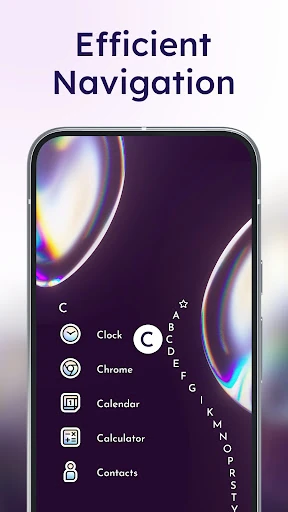
When I first opened Niagara Launcher, I pictured the small morning checks that usually turn into a tour of my home screen: opening a calendar, checking the weather, then finding a message or app. Niagara is designed to put useful information and app access within easier reach, rather than asking me to scan several rows of icons. Its one-hand-friendly alphabet navigation gives the home screen a distinctly different rhythm.
That approach makes sense on a phone I’m holding while walking to the kitchen or carrying something in the other hand. I can use the app list and its Wave Alphabet to move through apps without relying on a crowded grid. The integrated notifications also let me read and reply from the home screen. It is a practical focus on small, frequent tasks rather than a dramatic redesign for its own sake.
A Launcher, Not A New Phone
The obvious comparison is the home screen already on your Android phone, or another launcher built around rows of icons and folders. Niagara takes a more restrained route: it emphasizes one-handed access, a less cluttered layout, and a selected set of useful widgets. If you like arranging many icons across several screens, the difference may feel limiting at first. If you mostly want to get to a few essentials quickly, the change is easier to appreciate.
I would treat it as a way to reshape how I reach apps, not as a replacement for the apps themselves or a complete productivity system. It includes search for contacts, web queries, and calculations, plus tools like a calendar widget and notification summary. Those features can smooth common phone tasks, but they do not turn the launcher into a full calendar, messaging service, or screen-time solution.
Little Habits That Help
The launcher’s uncluttered approach works best when I decide which information deserves a place on the home screen. A calendar or weather widget can make a quick check more convenient, while the widget stack can keep up to four widgets together without taking over the layout. Pop-up folders offer another way to group apps without filling the screen with permanent folders.
I’d also build familiarity with the Wave Alphabet instead of judging it after a few minutes. Once app names and the navigation gesture become part of my routine, the interface’s advantage is less about looks and more about fewer taps and less hunting. Custom gestures, such as double-tapping to turn off the screen, can support that same habit. The goal is a layout that helps with what I actually do each day.
More From Our News Desk

Zoom Meetings, Google Meet, or Teams: Which Is Easiest to Join?

How I Build a Free Streaming Lineup With Tubi

Why Crunchyroll Is the Default Anime App for So Many Fans

YouTube TV: A Practical Guide to Cutting Cable

Rummikub and the Small Comfort of Phone Games

TeamViewer Remote Control or AnyDesk for Helping Family?
Who Will Feel At Home
I’d recommend Niagara Launcher to Android users who want a calmer home screen, especially people who often use their phones one-handed or prefer reaching apps by name instead of scanning icon grids. It should also appeal to anyone who wants to personalize a simple layout with themes, icons, fonts, wallpapers, or a small number of widgets. The combination of everyday access and optional customization gives minimalism some flexibility.
It may not suit someone who enjoys a densely arranged home screen and wants every app visible at once. Niagara’s central idea is to reduce clutter, so there is a real trade-off between a clean starting point and the familiar freedom of a busy grid. I’d also look elsewhere if what I need is a standalone calendar, weather, or wellbeing app; those are supporting tools here, not the launcher’s main job.
Niagara Launcher ‧ Home Screen is a free Android personalization app from Mellowdrop Studio. Google Play shows over 10 million installs and a 4.8-star rating from around 260,000 ratings. It is rated Everyone. The app contains no ads, while optional in-app purchases are available, with listed items ranging from $0.99 to $74.99.
The current version is 1.16.35. Niagara Launcher was released on January 30, 2021, and its most recent update was November 5, 2026. An Android minimum version is not included in the available app facts, so it is worth checking compatibility on Google Play before installing, particularly on an older device.
A Home Screen Built For Quick Access
First Look And Setup
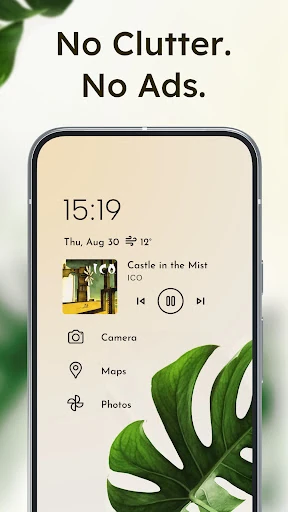
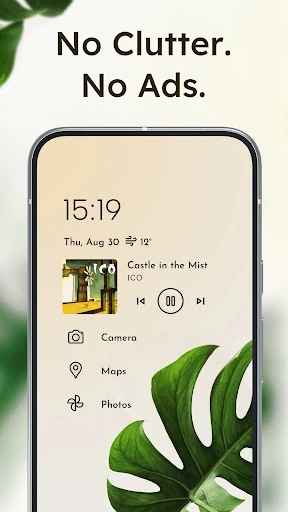
My first impression is that Niagara wants me to notice less, not more. Instead of treating the home screen as a display wall for app icons, it centers the experience on a restrained layout and direct access. That is a useful change of pace if my default screen has gradually filled with shortcuts I rarely tap.
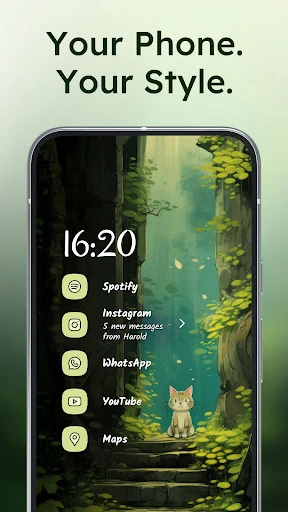
There is still room to make the launcher feel personal. The description includes themes, custom app icons, built-in wallpapers, clock styles, fonts, and light or dark theme choices. Material You theming is also supported. I’d start with the clean layout, then add only the visual details I miss, rather than trying to recreate a busy screen in a new place.
The Everyday Flow
Day to day, Niagara’s most distinctive interaction is its Wave Alphabet, which is intended to make app access comfortable with one hand. That changes the usual search pattern: instead of spotting an icon in a grid, I can navigate through the alphabet toward the app I want. It is a small interface idea, but one that becomes more relevant when I am holding a large phone.
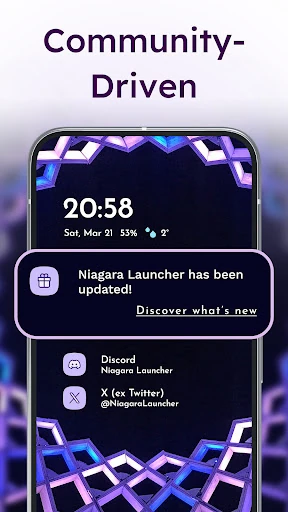
Notifications are part of that home-screen flow too. Niagara lets me read and reply to integrated notifications without first opening the corresponding app. Advanced search can find contacts, search the web, and calculate instantly. These are useful shortcuts for quick checks, though the value depends on whether I want my home screen to handle more than launching apps.
Useful Extras, Kept Compact
The widget options are practical rather than purely decorative. There is a calendar widget for keeping an eye on plans, a weather widget for a quick forecast check, and a widget stack that can hold up to four widgets in a space-saving arrangement. I like that this supports useful information without requiring a wall of widgets across multiple home-screen pages.
Other features help keep the interface tidy or reduce friction. Pop-up folders organize apps without adding more permanent clutter, and Niagara lets me hide apps I do not need in the app drawer. Customizable gestures include double-tapping to turn off the screen. The launcher also offers backup and restore for transferring a home-screen setup when switching phones.
A Simple Daily Routine
A sensible routine for Niagara might start with a glance at the calendar or weather widget, followed by a quick move through the app alphabet to open a message or work app. If I get a notification that needs a short reply, I can handle it from the home screen. That kind of sequence fits a phone check made between errands better than a layout that invites me to browse every app.
For a quieter stretch, the Usage Breaker can give gentle reminders about apps I use too often, while Notification Summary can bundle less important notifications for longer uninterrupted sessions. I would treat these as prompts to shape how I use the phone, not guarantees of changed habits. The launcher also encourages focus by simplifying the screen, but the benefit depends on what I choose to keep in view.
The Trade-Offs To Consider
Minimalism is the main point, and also the clearest limitation. People who enjoy placing every favorite app on a grid may find Niagara’s approach less direct until they learn its navigation. I’d give it a real stretch of everyday use before deciding whether the alphabet-based access feels natural. A home screen is a habit, and even a good alternative can take a little adjustment.
The listed in-app purchase range is broad, so anyone comparing the free experience with paid options should check the current Google Play details for what each purchase includes. The description says the free version has no ads, which is welcome, but it does not mean every customization or feature necessarily has the same availability. Compatibility can also depend on the device’s Android version, so check the store before making the switch.
Niagara Launcher is a considered alternative for people who want their phone to feel less crowded and easier to operate with one hand. Its strongest ideas are the Wave Alphabet, integrated notifications, and a home screen that can stay useful without becoming a grid of distractions. Customization and widgets keep the minimal look from feeling entirely fixed.
I’d try it if I’m ready to trade a familiar icon grid for a more focused way to reach apps and information. It is less compelling for someone who wants a highly packed layout or expects a launcher to replace dedicated tools. For the right routine, Niagara makes everyday phone checks feel a little more deliberate.
Niagara Launcher Frequently Asked Questions
What is Niagara Launcher used for?
Niagara Launcher replaces the home screen on an Android phone with a minimalist layout designed for quick, one-handed access to apps. It also offers customization, widgets, integrated notifications, search, pop-up folders, and features intended to help keep the screen less cluttered.
Which devices can run Niagara Launcher?
Niagara Launcher is an Android app. The minimum Android version can vary with the device and current app requirements, so check the Google Play store page for compatibility before installing, especially if you use an older phone.
Does Niagara Launcher cost money?
The app is free to install and has no ads. It offers in-app purchases, with listed prices ranging from $0.99 to $74.99 per item. Purchase options and prices may vary, so check Google Play for the current details.
Does Niagara Launcher work on iPhone?
Niagara Launcher is described as an Android launcher, so it is intended for Android phones rather than iPhones. Its home-screen replacement features are built around the Android platform; check the relevant store for current platform availability.
Who should use Niagara Launcher?
It is a good fit for Android users who want a quieter home screen, quick app access with one hand, and modest customization through themes and widgets. It may be less appealing if you prefer a dense grid with many icons always visible.
Pros
- Wave Alphabet makes app access feel designed for one-handed phone use.
- Integrated notifications support reading and replying from the home screen.
- Widgets, themes, icons, and fonts allow useful personal customization.
- The free version contains no ads.
Cons
- The minimalist layout may feel restrictive to fans of dense icon grids.
- Alphabet navigation may take time to become familiar.
- In-app purchase prices span a wide range.
- Category
- Personalization
- Version
- 1.16.35