Phone Ringtones
- 219.06K
- 4.4
- Installs
- 50.00M
- Price
- Free

Screenshots
Analysis by Reviewed APKs
Phone Ringtones is an Android personalization app for people who want to change the sounds and look of their phone without sticking to its default options. Its collection spans musical styles and includes tools for setting sounds, wallpapers, and more. I like that it brings several kinds of customization together, though it is broader than a simple ringtone picker and includes ads and in-app purchases.
A New Sound for Calls
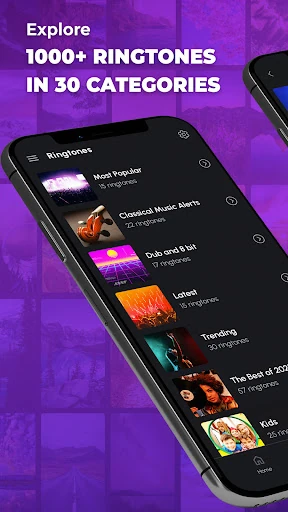
When I first opened Phone Ringtones, I thought about the small moments when a phone's default sound becomes easy to ignore: a call coming in while I'm cooking, or an alarm sounding across a busy room. The app is built around changing those sounds. It offers more than a dozen categories, including pop, classical, electronic, country, and Latin, so I can look for a tone that feels more like mine.
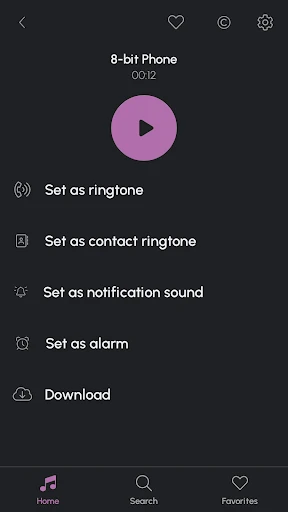
The practical part is choosing a sound and assigning it a job. Phone Ringtones says sounds can be set as a ringtone, contact tone, alarm, or SMS sound, and favorites can be downloaded. I can imagine picking a louder, more distinctive tone for calls and a gentler option for an alarm. Those are simple changes, but they make a phone feel less like a factory setting.
More Than a Tone Picker
Compared with the ringtone chooser already built into a phone, Phone Ringtones is more of a personalization collection. Its appeal is having musical categories alongside bird sounds and classical music, plus other customization options in one app. If I am bored with the few sounds I already have, the variety gives me more directions to explore than a basic system settings screen.
That extra breadth is also why I would not treat it as a focused music player or a general utility suite. The description mentions a player for classical music and bird sounds, animated call screens, live wallpapers, WhatsApp stickers, and a unit converter, but ringtones remain the central job. Someone who only needs one quick change may find the surrounding options unnecessary.
Make Choices in Small Batches
I would get the most from Phone Ringtones by browsing with a particular use in mind instead of trying to overhaul every sound at once. One short session could be for a call tone; another could be for an alarm or message sound. The category variety makes that approach feel manageable, and it helps me avoid picking a sound just because it caught my attention in the moment.
Once I find a sound I like, downloading it and assigning it to a specific role is a sensible stopping point. I might use a contact tone for someone whose calls I want to recognize, then leave the rest alone until another sound starts to feel stale. The app also offers wallpapers and call-screen animations, so I can make visual changes separately rather than turning one small task into a full phone makeover.
More From Our News Desk

Zoom Meetings, Google Meet, or Teams: Which Is Easiest to Join?

How I Build a Free Streaming Lineup With Tubi

Why Crunchyroll Is the Default Anime App for So Many Fans

YouTube TV: A Practical Guide to Cutting Cable

Rummikub and the Small Comfort of Phone Games

TeamViewer Remote Control or AnyDesk for Helping Family?
Who Might Enjoy It
I would recommend Phone Ringtones to Android users who enjoy personalizing everyday details and want a selection of sounds across several music styles. It could suit someone who likes changing an alarm with the season, choosing a different contact tone, or pairing a new sound with a wallpaper. The additional visual and utility features may also appeal to people who like having a few customization options gathered together.
It may be less appealing if you want a bare-bones tool with no extra content, or if all you need is the default phone setting for a single sound. Ads and optional in-app purchases are part of the package, and the app covers more than ringtones. I would also steer someone looking primarily for a full-featured music player toward a dedicated listening app instead.
Phone Ringtones is a personalization app from Ringtones and Wallpapers Apps by Trela. Google Play shows over 50 million installs and a 4.4-star rating from about 219,000 ratings. It is free to download, contains ads, and offers in-app purchases. The listed in-app product prices range from $0.99 to $59.99 per item, so the free download does not mean every purchase is included.
The app has a Teen content rating. Its current listed version is 15.9.5, and the provided release date is October 23, 2013. The listed last update is July 24, 2026. A minimum Android version is not included in the available app details, so I would check the Google Play entry on the device before installing.
Making a Phone Feel More Personal
A Broad First Impression
My first impression is that Phone Ringtones wants to be a small customization hub rather than a single-purpose sound library. Ringtones and wallpapers set the direction, while the listed extras include animated call screens, stickers, a music player, and a unit converter. That breadth may be useful when I am already in the mood to personalize my phone, although it also means the app is not only about choosing a tone.
I would start by deciding what I want to change before exploring the full collection. If today's goal is an alarm, I can focus on sounds that make sense for waking up; if it is an incoming call, I can choose something more noticeable. The category labels give a starting point, and the option to download favorites supports keeping a chosen sound for use.
Everyday Sound Changes
The core experience is practical: find a sound that suits a particular phone alert, then set it as a ringtone, contact tone, alarm, or SMS sound. That makes the app useful for more than the occasional call. I can picture changing a message sound to something less intrusive, while choosing a stronger ringtone for a phone that is often across the room.
I also like the idea of treating different sound roles separately. A tone that works well for an alarm might be irritating as a message alert, and a favorite song style may not be the best choice for every contact. With multiple categories and sound types, I can make a few deliberate changes instead of expecting one favorite to fit every situation.
Extras Beyond Ringtones
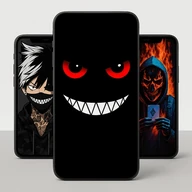
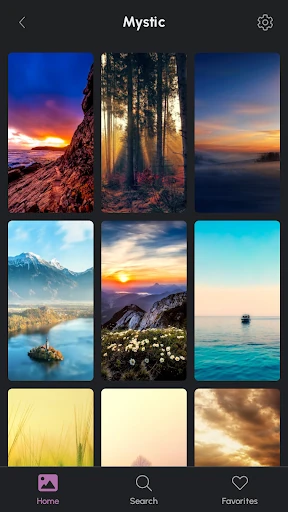
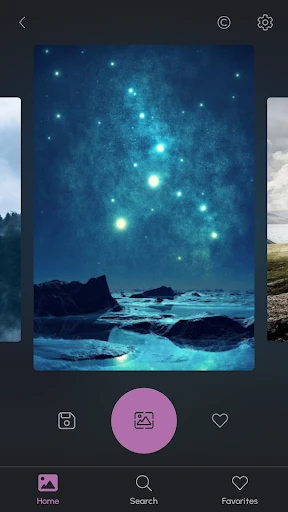
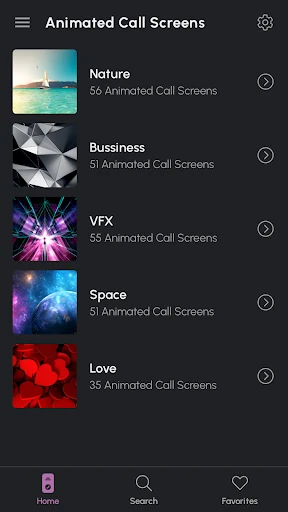
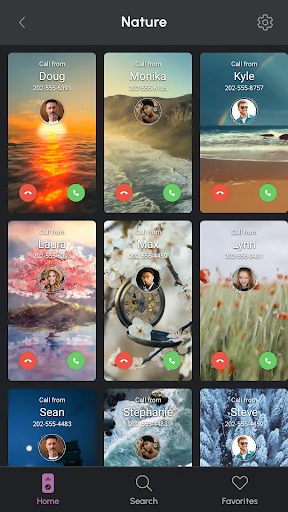
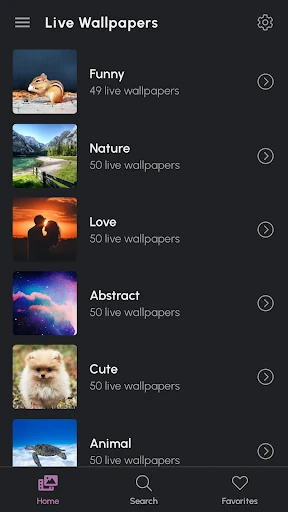
Some of the most distinctive listed features move beyond audio alerts. Phone Ringtones includes animated call screens for contacts and HD live wallpapers, giving users ways to change what they see as well as what they hear. I can see those being appealing when a new tone alone feels too subtle and I want a more noticeable personal touch on the phone.
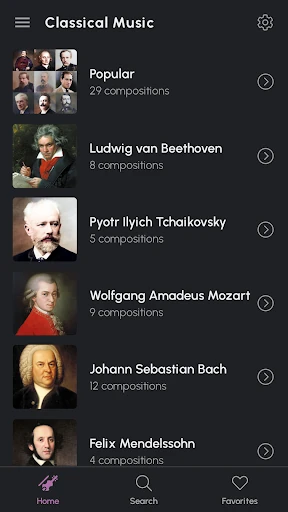
There is also an MP3 player described for classical music and bird sounds, with full-length classical pieces and nature audio. WhatsApp sticker packs and a unit converter round out the collection. These extras give the app a broader scope, but they are best thought of as side features rather than reasons to expect it to replace a dedicated player or conversion tool.
A Simple Personalization Routine
A realistic routine for me would be to make one small change every so often. I could browse the classical or bird-sound options when I want something calmer, or check pop and electronic categories when I want a more energetic call tone. After choosing, I would assign it to the right alert type and stop there, rather than switching every sound at once and losing track of what I changed.
On another day, I could work on the visual side by choosing a live wallpaper or an animated call screen. Keeping sound and appearance as separate little tasks makes the app's broad set of options easier to approach. It also gives me a reason to come back without needing to turn a quick ringtone change into an afternoon spent adjusting the whole phone.
Keep the Scope in Mind
The main limitation is that the app combines several kinds of content, so someone who wants only a minimal ringtone tool may find its extra features distracting. Ads are present, and in-app purchases are offered, with listed item prices spanning a wide range. I would keep those practical details in mind before spending time exploring or expecting every part of the collection to be included at no cost.
There is also a difference between having a broad collection and needing every feature it offers. The described player focuses on classical music and bird sounds, while stickers, wallpapers, and a converter serve separate purposes. If I only want a full music library or a dedicated utility, I would choose a more specialized app. For phone personalization, however, the variety is part of the point.
Phone Ringtones makes sense as a place to explore new alert sounds and add a few visual touches to an Android phone. I like the range of categories and the ability to assign sounds to different roles. Its collection of extras gives curious users more to try, though the app's broad scope will not be necessary for everyone.
I would recommend it to people who enjoy changing their phone's sound and appearance and do not mind ads or optional purchases. If you only need one quick ringtone setting, the built-in chooser may be enough. For a more varied personalization session, Phone Ringtones offers a useful collection to browse.
Phone Ringtones Frequently Asked Questions
What is Phone Ringtones used for?
Phone Ringtones is an Android personalization app centered on finding and using sounds for a phone. It lets users set sounds as ringtones, contact tones, alarms, or SMS sounds, and download favorites. It also includes options such as live wallpapers, animated call screens, WhatsApp stickers, a player for classical music and bird sounds, and a unit converter.
Which phones and platforms support Phone Ringtones?
Phone Ringtones is described as an app for Android phones and is available through Google Play. The provided details do not specify a minimum Android version or device requirements. Those can vary, so check the Google Play entry from the phone you plan to use before installing.
Does Phone Ringtones cost money?
The app is free to download, but it contains ads and offers in-app purchases. The listed in-app product prices range from $0.99 to $59.99 per item. What is available to buy can vary, so check the Google Play entry for current purchase details before deciding whether the free version suits you.
What Android version does Phone Ringtones require?
A minimum Android version is not specified in the app details provided here. Phone compatibility requirements can change, so the best place to check is the Phone Ringtones page in Google Play on your device. The app is described for Android phones, but that alone does not establish compatibility with every model.
Is Phone Ringtones a good fit for me?
It may suit Android users who enjoy choosing different sounds for calls, messages, alarms, or contacts, and who also like wallpapers and other personalization extras. It may be less suitable if you want a simple ringtone-only tool or a dedicated music player. Keep in mind that the app contains ads and offers in-app purchases.
Pros
- Offers more than a dozen ringtone categories, spanning classical, pop, electronic, country, and other styles.
- Lets users assign sounds to calls, contacts, alarms, and SMS alerts.
- Combines ringtone choices with wallpapers, animated call screens, stickers, and other extras.
- Includes a player for classical music and bird sounds, alongside a unit converter.
Cons
- Ads and optional in-app purchases may be a drawback for users seeking a completely uncluttered experience.
- Its many extra features may feel unnecessary if you only want to change one ringtone.
- The listed in-app purchase prices span a wide range.
- Category
- Personalization
- Version
- 15.9.5