Backgrounds HD
Listed on Google Play as “OGQ Backgrounds (Wallpapers)”
- 2.31M
- 4.4
- Installs
- 100.00M
- Price
- Free
Screenshots
Analysis by Reviewed APKs
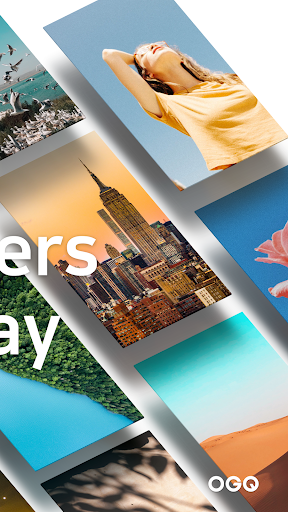
OGQ Backgrounds (Wallpapers) is a personalization app for browsing images, illustrations, video backgrounds and live watches for your phone or tablet. It suits anyone who likes refreshing a screen or finding art that feels more personal than a default wallpaper. I found its appeal in the mix of practical wallpaper browsing and creator-led discovery, though the social features make it broader than a simple wallpaper picker.
A Small Screen Refresh
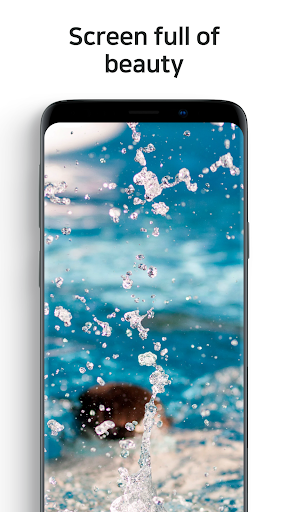
When I want my phone to feel a little less familiar, a new background is an easy place to start. OGQ Backgrounds gives me several kinds of work to browse, from still images and illustrations to moving video backgrounds and live watches. I can look for something that suits my mood rather than settling for the same handful of pictures I already have saved.
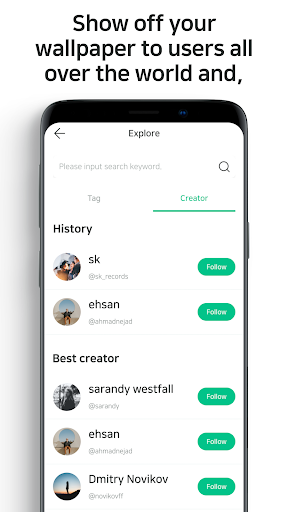
The app also gives the browsing a more personal angle. I can explore work from creators, follow interests through tags and creators, and like pieces I want to keep in my own space. That makes it useful for the casual moment when I have a few minutes to scroll, as well as the more deliberate search for a background I might actually use.
More Than a Wallpaper Picker
The obvious alternative is a basic wallpaper app or the image gallery already on my device. Those can be enough when I only want to pick a picture I already own. OGQ Backgrounds is better suited to discovery: it brings together different background formats and work from creators, with likes and interest-based browsing to help me find more of what I enjoy.
It is not just a utility for changing a screen, either. Creator profiles, comments and messages give it a community side, and the app lets users upload their own images and videos and try selling them. If I wanted nothing but a quick local photo picker, those extra discovery and social layers might be more than I need.
Make Browsing More Personal
I would start by paying attention to the tags and creators that match my taste. The app describes a feed shaped around those interests, so following a few relevant sources gives me a more focused way to discover backgrounds than treating every visit as a blank search. Liking pieces I enjoy also gives me a personal space to return to when I am ready to choose one.
A useful habit is to separate browsing from choosing. I can scroll when I have a spare moment, save the pieces that catch my eye with a like, and come back to that collection when I actually want a new look. If I make images or videos myself, uploading them offers a different reason to use the app beyond finding something for my own screen.
More From Our News Desk

Zoom Meetings, Google Meet, or Teams: Which Is Easiest to Join?

How I Build a Free Streaming Lineup With Tubi

Why Crunchyroll Is the Default Anime App for So Many Fans

YouTube TV: A Practical Guide to Cutting Cable

Rummikub and the Small Comfort of Phone Games

TeamViewer Remote Control or AnyDesk for Helping Family?
Who Will Enjoy It
I would recommend OGQ Backgrounds to people who change their phone or tablet background often, enjoy browsing visual work, or want more variety than their personal photo collection provides. The choice of still images, illustrations, video backgrounds and live watches gives different tastes somewhere to start. People who enjoy discovering creators and sharing reactions may also appreciate the community features.
It may be less appealing if I want a bare-bones tool with no browsing or social element, or if I rarely change my background. The app includes ads and offers in-app purchases, which are worth keeping in mind for anyone who prefers a completely uninterrupted or strictly free experience. Its creator features are also optional; the main draw can simply be finding a new background.
OGQ Backgrounds (Wallpapers) is an Android personalization app from OGQ Corporation. Google Play shows over 100 million installs and a 4.4-star rating from about 2.3 million ratings. It is free to install and contains ads, with in-app purchases priced from $0.79 to $199.99 per item. Its content rating is Teen.
The version is listed as varying with device, and the release date is April 18, 2012. The latest update shown is November 1, 2026. The minimum Android version can vary, so I would check the Google Play entry on the device I plan to use.
A More Personal Way to Browse
First Look and Setup
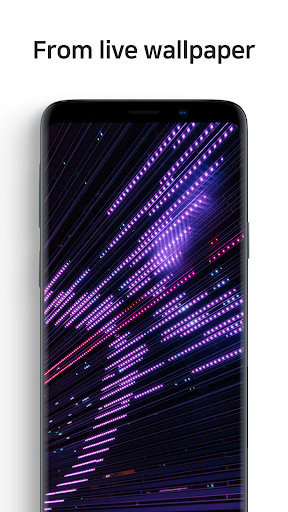
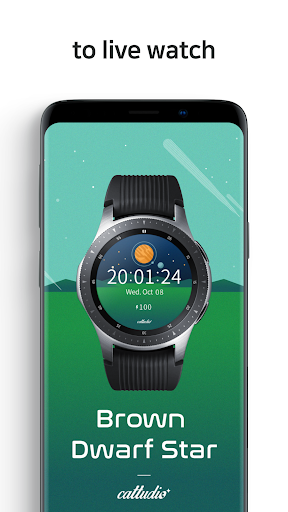
When I first opened OGQ Backgrounds, the range of formats stood out before any single image did. This is not a collection limited to static photographs: the app also describes illustrations, video backgrounds and live watches. That variety gives me a few different directions to explore, depending on whether I want something quiet and still or a more animated look.
The app explains that storage access is used to save backgrounds and to check saved backgrounds or upload pictures chosen from an album. That context matters if I want to save work for later or contribute my own. I would keep those uses in mind as I get started, rather than assuming the app is only a viewer.
Browsing Day to Day
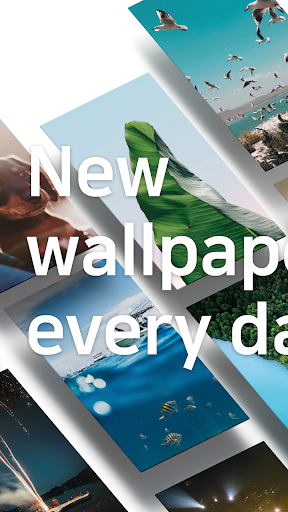
The everyday experience is built around finding visual work that fits my taste. I can browse images and illustrations, explore video backgrounds, or look at live watches. New backgrounds are described as arriving daily, which gives me a reason to revisit the app when I am in the mood for something fresh rather than treating it as a one-time download.
I like that browsing can be more than a pass through a large collection. Interest tags and creators help direct discovery, while liking a piece saves it in my own space. In practice, that means I can enjoy a quick scroll without needing to make a final choice on the spot, then return to work that already caught my attention.
Formats and Creators
The four format categories give OGQ Backgrounds its clearest distinction: live watches, live backgrounds, images and a gallery featuring creators. A person who mainly wants a still illustration can stay with images, while someone curious about motion can explore video backgrounds. I appreciate having those choices described separately instead of treating every item as the same kind of wallpaper.
Creator features add another layer. Users can upload their own images and videos and try selling them, build a profile around their taste, and discover work from creators around the world. I can also look at backgrounds from people with similar interests and interact through comments and messages. Those options make the app feel like a visual community as well as a place to find a screen background.
A Simple Weekly Routine
A practical routine might be to browse when I have a spare few minutes, follow tags and creators that match my interests, and like a few promising pieces. Then, when I genuinely want to change my phone or tablet background, I have a personal set of candidates rather than having to start searching from scratch. It turns casual browsing into something I can use later.
If I create visual work, I could use the app in the opposite direction: upload an image or video and build a profile around my taste. I would treat that as an optional part of the experience, not a requirement for enjoying the wallpaper collection. For most people, browsing, liking and choosing a background can be the whole routine.
Things to Keep in Mind
The app’s breadth will not suit everyone. Someone who wants to select one existing photo and move on may find the creator discovery, interests and community features unnecessary. The different background formats are useful for variety, but they also mean this is a browsing experience rather than just a minimal screen-customization tool.
Ads and in-app purchases are practical considerations, especially for people who prefer not to encounter advertising or optional spending. The app is free to install, but individual in-app items have a wide stated price range. I would also check the current Google Play information for device requirements, since the version varies with device and the minimum Android version can vary.
OGQ Backgrounds works best when I want inspiration as much as a new wallpaper. Its mix of images, illustrations, video backgrounds and live watches gives me plenty of ways to change the look of a screen, while likes and creator discovery make it easier to build a personal shortlist.
I recommend it to curious wallpaper browsers and people who enjoy creator-led visual communities. If I only need a quick picker for pictures already on my device, I would choose something simpler. For everyone else, the free install makes it easy to explore, with ads and in-app purchases worth considering.
Backgrounds HD Frequently Asked Questions
What is OGQ Backgrounds (Wallpapers) used for?
OGQ Backgrounds is a personalization app for discovering images, illustrations, video backgrounds and live watches for a phone or tablet. It also lets users like and save pieces, explore interests and creators, and interact through comments and messages. Users can upload their own images and videos and try selling them.
Can I use OGQ Backgrounds on an iPhone or a tablet?
The app is listed for Android on Google Play, and its description refers to use on smartphones and tablet PCs. I would check the Google Play entry for device compatibility before installing. Availability on other platforms may vary, so the relevant store listing is the best place to check.
What Android version does OGQ Backgrounds require?
The minimum Android version can vary, so I would check the Google Play entry for the device I plan to use. The app's version is also described as varying with device. That makes checking the store before installation the most practical way to confirm whether a particular phone or tablet is supported.
Does OGQ Backgrounds cost money?
OGQ Backgrounds is free to install and contains ads. It also offers in-app purchases, with items priced from $0.79 to $199.99. The exact purchase options can vary, so I would check Google Play for current details before buying anything.
Is OGQ Backgrounds a good fit for me?
I think it suits people who enjoy changing their backgrounds, browsing visual work, or discovering creators and like-minded users. The app offers more than a basic wallpaper picker, including creator profiles and social interaction. If I only want to choose a photo already on my device, that broader experience may not be necessary.
Pros
- Offers still images, illustrations, video backgrounds and live watches in one app.
- Interest tags, creator discovery and likes help make browsing more personal.
- Includes optional tools for uploading visual work and building a creator profile.
- Free to install, with over 100 million Google Play installs.
Cons
- Ads and in-app purchases may put off people seeking an uninterrupted free experience.
- Community and creator features may feel excessive for a simple wallpaper picker.
- The minimum Android requirement can vary by device, so compatibility needs checking.
- Category
- Personalization