Facemoji AI Emoji Keyboard
- 1.46M
- 4.7
- Installs
- 100.00M
- Price
- Free
Screenshots
Analysis by Reviewed APKs
Facemoji AI Emoji Keyboard is an Android keyboard for people who want more ways to decorate everyday messages, from themed keys and fonts to stickers, GIFs, and custom emoji creations. I found its appeal less about changing how I type and more about adding playful options right where I chat. It suits expressive texters, though its large collection and ads may feel like a lot if you only want a basic keyboard.
A little extra in every chat
When I first opened Facemoji, I pictured using it during the ordinary back-and-forth of a group chat: replying to a friend, adding a sticker, then moving on with my day. That is the keyboard’s central idea. It brings emojis, stickers, GIFs, symbols, and decorative text into the typing experience, so expressive add-ons are close at hand rather than something I need to hunt down separately.
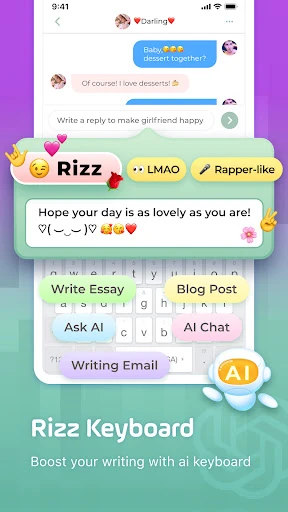
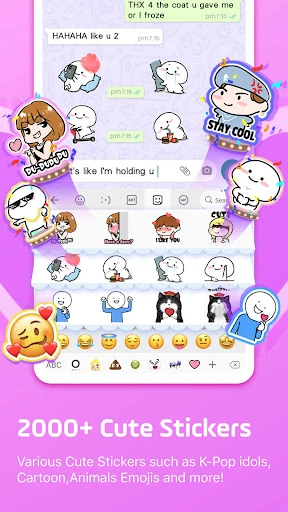
The range gives a quick message room for a different tone. A kaomoji or emoji art can make a reply feel silly; a sticker or GIF can do the talking when I have nothing useful to add. The custom emoji and sticker tools give people another way to make something personal. I would treat these as optional creative extras, not as a replacement for clear words when a conversation needs them.
More than a basic keyboard
Compared with sticking to a phone’s standard keyboard, Facemoji puts more emphasis on visual personality: themes, font styles, emoji collections, and shareable stickers are part of the pitch. It also includes swipe typing, autocorrect, and suggestions, so the appeal is not only decoration. If my main goal were simply to enter plain text with as little visual clutter as possible, a standard keyboard would likely be the more straightforward fit.
I see Facemoji as a customization and chat-expression tool, not a full graphic design app or a dedicated social network. Its description focuses on making and inserting content for conversations and social posts, rather than creating finished artwork through a broader editing workflow. That distinction helps set expectations: the fun is in finding a quick sticker, changing the keyboard’s look, or stylizing a short message, not managing a major creative project.
Small ways to make it yours
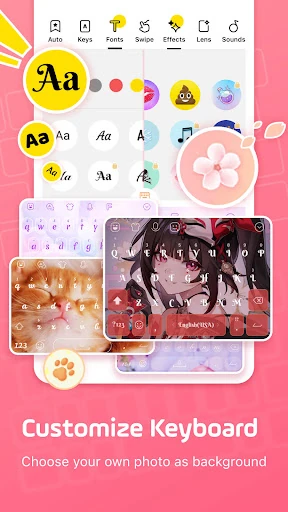
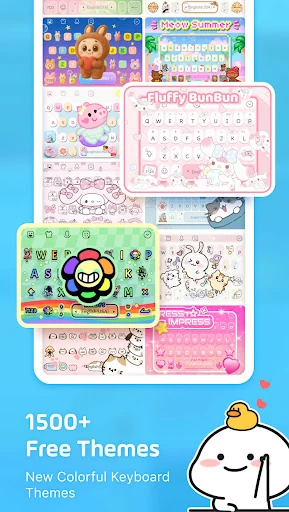
A useful first habit is to pick a keyboard theme that stays comfortable to look at during everyday typing. Facemoji describes options ranging from colorful and animated-looking styles to designs built around photos, colors, fonts, and key effects. I would start with one look I enjoy, rather than changing everything at once, so I can tell whether the visual customization actually makes routine chats more pleasant.
For a busy chat, I would keep the extras purposeful: use a font for a short caption, reach for a sticker when it fits the moment, and try emoji suggestions when they save a few taps. Clipboard features can help with repeated text, while swipe typing and autocorrect are aimed at speed. There is no need to use every tool. A small set of favorites is likely easier to live with than browsing the full assortment each time.
More From Our News Desk

Zoom Meetings, Google Meet, or Teams: Which Is Easiest to Join?

How I Build a Free Streaming Lineup With Tubi

Why Crunchyroll Is the Default Anime App for So Many Fans

YouTube TV: A Practical Guide to Cutting Cable

Rummikub and the Small Comfort of Phone Games

TeamViewer Remote Control or AnyDesk for Helping Family?
Who will enjoy the extras
I would recommend Facemoji to people who regularly text in group chats, share playful social posts, or enjoy changing the look of their phone keyboard. The combination of themes, fonts, emoji art, stickers, GIFs, and custom creations gives expressive users plenty to explore. It may also appeal to someone who wants swipe typing and suggestions alongside those visual touches, rather than installing a separate tool for every small addition.
It may not suit someone who prefers a minimal typing experience or rarely uses stickers and decorative text. The sheer number of creative options can be distracting if all I want is a quiet place to enter a short reply. Ads are part of the app, and some items are offered through in-app purchases, so users who want a completely uninterrupted or entirely no-cost experience should weigh that before settling in.
Facemoji AI Emoji Keyboard is developed by Nexileap and is listed on Google Play in the Personalization category. It has over 100 million installs and a 4.7-star rating from around 1.5 million ratings. The app is free to download, contains ads, and offers in-app purchases. The listed price range for those purchases is $0.49 to $29.99 per item.
Google Play gives the app a Teen content rating and lists Android 6.0 as the minimum requirement. The current listed version is 3.6.2.1. Facemoji was released on April 27, 2016, and was last updated on February 6, 2026. Those details can help set expectations before installing, especially if a device is running an older Android release.
A playful keyboard for everyday chats
First look and setup
When I first opened Facemoji, what stood out was the breadth of its promise. This is not just an emoji picker with a different coat of paint: it presents itself as a customizable keyboard with creative tools built around messaging. Themes and decorative options are a big part of the identity, while typing aids such as suggestions and autocorrect give the app a more everyday role.
I would approach setup with a little patience and choose only the options I expect to use. The app describes keyboard themes that can be customized with a photo, colors, fonts, key effects, and sounds. That flexibility is appealing, but deciding what feels comfortable matters more than trying every available style on day one. A keyboard is something I see constantly, so a look that remains easy to use is a better starting point than novelty alone.
The daily typing feel
Day to day, the strongest idea is having expressive material close to where I type. Facemoji describes emoji suggestions, sticker predictions in WhatsApp and Messenger, swipe typing, and autocorrect. In a quick conversation, those tools could make it easier to move from a short reply to a more playful one without switching my attention to a separate collection of assets.
I would still judge any keyboard by how comfortable ordinary typing feels. Decorations are nice, but they matter less if I find myself slowing down or looking for an option I rarely use. Facemoji’s mix of typing aids and visual content is meant to cover both sides. The practical question is whether the extras become familiar shortcuts or remain a large set of choices I have to browse.
Creative options that stand out
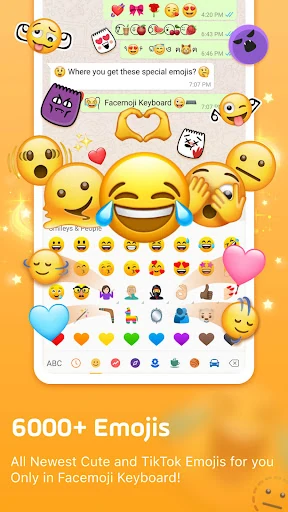
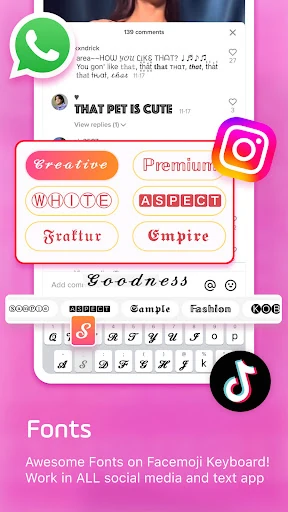
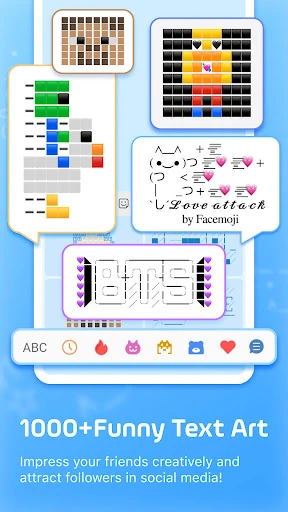
The standout feature is the sheer variety of ways to personalize a message. The app describes more than 6,000 emojis, along with stickers, symbols, GIFs, kaomoji, and text art. It also offers fonts for stylized messages and social posts. That makes Facemoji especially suited to people who like to give a casual chat a distinct voice, whether that means a funny face or a carefully decorated caption.
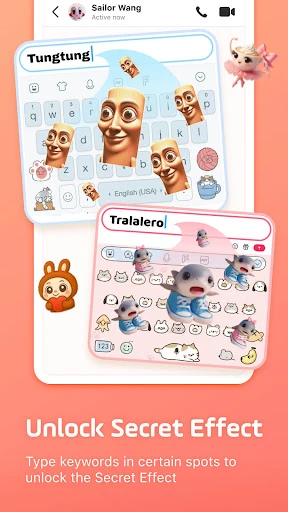
There are creative tools beyond picking from a ready-made collection. Facemoji describes a custom emoji maker, a Genmoji-style generator, and tools for making stickers based on a face or a written prompt. For keyboard appearance, it offers themes and DIY customization with photos, colors, fonts, tapping effects, and sounds. These features make the app feel more like a small personalization workshop attached to a keyboard than a simple set of replacement keys.
The app also describes clipboard storage for copied notes, a paste keyboard for repeated messages, and support for more than 100 languages with a built-in translator. These are practical features among the playful ones. I would not assume every person needs them, but they broaden the app’s role for users who switch between languages or reuse snippets, rather than only collecting stickers.
A routine for creative texting
A realistic routine might start with a theme that feels readable, then settle into normal typing for most conversations. When a friend shares something funny, I could open the emoji or sticker options and choose a quick reaction. For a social caption, a font or text-art style could add personality. Keeping those actions tied to particular moments makes the keyboard’s variety useful without turning every message into a search through menus.
For repeated notes, the clipboard and paste options may be handy, while swipe typing can help when I am writing one-handed. If I chat in more than one language, the described language support and translator may also be worth exploring. I would build a routine around the few tools that save time or make me smile, then leave the rest alone until I have a reason to try them.
What to keep in mind
Facemoji’s biggest strength, its volume of options, can also be a drawback. Thousands of visual items and a large set of themes may be more choice than a minimalist user wants in a keyboard. I can imagine enjoying the discovery at first and later relying on only a handful of favorites. That is not a failure of the app, but it does mean its full catalog may matter more to some people than others.
The app contains ads and offers paid in-app items, so the free download does not mean every part of the experience is necessarily free of interruptions or optional purchases. Users should also think about their comfort with installing a third-party keyboard and review the app’s privacy information and permissions for themselves. Facemoji says it will not collect personal information without explicit permission, but I would still make a considered choice when enabling any keyboard.
Finally, this is a keyboard for expressive communication, not a reason to add decoration to every message. If I want a plain, low-distraction typing tool, many of Facemoji’s defining features may simply go unused. Its best fit is someone who enjoys having those creative choices available and is willing to keep the setup focused on what they actually reach for.
Facemoji AI Emoji Keyboard makes the most sense as a playful upgrade for people who like to add personality to chats. I like the combination of typing aids and creative extras, especially the choice between ready-made stickers and more personal customization. Its large catalog is a genuine draw, but it is also the reason the app may feel busy to someone who wants only a keyboard.
I would recommend giving it a try if themes, fonts, emoji art, and stickers are part of how you communicate. If you value a stripped-back typing experience, I would look elsewhere or keep expectations modest. Ads and optional purchases are worth considering, but for expressive texters, Facemoji offers plenty to explore.
Emoji Keyboard Frequently Asked Questions
What is Facemoji AI Emoji Keyboard used for?
Facemoji is an Android keyboard focused on customizing typing and adding creative content to messages. It offers emojis, stickers, GIFs, fonts, themes, emoji and sticker creation, plus typing tools such as swipe input, autocorrect, suggestions, and clipboard features. It is aimed at people who want more visual ways to express themselves in chats and social posts.
Which devices support Facemoji AI Emoji Keyboard?
Facemoji AI Emoji Keyboard is listed for Android, with Android 6.0 shown as the minimum requirement. It is available through Google Play. If you are checking a particular device or Android release, the current store information is worth reviewing because compatibility details can vary over time.
Is Facemoji AI Emoji Keyboard free?
The app is free to download, but it contains ads and offers in-app purchases. The listed purchase range is $0.49 to $29.99 per item. What is available to buy can change, so check the Google Play details before making a purchase or deciding whether the free version suits your needs.
Does Facemoji AI Emoji Keyboard require a recent Android version?
Google Play lists Android 6.0 as the minimum version for Facemoji AI Emoji Keyboard. If your device is on an older system, check its compatibility on the store page. Requirements and compatibility can change as the app is updated, so the current Google Play information is the best reference.
Who should try Facemoji AI Emoji Keyboard?
It is a good match for Android users who enjoy expressive chats, custom keyboard themes, decorative fonts, stickers, GIFs, and emoji creation. People who want a very plain keyboard may not use much of what makes it distinctive. Keep in mind that the app contains ads and includes optional in-app purchases.
Pros
- Combines typing tools with a broad selection of emojis, stickers, GIFs, and decorative text.
- Offers keyboard themes with customization options for photos, colors, fonts, effects, and sounds.
- Includes creative tools for making personalized emojis and stickers.
- Supports swipe typing, autocorrect, suggestions, and clipboard features.
Cons
- The large collection of themes and creative content may feel busy to minimalists.
- The app contains ads and offers optional in-app purchases.
- Users should consider privacy and permissions before enabling a third-party keyboard.
- Category
- Personalization
- Version
- 3.6.2.1