Easy Homescreen
- 251.68K
- 4
- Installs
- 10.00M
- Price
- Free

Screenshots
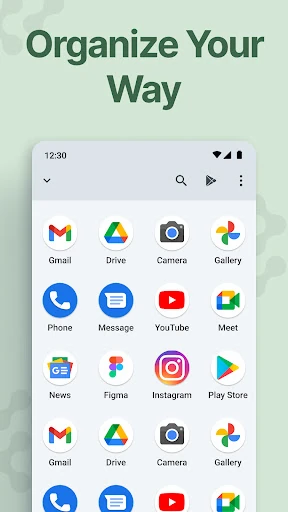
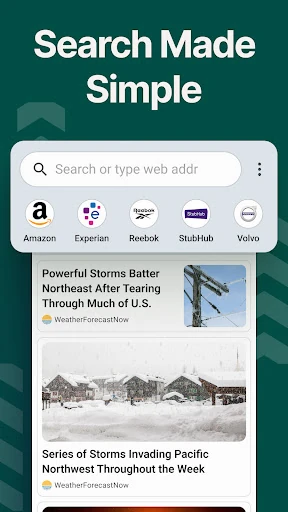
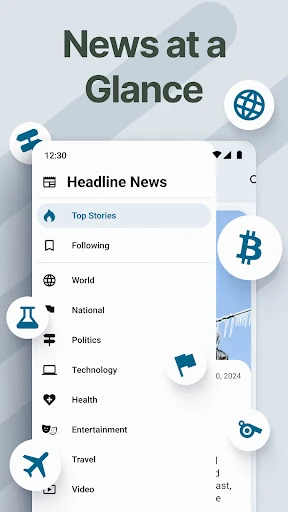
Analysis by Reviewed APKs
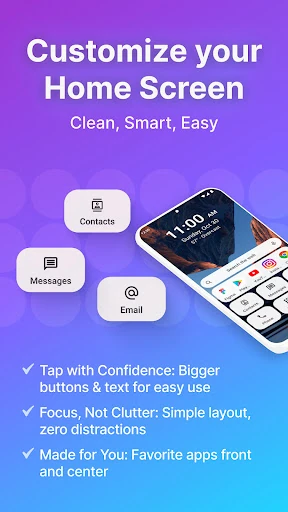
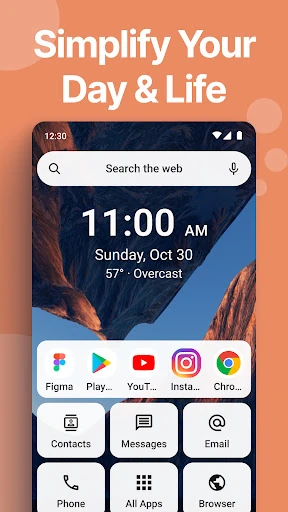
Easy Homescreen is an Android launcher for people who want a cleaner, easier-to-read phone screen without giving up all personalization. It puts large buttons and text at the center, with options for fonts, themes, icons, widgets, and app hiding. I like the practical focus: it aims to make everyday taps simpler, rather than turning home-screen customization into a hobby of its own.
A calmer start to the day
When I first opened Easy Homescreen, I thought about the small morning tasks that usually send me hunting through a crowded screen: opening messages, checking the weather, and finding the apps I use every day. The launcher is built around making those choices easier to spot, with larger text and buttons. That can make a phone feel less fussy, especially when I’m in a hurry or passing it to someone who doesn’t know my usual layout.
I’d treat it as a change to the front door of the phone, not a replacement for every app inside it. The point is to bring familiar tools and shortcuts within easier reach, then keep less-used items from competing for attention. Widgets can keep useful information visible, while options such as fonts and themes let me adjust the look. The best fit is a routine where a few clear, dependable shortcuts matter more than a packed screen.
A launcher, not a new phone
Compared with leaving the standard Android home screen as it is, Easy Homescreen puts more emphasis on readability and a simplified layout. It also gives me more room to personalize than a basic, fixed interface: the description highlights themes, app icons, fonts, widgets, and the ability to hide apps. That makes it a middle ground between accepting the default arrangement and spending time building a highly customized setup.
It is not a complete phone makeover or a substitute for the apps I already use. A launcher changes how I reach those apps; it does not turn their individual screens into simpler versions. Nor would I choose it mainly for elaborate layout tinkering. Its strengths are clearer access and less visual clutter. If I enjoy managing a dense grid of icons and already find it easy to navigate, its main idea may feel unnecessary.
Keep the useful bits close
A little thought about what I actually tap each day can make a simplified home screen more useful. I’d start with the apps and shortcuts I reach for most, then use the launcher’s personalization options to make them easy to distinguish. Larger text and buttons are the practical foundation; choosing a font or theme can help the result feel like my phone rather than a generic easy mode.
I’d also avoid trying to arrange everything at once. A good first pass is to keep the essentials visible, hide distractions that rarely earn a tap, and add a widget only if it saves me from opening another app. Easy Homescreen describes its layout as adapting around frequent tools, so checking what I use over the next few days is a sensible way to refine the setup without turning it into a weekend project.
More From Our News Desk

Zoom Meetings, Google Meet, or Teams: Which Is Easiest to Join?

How I Build a Free Streaming Lineup With Tubi

Why Crunchyroll Is the Default Anime App for So Many Fans

YouTube TV: A Practical Guide to Cutting Cable

Rummikub and the Small Comfort of Phone Games

TeamViewer Remote Control or AnyDesk for Helping Family?
Who may appreciate it
I’d recommend Easy Homescreen to anyone who finds small icons, crowded layouts, or hard-to-read text frustrating. It could also suit someone setting up a phone for a family member who prefers obvious buttons and a short route to familiar apps. The appeal is not limited to people who want a very plain screen: themes, fonts, and icon options offer some personal choice while keeping ease of use at the center.
It may be less compelling if I already enjoy a densely customized home screen or rarely struggle to find anything on my phone. A launcher also changes the route into apps rather than simplifying their contents, so it won’t address every source of confusion. I’d think about the Yahoo-based search change described during installation, too, and whether that search experience suits my habits before making it my everyday home screen.
Easy Homescreen is a free Android personalization app from Homescreen Apps. Google Play shows over 10 million installs and a 4.0-star rating from around 252,000 ratings. It contains ads and offers in-app purchases, with listed item prices ranging from $0.99 to $29.99. The content rating is Everyone. These figures give a useful snapshot of its reach and pricing model, though individual purchase choices are separate from the free download.
The listed minimum requirement is Android 9, and the current version is 1.8.41. Easy Homescreen was released on January 26, 2023, and its last update was February 9, 2026. The recent changes note bug fixes and stability improvements. For anyone checking compatibility or the latest details before installing, the Google Play information is the place to confirm what applies to their particular device.
What daily use looks like
A focused first impression
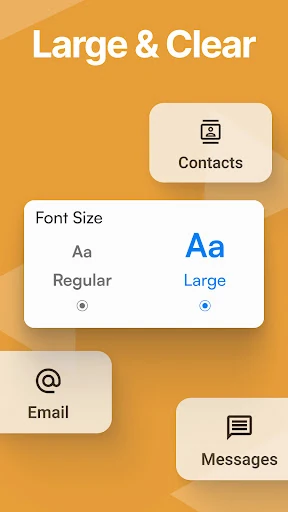
The first thing I notice about Easy Homescreen’s approach is the priority it gives to legibility. Large buttons and clear text are not flashy features, but they can change how comfortable a screen feels when I’m checking it in a hurry. The customization choices make the idea less rigid: I can consider a different font, theme, or set of app icons while still aiming for a straightforward layout.
The setup instructions are part of the experience, since a launcher is only useful once it becomes the route I use to reach my apps. I’d take a moment to read what appears during setup rather than tapping through on autopilot. In particular, the description says installing changes the home-screen search experience to Yahoo. That is a practical detail to understand before committing to the new routine.
The everyday navigation
A launcher earns its place through repetition. If I pick up my phone several times a day to open the same handful of apps, clearer targets can remove a little friction from each trip. Easy Homescreen’s large controls and focus on frequently used tools are designed for that pattern. I’d judge it less by how dramatic the screen looks on day one and more by whether I can reach what I need without pausing to scan.
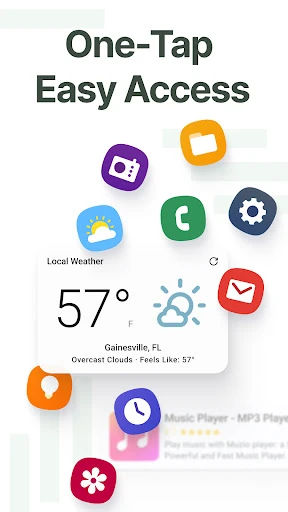
The interface is intended to reduce clutter, not make every option disappear. App hiding can help keep rarely used items from crowding the main view, while widgets can bring selected information onto the home screen. Those tools are most useful when I’m selective. A screen filled with every possible shortcut and widget would undercut the calm, readable layout the launcher is meant to provide.
Useful touches beyond icons
Easy Homescreen’s options go beyond resizing the feel of the home screen. The description includes widgets, lock-screen widgets, themes, fonts, custom app icons, and app hiding. It also describes a custom keyboard with larger keys, which is optional and can replace the usual keyboard. That makes the app’s accessibility-minded approach broader than a simple set of larger launcher buttons.
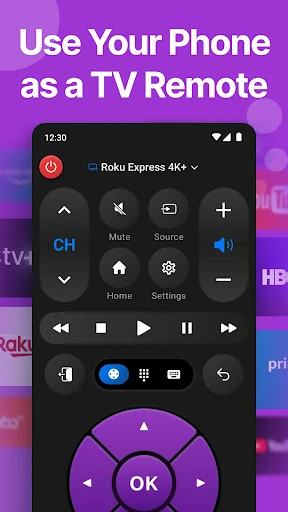
There are built-in essentials mentioned as well, including a weather app, a universal remote, and a large keyboard. I’d see those as possible conveniences rather than the main reason to install it: the central job remains simplifying access to the phone’s apps and tools. The description also explains an optional accessibility service for displaying coupon offers on supported shopping pages in Chrome, so that feature deserves a careful read before enabling it.
A sensible weekly tune-up
A practical way to settle in is to start with a short list of the apps I open almost automatically: perhaps communication, weather, and whatever I use to manage the day. I’d make those easy to identify, then use the phone normally for a few days. That gives me a better basis for deciding what deserves a prominent place than trying to predict every useful shortcut during setup.
After that first stretch, I’d remove visual noise rather than add more. If an app rarely gets opened, hiding it may keep the main screen focused; if a widget genuinely saves a step, it can earn its space. I’d make changes gradually and check whether the layout still works when I’m moving quickly. The aim is a screen that feels familiar enough to use without thinking, not a perfect arrangement to maintain.
A few things to weigh
Easy Homescreen is still a launcher, so some of its usefulness depends on whether I like its way of organizing the home screen. People who prefer their existing Android layout may not want to change how they open apps. And while larger controls can improve the home-screen experience, they do not automatically make every app or every screen easier to read.
The free download comes with ads and optional in-app purchases, so it is worth keeping the pricing model in mind. The described search change to Yahoo may also matter to people who are attached to their current search setup. Finally, the optional larger keyboard and accessibility service are separate considerations from the basic launcher idea; I’d review their descriptions and enable only what fits my preferences.
Easy Homescreen has a clear purpose: make the Android home screen easier to read and simpler to navigate, while leaving room for personal touches. Its combination of large controls, widgets, themes, fonts, and app hiding is more practical than showy. I’d give it a try if my current screen feels cluttered or if small targets slow me down.
I’d be more cautious if I’m happy with my current launcher or don’t want to adjust my search experience. Ads and in-app purchases are also worth factoring into the decision. For people who value clear access over a busy layout, though, Easy Homescreen offers a focused alternative worth testing on a compatible phone.
Easy Homescreen Frequently Asked Questions
What is Easy Homescreen used for?
Easy Homescreen is an Android launcher for simplifying and personalizing the home screen. It emphasizes large buttons and readable text, with options including fonts, themes, app icons, widgets, and hiding apps. The goal is to make frequently used tools easier to find. It changes the way I reach apps, rather than replacing those apps or changing what they do.
Which phones can run Easy Homescreen?
Easy Homescreen is an Android app, and its listed minimum requirement is Android 9. Whether it works with a particular phone can depend on that device and its software, so I’d check Google Play for current compatibility details before installing. The information provided describes it as an Android launcher, not an iOS or desktop app.
Does Easy Homescreen cost anything?
The app is free to download and contains ads. It also offers in-app purchases, with listed items ranging from $0.99 to $29.99 each. The exact purchase options and prices may vary, so I’d check Google Play for the current details before buying anything. The free download and optional purchases are separate parts of its pricing model.
Does Easy Homescreen include a larger keyboard?
Yes. The app description says it includes an optional custom keyboard with larger keys that can replace the normal keyboard. It also describes large buttons and text on the home screen, plus widgets and personalization choices. Those features are intended to make common interactions easier to see and reach, though individual apps may still have their own layouts.
Who is Easy Homescreen best suited for?
I’d consider it for people who want a less crowded home screen, larger controls, or more readable text, including users who value straightforward access to familiar apps. It may be less appealing if I already like a dense, customized layout or don’t want to change my launcher. The app also describes a Yahoo-based home-screen search experience, which is worth considering.
Pros
- Large buttons and clear text put readability at the center of the launcher.
- Themes, fonts, icons, widgets, and app hiding allow practical personalization.
- Optional larger-key keyboard extends the accessibility-minded approach beyond the home screen.
- A free download makes it possible to try the basic launcher before purchases.
Cons
- Ads and in-app purchases are part of the free app experience.
- Installing it changes the home-screen search experience to Yahoo.
- A simplified launcher may not suit people who prefer dense, highly customized layouts.
- Category
- Personalization
- Version
- 1.8.41