Wallpaper 4K HD – Wallcraft
- 1.28M
- 4.6
- Installs
- 100.00M
- Price
- Free
Screenshots
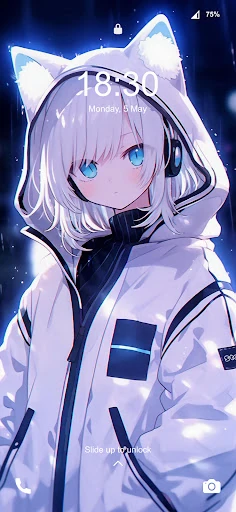
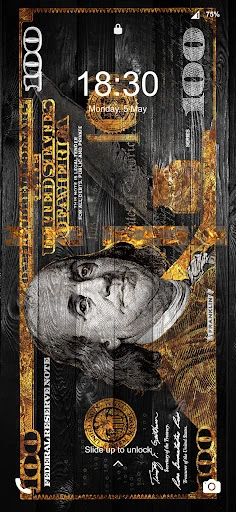
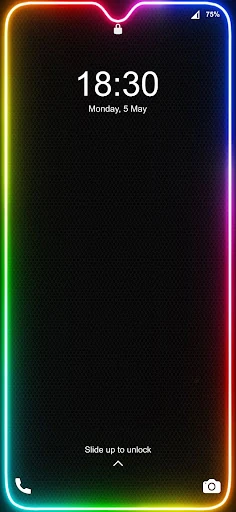
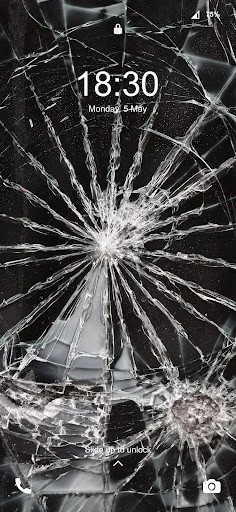
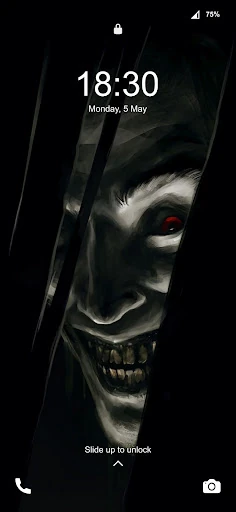
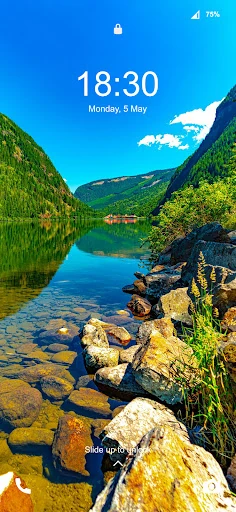
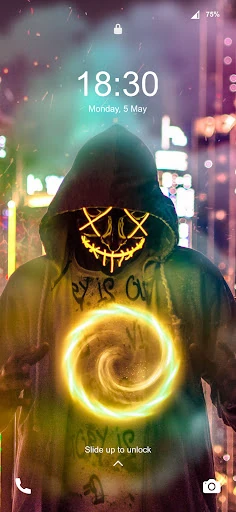
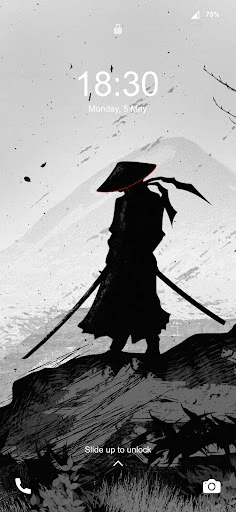
Analysis by Reviewed APKs
Wallpaper 4K HD – Wallcraft is a wallpaper and background app for people who like to change how their phone looks, from still images to animated and parallax designs. I found its appeal is the range: it combines familiar categories with more eye-catching live options. It suits anyone who enjoys browsing visual styles, though the paid extras and ads are worth keeping in mind.
A Fresh Look for Your Phone
When I want my phone to feel a little less like every other phone, a new wallpaper is an easy place to start. Wallcraft gives that small job plenty of visual directions: I can browse abstract backgrounds, landscapes, cars, anime, or darker designs, then choose a still image or explore animated options. It is the sort of app I would open while waiting for coffee, rather than something that needs a dedicated setup session.
The everyday appeal is that the background can suit the screen and mood I have in mind. The app describes wallpapers in HD and 4K, with live designs that use movement and parallax effects. It also says images can be set for the home or lock screen, and some can be used as chat backgrounds. That makes Wallcraft more flexible than a folder of pictures I have already saved.
More Than a Photo Folder
Compared with choosing a photo from my own gallery, Wallcraft is built around browsing a large collection of designed backgrounds. Its categories and smart search are meant to help me discover something specific, while live, video, and parallax choices offer a different look from a static image. If I mainly want to crop a personal photo or organize pictures, a gallery app is still the more direct tool.
Wallcraft is also not a full theme editor or a general-purpose design app. Its focus is the wallpaper itself and related screen personalization, including keyboard backgrounds mentioned in the description. I would approach it as a visual catalog, not as a promise that every item is free or that every screen can be customized in every way. The higher-resolution exclusive content is tied to subscription and coins.
Browse With a Little Intention
I get more out of a wallpaper catalog when I have a loose idea before I start scrolling. Picking a mood or subject, such as abstract art, nature, or anime, gives the categories and search a useful job. It also helps me avoid the familiar trap of browsing attractive images for ten minutes and forgetting what I wanted in the first place.
A simple routine is to find one image for the home screen, then consider whether a separate lock-screen choice or a live design fits better. Wallcraft describes options for both screens, along with chat backgrounds and dynamic effects. I would treat the more elaborate choices as occasional changes rather than something I need to revisit every day; a good static background can be enough when I want a quieter look.
More From Our News Desk

Zoom Meetings, Google Meet, or Teams: Which Is Easiest to Join?

How I Build a Free Streaming Lineup With Tubi

Why Crunchyroll Is the Default Anime App for So Many Fans

YouTube TV: A Practical Guide to Cutting Cable

Rummikub and the Small Comfort of Phone Games

TeamViewer Remote Control or AnyDesk for Helping Family?
Who Will Enjoy Wallcraft
I would recommend Wallcraft to people who enjoy changing their phone’s appearance and like having a broad range of visual styles to browse. It is especially appealing if still images feel limiting and you want to explore live, video, or parallax wallpapers as well. The combination of categories and search gives both casual browsers and people with a particular subject in mind a way into the collection.
It may be less suited to someone who wants a completely free experience without advertising or paid extras, since the app contains ads and offers in-app purchases. It is also not the right choice if your main goal is editing personal photos or building a complete interface theme. I would try it for wallpaper discovery, while keeping the subscription and coin-based content in perspective.
Wallpaper 4K HD – Wallcraft is a free personalization app from Nebuchadnezzar DOO. Google Play shows over 100 million installs and a 4.6-star rating from about 1.3 million ratings. The app contains ads and offers in-app purchases; listed item prices range from $0.49 to $64.99. Its content rating is Teen.
The app was released on April 1, 2017, and its listed last update is September 11, 2026. The version varies with device. The supplied store information does not give a minimum Android version, so I would check the Google Play page and device compatibility before installing.
A Closer Look at Wallcraft
Opening the Collection
My first impression is that Wallcraft wants to make browsing the main event. The collection spans several kinds of visual taste rather than sticking to one look, with examples ranging from abstract art and landscapes to cars and anime. That breadth is useful when I am undecided, though it also means a quick visit can turn into a longer scroll if I keep following whatever catches my eye.
The app describes a smart search system for finding particular images, alongside categories and sorting intended to help surface wallpapers. That gives me two ways to begin: browse broadly when I want inspiration, or search when I already know the subject or style. I would start with a category on a casual visit and use search when I have a more exact idea.
The Daily Wallpaper Choice
In day-to-day use, the central decision is what kind of background I want to live with. A still image is the straightforward choice; a live or video wallpaper is for when movement matters more. Wallcraft also highlights parallax effects, which give some designs a sense of depth. The variety is the point, but choosing a quieter image can be just as satisfying as selecting the most animated option.
The description says wallpapers can be set for the home screen and lock screen. It also mentions using selected images as chat backgrounds in messaging apps. I like that this extends the idea beyond one part of the phone, although I would choose carefully: a striking design can look good as a wallpaper without necessarily being the best backdrop for every screen or conversation.
Still, Live, and 4D Designs
Wallcraft’s most distinctive angle is the mix of static artwork and dynamic treatments. The description calls out live wallpapers, video wallpapers, 3D graphics, and parallax 4D effects. For someone used to choosing a single flat image, those options make the catalog feel more exploratory. I would treat the animated designs as a style choice, not assume that every wallpaper has motion or that every effect suits my taste.
Resolution is another part of the pitch. The app describes HD and 4K options, and says exclusive 6K content is available through subscription and coins. It also mentions 8K exclusive wallpapers. That makes the collection sound varied, but the paid access matters: I would browse with the understanding that some of the highest-resolution material is not part of the free selection.
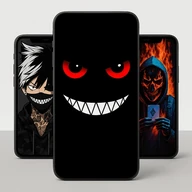
There are also special double photos and a range of subject categories, including game imagery, cute anime, and dark backgrounds. Those details make the app more than a bare resolution picker. They give me different ways to narrow the look, whether I want a recognizable subject or a particular aesthetic.
A Practical Change of Scenery
A practical way to use Wallcraft is to make a change when my current background has started to feel stale. I might browse a category during a short break, save a few possibilities in mind, then choose one that works for the home screen. If I want a more noticeable change, I can explore the live and parallax choices rather than simply replacing one still image with another.
I would keep the process simple: decide whether I want a calm or animated look, narrow the subject, and then choose where the image should appear. The app describes options for the home and lock screens, plus chat backgrounds. That sequence keeps browsing purposeful and makes it easier to stop once I have found a design I actually want to use.
Things to Keep in Mind
The biggest practical caveat is that free access does not mean every item is included without a cost. Wallcraft contains ads and offers in-app purchases, and its description ties exclusive high-resolution content to subscriptions and coins. That is not unusual for a large wallpaper app, but it is something I would factor in before getting attached to a particular paid design.
The other limitation is that the app’s strength is discovery, not deep customization. It offers a large variety of wallpaper styles and ways to apply them, but it is not presented as a tool for editing images or designing a complete phone interface. People who only need one simple background may find the range more than they need, while enthusiasts are more likely to enjoy the browsing.
Finally, resolution labels and dynamic effects are part of the app’s selection, but the right choice depends on the screen and the look I want. I would not choose an image based on a number alone. A wallpaper has to work visually as a background, and sometimes the less elaborate design is the one I am happiest to keep.
Wallcraft makes sense as a dedicated place to browse phone backgrounds, especially if I want more than static images. Its mix of categories, search, and animated styles gives me plenty of directions to explore. The trade-offs are straightforward: ads, paid extras, and a focus on wallpapers rather than broader editing or theme tools.
I would recommend giving it a try if changing your phone’s look is part of the fun and you are comfortable browsing a mix of free and paid content. If you only want a simple personal photo as your background, your existing gallery may be all you need.
Wallpaper 4K HD Frequently Asked Questions
What is Wallpaper 4K HD – Wallcraft used for?
Wallcraft is used to browse and choose phone wallpapers and backgrounds. It offers still images as well as live, video, and parallax-style designs, with categories such as abstract art, landscapes, cars, and anime. Its description also says selected images can be used for the home screen, lock screen, or chat backgrounds.
Which devices can run Wallpaper 4K HD – Wallcraft?
Wallcraft is an Android app available through Google Play. The supplied app information does not specify a minimum Android version, and the version varies with device. Check the Google Play page for compatibility with your particular phone or tablet before installing.
Does Wallpaper 4K HD – Wallcraft require a specific Android version?
The minimum Android version is not provided in the supplied app details. Requirements can vary by device and app version, so check the Google Play page on the device you plan to use. The app’s listed version varies with device.
Is Wallpaper 4K HD – Wallcraft free?
Wallcraft is free to download and contains ads. It also offers in-app purchases, with listed item prices ranging from $0.49 to $64.99. The description says some exclusive high-resolution wallpapers are available through subscription and coins, so check Google Play for current purchase details.
Who is Wallpaper 4K HD – Wallcraft best for?
It is a good fit for people who like browsing different wallpaper styles and want to try still, live, video, or parallax designs. It may be less appealing if you want an ad-free experience, do not want paid extras, or only need a straightforward way to choose a personal photo from your gallery.
Pros
- Offers a broad mix of subjects, from abstract backgrounds and landscapes to cars and anime.
- Includes still wallpapers alongside live, video, and parallax-style designs.
- Search and categories provide different ways to explore the collection.
- Can be used for home screens, lock screens, and some chat backgrounds.
Cons
- Contains ads and offers in-app purchases for some content.
- Exclusive high-resolution wallpapers require subscription or coins, according to the description.
- Its wallpaper focus may feel excessive if you only need one simple background.
- Category
- Personalization