YouTube Studio
- 2.36M
- 4.3
- Installs
- 100.00M
- Price
- Free

Screenshots
Analysis by Reviewed APKs
YouTube Studio is a companion app for people who publish videos, Shorts, or livestreams on YouTube and want to keep an eye on their channels from a phone. I see its strength as practical channel management: checking performance, handling comments, and making content updates without sitting at a computer. It suits active creators especially well, though it is a management tool rather than a way to watch YouTube.
A quick channel check
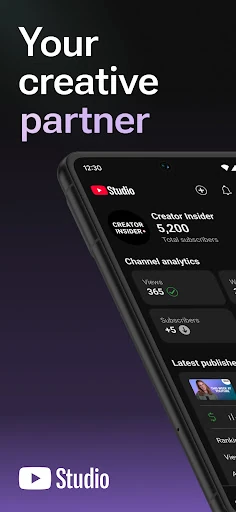
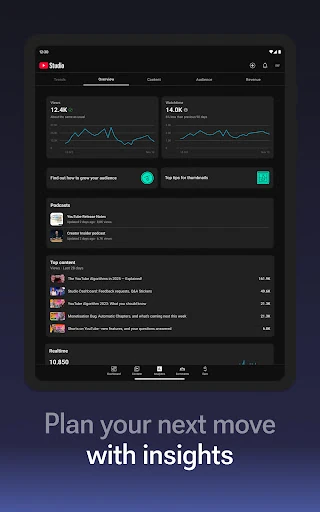
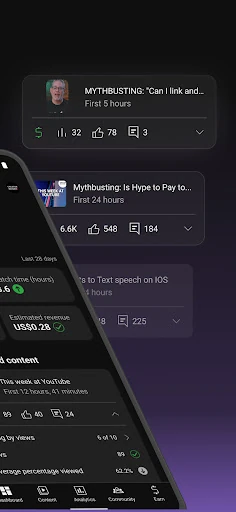
When I first opened YouTube Studio, I thought of the moments when a creator has a few spare minutes but wants to know whether a new upload is finding its audience. The Channel Dashboard gives a quick overview of channel and content performance, so I can imagine checking it over breakfast or between errands instead of waiting until I am back at a desk. Its job is to make channel upkeep more accessible on the device I already carry.
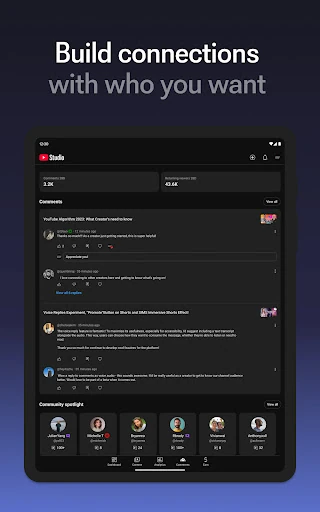
After a post goes live, the app also gives me a place to look at analytics and respond to the community. I can sort and filter comments to find conversations that deserve attention, rather than treating every notification as equally urgent. If a video, Short, or livestream needs an information change, I can manage that individual piece of content here. That combination makes the app useful for the ordinary follow-up work surrounding a channel.
A companion, not a studio
The obvious comparison is managing a channel from a computer. YouTube Studio brings selected channel tasks onto a mobile device, which is handy when I only need a quick performance check, a comment review, or an update to a piece of content. I would treat it as a companion to the broader work of publishing, not assume that a phone app replaces every task a creator might handle elsewhere.
It is also important to separate channel management from watching videos. YouTube Studio is aimed at creators who need to understand how their content is doing and connect with viewers; it is not presented as a general video-watching app. Someone who only wants to browse or play YouTube videos may have little reason to use it. For a creator, its value is in keeping channel information and audience conversations within reach.
Make checks more useful
I would get more from the app by giving each visit a purpose. A quick dashboard check can answer the broad question of how the channel is doing, while the Analytics tab is the place to look more closely at performance, including different types of content. That small distinction helps keep a casual check from turning into aimless number-watching. I can start with the overview and move into detail only when a result gives me a reason.
For comments, I would use sorting and filtering as a way to focus attention on the conversations that matter most to the channel. And when I spot an outdated detail, I can go directly to the relevant video, Short, or livestream to update its information. These are modest habits, but together they make mobile channel management feel more deliberate: review, respond, then make a targeted change instead of trying to do everything at once.
More From Our News Desk

Zoom Meetings, Google Meet, or Teams: Which Is Easiest to Join?

How I Build a Free Streaming Lineup With Tubi

Why Crunchyroll Is the Default Anime App for So Many Fans

YouTube TV: A Practical Guide to Cutting Cable

Rummikub and the Small Comfort of Phone Games

TeamViewer Remote Control or AnyDesk for Helping Family?
Who will get the most from it
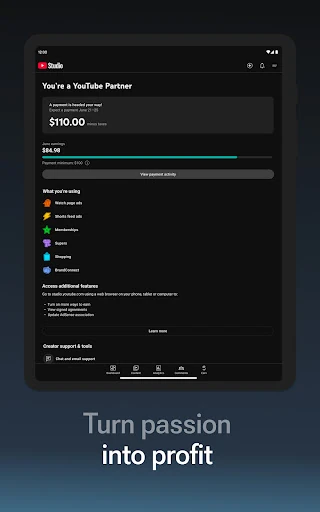
I would recommend YouTube Studio to people who actively manage a YouTube channel and want a convenient way to check performance, review audience comments, and update content while away from a computer. It is particularly relevant to creators who publish more than one format, since the app covers videos, Shorts, and livestreams and offers analytics for different types of content. The ability to apply for the YouTube Partner Program may also matter to creators pursuing monetization.
It may be less useful to someone who rarely publishes, does not manage a channel, or simply wants to watch videos. The app’s focus is creator administration and audience connection, so its usefulness depends on having channel activity to manage. I would also keep expectations practical: a mobile companion is most appealing for checks and targeted tasks, rather than assuming every part of a creator’s workflow belongs on a phone.
YouTube Studio is developed by Google LLC and is available on Google Play for Android. It has over 100 million installs and a 4.3-star rating from around 2.4 million ratings. The app is free to download, and the supplied store information says it contains no ads and offers no in-app purchases. Its content rating is Teen.
The current version is listed as varying with the device, and the supplied information does not give a minimum Android version. YouTube Studio was released on June 26, 2014, and its recorded last update is October 26, 2026. Android compatibility can depend on the device, so checking the Google Play details for a particular phone is sensible.
A Closer Look at Channel Management
A clear creator focus
My first impression is that YouTube Studio has a defined audience: people responsible for a YouTube channel. The app is organized around understanding performance and staying connected with viewers, rather than offering a general-purpose video experience. That focus makes its purpose easy to grasp. If I open it as a creator, I know I am there to review channel activity or take care of something related to published content.
The supplied feature set points to a useful starting point in the Channel Dashboard, with more detailed performance information in Analytics. I like that progression in principle: get a broad read first, then investigate further if needed. It gives a creator a sensible way to check in without making every visit an intensive analysis session. The app’s mobile setting is a natural fit for these shorter, practical moments.
The everyday loop
A typical visit can follow a simple loop: check how the channel and content are performing, look for audience conversations that need attention, then make any necessary content-information changes. The app supports each of those tasks through its dashboard, analytics, comment tools, and content management. I appreciate that these are connected parts of maintaining a channel, rather than unrelated features bundled together.
What matters day to day is whether I can quickly identify the next useful action. The dashboard offers an overview, while analytics lets me look more closely at channel performance and different content types. Comment sorting and filtering help narrow the social side of the work. This is a practical set of tools for staying informed, though the app’s appeal naturally depends on how often I publish and engage.
Useful creator tools
The analytics are one of the standout parts because they cover both channel performance and different types of content. That can help a creator compare the broad picture with the performance of a particular format. The app also includes a Channel Dashboard for an at-a-glance overview, which makes it easier to begin with context before opening more detailed data.
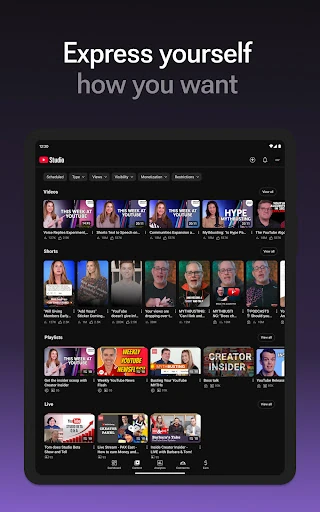
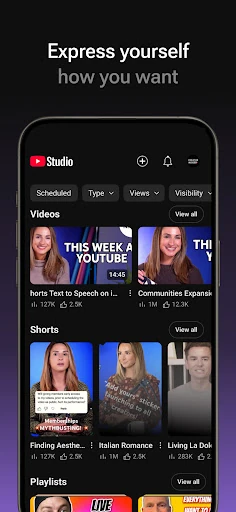
Audience management is another strong point. I can sort and filter comments to surface important conversations, an approach that feels more manageable than scanning everything in one undifferentiated stream. For content itself, the app lets creators update information on individual videos, Shorts, and livestreams and make changes to the channel’s look and feel. It also provides a route to apply for the YouTube Partner Program.
A routine that fits
If I were using YouTube Studio as part of a regular creator routine, I would begin with the dashboard after publishing to get a quick sense of channel and content performance. I would then open Analytics when I wanted more detail, including a closer look at different content types. Keeping those steps separate would help me use the overview for a fast check and reserve deeper inspection for a specific question.
I would make comment review a focused task instead of an endless scroll. Sorting and filtering can help me find conversations to prioritize, after which I can respond as appropriate. Before moving on, I would check whether any video, Short, or livestream needs an information update. This routine uses only the app’s described tools, and it turns scattered maintenance into a short sequence of review, audience attention, and content upkeep.
Keep expectations practical
The central limitation is also a matter of scope: YouTube Studio is for managing a channel, not for general video viewing. It makes the most sense when I have content, performance, or community activity to check. A viewer who does not run a channel may find the app’s creator-oriented tools irrelevant, while an infrequent creator may have fewer reasons to open it between uploads.
I would also avoid assuming that a mobile companion is the right place for every kind of channel work. The described strengths are quick performance checks, analytics, comment filtering, channel appearance changes, content information updates, and access to a Partner Program application. Those are useful tasks, but they do not make the app a video editor or a universal replacement for desktop channel management. It is best judged by the specific upkeep it brings to a phone.
YouTube Studio earns its place as a practical companion for creators who want channel performance, audience comments, and content information close at hand. I like its clear focus and the mix of quick overview tools with more detailed analytics. Its value is less compelling if I have no channel to manage or mainly want to watch videos.
I would recommend it to active YouTube creators who appreciate being able to check in and handle selected maintenance tasks on a phone. The dashboard, comment tools, and content controls make a useful everyday set. Just approach it as a channel-management app, not as a complete replacement for every part of a creator’s workflow.
YouTube Studio Frequently Asked Questions
What is YouTube Studio used for?
YouTube Studio helps creators manage a YouTube channel from a mobile device. It provides a Channel Dashboard, performance analytics, tools to sort and filter comments, options to change a channel’s look and feel, and ways to update information for individual videos, Shorts, and livestreams. Creators can also apply for the YouTube Partner Program through the app.
Which devices can run YouTube Studio?
YouTube Studio is an Android app available through Google Play. The supplied information does not specify a minimum Android version, and the current version varies with the device. Compatibility can depend on the phone or tablet, so check the Google Play details for the device you plan to use.
Does YouTube Studio cost anything?
The app is free to download on Google Play. The supplied store facts say it has no in-app purchases and contains no ads. Store details can change, so it is worth checking the Google Play page for the latest information before installing.
Can YouTube Studio help with Shorts and livestreams?
Yes. The app lets creators manage information for individual videos, Shorts, and livestreams. It also provides analytics for different types of content, along with a dashboard for a broader channel overview. Its purpose is channel management, rather than watching those formats as a viewer.
Is YouTube Studio useful for casual viewers?
It is mainly suited to people who manage a YouTube channel and want to check performance, handle comments, or update content. A casual viewer who does not publish or manage channel content is unlikely to need those tools. If you are unsure whether the app fits your device or needs, check its Google Play details.
Pros
- Combines a channel overview with more detailed performance analytics.
- Comment sorting and filtering help focus audience conversations.
- Supports information updates for videos, Shorts, and livestreams.
- Free to download, with no ads or in-app purchases in the supplied facts.
Cons
- Its creator-focused tools offer little to people who only watch videos.
- Mobile channel management may not suit every creator task.
- The minimum Android version depends on details worth checking in Google Play.
- Category
- Video Players & Editors