Video Downloader
- 2.57M
- 4.7
- Installs
- 100.00M
- Price
- Free

Screenshots
Analysis by Reviewed APKs
Video Downloader is an Android app for saving videos, music, pictures, and other files from the internet for offline use. It combines a built-in browser with download controls and a player, so it suits people who want browsing and downloads in one place. My overall take is that its pause-and-resume tools and background downloads make it practical, though ads and the need to check whether a particular file can be downloaded are worth keeping in mind.
A Download For Later
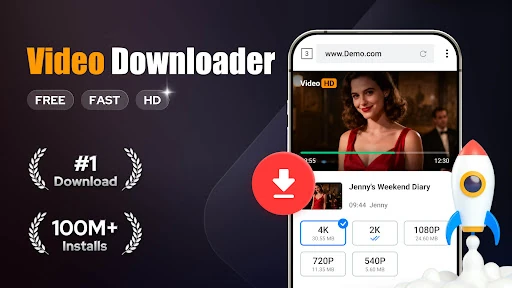
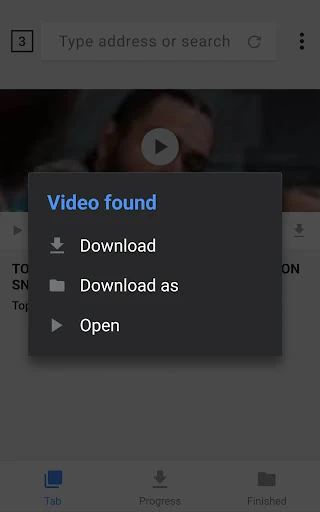
When I want to keep a video for a commute or a stretch without reliable internet, the app’s basic routine is straightforward: browse a website in its built-in browser, let the app detect available videos, then choose one to download. I like that the process is centered on selecting a file rather than juggling a separate browser and download tool. Once saved, a video can be played offline in the app’s built-in player.
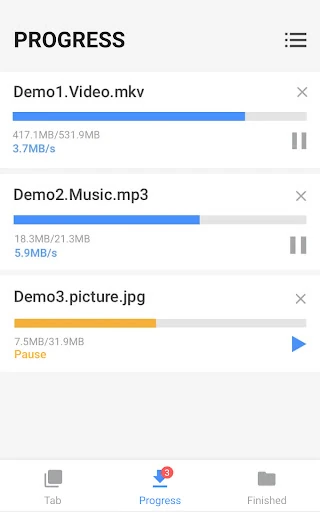
The download manager matters most when a file takes longer than a quick clip. I can pause a download, resume it later, or try again if it fails, and the download bar shows progress. The app also supports several simultaneous downloads and background downloading. Those options make it easier to start a file while doing something else, then check back when I have time.
A Browser With A Job
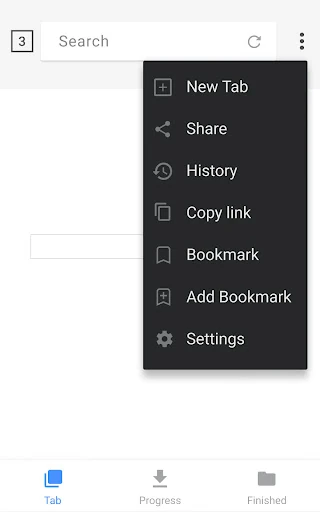
Compared with a general-purpose browser, Video Downloader puts the download workflow first. Its built-in browser, automatic video detection, bookmarks, and download manager are all aimed at finding a file and saving it. Compared with a standalone video player, it also handles the step before playback. That combination is useful when I want to browse and keep a supported file in one app rather than switch between tools.
This is not a streaming service or a library of videos to explore; the app is a tool for downloading files from websites. Whether a specific video can be saved depends on the website and file available to the app, so I would not treat automatic detection as a promise that every clip will download. If I only want to watch online, a regular browser or the site’s own app may be a better fit.
Small Habits That Help
I get more use from a download manager when I check its progress before starting another large file. The app supports simultaneous downloads, but keeping an eye on the download bar helps me see what is active and decide whether to pause or resume something. For a file I want to watch later, I can preview it first, then make a choice instead of saving every detected video automatically.
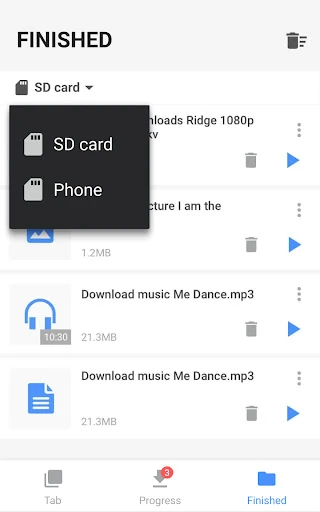
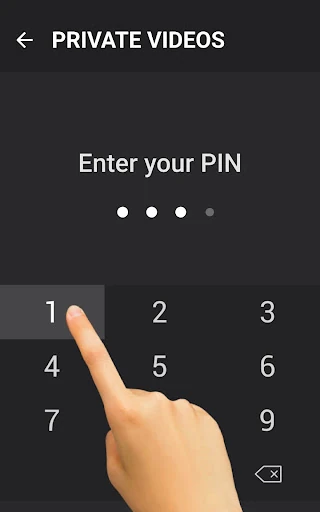
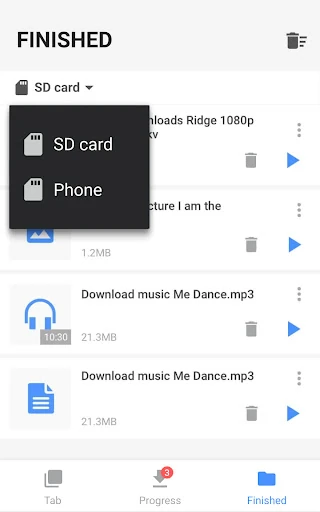
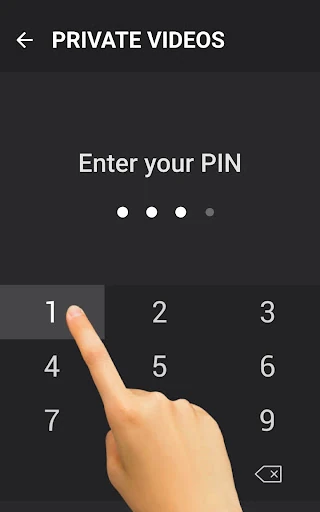
Bookmarks can make repeat visits to favorite websites quicker, while the option to save files to an SD card can help when I want to use external storage. The app also offers a password-protected folder for downloaded files. I’d use those tools selectively: bookmarks for sites I revisit, and the protected folder only for files I specifically want kept there.
More From Our News Desk

Zoom Meetings, Google Meet, or Teams: Which Is Easiest to Join?

How I Build a Free Streaming Lineup With Tubi

Why Crunchyroll Is the Default Anime App for So Many Fans

YouTube TV: A Practical Guide to Cutting Cable

Rummikub and the Small Comfort of Phone Games

TeamViewer Remote Control or AnyDesk for Helping Family?
Who May Find It Useful
I’d recommend Video Downloader to Android users who regularly find videos or music online and want an option to save supported files for offline playback. It should also suit people who appreciate practical download controls, such as pausing, resuming, retrying failed downloads, and managing more than one file. The built-in browser and player make the app especially appealing if keeping those steps together matters more than having a specialized tool for each one.
It may not suit someone looking only for a video streaming service, a social feed, or a full-featured browser with no emphasis on downloads. Ads are part of the free app, and in-app purchases are available, so users who prefer an entirely ad-free experience should check the current store details before installing. I’d also keep expectations realistic: the app can detect videos, but availability depends on the website and file.
Video Downloader is made by InShot Inc. and is in the Video Players & Editors category on Google Play. It has more than 100 million installs and a 4.7-star rating from about 2.6 million ratings. The app is free to install, contains ads, and offers in-app purchases. Store data gives the in-app purchase range as $2.99 to $6.99 per item.
Google Play gives the app a Teen content rating and lists Android 6.0 as the minimum requirement. The current listed version is 2.4.9. It was released on March 16, 2018, and the latest update date provided is January 8, 2026. Store figures and requirements can change, so I’d check Google Play for the details that apply when installing.
A Closer Look At Downloading
A Direct First Step
The first thing I notice about the app’s workflow is how little it asks me to do before reaching the main task. I browse with the built-in browser, and the app can detect videos on a page. From there, I choose which detected video to download. That is a clear path for someone who already knows what they want to save and does not need a separate search or discovery experience.
Previewing a video before downloading is a useful part of that first pass. It gives me a chance to check that I have the right file before committing time and storage to it. The description also says the app supports a range of file formats, including video, audio, images, and documents, so the workflow is not limited to video clips.
Managing Files Day To Day
The download manager is the part I’d return to once a file is underway. It lets me pause, resume, and remove downloads, and it can resume failed downloads. That makes it more than a one-tap save button: there are controls for handling interruptions and changing my mind. A progress bar helps me see where a download stands without needing to guess whether it has finished.
Background downloading and support for several files at once suit a routine where I start a download, move on to something else, and check progress later. The app also supports large files and HD video downloads. Those capabilities are handy on paper, but they don’t remove the ordinary need to consider available storage and the connection I’m using.
Features With A Purpose
The built-in player gives the app a practical second role after downloading. I can play saved videos offline without leaving the app, which keeps the browse, save, and watch steps together. This is a modest convenience rather than a reason to expect advanced playback tools: the provided feature details describe offline playback, not a long list of editing or library-management options.
The breadth of supported formats is another notable point. The description names MP3, M4A, MP4, M4V, MOV, AVI, WMV, and several document types, along with pictures. I would treat that as format support rather than a promise about every website or file. The app also supports SD cards and offers a password-protected folder for downloaded files.
A Practical Saving Routine
For a simple routine, I’d use the browser to visit a site where I’ve found something I want to keep, check the detected options, and preview the video before choosing a download. I’d then use the progress bar to see how it is going. If I need to step away, background downloading means I can leave the app’s download running rather than keep the page open in front of me.
After saving a file, I can use the built-in player when I’m offline. For sites I revisit, bookmarks can reduce repeated navigation. If I’m working with several files, the manager’s pause and resume controls help me keep track of them. That routine is most useful for occasional, intentional saves, not for turning every page I visit into a collection of downloads.
Limits To Keep In Mind
Automatic detection is convenient, but it does not mean every video on every website will be available to download. The app’s description explains how to browse and choose detected files, but it does not claim universal access. I’d approach it as a tool for supported files and expect to make a decision on each site rather than assume a particular clip will appear.
The free app contains ads and offers optional in-app purchases, which may matter if I want a quieter experience. It also needs network access to download files and storage access to save them, according to its permission details. Finally, this is an Android app with a stated Android 6.0 minimum, so it is not a general desktop or cross-platform download solution.
Video Downloader’s strengths are easy to understand: it puts a browser, automatic video detection, download controls, and offline playback in one Android app. I especially value the practical options to pause, resume, retry, and run downloads in the background. The experience is focused on saving files, not discovering new content or replacing a streaming service.
I’d try it if saving supported videos and music for later is a regular part of my routine. The ads, optional purchases, and site-by-site limits are the trade-offs to consider. For someone who wants a compact download workflow with an offline player, it is a useful option; for someone who only streams, it may be more app than they need.
Video Downloader & Video Saver Frequently Asked Questions
What is Video Downloader used for?
Video Downloader is used to browse websites, detect available videos, and download supported files for offline use. It can also handle music, pictures, and several document formats. A built-in player lets you play saved videos offline, while the download manager includes pause, resume, remove, and retry controls. Whether a particular file is downloadable depends on the website and file.
Which devices can run Video Downloader?
Video Downloader is an Android app available through Google Play. The provided requirement is Android 6.0 or later. The app supports saving files to an SD card, but that does not make it a desktop or iOS app. For current device compatibility and any changes to requirements, check the app’s Google Play page before installing.
What Android version does Video Downloader require?
The listed minimum is Android 6.0. That is the requirement provided for Video Downloader, though device compatibility can depend on the current store listing and your particular device. I’d check Google Play before installing if you are using an older phone or tablet, since store requirements and app availability can change over time.
Does Video Downloader cost money?
Video Downloader is free to install and contains ads. It also offers in-app purchases, with listed items ranging from $2.99 to $6.99 each. Those are the provided store figures; purchase options and pricing may change, so check Google Play for the current details before buying anything.
Is Video Downloader right for me?
It may suit Android users who want to save supported online videos, music, or other files and play videos offline in the same app. Its download manager offers pause and resume controls, background downloading, and multiple simultaneous downloads. It may be less suitable if you only want to stream content or expect every website’s videos to be downloadable.
Pros
- Combines a built-in browser, video detection, downloads, and offline playback.
- Download manager can pause, resume, remove, and retry files.
- Supports background and simultaneous downloads, plus SD card storage.
- Handles a range of video, audio, picture, and document formats.
Cons
- Contains ads, with optional in-app purchases also available.
- Video detection does not mean every website or file can be downloaded.
- Focused on Android downloads rather than streaming or broad media discovery.
- Category
- Video Players & Editors
- Version
- 2.4.9