TikTok Studio
- 497.25K
- 4.5
- Installs
- 100.00M
- Price
- Free
Screenshots
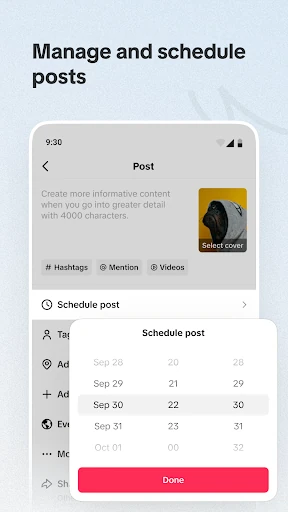
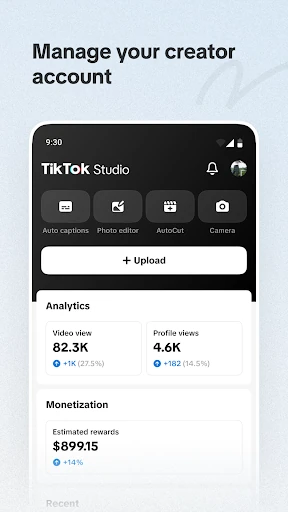
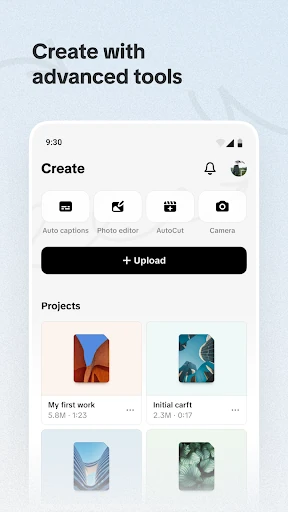
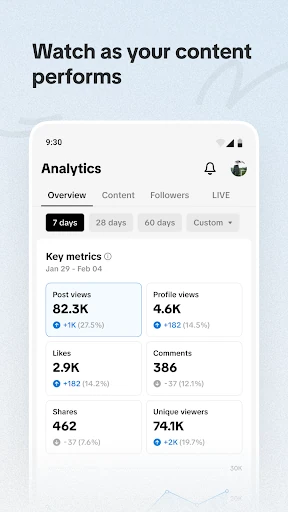
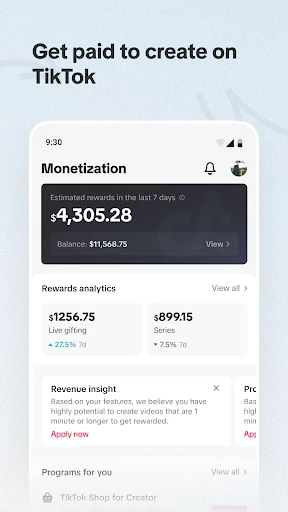
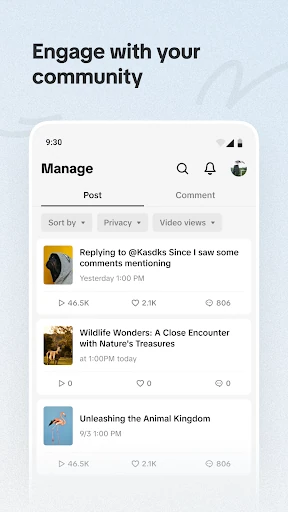
Analysis by Reviewed APKs
TikTok Studio is a companion app for people who create on TikTok and want one place to work on content, follow audience activity, manage comments, and explore ways to earn from their work. I see its strongest appeal in bringing creator tools and practical guidance together, rather than asking creators to piece everything together elsewhere. It suits active TikTok creators, though it is more specialized than a general video editor.
A creator’s daily check-in
When I think about using TikTok Studio in a normal week, I picture opening it after publishing a video to see how people are responding. Audience insights can help a creator look for patterns in preferences and behavior, while community tools provide a place to manage comments and engagement. That makes the app useful not just at the moment of creation, but in the quieter follow-up work that can shape what I make next.
The workflow is especially relevant for someone trying to be more deliberate about posting. I could review available insights, consider whether a topic is finding an audience, and use the app’s recommendations or tutorials to inform the next idea. The point is not to turn every post into a spreadsheet exercise. It is to have creator-focused information and community management close at hand when I want to make a thoughtful adjustment.
A companion, not a catch-all
TikTok Studio is best understood as a creator companion for TikTok, with tools around content management, audience understanding, community interaction, and monetization opportunities. That gives it a different emphasis from a general-purpose video editor, which is mainly about making or altering footage. Here, the surrounding work of publishing and learning from an audience is part of the proposition too.
It is not presented as a universal social media dashboard or a replacement for every creative tool. Its focus is TikTok creators, so someone who only wants to trim clips for personal use may find the creator features unnecessary. Likewise, people looking for a broad video-editing toolkit should compare it with apps built specifically for editing. TikTok Studio makes most sense when the platform and its creator workflow are already central.
Small habits that help
A useful habit would be to check audience insights at a regular time rather than reacting to every comment or change in engagement. Looking at preferences and behavior together can give a creator a broader perspective than judging a post by one moment. I would use those observations as prompts for future ideas, not as rigid instructions about what must be made next.
The tutorials and custom recommendations also seem better suited to occasional reference than a one-time binge. A newer creator could turn to them when working through a particular question, then return to the creative process. For community care, a short routine of reviewing comments and managing interactions can help keep that work from piling up. These are modest habits, but the app’s combination of insights and management tools supports them.
More From Our News Desk

Zoom Meetings, Google Meet, or Teams: Which Is Easiest to Join?

How I Build a Free Streaming Lineup With Tubi

Why Crunchyroll Is the Default Anime App for So Many Fans

YouTube TV: A Practical Guide to Cutting Cable

Rummikub and the Small Comfort of Phone Games

TeamViewer Remote Control or AnyDesk for Helping Family?
Who may find it useful
I would recommend TikTok Studio to people who already create for TikTok and want more structure around the work that happens after filming: understanding audience activity, keeping up with comments, and exploring personalized monetization recommendations. It also has a clear role for newer creators, since its tutorials and tailored recommendations are intended to support different stages of the creator journey.
It may be less useful if you rarely post, have no interest in audience or community management, or simply need a straightforward editor for personal videos. The app’s purpose is closely tied to creating and managing a TikTok presence, rather than serving every kind of video maker. Creators who prefer to keep their process simple can still use it selectively, but should not expect its specialized focus to replace tools for unrelated tasks.
TikTok Studio is published by TikTok Pte. Ltd. on Google Play in the Video Players & Editors category. The app has over 100 million installs and a 4.5-star rating from about 497,000 ratings. It is free to download, and the provided store facts indicate that it contains no ads and offers no in-app purchases.
The app has a Teen content rating. The current version in the supplied facts is 44.6.3; it was released on May 28, 2024, and was last updated on June 16, 2026. A minimum Android version is not included in the supplied details, so check Google Play for the requirement that applies to your device.
A closer look at the creator workflow
First impressions and setup
TikTok Studio’s purpose is easy to place: it is aimed at creators who want tools for making and managing their TikTok work, rather than viewers looking for another way to browse. That focus gives the app a practical starting point. The description brings creation, insights, community management, and monetization into one creator-oriented package.
I would approach it with a specific need in mind, such as learning about audience preferences or managing engagement. That makes it easier to judge which parts are useful instead of treating every feature as essential. The app also points newer creators toward tutorials and tailored recommendations, giving people a way to find guidance as they develop their process.
The day-to-day experience
The day-to-day value is in having several kinds of creator work represented together. Posts, comments, and community engagement are part of the management side, while audience insights offer a way to examine preferences and behavior. For an active creator, that combination can make the less visible work around publishing feel more organized.
I would keep expectations practical: insights can inform decisions, but they do not make creative choices on a creator’s behalf. The app’s role is to offer information and tools that support a more considered approach. Whether that feels helpful depends on how often someone posts and how much attention they want to give to the audience around each post.
Tools beyond posting
Audience insights are one of the more distinctive parts of the description. They are intended to help creators understand preferences and behavior, identify engagement opportunities, and adapt their content accordingly. That gives the app a reflective side: it is not only about putting content out, but also about considering what the response might suggest.
TikTok Studio also brings together community management and personalized monetization recommendations. The description mentions insights into payments and ways to optimize rewards performance, alongside tools for managing posts and comments. These features make the app relevant to creators treating their channel as an ongoing project, while leaving the actual creative direction in the creator’s hands.
For people who are still learning, custom recommendations and tailored tutorials add a guidance component. I like that this is part of the stated offering, because creating consistently can involve questions beyond filming. The app’s combination of learning resources, audience information, and management tools is more specific than a simple editing utility.
A steady creator routine
One sensible routine would be to set aside a short check-in after a posting session. I would review audience information when available, note any useful signals about preferences or engagement, and then move on rather than continually refreshing for changes. That keeps insights in the role of context instead of letting them dictate every creative decision.
A separate community check can focus on comments and audience interactions. Creators can use the management tools to keep that work in view, then turn to a tutorial or recommendation when a specific question comes up. Keeping these tasks in a regular rhythm may make them easier to handle than waiting until comments and planning feel like one large job.
Keep the focus in mind
The main limitation is also the app’s defining focus: TikTok Studio is built around TikTok creation and management. If your needs are mostly about editing video for other platforms, or you only make occasional personal clips, its audience and monetization features may not matter much. It is a specialized companion, not a promise of a complete toolkit for every kind of creator.
Another practical point is that analytics are most useful when a creator has enough activity and interest to review them. A person who would rather post casually may not want to spend time interpreting audience behavior or considering monetization recommendations. That is a preference, not a flaw; the app will be a better fit for people who enjoy the planning and community side of publishing.
The supplied store details do not specify a minimum Android version, so device compatibility is worth checking on Google Play before installing. Beyond that, the clearest way to assess the app is to compare its creator-focused tools with the tasks you actually want help with.
TikTok Studio brings together useful parts of a creator’s routine: audience insights, post and comment management, tutorials, and personalized monetization recommendations. I like its focus on the work around publishing, not just the act of making a video. That focus will matter most to people who take an active interest in their TikTok audience.
I would try it if TikTok is already a regular part of your creative work and you want more support for managing and learning from that presence. If you only need a basic video editor, this is probably more specialized than necessary. For active creators, it looks like a practical companion worth exploring.
TikTok Studio Frequently Asked Questions
What is TikTok Studio used for?
TikTok Studio is for TikTok creators who want tools to support content creation and management. Its described features include audience insights, post and comment management, community engagement tools, tutorials, and personalized monetization recommendations. It is aimed at the creator workflow rather than general video viewing.
Which devices can run TikTok Studio?
TikTok Studio is an Android app available through Google Play. The minimum Android version can vary by device or app release, so check the Google Play page for the requirement that applies to your phone or tablet.
Does TikTok Studio cost money?
TikTok Studio is free to download on Google Play. The supplied app facts say it has no in-app purchases and contains no ads. Store details can change, so it is sensible to check Google Play for current information before installing.
Is TikTok Studio useful for new creators?
It may suit newer creators because the app describes tailored tutorials and custom recommendations alongside creation and management tools. It can also help creators explore audience insights and community engagement. Its usefulness depends on whether you plan to create for TikTok and want support beyond basic editing.
Is TikTok Studio for casual video editing?
TikTok Studio is focused on TikTok creators and the surrounding work of managing content, understanding audiences, and engaging with a community. If you only want a general-purpose editor for occasional personal videos, its specialized creator features may not be a good match.
Pros
- Combines audience insights with tools for managing posts, comments, and community engagement.
- Includes tutorials and tailored recommendations for creators at different stages.
- Offers personalized monetization recommendations and payment-related insights.
- Free to download, with no ads or in-app purchases in the supplied store facts.
Cons
- Its TikTok-focused creator tools may be unnecessary for occasional personal video editing.
- Audience insights are most relevant to creators who actively review their content and engagement.
- The minimum Android requirement should be checked on Google Play before installing.
- Category
- Video Players & Editors
- Version
- 44.6.3