Screen Recorder - AZ Recorder
- 2.02M
- 4.7
- Installs
- 100.00M
- Price
- Free

Screenshots

Analysis by Reviewed APKs
Screen Recorder - AZ Recorder is an Android app for capturing what happens on your phone, with tools for editing recordings, taking screenshots and streaming your screen. It suits people who make gameplay clips, quick tutorials or personal reference videos and want more than a basic record button. After looking through its range of tools, my take is that it is a capable all-in-one option, though its many extras may be more than casual users need.
A quick capture routine
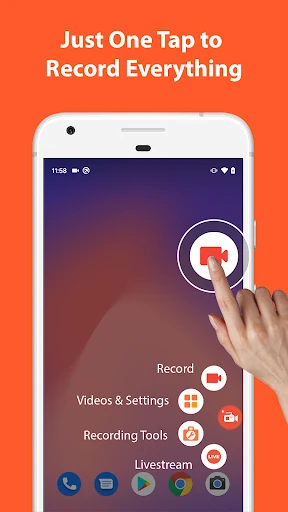
Imagine trying to show a relative how to change a setting on their phone. Rather than write a long explanation, I can record the steps on my own screen, pause if I need to collect my thoughts, then resume and finish the walkthrough. AZ Recorder puts recording controls within reach, and it can capture microphone audio or, on Android 10 and later, internal audio. That makes it useful for explaining a process as I go.
For a game session, I can capture the action and its sound, then use the built-in editor to trim away the slow start or a failed attempt. If I want to add a personal explanation, the facecam option can put my face in a floating window. I like that these tools belong to the same app: the basic routine can be record, make a few edits, and keep or share the result.
Recorder, not a studio
The obvious alternative is a phone's built-in screen recording tool, which may be enough for an occasional clip. AZ Recorder makes more sense when I want a broader set of tools around that capture: trimming and merging videos, adding subtitles or music, extracting frames, and editing screenshots. It also offers livestreaming to YouTube or Facebook, so it can cover more than recording a clip for later.
That breadth does not make it a full desktop editing suite or a dedicated streaming production setup. Its purpose is phone-screen capture and straightforward follow-up work, not complex multi-track editing or elaborate broadcast production. I would not install it just to make one short recording if my phone's existing tools already do the job. The extra value is in having recording, basic editing, screenshots and streaming together.
Make the edits count
A little planning can save time after recording. I would decide whether a clip needs microphone narration or internal audio before starting, and use pause and resume to avoid capturing long stretches of nothing. For a tutorial, drawing on the screen while recording can call attention to a button or setting. The facecam is another option when a spoken explanation benefits from a visible presenter, rather than just a sequence of taps.
Afterward, I would trim the beginning and end, remove any unhelpful middle section, and add subtitles or background music only if they improve the clip. When sharing a screenshot, the image tools can crop it, blur an area, or add text. The app can also stitch several images together. These are small finishing steps, but they make the output more useful without requiring a separate app for every adjustment.
More From Our News Desk

Zoom Meetings, Google Meet, or Teams: Which Is Easiest to Join?

How I Build a Free Streaming Lineup With Tubi

Why Crunchyroll Is the Default Anime App for So Many Fans

YouTube TV: A Practical Guide to Cutting Cable

Rummikub and the Small Comfort of Phone Games

TeamViewer Remote Control or AnyDesk for Helping Family?
Who will get the most from it
I would recommend AZ Recorder to Android users who regularly explain phone tasks, capture gameplay, save useful screen activity or prepare clips for sharing. It is especially appealing if you want to record with audio and then make basic edits in the same place. People who livestream their phone screen to YouTube or Facebook may also appreciate having that option alongside standard recording and screenshot tools.
It may be a poor fit if you rarely record your screen, prefer the simplest possible interface, or need a detailed video-editing workstation. The wide feature set is useful, but it asks you to choose among several kinds of capture and editing rather than doing only one thing. It is also worth considering that the free app contains ads and offers in-app purchases, which may matter to people seeking an ad-free experience.
Screen Recorder - AZ Recorder is made by AZ Screen Recorder and is listed in the Video Players & Editors category. Google Play shows over 100 million installs and a 4.7-star rating from around 2 million ratings. It is free to download, contains ads, and offers in-app purchases. The listed prices for individual in-app items range from $2.49 to $25.99.
The app has an Everyone content rating. Its listed version is 6.9.12, and its release date is November 11, 2014. Google Play gives October 29, 2026 as the last update date. The Android version requirement is not included among the supplied app facts, so check the Google Play details on your device for the current compatibility information.
A closer look at everyday screen capture
Getting started
My first impression is of an app designed to do more than start and stop a recording. Its stated toolkit spans screen video, screenshots, editing and livestreaming, so the main decision is what kind of job I want to do. For an everyday capture, the control buttons are the useful starting point; pause and resume make it easier to handle a recording that is not one uninterrupted take.
Before recording, I would think about sound. The app supports microphone audio, and it supports internal audio on Android 10 and later. That distinction matters when I am narrating instructions versus capturing a game's own sound. Facecam is available as a floating window, too, though I would only turn it on when seeing the presenter adds something to the clip.
Recording day to day
The core experience is about capturing a phone screen and controlling the take as it happens. I can pause and resume, and the description also says shaking the device can stop a recording. That gives the app a few ways to manage a session instead of treating every tap as a final, uninterrupted take. For a short how-to, those controls can help me keep the recording focused.
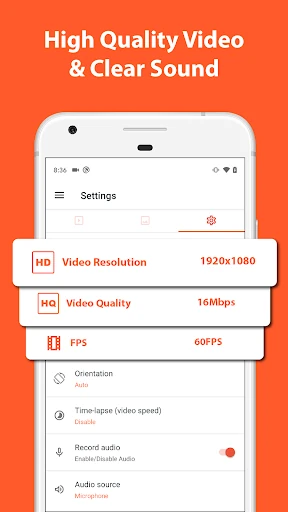
Recording quality options make it relevant to different kinds of clips. The app describes resolutions from HD through Full HD and 2K to 4K, with 4K available only on some devices and to some users. It also supports different frame rates, including 24, 30 and 60 frames per second. I would choose settings for the phone and the intended clip rather than assume the highest option is always suitable.
Tools beyond recording
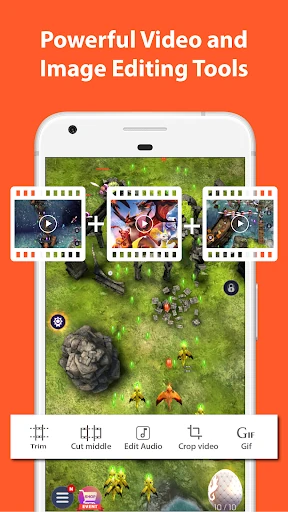
The editor covers practical cleanup: trimming, removing a section from the middle, merging clips, cropping, rotating and compressing video. I can also add background music or subtitles and extract frames. This is a useful set for polishing a short recording or reducing its size, although it is still aimed at direct edits rather than an expansive production workflow.
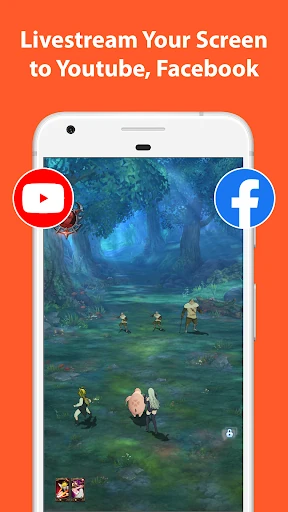
Screenshots get their own set of touches. I can stitch images together, crop them, blur areas, add text or emojis, and draw on the image. Those options are handy when a still image explains something faster than a video. Livestreaming is the other notable extra: AZ Recorder can broadcast a phone screen with audio to YouTube or Facebook, with different stream resolutions and an optional face view.
A useful weekly workflow
For a small tutorial, I would first decide what the viewer needs to see and whether spoken guidance is necessary. Then I would start recording, narrate through the microphone if useful, and pause while preparing the next step. Drawing on the screen can emphasize a control. Once the capture is done, I would cut any dead time and add subtitles if the explanation needs to be easier to follow.
For a gameplay clip, I would focus instead on capturing the game's sound and choosing a resolution and frame rate that suit the device. After the session, trimming and merging can turn several moments into a cleaner video. If the goal is to share a screen live, the streaming option offers a different route. In each case, the app's value is that capture and simple finishing tasks are close together.
Limits to keep in mind
A large toolbox can be a little much if all I need is a quick screen recording once in a while. AZ Recorder combines video capture with image editing, livestreaming and several editor tools, so users focused on one simple task may not need most of it. I would also expect to spend a moment choosing audio, video quality and optional facecam settings to suit each recording.
Some capabilities depend on the device or Android version: internal audio is described for Android 10 and later, and 4K recording is limited to some devices and users. The app is free but includes ads and in-app purchases, so that is part of the experience to weigh. For more elaborate editing than trimming, combining or adding basic elements, a dedicated editor may be a better match.
AZ Screen Recorder earns its place by bringing screen capture, audio options, straightforward video edits, screenshots and livestreaming into one Android app. I especially like the practical pause-and-resume controls and the ways to tidy a clip without immediately reaching for another tool. Its breadth is useful, but not every phone user needs a toolkit this broad.
I would try it if I regularly make tutorials, capture games or need to save and shape screen activity. If I only record occasionally, I would compare it with the recorder already on my phone and consider whether the extra features justify ads and optional purchases. For frequent screen capture, it is a well-rounded choice worth exploring.
Screen Recorder Frequently Asked Questions
What is Screen Recorder - AZ Recorder used for?
Screen Recorder - AZ Recorder captures phone-screen video with microphone audio, and supports internal audio on Android 10 and later. It also includes video editing, screenshot editing and livestreaming to YouTube or Facebook. People can use it for gameplay clips, tutorials, screen demonstrations or other recordings, then make basic changes such as trimming or cropping.
Which devices can run Screen Recorder - AZ Recorder?
The app is for Android. The minimum Android version can vary with the current release and device, so check the Google Play page for the requirement that applies to your phone. Some individual capabilities have their own limits: internal audio is described for Android 10 and later, while 4K recording is available only on some devices and to some users.
Does Screen Recorder - AZ Recorder cost money?
It is free to download and contains ads, with optional in-app purchases. Google Play gives a price range of $2.49 to $25.99 per item. The exact purchase options and prices can change, so check the store page before buying. The app description says users can upgrade to support development and use the recorder without ads.
Can AZ Recorder record internal audio?
The app description says internal audio recording is supported on Android 10 and later, for capturing sound from a game or app. It also supports recording with microphone audio. Available recording options can depend on the Android version and device, so check the app's Google Play details and your phone's compatibility if audio capture is important to your use.
Who is Screen Recorder - AZ Recorder best for?
It is a good candidate for Android users who often record gameplay, make screen tutorials, edit short clips or broadcast their phone screen. Its screenshots and image tools add another practical use. Someone who only needs an occasional basic recording may prefer a simpler built-in option, while people seeking extensive video production tools may want a dedicated editor.
Pros
- Combines screen recording, screenshots, basic video editing and livestreaming in one Android app.
- Pause and resume controls help keep tutorials and gameplay captures focused.
- Offers microphone audio and internal audio support on Android 10 and later.
- Screenshot tools include stitching, cropping, blur, text and drawing.
Cons
- The broad collection of tools may feel excessive for occasional, simple screen captures.
- The free app contains ads, and optional in-app purchases are available.
- Some recording options depend on the Android version, device or user availability.
- Category
- Video Players & Editors
- Version
- 6.9.12