MX Player
- 14.34M
- 4.2
- Installs
- 1.00B
- Price
- Free

Screenshots
Analysis by Reviewed APKs
MX Player is an Android video and music player for people who want to watch files stored on their device, with flexible subtitle support and playback controls. I like that its useful details are practical rather than flashy: zooming, subtitle adjustments, and a kids lock all address familiar viewing situations. It suits people who keep their own media library, though ads and in-app purchases are part of the experience.
A Familiar Evening Watch
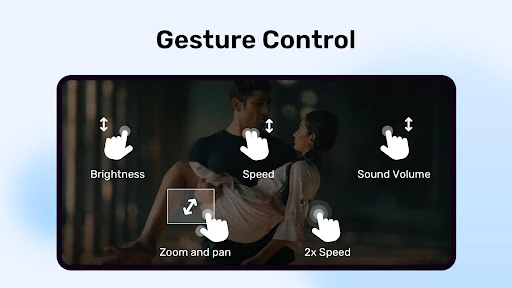
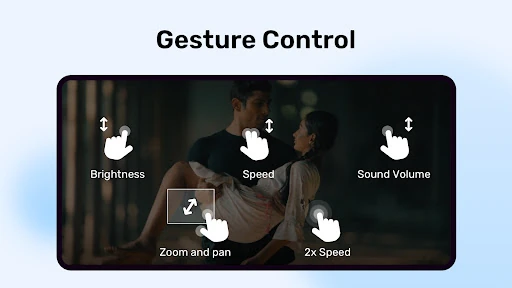
When I settle in to watch a video saved on my phone, I want the player to get out of the way and let me watch. MX Player is built around that simple job: finding and playing media files stored on the device. Its hardware acceleration options are intended to help with playback, while pinch-to-zoom and pan give me a way to adjust the picture when the framing feels awkward.
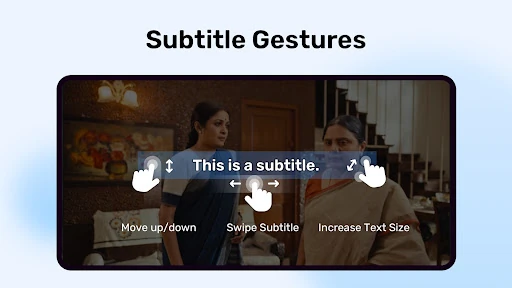
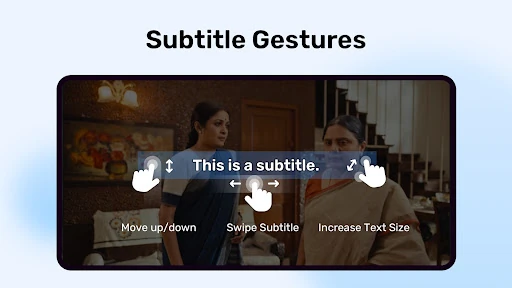
Subtitles are where the app starts to feel especially handy in ordinary use. If a line is hard to read from across the room, I can change subtitle size with a gesture, and the listed formats cover common choices such as SRT and WebVTT as well as several more specialized types. I can imagine using it for a downloaded film on a commute or a saved episode at home without changing how I organize my files.
A Player, Not a Streaming Hub
MX Player makes most sense beside the videos and music already on an Android device. Its emphasis is local playback, decoding, screen adjustments, and subtitle handling. That gives it a different role from a streaming service, where the main attraction is browsing a catalog and watching over the internet. I would reach for MX Player when I have a particular file to play, not when I am deciding what subscription show to start.
It is also not a full media-editing tool or a general-purpose file manager. The app can identify and organize media files for playback, but its central promise is watching and listening rather than changing the content. Some additional options, including a privacy folder and kids lock, cover specific needs around access. If all I need is an occasional video player, those extras may matter less than whether the ads suit me.
Small Tweaks That Help
A useful habit is to make subtitle adjustments early, rather than pausing repeatedly once a video is underway. MX Player supports gestures for moving subtitle text up or down, stepping between subtitle lines, and changing text size. That gives me a few simple ways to make a particular file easier to follow without treating every viewing session as a settings project.
I would also keep the viewing situation in mind when choosing the app’s controls. Pinch and pan can help when a video looks too small or poorly framed, while kids lock is aimed at keeping children from making calls or opening other apps during playback. The privacy folder is another focused option for hiding videos. These are useful extras when they fit a routine, rather than features every viewer needs to use.
Reads About MX Player
More From Our News Desk

Zoom Meetings, Google Meet, or Teams: Which Is Easiest to Join?

How I Build a Free Streaming Lineup With Tubi

Why Crunchyroll Is the Default Anime App for So Many Fans

YouTube TV: A Practical Guide to Cutting Cable

Rummikub and the Small Comfort of Phone Games

TeamViewer Remote Control or AnyDesk for Helping Family?
Who May Enjoy It
I would recommend MX Player to Android users who regularly watch videos saved on their devices, especially if they use subtitle files or like having control over playback framing. Its broad range of subtitle formats is a practical advantage for people whose media does not always arrive with subtitles in the same format. The app also has focused options for households that want a kids lock or a private place for selected videos.
It may be a less comfortable fit for someone who wants a clean, ad-free experience without paying for anything, since the app contains ads and offers in-app purchases. It is also not the obvious choice for a viewer whose only goal is to browse streaming catalogs. I would judge it by how often I play local files and whether its controls earn a place in my everyday viewing routine.
MX Player is an Android app in the Video Players & Editors category, developed by Amazon Mobile LLC. Google Play shows more than one billion installs and a 4.2-star rating from around 14.3 million ratings. It is free to download, contains ads, and offers in-app purchases. The listed in-app product prices range from $0.49 to $239.99 per item.
The app has an Everyone content rating. The supplied version is 3.3.1; its release date is July 18, 2011, and the last update date shown is October 23, 2026. MX Player needs access to device files to identify, organize, and play media and subtitles. Some permissions described for file transfer are optional for using the rest of the app.
The Everyday Details That Matter
Opening and Getting Started
My first impression of MX Player is that it is aimed at a straightforward task: play the video or music I already have. That is a welcome contrast with apps that make discovery and recommendations the main event. Because the app works with media files on the device, its file access is central to its purpose, not an unrelated extra.
The description also distinguishes core media access from permissions used for file transfer. Camera, location, nearby-device, and system-setting permissions are described as being for that transfer feature, and users can deny them while using the rest of the app. I appreciate that distinction: I can think about the player first and decide separately whether the transfer functionality is something I need.
Playback From Day to Day
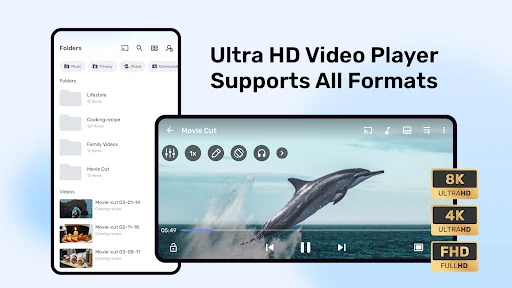
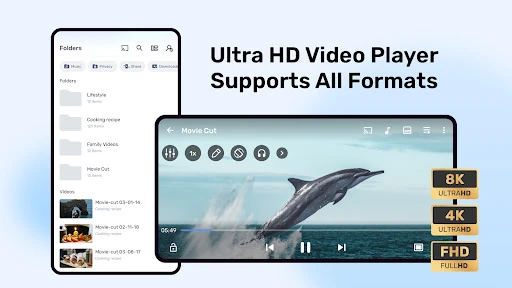
For routine viewing, the most appealing part is having a few ways to adapt the picture without changing the video itself. Pinch-to-zoom and pan can help when the image does not sit comfortably on screen. Hardware acceleration and the HW+ decoder are also listed as playback tools, while multi-core decoding is intended to make use of multi-core devices.
Those features are useful to know about, but I would not assume every video will feel dramatically different. In day-to-day use, the main question is simpler: can I open the file, follow the picture, and keep the subtitles readable? MX Player’s controls are designed to address those small annoyances. That practical focus is more compelling to me than a long feature list on its own.
Subtitle and Privacy Tools
Subtitle support is one of the app’s clearest strengths on paper. Alongside familiar SRT and WebVTT files, MX Player supports formats including SSA and ASS, SAMI, MicroDVD, VobSub, and others. ASS subtitles can retain full styling, while SAMI support includes Ruby tags. That range can be helpful when a subtitle file does not follow the format I happen to use most often.
I also like that subtitle controls account for real viewing conditions. Gestures can move text vertically, change its size, or navigate between subtitle text. The privacy folder offers a way to hide selected videos, and kids lock is intended to prevent children from touching other apps or making calls during playback. Both are specific features, not reasons every person needs the app.
A Simple Viewing Routine
For a quiet evening, I would start with a video already saved on the device and check whether its subtitles are comfortable to read before settling in. If the text sits too low or looks small, the described gestures give me a way to adjust it. If the image needs reframing, I can try zooming and panning rather than abandoning the file or searching for another copy.
On a family viewing session, kids lock is the feature I would consider first, since it is specifically meant to keep playback from turning into accidental app-hopping or calls. For a private video, the privacy folder may be relevant instead. These uses do not require me to treat MX Player as an all-purpose organizer; they let me use the playback tools that match the moment.
Limits to Keep in Mind
The biggest everyday trade-off is that MX Player contains ads, even though the app is free to download. In-app purchases are also available, with listed item prices spanning a wide range. That does not make the player unsuitable, but it is worth considering if I am sensitive to advertising or prefer to know the cost of optional extras before committing to an app.
Its focus on files stored on the device is another boundary, not necessarily a flaw. Someone looking for a streaming catalog or a media-editing workspace may find that MX Player is aimed at a different job. The app’s file access is needed to find and play media, and the description identifies separate permissions for file transfer. I would keep those roles clear when deciding which permissions to grant.
MX Player is a practical choice for Android users who watch local videos and want more than basic play and pause controls. Its broad subtitle support, picture adjustments, privacy folder, and kids lock give it useful flexibility without changing its central role as a player.
I would try it if saved media is already part of my routine and I value subtitle options. If I mainly stream content or strongly dislike ads, it may not be the best match. For everyone else, it is a capable player whose extras are most useful when a real viewing situation calls for them.
MX Player Frequently Asked Questions
What is MX Player used for?
MX Player is an Android video and music player for media files stored on a device. It supports playback features such as hardware acceleration, zooming and panning, and subtitle adjustments. Its description also includes a privacy folder and kids lock. It is centered on playing media rather than browsing a streaming catalog.
Which devices can run MX Player?
MX Player is an Android app distributed through Google Play. The minimum Android version can vary by release and device, so check the current Google Play information for your phone or tablet before installing. The app uses device file access to identify, organize, and play media and subtitle files.
Does MX Player cost money?
MX Player is free to download and contains ads. It also offers in-app purchases, with listed item prices ranging from $0.49 to $239.99. The exact purchase options and prices can vary, so it is worth checking the current Google Play information before buying anything.
Does MX Player support subtitles?
Yes. MX Player supports several subtitle formats, including SRT, WebVTT, SSA and ASS, SAMI, MicroDVD, and VobSub. Its subtitle gestures can adjust text size and position and move between subtitle text. The range may be useful if you use subtitle files in different formats.
Is MX Player a good fit for me?
I would consider MX Player if I regularly watch files saved on an Android device and want flexible subtitle and playback controls. The privacy folder and kids lock may also suit particular household needs. If you mainly want streaming catalogs or prefer an app without ads, its local-player focus and advertising may be less appealing.
Pros
- Supports many subtitle formats, including SRT, WebVTT, SSA, and ASS.
- Gesture controls can adjust subtitle size and position during viewing.
- Zoom, pan, hardware acceleration, and multi-core decoding add playback flexibility.
- Includes a privacy folder and a kids lock for specific viewing needs.
Cons
- Contains ads, which may interrupt an otherwise simple playback experience.
- In-app purchase prices span a wide range, so optional costs deserve a look.
- Its focus is local playback rather than streaming catalog discovery.
- Category
- Video Players & Editors
- Version
- 3.3.1