Yahoo Finance: Stocks & News
- 243.81K
- 4.6
- Installs
- 10.00M
- Price
- Free

Screenshots

Analysis by Reviewed APKs
Yahoo Finance: Stocks & News is a market-tracking and financial news app for people who want to follow investments, companies and broader market events in one place. I found it most useful as a regular check-in tool: watchlists help me keep an eye on specific tickers, while news and research add context to price moves. It is capable without requiring every visit to become a trading session.
A Quick Market Check-In
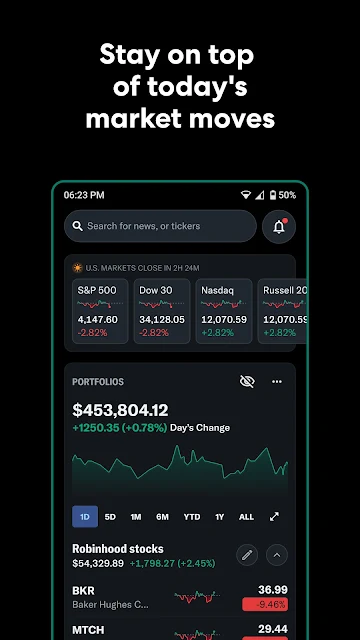
On a busy weekday, I can picture opening Yahoo Finance between other tasks to check a handful of companies and see whether anything important has changed. A watchlist keeps those names together, and the personalized feed brings relevant stories closer to the surface. If a price move catches my eye, I can look at a chart or open the company’s news rather than jumping between several separate resources.
That combination suits a routine built around staying informed, not staring at quotes all day. I can check the market before work, return when an alert flags a price or news update, then read more when I have time. The app includes coverage of stocks and other asset types, along with market reporting and live broadcasts. It gives a casual check-in somewhere to grow into deeper research.
More Than a Quote Screen
Compared with a basic quote lookup, Yahoo Finance brings watchlists, news, company information, charts and community discussion into one app. It can also cover ETFs, bonds, commodities, currencies, crypto and world indices, so its scope goes beyond a list of US stock prices. For someone following several kinds of markets, that breadth can make it a useful everyday reference rather than a single-purpose ticker display.
It is not a budgeting app or a general household money manager, and the supplied features focus on research and monitoring rather than buying or selling securities. Nor would I treat message-board opinions or headlines as a substitute for my own judgment. The app supplies information and tools; deciding what that information means is still up to the user. That distinction matters when market news makes a quick reaction tempting.
Small Habits That Help
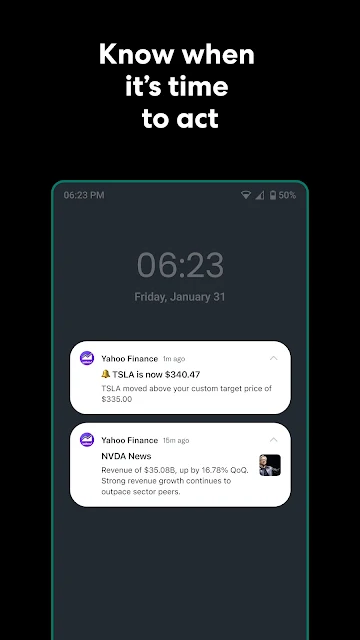
I’d start by making a few watchlists with clear purposes, such as long-term holdings and companies I’m only researching. That keeps a quick scan from turning into an unfiltered scroll through every ticker I follow. Custom price triggers and news notifications can help surface changes worth reviewing, while a personalized feed offers a way to catch stories tied to the companies and sectors already on my radar.
When a company interests me, I’d pair its chart with the available fundamental details and reporting rather than relying on a single number. Historical financials, ESG ratings and top-holder information provide different angles for research, while earnings calls and daily briefings add an audio option. I’d also set a sensible notification routine: alerts are most useful when they highlight something I genuinely plan to follow up on.
More From Our News Desk

Zoom Meetings, Google Meet, or Teams: Which Is Easiest to Join?

How I Build a Free Streaming Lineup With Tubi

Why Crunchyroll Is the Default Anime App for So Many Fans

YouTube TV: A Practical Guide to Cutting Cable

Rummikub and the Small Comfort of Phone Games

TeamViewer Remote Control or AnyDesk for Helping Family?
Who May Find It Useful
I’d recommend Yahoo Finance to self-directed investors and market followers who want a mix of watchlists, company research and financial journalism in one place. It also makes sense for curious readers who follow a few public companies but do not need a full portfolio-management workflow every time they open an app. The range of asset coverage and the ability to organize several lists give it room to serve both casual check-ins and more involved research.
It may be less appealing to someone looking for a simple budget tracker, a quiet reading-only news app or a tool that makes investment choices for them. There is a lot to explore, including charts, alerts, live coverage and community posts, so a person who only wants one number may find the experience busier than necessary. I’d approach its commentary as one source of perspective, not as instructions to act.
Yahoo Finance: Stocks & News is developed by Yahoo and is available on Google Play for Android. It is free to download, with in-app purchases listed at $5.00 to $479.00 per item, and the app contains ads. Google Play gives it a 4.6-star rating from 243,808 ratings, with more than 10 million installs.
The app has an Everyone 10+ content rating. Its current version is 26.21.2. It was released on October 4, 2010, and its last update was November 2, 2026. These details help set expectations about the app’s availability and costs; the free download does not mean every optional purchase is included.
A Closer Look at Yahoo Finance
A Busy First Screen
When I first opened Yahoo Finance, the range of material suggested an app designed for regular market readers, not just someone checking one quote. News, market coverage and tracking tools all belong to the same overall experience. That breadth is useful, though it also means I’d get more from the app after deciding which companies and subjects I actually want to follow.
I’d begin with a short watchlist and then adjust the feed around my interests. The app’s description says that stories are personalized to companies and sectors a person follows, which makes choosing those subjects a practical first step. There is no need to build an elaborate research routine on day one. A few relevant names are enough to make later visits feel more focused.
Following Markets Day to Day
The basic rhythm is straightforward: check a watchlist, notice a move, and open related information when something calls for a closer look. Multiple custom lists make it possible to separate different kinds of interest instead of treating every company as equally urgent. Price and news alerts can bring selected changes to attention, while the app’s reporting helps provide background beyond the movement on a chart.
For users who want to monitor holdings, the app describes portfolio tracking with cost-basis tools and gains and losses. It also says brokerage accounts can be synced to bring external accounts into a unified view. That could reduce the need to switch between several services for a performance check. I would still take time to understand what information I am connecting and how I want to use the resulting overview.
Research Beyond the Headlines
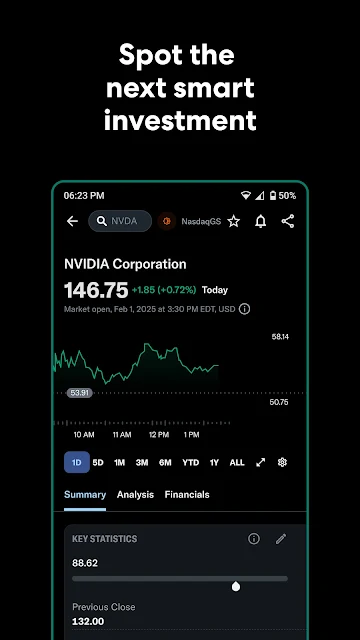
The charting tools are one of the more substantial parts of the offer. Yahoo Finance describes full-screen interactive charts with technical indicators and drawing tools, which gives more room to examine price history than a quick quote view. I can see that being useful when I want to compare a recent move with a longer pattern, provided I’m careful not to mistake a chart for a complete explanation.
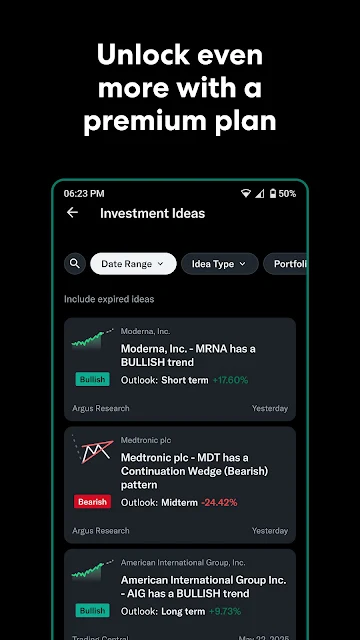
Company research goes beyond chart views. The app includes years of historical financials, ESG ratings and information about top holders, giving users several kinds of detail to consider. Live earnings calls and coverage of events such as FOMC meetings add another layer for people who want to follow developments as they happen. The value is in having these resources nearby, not in treating any one of them as a forecast.
A Practical Weekly Routine
A manageable routine might be to review a focused watchlist in the morning, scan the personalized stories, and save deeper reading for companies with meaningful updates. If I follow an earnings event, I could use the app’s live call coverage, then return to the company’s historical information afterward. That order helps separate the immediate reaction to a headline from the slower work of understanding a business.
I’d keep alerts selective and reserve community message boards for gauging how other users are discussing a ticker. Those posts can show a range of perspectives, but they are not the same thing as reporting or company fundamentals. A few minutes spent sorting watchlists and notification preferences can make the app less noisy. The aim is a repeatable check-in, not a stream of interruptions.
Keep the Scope in Mind
Yahoo Finance covers a lot, and that is both its strength and a possible source of clutter. Someone who only needs occasional prices may not use its live broadcasts, research details, or broad asset coverage. On the other hand, a person who actively follows many companies may appreciate having those pieces together. I’d be selective about which tools I use instead of trying to keep up with every section at once.
The app’s information can help me stay current, but market coverage does not remove uncertainty or make a decision for me. Community sentiment and technical indicators deserve particular care if they start to feel like a signal to act quickly. The in-app purchase range also means it is sensible to check purchase details before opting into anything. For ordinary monitoring, I’d first see whether the free app meets my needs.
Yahoo Finance works best as a flexible market companion: it brings watchlists, financial news, research, charts and event coverage together, with enough depth for users who want to look beyond the daily quote. I like the idea of building a simple, personal routine around it rather than treating every feature as essential.
I’d recommend giving it a try if you follow investments and want one place to monitor companies and read related coverage. If you want budgeting tools or an app that keeps things to a bare minimum, this is probably more than you need. Use its information as context, and keep your own research and judgment at the center.
Yahoo Finance Frequently Asked Questions
What is Yahoo Finance: Stocks & News used for?
Yahoo Finance is used to follow markets, track watchlists and portfolios, and read financial news and company research. It covers stocks as well as assets and market measures such as ETFs, bonds, commodities, currencies, crypto and world indices. Its features also include charts, alerts, live briefings and earnings coverage, making it useful for monitoring and research.
What devices can run Yahoo Finance: Stocks & News?
Yahoo Finance: Stocks & News is an Android app available through Google Play. Device compatibility can depend on the Android device and software version, so check the Google Play store listing for the current requirements before installing. The app’s features include watchlists, market information, news, research tools and portfolio tracking.
What Android version does Yahoo Finance: Stocks & News require?
The minimum Android version can vary by device and app release, so it is worth checking the current Google Play store listing for the requirement that applies to your phone or tablet. Yahoo Finance is listed as an Android app, and the store page is the best place to confirm compatibility before downloading.
Does Yahoo Finance: Stocks & News cost money?
The app is free to download and contains ads. Google Play lists in-app purchases ranging from $5.00 to $479.00 per item, so optional costs depend on what you choose to buy. Check the store listing and any purchase details in the app for current pricing and what an item includes.
Is Yahoo Finance: Stocks & News suitable for beginners?
It can suit a beginner who wants to follow a few companies, read market news and learn how to use watchlists or company information. Its charts, alerts and broad coverage may feel like a lot at first, so starting with a short list is sensible. It provides information and research tools, rather than making decisions for you.
Pros
- Combines watchlists, financial reporting, charts and company research in one app.
- Tracks a broad mix of assets, including stocks, bonds, crypto and commodities.
- Offers customizable price and news alerts for followed companies and lists.
- Includes live briefings and earnings coverage alongside written reporting.
Cons
- The breadth of tools and coverage may feel busy to people seeking only quotes.
- Ads and optional in-app purchases are part of the free app experience.
- Community posts and market indicators still require careful personal judgment.
- Category
- Finance
- Version
- 26.21.2