Citi Mobile®
- 1.38M
- 4.8
- Installs
- 10.00M
- Price
- Free

Screenshots
Analysis by Reviewed APKs
Citi Mobile® is a banking app for checking accounts, handling payments, and managing Citi cards from an Android phone. It suits existing Citi customers who want routine tasks—like reviewing recent activity, depositing a check, or locking a misplaced card—in one place. I find its range of practical tools appealing, especially for people who already bank with Citi, though it is not a replacement for comparing accounts or managing every bank through one provider.
A Banking Errand, Handled
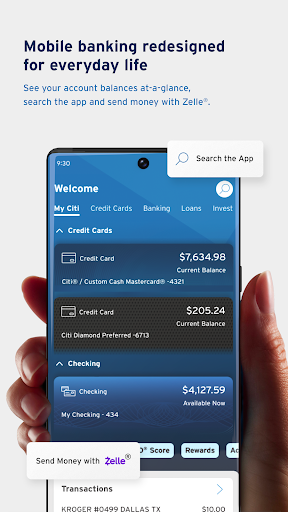
When I first opened Citi Mobile®, I pictured the kind of quick check I make between errands: Is a payment due, did a recent purchase post, and do I need to move money? The app brings account balances, recent activity, statements, and payment tools together. Instead of waiting until I am at a computer, I can use my phone to review the basics and take care of a small banking task while I have a spare minute.
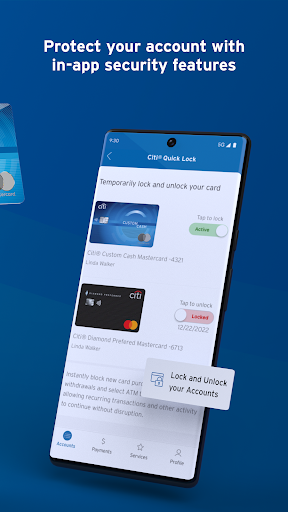
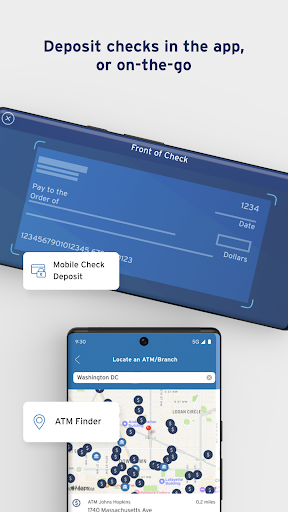
A useful example is getting home with a paper check. The app supports mobile check deposit, so I can handle that task from my device rather than planning a branch visit. If a card has gone missing in the same hectic week, Citi Quick Lock lets me lock or unlock it, and the app also offers a replacement request. Those features make the app feel aimed at ordinary banking chores, not just displaying a balance.
A Citi-Centered Toolkit
Compared with a basic balance-checking app, Citi Mobile® covers more of the routine: bill management, scheduled or same-day payments, transfers, card controls, and account alerts are all part of its feature set. It can also link accounts from other banks, credit cards, and investment accounts for a broader view. That makes it more than a simple card companion, while keeping Citi accounts at the center of the experience.
The distinction matters if you are choosing a financial app. Citi Mobile® is for managing eligible Citi banking and card relationships; it is not a general-purpose budgeting program or a substitute for opening accounts with multiple institutions in one place. Account aggregation and some other tools are described as available on a limited basis. If you mainly want to manage accounts at another bank, this app may not be the right everyday hub.
Small Habits That Help
I would get the most from Citi Mobile® by making a short account check part of an existing routine, such as reviewing recent activity after paying a bill. Account alerts can be tailored to what I want to hear about and when, which may reduce the need to keep reopening the app just to look for changes. The Snapshot feature can show key account information without signing in each time, handy for a quick glance.
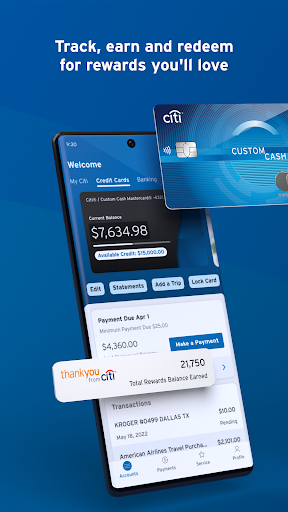
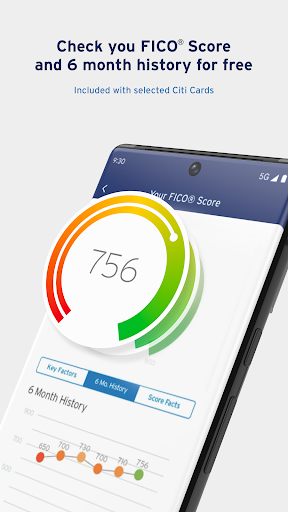
For recurring chores, I would group tasks together: review a statement, confirm upcoming bills, and check whether automatic payments or scheduled payments are set as intended. If I use the card often, the card controls and due-date options are worth knowing about before there is a problem. Citi Mobile® also lets eligible card customers view a FICO® Score, so it can be one stop for several Citi-related checks.
More From Our News Desk

Zoom Meetings, Google Meet, or Teams: Which Is Easiest to Join?

How I Build a Free Streaming Lineup With Tubi

Why Crunchyroll Is the Default Anime App for So Many Fans

YouTube TV: A Practical Guide to Cutting Cable

Rummikub and the Small Comfort of Phone Games

TeamViewer Remote Control or AnyDesk for Helping Family?
Who May Find It Useful
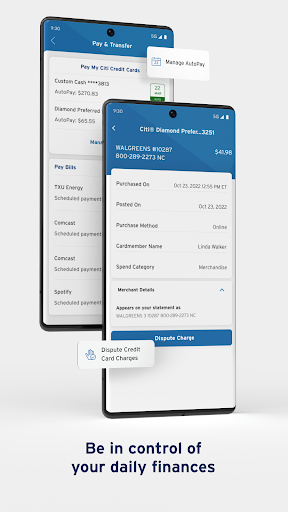
I would recommend Citi Mobile® to people who already use Citi and want everyday account access on their phone. The mix of balances, statements, payments, transfers, mobile check deposit, and card controls covers a lot of common errands. Existing Citi credit card customers may also appreciate the FICO® Score feature and the option to dispute a card transaction and track its status.
It may be less useful if you do not have a Citi relationship or want one app built primarily around detailed budgeting. Some features are available only on a limited basis, and account aggregation may not be equally useful to everyone. I would also avoid choosing any financial app solely for one feature: check the current store details and whether the accounts and services you rely on are supported.
Citi Mobile® is published by Citibank N.A. and is categorized as a finance app. On Google Play, it has over 10 million installs and a 4.8-star rating from about 1.4 million ratings. The app is free to download, with no in-app purchases or ads indicated in the supplied store facts. Its content rating is Everyone.
The supplied app facts give version 9.100.0, a release date of September 22, 2011, and a last update date of October 28, 2026. No minimum Android version is included in those facts, so check Google Play for device compatibility before installing. Availability of particular banking features can depend on the account and service.
Everyday Banking From Your Phone
A Practical First Look
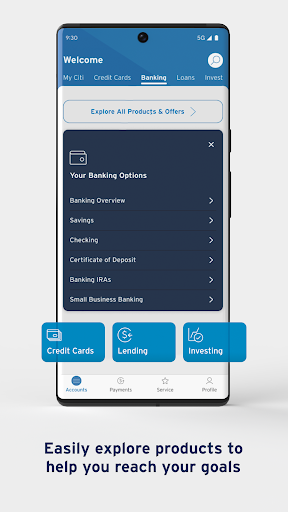
When I first opened Citi Mobile®, the appeal was its breadth: this is meant to cover several kinds of account and card errands, not just show a number on a screen. The navigation menu and shortcuts are designed to get users to frequently used features quickly. For someone who already knows which Citi account they need, that focus can make a short visit feel more purposeful.
The setup experience will matter most to people deciding whether to use it as their regular banking app. I would start by checking the accounts and services I actually use, then try a simple task such as reviewing recent activity. Some features are available on a limited basis, so the complete set may not be relevant or accessible to every customer.
The Day-to-Day Loop
Most banking app visits are brief, and Citi Mobile® is built around that rhythm. I can check balances and recent transactions, look at statements, then make a payment or transfer if needed. For bills, the app supports bill management and recurring payments, as well as same-day or scheduled payments. That combination is useful when I want to handle a task immediately or arrange it for later.
I also like that the app offers more than one way to stay aware of account activity. Snapshot provides a quick look at key information without signing in every time, while Account Alerts let users choose which notifications they want and when. Those tools suit different habits: a quick visual check for some people, a timely prompt for others.
Features With Real Utility
The most distinctive tools are often the ones I hope not to need. Citi Quick Lock can lock or unlock a lost or misplaced card, and the app can be used to request a replacement for a card that is lost, stolen, or damaged. Debit card users can also reset a PIN from a mobile device. These are concrete controls, rather than vague promises about convenience.
Other features help with regular money management. Users can link many bank, credit card, and investment accounts for a wider financial view, and spending insights can show habits and trends across linked accounts. Bill management brings bills and recurring payments together. These tools are described as limited-basis features, so I would treat them as useful possibilities rather than assume every account will offer the same options.
Citi Mobile® also includes Zelle® for sending or splitting payments with people a user trusts, mobile check deposit, and an ATM finder for fee-free locations in the U.S. Eligible Citi credit card customers can view a FICO® Score. Together, these features broaden the app beyond routine balance checks without changing its central role as a Citi banking companion.
A Weekly Account Check
A practical routine might be to open the app once or twice a week, scan recent activity, and review bills that are coming up. If a payment needs attention, I can make it then or schedule it, rather than relying on memory. For a household that divides expenses, Zelle® can be used to pay or split payments with trusted people, according to the app’s description.
I would keep the routine focused rather than turning every spare moment into a financial check-in. Set alerts for the account events that matter, use Snapshot when a glance is enough, and return to the full account view when a transaction or statement needs a closer look. If a card is misplaced, Quick Lock is a helpful control to remember before the situation becomes more stressful.
Limits to Keep in Mind
Citi Mobile® is most compelling when the user has Citi accounts to manage. Its menu of banking and card features does not make it a universal alternative to a dedicated budgeting app, and the usefulness of account aggregation depends on whether linking outside accounts fits the way someone handles money. Users who do not bank with Citi may find little reason to make it part of their routine.
Feature availability is another consideration: the app describes some tools as available on a limited basis. It is sensible to check whether a specific feature works with the account in question rather than plan around it. As with any banking app, I would also keep account access and phone security in mind; fingerprint authentication is offered as an option, but no app feature removes the need for careful account habits.
Citi Mobile® is a substantial everyday banking companion, with practical account access alongside payments, check deposit, alerts, and card controls. Its strongest case is straightforward: if you already bank with Citi, it can bring a number of regular chores onto your phone without asking you to treat the app as a full financial planning system.
I would try it if I were a Citi customer who values mobile access to routine services. People looking for a bank-neutral budgeting tool or an app centered on accounts elsewhere should compare alternatives first. The features are broad, but their relevance depends on your Citi accounts and which options are available to you.
Citi Mobile Frequently Asked Questions
What is Citi Mobile® used for?
Citi Mobile® is used to manage Citi accounts and cards from a mobile device. Its described tools include checking balances and recent activity, viewing statements, making payments and transfers, depositing checks, managing bills, and using card controls. It also offers account alerts and, for eligible Citi credit card customers, access to a FICO® Score.
Which devices can run Citi Mobile®?
Citi Mobile® is an Android app available through Google Play. The supplied facts do not specify a minimum Android version or a full device compatibility list. Check the Google Play app details on your device for current requirements before installing, since compatibility can depend on the device and app version.
What Android version does Citi Mobile® require?
The minimum Android version is not included in the supplied app facts, so I would check the current Google Play details for the requirement. That is the best place to confirm compatibility with a particular phone before installing or updating Citi Mobile®.
Does Citi Mobile® cost anything?
Citi Mobile® is free to download on Google Play, and the supplied facts indicate no in-app purchases or ads. Individual account services may have their own terms, so check the app or account information for details that apply to a particular banking feature.
Is Citi Mobile® useful if I do not bank with Citi?
The app is primarily for managing Citi accounts and cards, so it is likely most useful to existing Citi customers. It describes account linking for a broader financial view, but some features are available on a limited basis. If you mainly use another bank, check the store details and consider whether the supported tools fit your needs.
Pros
- Combines account checks, payments, transfers, and bill management in one Citi-focused app.
- Includes practical card controls, including Quick Lock and replacement requests.
- Offers mobile check deposit, account alerts, and a quick Snapshot view.
- Free to download, with no ads or in-app purchases indicated in the supplied facts.
Cons
- Most useful to people who already have Citi accounts or cards.
- Some features are available only on a limited basis.
- Not designed as a dedicated, bank-neutral budgeting app.
- Category
- Finance
- Version
- 9.100.0