Chase Mobile
- 2.18M
- 4.8
- Installs
- 50.00M
- Price
- Free

Screenshots
Analysis by Reviewed APKs
Chase Mobile brings everyday Chase banking tasks into one app: checking account activity, paying bills, moving money, depositing checks and keeping an eye on spending. I found its appeal is practical rather than flashy: it can reduce the number of times you need to switch between banking tools during a busy week. It suits Chase customers who want routine account access on their phone, though some features depend on eligibility.
A quick banking check-in
When I first opened Chase Mobile, I pictured the small banking moments that interrupt a normal day: checking whether a payment went through, looking at a card transaction while waiting in line, or remembering to move money between accounts. The app brings those jobs together with account activity, transfers, bill payments and check deposit. Instead of putting each task off until I can sit down at a computer, I can handle many of them from my phone.
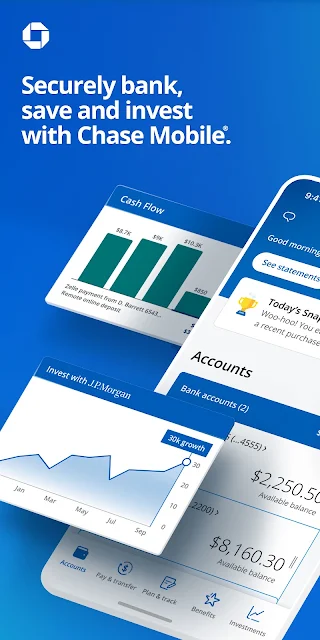
A useful routine is to glance at recent checking and credit card activity, then take care of a payment or transfer while the numbers are already in front of me. The app also offers daily insights and tools to budget and track debit and credit transactions. I would still treat a displayed balance as a snapshot: Chase notes it may not include every recent debit transaction or check, so it is worth keeping that timing in mind.
Banking, not a universal wallet
Chase Mobile makes the most sense if you already have eligible Chase accounts and want a single place to manage them. It covers checking, savings, credit cards, home, auto and business accounts, alongside payments and account transfers. Zelle lets enrolled users send and receive money, while bill payment tools cover Chase credit cards and other bills. That breadth makes it more useful for an existing customer than for someone seeking a general-purpose money app.
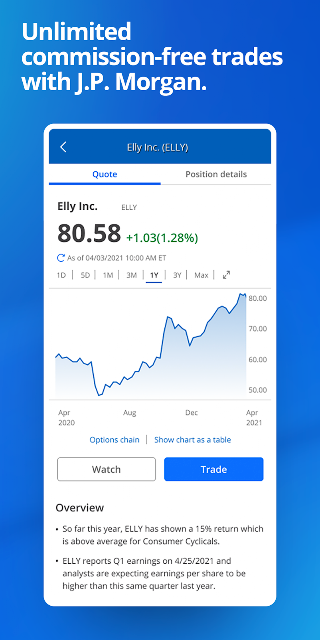
It is also more than a balance-checking shortcut: credit score monitoring, spending tools, rewards, branch and ATM finding, and investment-related features are part of the mix. Still, I would not mistake it for a dedicated budgeting product or a substitute for understanding investment risks. Some tools are limited to eligible customers or accounts, and wealth planning projections are hypothetical. The app is best understood as a bank’s mobile service, with extras attached.
Little habits that help
I get more value from a banking app when I use it in short, repeatable check-ins instead of waiting for a problem. A quick look at account activity after a busy weekend can help me spot transactions I want to review, while a regular visit to the budget and spending tools gives the numbers some context. Chase Mobile also lets users lock and unlock cards, which is a handy control to know about before it is needed.
For payments, it helps to make a habit of checking what is scheduled and which account a transfer involves. The app can schedule and manage bill payments, and eligible users can use Zelle after enrollment. I would also look at rewards and Chase Offers when reviewing an account, rather than assuming every offer applies to every card. These small checks make the app feel less like an emergency tool and more like part of a routine.
More From Our News Desk

Zoom Meetings, Google Meet, or Teams: Which Is Easiest to Join?

How I Build a Free Streaming Lineup With Tubi

Why Crunchyroll Is the Default Anime App for So Many Fans

YouTube TV: A Practical Guide to Cutting Cable

Rummikub and the Small Comfort of Phone Games

TeamViewer Remote Control or AnyDesk for Helping Family?
Who may find it useful
I would recommend Chase Mobile to Chase customers who want common banking tasks close at hand. It has a broad mix of account access, payments, deposits, spending tools and card controls, so it can serve people who otherwise bounce between separate ways of checking and managing their accounts. It may be particularly convenient if you already use several Chase products and want to review them in one place on your phone.
It may be less compelling if you do not bank with Chase, since the app is built around Chase accounts and some features are available only to eligible customers. People looking for an independent budgeting service or investment guidance should also keep its role in perspective: the app offers useful account and planning features, but investment outcomes are not guaranteed. For everyday Chase account management, though, the range of tasks is a strong practical fit.
Chase Mobile is a finance app from JPMorgan Chase. On Google Play, it has over 50 million installs and a 4.8-star rating from about 2.2 million ratings. The app is free, with no in-app purchases or ads. Its content rating is Everyone, making the store’s age classification straightforward for a general audience.
The Google Play version is 4.800. The app was released on November 19, 2010, and its most recent update is dated November 2, 2026. A minimum Android version is not included in the supplied app details, so check Google Play for device compatibility before installing.
Everyday banking, with useful extras
A familiar first impression
My first impression is that Chase Mobile is designed around getting banking chores done, not turning them into a project. Its feature set points to a direct mix of accounts, payments, deposits and money-management tools. If you already have a Chase relationship, the basic purpose is easy to understand: check what is happening, then handle a task without leaving the app.
There is a lot under that broad umbrella, from credit score tools to investment planning and branch information. That variety is useful, but it also means the app serves more than one kind of customer. I would start with the everyday jobs I actually need, such as reviewing activity or scheduling a bill, and explore the other sections as they become relevant.
Routine account management
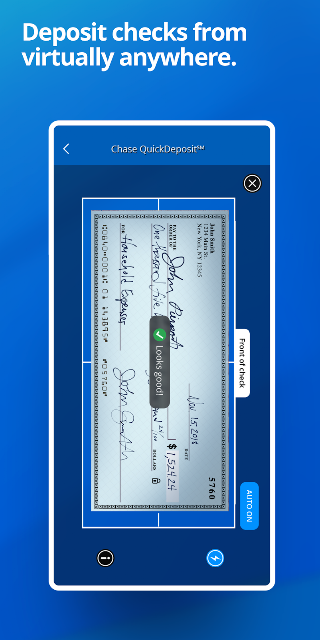
The everyday core is the ability to review activity across supported Chase accounts. That makes a quick account check more convenient when I am away from a computer, whether I am confirming a card purchase or looking over savings. Mobile check deposit is another practical option, while transfers let users move money between accounts. Together, these are the sorts of features that can save a separate trip or a postponed task.
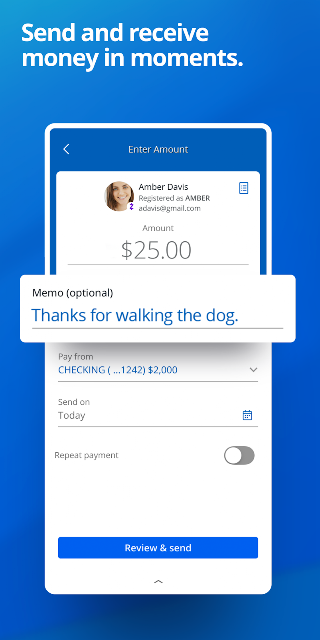
Payments are another substantial part of the experience. Users can schedule and manage payments for Chase credit cards and other bills, as well as send and receive money through Zelle after enrollment. I appreciate that these jobs sit alongside account activity rather than feeling like unrelated add-ons. The main caveat is to check eligibility and timing: features and account availability can differ, and displayed balances may not capture every recent transaction.
More than checking balances
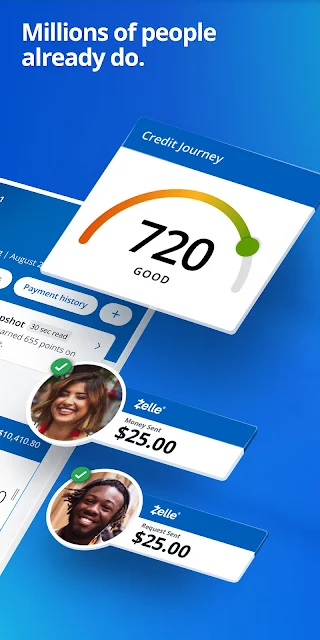
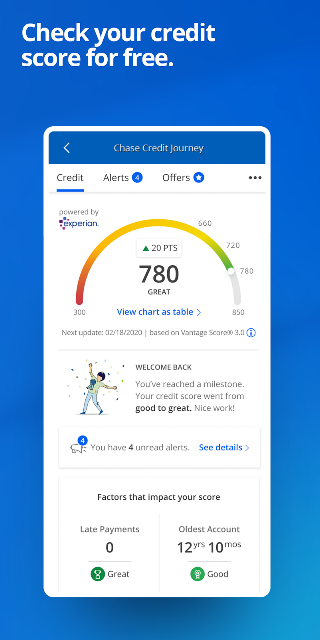
The credit and spending tools give Chase Mobile some extra range. Chase Credit Journey offers a free credit score, score goals and identity monitoring. The app also provides daily insights and tools to budget and track debit and credit transactions. I would treat these as convenient ways to keep an eye on information, rather than as a replacement for careful review of account activity.
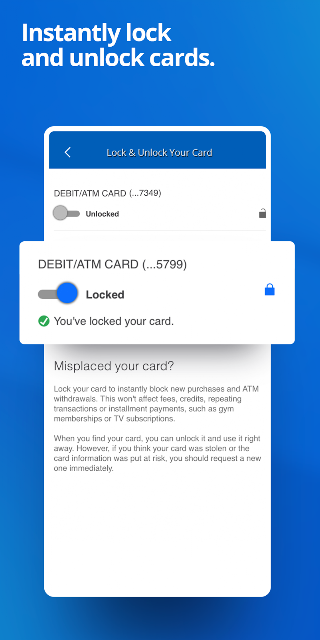
There are practical controls and account extras, too. The app may notify users about unusual card purchases, and it supports locking and unlocking cards. Eligible cardholders can track and redeem rewards and use Chase Offers for statement credit. Users can also find Chase branches and ATMs, schedule meetings with bankers, or chat with representatives 24/7. These features make it useful beyond the moment of paying a bill.
A simple weekly rhythm
A realistic way to use Chase Mobile is to set aside a few minutes once or twice a week. I would review recent checking and card activity, check any upcoming bill payments, and look at spending insights while the week is still fresh. If a payment needs attention, the app can help schedule or manage it; if money needs to move between Chase accounts, transfers are available in the same overall banking toolkit.
A separate monthly check-in could include reviewing rewards and eligible Chase Offers, or looking at the credit score and score goals in Credit Journey. Someone who uses Chase investment services may also explore Wealth Plan to set and track longer-term goals. I would keep those activities separate from routine bill paying: investment projections are hypothetical, and the app itself cautions that results are not guarantees.
Keep the boundaries in view
The main limitation is that this is a Chase-centered app. Its usefulness depends on having relevant Chase accounts, and some functions are available only to eligible customers or accounts. Zelle also requires enrollment, and check deposit is subject to deposit limits; funds are typically available by the next business day. Those details matter if you are relying on a feature for a particular payment or deposit.
I would also avoid treating a balance or an investment projection as the whole story. Chase says account balances may not reflect all transactions, including recent debit purchases or checks. Wealth Plan outcomes are hypothetical, and investing can involve fees and the possibility of losing value. The app is convenient for access and organization, but it does not remove the need to understand the terms attached to individual services.
Chase Mobile earns its place as a practical companion for people who already bank with Chase. Account activity, transfers, bill payments, check deposits and card controls cover the everyday basics, while credit, spending and rewards tools add useful reasons to return. The breadth is a strength, provided you remember that eligibility and account terms shape what is available.
I would recommend it to Chase customers who want to handle routine banking from their phone and keep an eye on several parts of their financial life in one place. If you are looking for a bank-independent service or a dedicated investment adviser, it is not that. For ordinary Chase account management, it is a capable, well-rounded option.
Chase Mobile Frequently Asked Questions
What is Chase Mobile used for?
Chase Mobile is used to manage Chase accounts and handle common banking tasks. Users can review account activity, deposit checks, transfer money, manage bill payments and use Zelle after enrollment. It also includes spending and credit tools, card controls, rewards features, and access to branch information and representative chat.
Which phones and devices support Chase Mobile?
Chase Mobile is available as an Android app through Google Play. The minimum Android version is not included in the app details provided, and some features are available only on select mobile devices or for eligible accounts. Check the Google Play information for current device compatibility.
Does Chase Mobile cost money?
Chase Mobile is free to download and use, and it has no in-app purchases or ads. Individual services may have their own terms, fees or eligibility rules. For example, investment-related products and options trading can involve costs, so check the relevant Chase terms before using those services.
What Android version does Chase Mobile require?
The minimum Android version is not specified in the supplied app details. Requirements can vary as the app is updated and by device, so check the current Google Play page for the latest compatibility information before installing or updating.
Who is Chase Mobile best suited for?
It is best suited to people who bank with Chase and want mobile access to account activity, payments, transfers and related tools. Some features require eligible accounts or enrollment. If you do not use Chase, or want a standalone budgeting or investment service, the app may not match your needs.
Pros
- Combines account activity, bill payments, transfers and check deposits in one banking app.
- Includes useful card controls, spending tools, credit features and rewards access.
- Offers branch and ATM finding plus representative chat around the clock.
- Free to download, with no in-app purchases or ads.
Cons
- Many features depend on having eligible Chase accounts or completing enrollment.
- Displayed balances may not include every recent transaction or check.
- Investment projections are hypothetical, and related products may involve fees and risk.
- Category
- Finance
- Version
- 4.800