Wise: International Transfers
- 2.11M
- 4.8
- Installs
- 50.00M
- Price
- Free

Screenshots


Analysis by Reviewed APKs
Wise: International Transfers is a money app for sending and receiving money across borders, holding several currencies, and spending internationally with an eligible card. I see it as most useful for people who regularly deal with more than one currency, such as travelers, remote workers, or families supporting relatives abroad. Its broad set of services is appealing, though what you can use depends on where you live.
A transfer in context
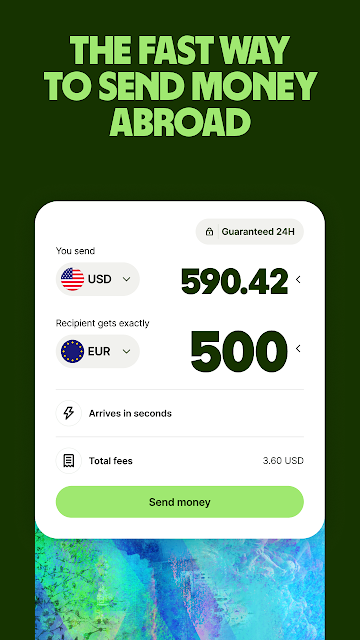
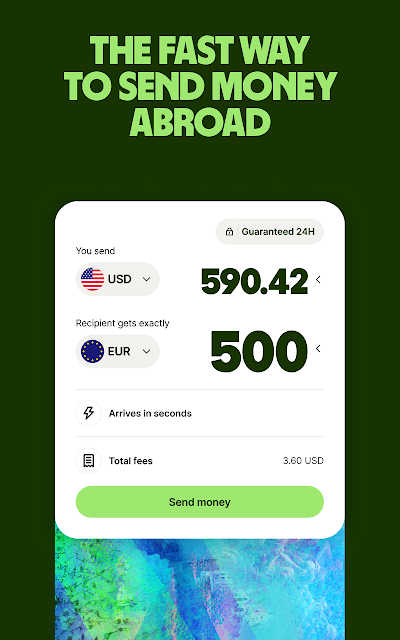
Imagine I need to send money to a family member overseas after payday. Rather than treating the job as a one-off bank transfer, Wise brings international transfers into an app that also handles balances in multiple currencies. I can choose a destination, review the exchange rate and fee, and make the transfer. The exact timing depends on the transaction, but Wise says more than 65% of transfers arrive in under 20 seconds.
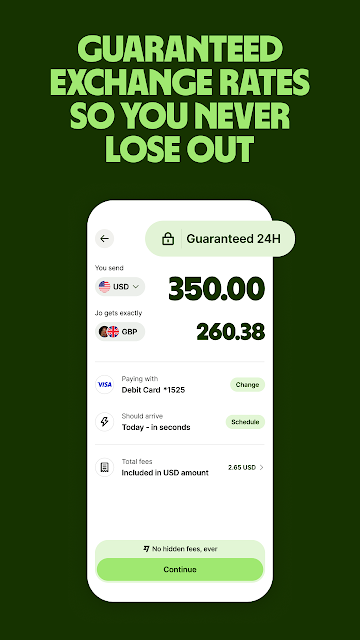
That kind of task is where the app’s central idea makes sense: move money between countries while keeping the exchange rate visible. Wise supports transfers to more than 70 countries, and its description says transfers use the mid-market exchange rate. When I’m sending money, I’d still pay attention to the displayed fee and the amount the recipient is expected to get; the rate alone does not tell the whole story.
More than a transfer app
A conventional bank app may be enough for local payments and everyday banking, while a dedicated transfer service may focus mainly on sending money abroad. Wise sits across a wider set of international money tasks: transfers, currency balances, local account details in some regions, and card spending where available. That range can be handy if I travel or receive income in another currency, rather than needing an app for just one occasional payment.
It is not a universal replacement for a local bank, and it is not a promise that every feature will be available to every customer. Wise says its products depend on location, and the card is limited to eligible consumers and commercial entities. I would think of it as a specialized companion for cross-border finances, not a reason to move every part of my financial life into one app.
Small habits that help
For recurring transfers, I’d make a habit of checking the currency, recipient details, fee, and expected delivery before confirming. That brief pause matters more than rushing through a familiar task. If I keep money in more than one currency, I can also convert between supported balances when needed, rather than treating every international purchase as a separate exchange decision.
Rate Alerts and automatic currency conversion at a chosen rate can help me keep an eye on exchange movements without opening the app constantly. Transaction push notifications also offer a practical way to notice activity as it happens. I’d use these tools as prompts to review my money, not as predictions about where a rate will go or a substitute for checking the details of a particular transaction.
More From Our News Desk

Zoom Meetings, Google Meet, or Teams: Which Is Easiest to Join?

How I Build a Free Streaming Lineup With Tubi

Why Crunchyroll Is the Default Anime App for So Many Fans

YouTube TV: A Practical Guide to Cutting Cable

Rummikub and the Small Comfort of Phone Games

TeamViewer Remote Control or AnyDesk for Helping Family?
Who may find it useful
I’d recommend Wise to people who regularly send money abroad, receive payments in different currencies, or travel enough to value international spending options. It may also suit freelancers and small businesses handling overseas clients, since the app describes business features for getting paid, paying invoices, and connecting with supported platforms. The strongest case is repeated cross-border use: several tools in one place can be more convenient than juggling separate services.
It may be more app than someone needs if all their payments and spending are local, or if they want a single traditional bank for every financial service. Availability, account details, and card access depend on location and eligibility, so I would check what applies before building a routine around a particular feature. People who prefer not to manage currency balances or review transfer details may find the broader toolkit unnecessary.
Wise: International Transfers is developed by Wise Payments Ltd. On Google Play, it has over 50 million installs and a 4.8-star rating from around 2.1 million ratings. The app is free to download, with no in-app purchases or ads shown in the provided store facts. Its content rating is Everyone.
The listed version is 9.48.2. Wise first released the app on March 24, 2014, and the recorded last update is November 4, 2026. The provided facts do not give a minimum Android version, so I would check the Google Play page on the device I plan to use.
A closer look at Wise in daily use
Starting with the basics
When I first consider an international money app, I want to know whether it can do more than initiate a transfer. Wise presents a broader proposition: send money, hold and convert currencies, receive payments through account details in some regions, and use a multi-currency card where available. That gives me a clear sense of its intended role before I decide whether it fits my own routine.
The first practical step is checking which products are offered where I live. Wise explicitly says availability varies by location, so I would not assume that another customer’s card or account details will be available to me. Once I know what applies, I can focus on the tasks I actually need, instead of being distracted by features that may not be part of my account.
The everyday transfer flow
The transfer experience is the natural starting point. Wise supports sending money to more than 70 countries and says it uses the mid-market exchange rate for transfers. I like that the app is built around moving money internationally rather than simply disguising currency conversion as a routine local payment. Before proceeding, I’d review the fee, destination currency, and recipient amount together.
Speed is useful, but it is not the only thing I’d judge. Wise says over 65% of transfers arrive in under 20 seconds, while also noting that timing depends on circumstances and is not available for every transaction. That makes the speed figure a helpful indication, not a timetable for every payment. For a bill or a time-sensitive family transfer, I’d plan around the displayed estimate and leave room for variation.
Currencies, cards, and alerts
The multi-currency account is a notable part of the package. Wise says customers can hold 40 currencies and convert between them, with no monthly or maintenance fee in most cases. It also describes automatic conversion at a chosen rate and Rate Alerts. Those options make the app relevant between transfers, especially if I receive money in one currency and later need to spend or convert it in another.
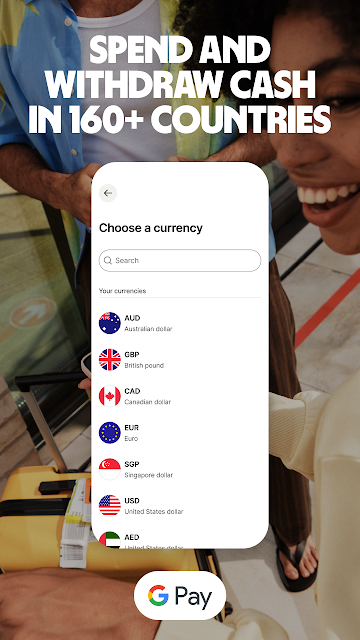
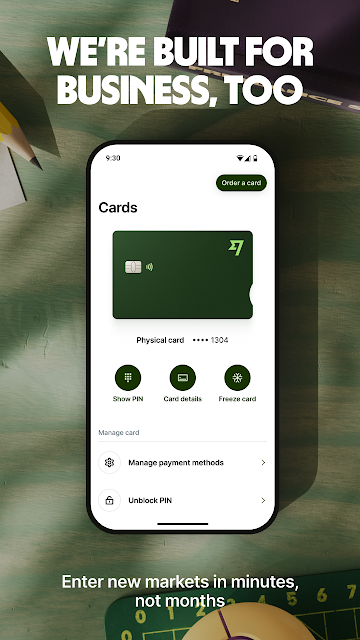
For eligible customers, the multi-currency card can be used to spend or withdraw cash in more than 160 countries. If the balance does not include the local currency, Wise says it can automatically convert a currency the customer holds. The app also supports freezing and unfreezing the card and updating digital card details. These are useful controls to have in the same service, though card access and fees depend on circumstances.
A workable weekly routine
For someone paid by clients in different countries, I can imagine checking incoming payment notifications as part of a weekly money routine. Wise describes local account details in several regions, including a UK account number and sort code, a European IBAN, and Australian account details. The available details vary, but where offered, they can help a customer receive money in multiple currencies and set up direct debits.
I’d then review balances and upcoming needs rather than converting everything automatically. If I have an upcoming trip, I could check whether a suitable currency balance is available; if I expect a transfer, I could review its status and any notification. For business use, Wise also describes paying invoices and connecting to supported services such as Amazon, Stripe, and Xero. These features suggest a practical workflow, not a requirement to use every tool.
Limits to keep in mind
Wise’s range is also its main complication: the service is not identical in every country, and fees vary by transaction type. I would check the details for the particular transfer, card use, or account feature I plan to rely on. The app’s broad currency support does not mean every route or product works in every location, so a quick check before making plans can prevent surprises.
This is a money service, so it deserves the same careful attention I would give any financial app. Wise describes security measures for transfers, including two-factor authentication, encryption, and biometrics, but I would still review payment details before sending. Its description also distinguishes the service from an FDIC-insured bank and says some investment-related services vary by location. I would keep those distinctions in mind when deciding what role the app should play.
Wise makes the most sense when international money movement is part of ordinary life, not an occasional curiosity. Transfers, currency balances, payment details, alerts, and card features give it a broader role than a simple remittance tool. I appreciate that the app’s stated exchange-rate approach and varied use cases are paired with reminders that availability and fees depend on the transaction and location.
I’d try Wise if I regularly send or receive money across borders, travel internationally, or handle payments in multiple currencies. For purely local finances, its extra options may not add much. Before relying on it, I’d check which products are available in my country and review the terms and fees for the specific way I intend to use it.
Wise Frequently Asked Questions
What is Wise: International Transfers used for?
Wise is used to send money internationally, hold and convert multiple currencies, and, where available, receive payments using local account details or spend with a multi-currency card. Its description also covers business tasks such as receiving client payments and paying invoices. Which features are offered depends on where you live.
Which devices can run Wise: International Transfers?
The provided app facts identify Wise as an Android app available through Google Play. They do not specify a minimum Android version, so check the Google Play page from the device you intend to use. Product availability within the app can also depend on your location.
What Android version does Wise require?
The minimum Android version is not included in the provided store facts. Requirements can change with app updates and may vary by device, so it is worth checking the current Google Play page for Wise: International Transfers before installing.
Does Wise: International Transfers cost money?
Wise is free to download on Google Play, and the provided facts show no in-app purchases or ads. That does not mean every transaction is free: Wise says fees vary by transaction type. Check the app’s details for the particular transfer or service you plan to use.
Is Wise suitable for occasional travelers?
It may suit travelers who want international card spending or currency balances, if those products are available to them. It is also aimed at people who send or receive money internationally. If you only handle local payments, the extra features may be unnecessary; availability and eligibility are worth checking in the store and with Wise.
Pros
- Combines international transfers with multi-currency balances, conversion, and eligible card features.
- Supports transfers to more than 70 countries and holding 40 currencies.
- Rate Alerts, transaction notifications, and card controls add useful day-to-day options.
- Business features cover international payments and receiving money from overseas clients.
Cons
- Available products and account details depend on the customer's location.
- Transfer timing varies, and the fastest stated arrivals do not apply to every payment.
- Fees vary by transaction, so users need to review each service's costs.
- Category
- Finance
- Version
- 9.48.2