Stopwatch & Timer
- 85.76K
- 4.4
- Installs
- 10.00M
- Price
- Free
Screenshots
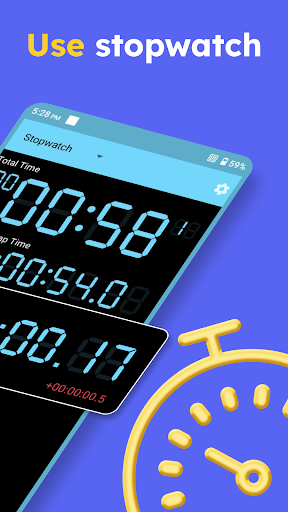
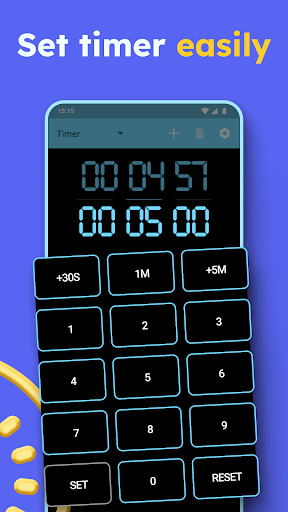
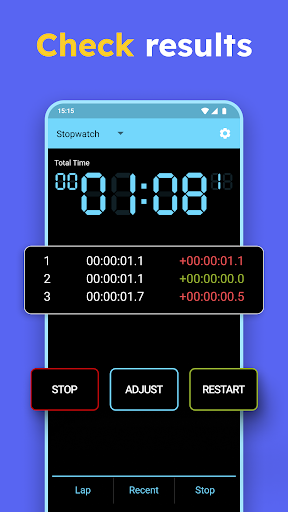
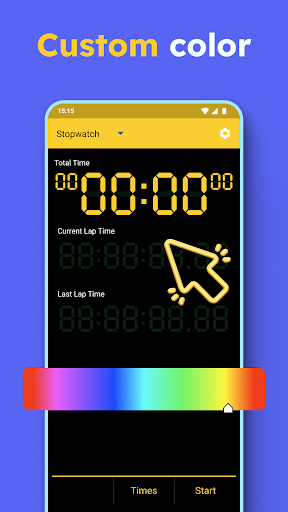
Analysis by Reviewed APKs
Stopwatch & Timer is a straightforward Android app for measuring elapsed time and running countdowns, from a single cooking task to several timers at once. I like its emphasis on a large, readable display and quick controls rather than a crowded set of extras. It suits people who want a dedicated timing tool for everyday routines, though ads and paid upgrades are part of the deal.
Timing a Busy Evening
When I’m cooking a few things at once, it’s easy to lose track of which pan has been on for how long. Stopwatch & Timer gives me a practical way to run separate countdowns without needing to keep switching between them. I can set more than one timer, start them independently, and let them continue in the background if I close the app. That makes it useful for a real kitchen routine, not just a quick demonstration.
The timer can count down for as long as 99 hours, and the app can speak when an alarm goes off. For shorter tasks, the stopwatch starts with one touch and offers lap timing, including spoken lap times. I can imagine using it to time a batch of intervals during a workout or check how long a study session takes. The large digital display is a welcome touch when my phone is resting across the room.
A Dedicated Timing Tool
Most phones already include basic time and calendar tools, so a separate stopwatch app needs to earn its place. Stopwatch & Timer makes its case with a focused combination of stopwatch and countdown functions, plus support for multiple timers running simultaneously. That is handy when a standard clock app feels too limited for a cooking session or when I want lap times without looking for a separate sports tool.
This is not a full workout tracker, calendar, or task manager. Its job is to measure time, and the description keeps the controls simple rather than promising broader activity records or analysis. If I need a detailed history of workouts or a schedule of upcoming events, I would look elsewhere. But for timing a run, a recipe, or a focused work block, keeping the app narrow is part of its appeal.
Small Habits That Help
I get the most from a timer app when I set it before I start the task, rather than trying to remember the time halfway through. For cooking, I’d enter each countdown at the beginning and let the background service handle the reminders. For a study block, one timer can mark the planned work period; the app’s spoken alarm gives me a cue without requiring me to keep checking the screen.
For stopwatch sessions, the lap button is useful when the total time is not the whole story. I can record intervals as I go and see the last lap time, which gives a quick comparison without needing a separate tracking workflow. I’d also choose a display color and size that are easy to read on my device. Those small setup choices make a simple tool easier to use repeatedly.
More From Our News Desk

Zoom Meetings, Google Meet, or Teams: Which Is Easiest to Join?

How I Build a Free Streaming Lineup With Tubi

Why Crunchyroll Is the Default Anime App for So Many Fans

YouTube TV: A Practical Guide to Cutting Cable

Rummikub and the Small Comfort of Phone Games

TeamViewer Remote Control or AnyDesk for Helping Family?
Who Will Find It Useful
I’d recommend Stopwatch & Timer to anyone who regularly needs a clear stopwatch or more than one countdown timer. Home cooks, runners, people doing timed workouts, and students working in focused blocks all have straightforward reasons to use it. The large LED-style display and automatic sizing are especially practical if I want to glance at the screen from a little distance instead of picking up the phone every time.
It may not suit someone who wants detailed training records, task planning, or a completely bare-bones app with no ads or paid options. The basic timing jobs are easy to understand, but the free app includes advertising and offers paid features. If all I need is an occasional single countdown, the clock app already on my phone may be enough. This app makes more sense when timing is a frequent part of my routine.
Stopwatch & Timer is developed by DOSA Apps and is listed in the Tools category on Google Play. It has more than 10 million installs and a 4.4-star rating from about 85,800 ratings. The app is rated Everyone. Its listed version is 6.2.6, with an original release date of March 7, 2012, and a last update date of October 8, 2026.
The app is free to download and contains ads. It also offers in-app purchases, with listed items ranging from $0.99 to $279.99 each. The description says the Pro features include removing advertisements, unlimited timers, stopwatch timing up to 99 hours, and milliseconds to three decimal places. Those paid options are separate from the basic stopwatch and timer functions.
A Closer Look at Everyday Timing
A Clear First Impression
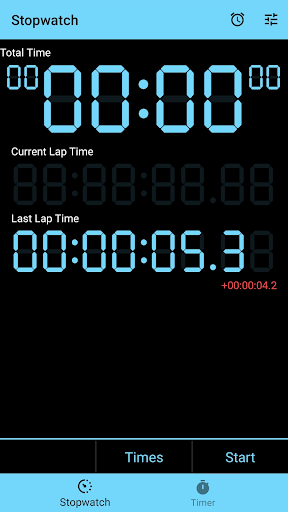
When I first opened the app, the main idea was immediately clear: this is a stopwatch and timer, not a general-purpose organizer. The design is described as minimal, and the large digital readout puts the timing task front and center. That focus matters when I’m setting a countdown with one hand while cooking or getting ready to start an exercise interval.
The app is designed to adjust its layout to the size of the device, and the stopwatch display can change color and scale to the screen. Those details suggest a setup meant to remain legible across different devices. I’d take a moment to choose a color that stands out and check that the digits are comfortable to read from the distance where I plan to use the phone.
The Everyday Controls
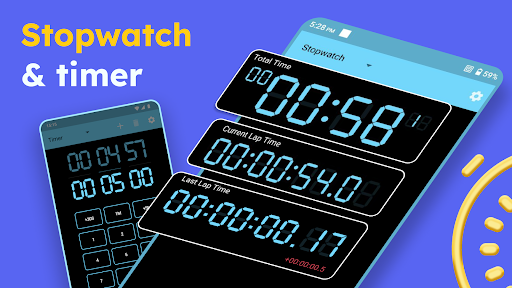
The core experience is built around two familiar jobs: counting up with the stopwatch and counting down with a timer. Starting the stopwatch takes one touch, while the lap function lets me mark intervals during a session. It also displays the last lap time, which is useful when I want a quick comparison as I go rather than relying only on the overall elapsed time.
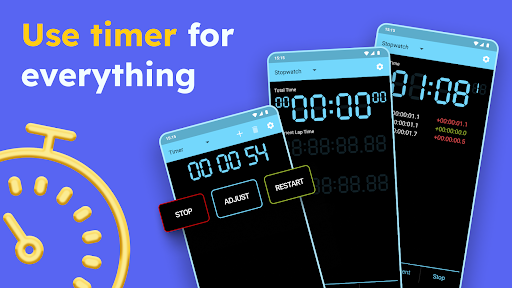
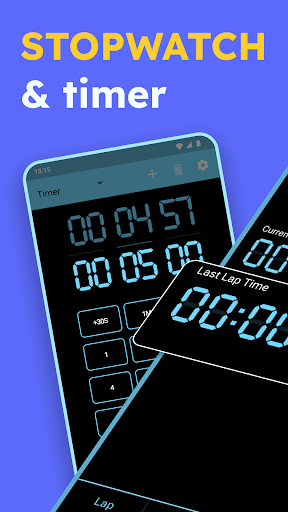
The countdown side is more flexible than a single kitchen timer. I can set multiple timers, start them independently, and have them run at the same time. The timers can continue in the background when the app is closed, so I can move on to another task without leaving the screen open. That is the part I’d expect to use most on a busy day.
Useful Timing Details
Spoken feedback is one of the app’s more practical touches. The timer can speak when it reaches its alarm, and the stopwatch can announce lap times. I like this in situations where looking at the display is inconvenient, such as keeping an eye on a pan or focusing on a running interval. Beep feedback is also included, giving the timing experience an audible cue.
The stopwatch can measure tenths of a second, with an optional hours and millisecond display. The Pro description adds millisecond precision to three decimal places. Multiple countdown timers can run for up to 99 hours, while the Pro description also lists an extended stopwatch duration of up to 99 hours. These options cover both ordinary short tasks and longer timing sessions without turning the app into a complicated dashboard.
A Routine That Sticks
For a practical kitchen routine, I’d set the timers before the food goes on, then let each countdown run on its own. Since the timers can continue in the background, I can switch to another app or put the phone down while I wait. When one finishes, its spoken alarm or beep can bring my attention back. It’s a small workflow, but it helps prevent the familiar “how long has that been going?” guesswork.
For a workout, I’d use the stopwatch for the full session and tap the lap function at each interval I want to note. For studying, I’d set a countdown for a planned work period and leave the phone nearby. These are simple approaches rather than elaborate tracking systems, which is exactly why they can be easy to repeat. A display that is sized for the screen also helps when I want a quick glance.
Limits to Keep in Mind
The app is deliberately focused, so it does not replace a dedicated workout tracker or a full planning tool. The description covers measuring elapsed time, recording laps, and running countdowns; it does not present a broader system for organizing tasks or reviewing activity over time. Anyone looking for those extras should consider whether a timing utility alone will meet their needs before installing it.
Ads are included, and some features are tied to in-app purchases. The listed Pro options include ad removal, unlimited timers, and extra timing precision, so it is worth checking which features are available at no cost if those details matter to your routine. For an occasional timer, the phone’s built-in clock may already be enough. Frequent multitaskers are more likely to appreciate the dedicated controls.
Stopwatch & Timer gets the basics right: a readable stopwatch, lap timing, and multiple countdowns that can keep running in the background. I especially like that it can speak lap times or timer alarms, since that makes it easier to stay focused on the task rather than the display. It is a practical utility, not an all-purpose activity or productivity platform.
I’d recommend giving it a try if you often time cooking, workouts, runs, or study sessions and want more flexibility than a single countdown. If you rarely use timers or prefer an app without ads and paid upgrades, your phone’s built-in clock may be a better fit. For regular timing jobs, the focused feature set is a sensible reason to keep it around.
Stopwatch Timer Frequently Asked Questions
What is Stopwatch & Timer used for?
Stopwatch & Timer is used to measure elapsed time and run countdowns. Its stopwatch includes lap timing and can speak lap times, while its timer supports multiple countdowns that can run independently. The description gives examples such as cooking, sports, workouts, running, and studying. Timer alarms can speak when they go off, and timers can continue while the app is closed.
Which devices can run Stopwatch & Timer?
Stopwatch & Timer is an Android app available through Google Play. The description says its layouts are designed for different device sizes and that its multi-timer support works across device types. For the precise Android version requirement and compatibility with a particular phone or tablet, check the app’s Google Play page, as requirements can vary.
Does Stopwatch & Timer cost money?
The app is free to download and contains ads. It offers in-app purchases, with listed prices ranging from $0.99 to $279.99 per item. The description identifies paid Pro features such as removing ads, unlimited timers, extra stopwatch precision, and stopwatch timing up to 99 hours. Check Google Play for the current purchase details.
What are the requirements for Stopwatch & Timer?
Stopwatch & Timer is an Android app, but the minimum Android version is not specified in the details provided here. Compatibility requirements can depend on the current app release and device, so check the Google Play page before installing if you have an older phone or tablet.
Who should use Stopwatch & Timer?
It is a good fit for people who frequently time meals, workouts, runs, study periods, or other everyday tasks. Multiple simultaneous countdowns and a large digital stopwatch make it useful when a basic single timer feels limiting. If you want detailed activity tracking or do not want ads and paid options, it may not be the right fit.
Pros
- Multiple countdown timers can run independently and continue when the app is closed.
- Large, adjustable digital display is designed to be easy to read at a glance.
- Lap timing, spoken lap times, and timer alarms add useful hands-free feedback.
- Covers everyday cooking, workout, running, and study timing in one focused app.
Cons
- The free app contains ads, with ad removal offered as a paid feature.
- Some timing options, including unlimited timers, are part of the Pro purchase.
- Its focused timing tools do not replace a full activity tracker or task planner.
- Category
- Tools
- Version
- 6.2.6