Portable WiFi - Mobile Hotspot
- 114.59K
- 4.4
- Installs
- 10.00M
- Price
- Free
Screenshots
Analysis by Reviewed APKs
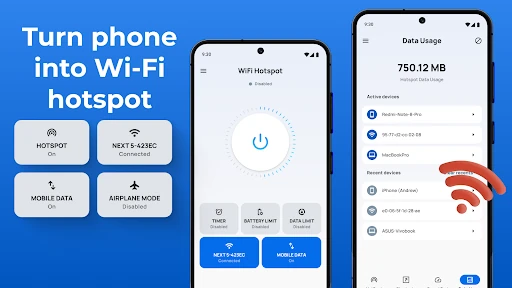
Portable WiFi - Mobile Hotspot is for turning an Android phone into a way to share its internet connection with nearby devices. I can see it helping when a laptop needs to get online during a trip or a friend needs a connection for a while. The useful extras are usage tracking and time limits. It is a practical tethering companion, though it still depends on your phone and mobile plan.
A Quick Connection On The Go
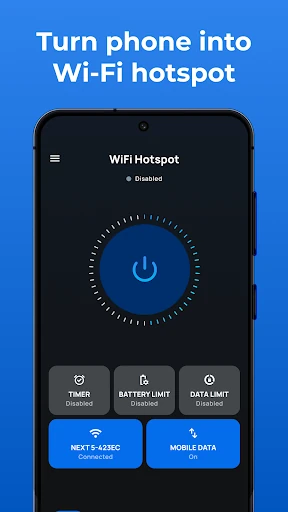
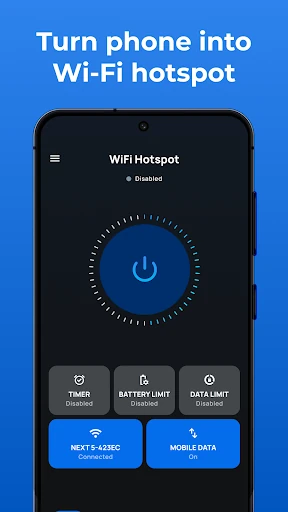
Picture arriving somewhere with a laptop to use and no convenient WiFi. I would open Portable WiFi - Mobile Hotspot, choose a network name and password, and start sharing the phone’s mobile data. That keeps the basic job straightforward: the phone supplies the connection, and the other device joins it. I like that the setup includes the choice to secure the hotspot or leave it open, along with a time limit.
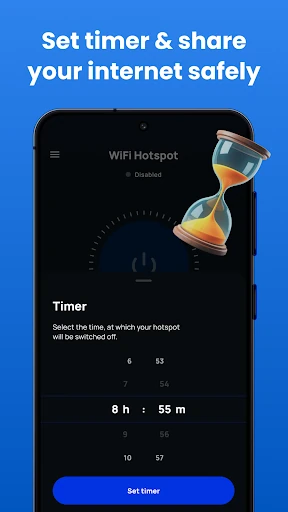
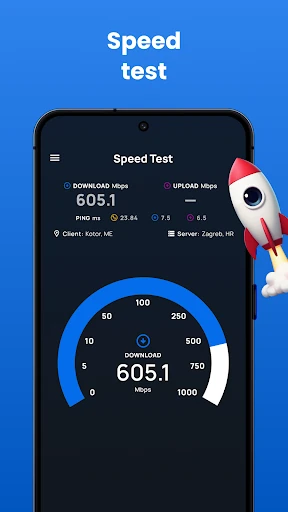
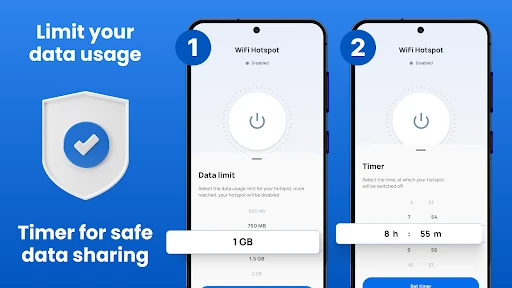
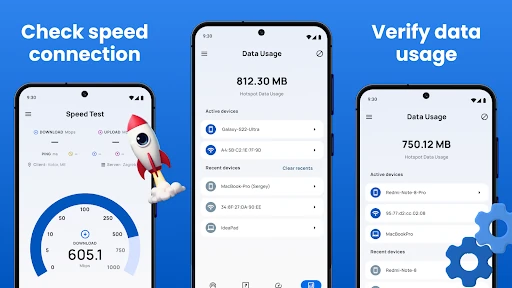
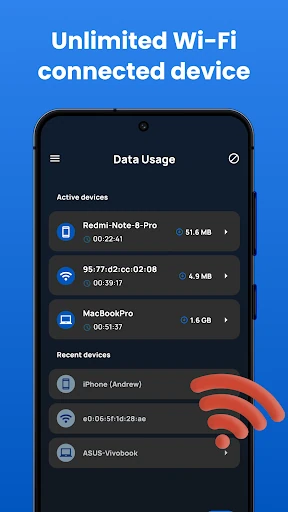
For a short session, the timer and usage information give me a couple of practical checks before I settle in. I can share the connection, keep an eye on how much data has been used, and avoid leaving the hotspot running longer than intended. The app also offers hotspot speed testing. Those tools do not make a weak mobile signal stronger, but they can help me understand the session I’m already using.
A Tethering Companion, Not WiFi
The obvious comparison is the hotspot and tethering controls already available on an Android phone. Portable WiFi - Mobile Hotspot puts hotspot setup and related controls together with options for tracking use, setting limits, and checking speed. I’d reach for it when I want those controls in one place, rather than treating it as a way to find a nearby public network or as a replacement for a dedicated internet service.
The distinction matters: the app shares the phone’s existing internet connection. It does not supply mobile data by itself, and its performance depends on the phone’s connection and the device’s tethering capabilities. For an occasional laptop session or sharing with someone nearby, that can be handy. For a home connection or a consistently strong link in places with poor reception, this is not a workaround.
Small Habits That Help
I’d make naming and securing the hotspot part of the setup routine. Choose an SSID I can recognize, set a password when sharing privately, and check the time limit before turning it on. Those small steps make it easier to identify the right network on a laptop and reduce the chance that I forget the hotspot is still active after the task is done.
The other helpful habit is checking usage before and after a session, especially when I’m sharing mobile data rather than a connection I use without a limit. A session, daily, or monthly limit can help frame that check. I’d also use the speed test when a connection feels sluggish, then consider whether the phone’s mobile signal is the likely constraint instead of expecting the app to fix it.
More From Our News Desk

Zoom Meetings, Google Meet, or Teams: Which Is Easiest to Join?

How I Build a Free Streaming Lineup With Tubi

Why Crunchyroll Is the Default Anime App for So Many Fans

YouTube TV: A Practical Guide to Cutting Cable

Rummikub and the Small Comfort of Phone Games

TeamViewer Remote Control or AnyDesk for Helping Family?
Who Might Find It Useful
I’d recommend Portable WiFi - Mobile Hotspot to Android users who occasionally need to get a second device online and want a few extra controls around tethering. It could suit someone who carries a laptop, shares a connection with family, or wants to monitor data during a short session. The setup choices, usage tracking, speed check, and timer give the basic hotspot task some useful structure.
It may be less appealing if you rarely share your connection or are already comfortable with your phone’s built-in hotspot controls. It also won’t help if the phone lacks a usable mobile connection, and tethering can use mobile data. Anyone sensitive to advertising or in-app purchases should consider those before installing. I’d treat it as a convenience layer, not as a promise of free internet or a stronger signal.
Portable WiFi - Mobile Hotspot is a communication app from DOSA Apps. On Google Play it has over 10 million installs and a 4.4-star rating from about 115,000 ratings. It is free to download, contains ads, and offers in-app purchases. The listed in-app purchase prices range from $0.99 to $99.99 per item. Its content rating is Everyone.
The current version is 3.9.3.1. It was released on January 30, 2021, and its last update was October 22, 2026. No minimum Android version is specified in the supplied app facts, so check Google Play for the requirement on your device. The app description presents it as a tool for sharing an existing phone internet connection over hotspot, Bluetooth, or USB tethering.
How Hotspot Sharing Fits My Day
A Direct First Setup
When I first opened the app, the appeal was the practical focus: get the phone ready to share its connection, then decide how that session should run. The described setup asks me to select a network name, choose whether to secure it, set a password if needed, and choose a time limit. That is more useful than a bare on-off switch when I want to think through access before connecting another device.
The app is described as working without root access and as supporting phone and tablet screens. I appreciate the low-friction idea, but hotspot behavior still relies on Android’s tethering support and the phone’s settings. I’d make sure the other device can see the network and enter the password correctly before assuming the setup has gone wrong.
The Everyday Tethering Loop
For an ordinary session, I’d start by deciding what needs the connection and for how long. I can turn on the hotspot, connect a laptop or another mobile device, and get on with the task. A widget is described for switching the shared network service on or off, which could make the most frequent action quicker once the setup is familiar.
Afterward, I’d check usage and switch the hotspot off when I’m finished. That simple loop is where the app’s extra controls make sense: the timer can place an endpoint on a session, while usage details provide a way to review how much data went through. Neither replaces checking my mobile plan, but both can make tethering feel less like something I leave running and forget.
More Than WiFi Sharing
The feature set goes beyond a WiFi hotspot. The description also explains Bluetooth tethering: start from the app, choose the Bluetooth tethering option, then pair the other device through the phone’s Bluetooth settings. That route may suit a situation where I’d rather connect devices by Bluetooth than have them join the WiFi hotspot.
USB tethering is another option described for connecting a laptop by cable. The app also includes a speed test and controls for limits by session, day, and month. I find that combination more compelling than a long feature list because each tool supports a clear step: connect a device, check the session, or put a boundary around shared data.
A Sensible Short Session
A realistic routine would be using a laptop for a focused task while away from familiar WiFi. Before I start, I’d choose a recognizable network name and password, set an appropriate timer, then connect the laptop. If the connection seems slow, I could use the speed test and check whether the phone has a strong mobile connection, rather than assuming the hotspot app can change the underlying signal.
When the task is done, I’d turn sharing off and review data use. If I planned to share regularly, I’d make the session, daily, or monthly limits match how I want to keep track of usage. That routine is modest, but it makes the app’s tools relevant without asking it to do more than share a connection the phone already has.
Keep Expectations Grounded
The main limit is that tethering uses the phone’s internet connection. If mobile reception is poor or the plan has limited data, this app cannot create better coverage or make data use irrelevant. Sharing with several devices also means those devices depend on the same connection. I’d pay attention to the phone’s signal and data use rather than treating a hotspot as unlimited just because it is easy to start.
There are also the ordinary trade-offs of a free app with ads and optional in-app purchases. Users who only need to toggle Android’s built-in hotspot may not need another app, while people seeking a WiFi finder or standalone hotspot hardware are looking for something different. The added limits and connection methods are useful, but they do not change the basic job.
Portable WiFi - Mobile Hotspot makes the phone’s tethering role easier to manage with setup choices, usage tracking, limits, a timer, and more than one sharing method. I like its practical emphasis, especially for occasional sessions. Its value depends on whether those controls add something to the hotspot tools already on your phone.
I’d try it if I regularly share mobile data with a laptop or another device and want clearer session boundaries. If you rarely tether, or need internet where your phone has no connection, it is unlikely to change your routine. Keep an eye on data use and check the store for device requirements.
Portable WiFi Frequently Asked Questions
What is Portable WiFi - Mobile Hotspot used for?
Portable WiFi - Mobile Hotspot helps an Android phone share its existing internet connection with other devices. The described options include WiFi hotspot, Bluetooth tethering, and USB tethering, along with usage tracking, speed testing, and time or data limits. It does not provide a separate internet connection; the shared connection comes from the phone.
Which devices can run Portable WiFi - Mobile Hotspot?
The app is described as an Android app that can be used on phones and tablets. Whether it works on a particular device depends on its Android version and tethering support. Check the Google Play store entry for the Android requirement and compatibility details for your device.
What Android version does Portable WiFi - Mobile Hotspot require?
The available app facts do not give a minimum Android version. Requirements can vary by device and app version, so check Portable WiFi - Mobile Hotspot on Google Play for the current compatibility information before installing.
Is Portable WiFi - Mobile Hotspot free?
The app is free to download and contains ads. It also offers in-app purchases, with listed item prices ranging from $0.99 to $99.99. Check Google Play for the current purchase details, since available items and prices may vary.
Who should use Portable WiFi - Mobile Hotspot?
It may suit Android users who sometimes share their phone’s mobile connection with a laptop, tablet, or another phone and want tools for usage and time limits. It may be unnecessary if you rarely tether or prefer the phone’s built-in controls. It also depends on having a working internet connection on the phone.
Pros
- Combines hotspot setup with usage tracking, speed testing, and time limits.
- Describes WiFi, Bluetooth, and USB tethering options.
- Offers session, daily, and monthly data limit controls.
- Free to download, with a clear everyday tethering purpose.
Cons
- Sharing still depends on the phone’s connection and available mobile data.
- Contains ads and offers in-app purchases.
- May add little for users satisfied with built-in hotspot controls.
- Category
- Communication
- Version
- 3.9.3.1