Recorder
- 16.05K
- 3.3
- Installs
- 1
- Price
- Free
Screenshots
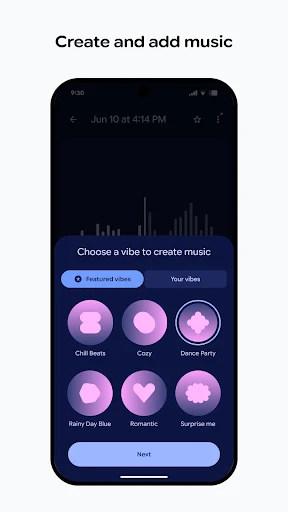
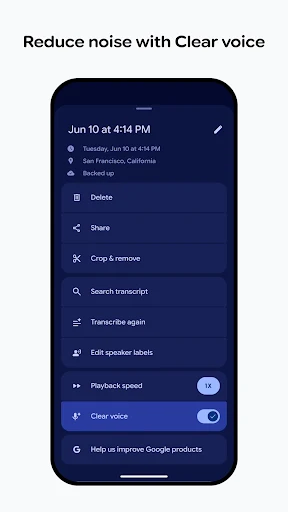
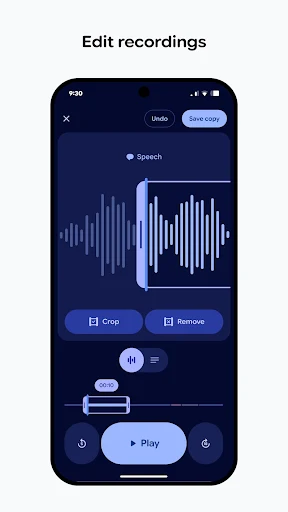
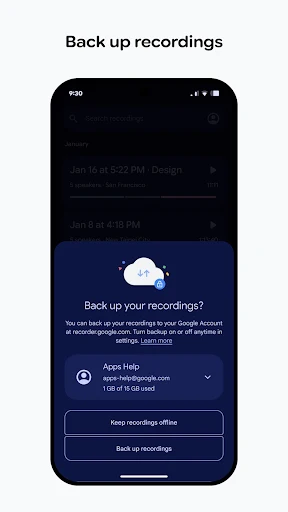
Analysis by Reviewed APKs
Recorder is Google’s audio-capture app for people who want more from a recording than a file they have to replay from the beginning. It records everyday moments, then automatically transcribes and labels audio so it is easier to find useful sections later. After spending time with its mix of straightforward recording and text-based tools, I see it as a practical fit for meetings, classes, and quick thoughts, especially for people using a Pixel phone or Pixel Watch.
A recording you can revisit
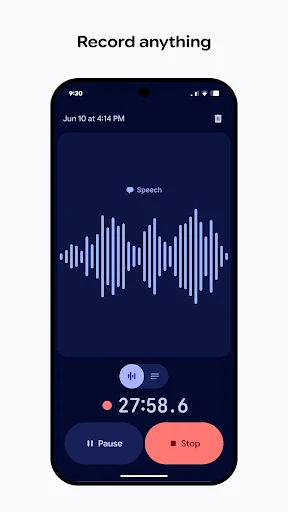
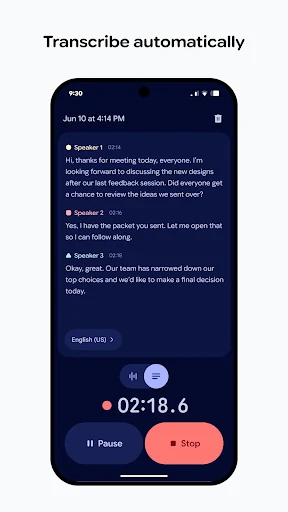
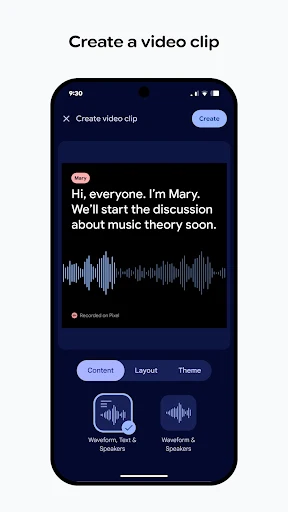
When I first opened Recorder, I thought about the small moments when I usually reach for a voice memo: a thought while walking, a detail from a meeting, or a question I want to remember after class. The basic job is simple: capture audio now and come back to it later. The difference is that Recorder can automatically transcribe and label what you record, giving you another way to locate the part that matters.
For a meeting, I could start a recording and stay focused on listening rather than trying to type every sentence. Later, I could look through the transcription and labels to find a passage, then listen to the audio, edit it, share it, or save it. That kind of revisit is the useful part of the experience. It turns a long recording from something I might avoid replaying into material I can search through more deliberately.
More than a voice memo
A basic voice recorder is enough when I only need to capture a short reminder and play it back once. Recorder is aimed at a slightly different routine: it pairs recording with transcription and labels, and the description also includes editing, sharing, listening later, and summarizing. That makes it more appealing when the audio is information I expect to use again, such as a lecture, a conversation, or a band practice.
I would not treat it as a full note-taking system, a meeting platform, or a substitute for being present. Its central job is still recording audio, with tools to help revisit it afterward. If I need polished written minutes or a complete project workspace, this description does not promise those things. For capturing sound and making the resulting recording easier to navigate, though, it has a clearer purpose than a bare memo app.
Small habits, easier retrieval
The best habit is to make a recording with a specific reason to return to it. A quick spoken thought can stay a quick thought; a longer class or meeting recording benefits more from the transcript and labels. I would give a recording a sensible name and, when I have time, edit it or share it while the context is still fresh. Those simple steps make a growing collection less like a pile of anonymous audio.
I also like the idea of treating transcription as a starting point rather than the whole record. If a phrase looks important, I can use it to find the section and listen to the audio again. For a short reminder, that extra step may be unnecessary; for a longer discussion, it can save time. Recorder also supports a Wear OS tile for quickly capturing moments and thoughts on a phone or Pixel Watch, which suits spontaneous use.
More From Our News Desk

Zoom Meetings, Google Meet, or Teams: Which Is Easiest to Join?

How I Build a Free Streaming Lineup With Tubi

Why Crunchyroll Is the Default Anime App for So Many Fans

YouTube TV: A Practical Guide to Cutting Cable

Rummikub and the Small Comfort of Phone Games

TeamViewer Remote Control or AnyDesk for Helping Family?
Who may find it useful
I would recommend Recorder to people who regularly capture spoken information and later need to locate a particular idea. Students revisiting lecture audio, people keeping track of meeting discussions, musicians recording practice, and anyone saving family memories all match the uses described for the app. The transcription and labels are most valuable when recordings run long enough that replaying the whole thing would be a chore.
It may be less compelling if you only make occasional, very short voice notes and never need to search or revisit them. I also would not choose it on the assumption that it replaces typed notes or provides a full collaboration workflow. Its described strengths are recording, transcription, labeling, and working with the resulting audio. The Wear OS option may appeal to people with a compatible watch, but the main experience is still centered on a phone.
Recorder is developed by Google LLC and is listed in the Tools category. On Google Play, it has a 3.3-star rating from about 16,000 ratings and shows 1+ installs. The app is free, with no in-app purchases and no ads. Its content rating is Everyone, so the store classification is suitable for a broad audience.
The listed release date is October 1, 2019, and the last update date is October 21, 2026. The version is shown as varying by device, rather than as one fixed number. Recorder is available for Android, and its description also mentions Wear OS support, including a dedicated watch face tile for quickly starting a capture from a phone or Pixel Watch.
A closer look at recording and retrieval
Getting started
My first impression is that Recorder has a very easy-to-understand purpose. It is there to capture audio, not to make me build a complicated system before I can get started. That matters when the moment is brief: I want to preserve a thought or a sound without turning the process into a project. The app’s transcription and labeling are what make it feel more considered than a recorder that only leaves me with playback.
The setup question I would ask myself is what I expect to do with recordings afterward. If I plan to revisit interviews, lectures, or discussions, transcription and labels have a clear role. If I only want a tiny spoken reminder, I may not use those tools every time. Recorder is also described as available on Wear OS, with a dedicated tile for capturing a thought quickly on a phone or Pixel Watch.
The everyday experience
Day to day, the key advantage is having audio and a text version connected to the same recording. I can record a conversation, then use the automatically generated transcription and labels to help find sections instead of relying only on memory or scrubbing through the entire clip. When the exact wording or sound matters, I can listen again. That combination gives the app a useful rhythm: capture first, make sense of it later.
What surprised me is how many ordinary situations fit that rhythm. A lecture, a meeting, a band practice, or a family memory can all be worth keeping for different reasons. The app does not need to change its basic job for each one. I can save, edit, share, listen later, or summarize, depending on what I want from a particular recording. It is a straightforward set of ways to revisit what I captured.
Useful tools beyond audio
Automatic transcription is the standout feature for me because it changes how approachable a longer recording feels. Instead of assuming I will remember where an important exchange happened, I have text and labels to help me find relevant parts. The audio remains available to listen to, which is important when a transcript alone does not preserve the sound or context I want to check.
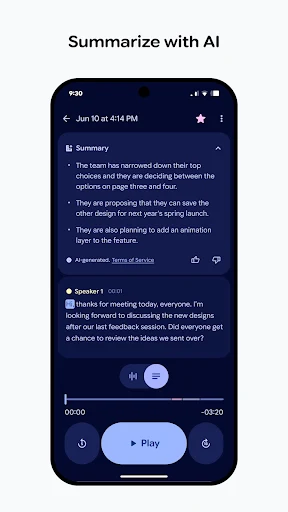
The description also says recordings can be edited, shared, saved, and summarized. Those options make the app useful after the capture itself: I can keep a recording for later, pass it along, or work with its contents in another way. I would keep expectations grounded, though. The supplied details describe these capabilities but do not set out a particular editing workflow or what a summary contains.
A routine that works
For a class or meeting, I would start by deciding that the recording is a backup for later review, not a reason to stop paying attention. Once it is over, I could look through the transcription and labels, find the parts I need, and listen to those sections again. If I want to keep or pass along the material, the app’s save and share options give me a next step without changing the basic routine.
For spontaneous ideas, the same process can be lighter. I can capture a thought quickly, then decide later whether it deserves editing, sharing, or summarizing. The Wear OS tile is a useful fit for that sort of moment because the description presents it as a fast way to capture on a phone or Pixel Watch. I would use it to reduce friction, not as a reason to record everything around me.
Limits to keep in mind
Recorder is still centered on audio. Its transcription and labeling help with retrieval, but they do not turn a recording into a fully structured set of notes or a complete record of every discussion. For anything where exact wording matters, I would listen back to the relevant audio rather than assume the text alone is enough. The app’s own description gives the option to listen later, which fits that careful approach.
The Google Play rating is 3.3 stars from around 16,000 ratings, so the store reception is mixed rather than overwhelmingly positive. I would consider that alongside the features that match my needs and check the current store information for device-specific details. The version varies with device, and the minimum Android requirement is a detail worth checking for a particular phone before installing.
Recorder makes the most sense when I know I will want to return to what I captured. Automatic transcription and labels give longer audio a more practical second life, while editing, sharing, saving, listening, and summarizing cover common follow-up tasks. It keeps its focus on recording instead of trying to be an all-purpose productivity suite.
I would try it if I regularly record meetings, lectures, practice, or personal thoughts and want help finding useful sections afterward. If my needs stop at occasional short memos, a simpler recorder may be enough. For the right routine, Recorder is a thoughtful audio tool with a clear everyday purpose.
Recorder Frequently Asked Questions
What is Recorder used for?
Recorder is used to capture audio such as meetings, lectures, band practices, family memories, and personal thoughts. It can automatically transcribe and label recordings so it is easier to find relevant parts later. You can also save, edit, share, listen to recordings later, or summarize them, according to the app description.
Which phones and devices support Recorder?
Recorder is an Android app on Google Play. Its description also mentions Wear OS support, including a dedicated watch face tile for quickly capturing moments and thoughts on a phone or Pixel Watch. Device compatibility can vary, so check the Google Play store page for the requirements and availability that apply to your device.
What Android version does Recorder require?
The minimum Android version is not provided in the available app details, so I would check Recorder’s Google Play store page before installing. Requirements can vary with the device and app version. The version itself is described as varying by device, rather than appearing as one fixed version number.
Does Recorder cost money or include ads?
Recorder is listed as free on Google Play, with no in-app purchases and no ads. Store details can change, so it is sensible to check the current page before installing if cost or purchase options are especially important to you. The listed content rating is Everyone.
Is Recorder a good fit for my routine?
I would consider Recorder if you often capture longer spoken material and want to find useful parts later using transcription and labels. It may be more than you need for occasional short reminders that you never revisit. The app is focused on recording and working with audio afterward, rather than replacing a full note-taking or meeting system.
Pros
- Automatic transcription and labels make longer recordings easier to revisit.
- Supports practical follow-up, including editing, sharing, saving, and listening later.
- Wear OS tile offers a quick capture option for phone or Pixel Watch use.
- Free to install, with no in-app purchases or ads listed.
Cons
- A 3.3-star Google Play rating suggests a mixed reception from users.
- The minimum Android requirement should be checked for a specific device.
- Audio-focused tools may be unnecessary for people who only need brief reminders.
- Category
- Tools















