Google Find My Device
Listed on Google Play as “Google’s Find Hub”
- 1.69M
- 4.2
- Installs
- 1.00B
- Price
- Free

Screenshots
Analysis by Reviewed APKs
Google’s Find Hub helps me locate a phone and other devices, keep track of supported items, and share my live location with people I know. It suits anyone who has misplaced a device or regularly coordinates meetups and family check-ins. I like that it brings those jobs together, while its usefulness depends on having compatible devices and on location sharing being something everyone involved wants to use.
When Something Goes Missing
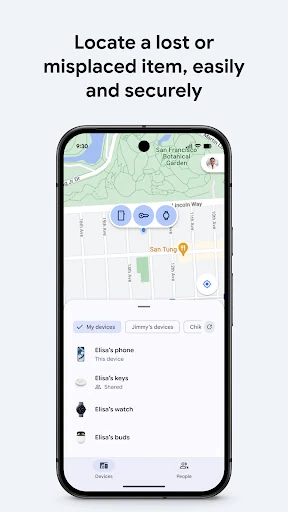
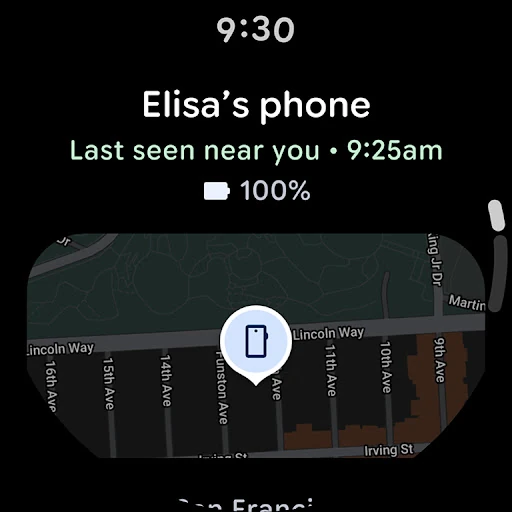
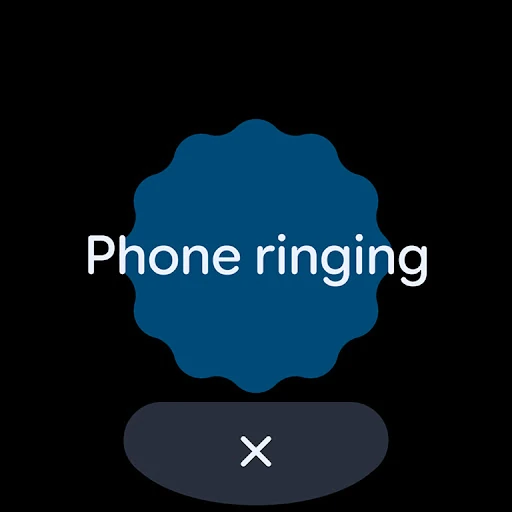
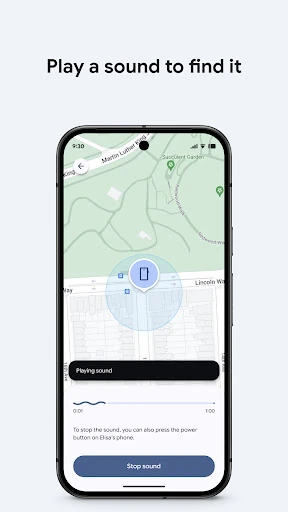
Picture the familiar rush of getting ready to leave and realizing my phone is somewhere in the house. Find Hub gives me a map view of my devices and accessories, so I can check their reported locations instead of immediately retracing every step. If the missing device is nearby, I can play a sound to help pinpoint it. That makes the app useful for the small, everyday losses that otherwise interrupt a morning.
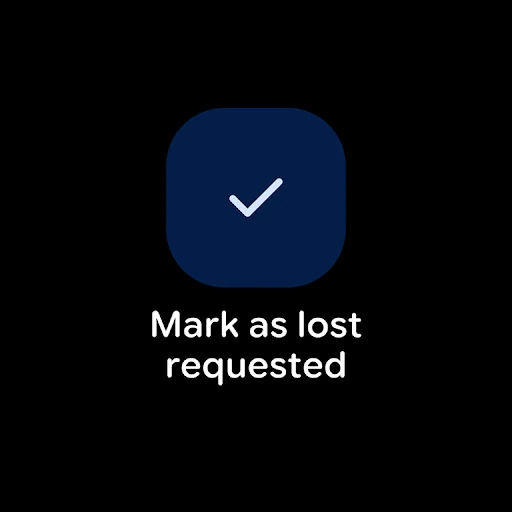
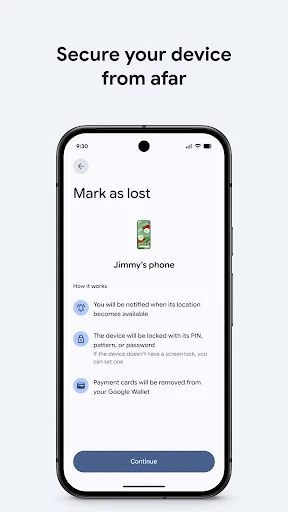
The map is also intended to show devices and items when they are offline, which can be helpful when a connection is unavailable. If a device is genuinely lost, the app offers more serious options: I can remotely secure or erase it, or put a custom message on its lock screen in case someone finds it. Those tools give the app a role beyond simply locating a misplaced phone.
A Locator, Not a Tracker
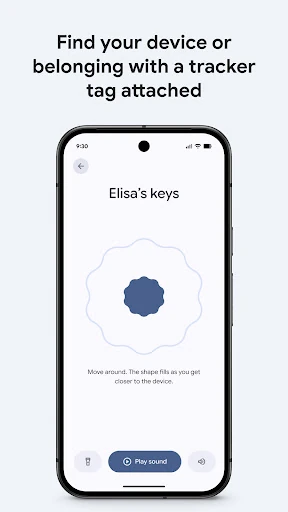
Find Hub overlaps with the basic ways I might look for a phone, but it gathers device location, nearby sound playback, and remote security actions in one place. It can also show supported headphones and other accessories, rather than treating the phone as the only device worth finding. Support for mobile devices and supported Wear OS devices extends where I can use it, though the available devices still matter.
It is not a general navigation or trip-planning app, and its location-sharing feature is about coordinating with friends or family rather than replacing a conversation. I would not treat it as a reason to monitor someone who has not chosen to share their location. The app is most useful when locating my own devices or when everyone involved agrees that sharing a live location will help with a particular plan.
Small Habits That Help
I would make Find Hub more useful by thinking about it before a device goes missing. Keeping the app in mind as the place to check for a phone, tablet, headphones, or another supported accessory means I am less likely to waste time switching between different approaches. When an item is nearby, the sound option is a practical next step after checking its map location.
For location sharing, I would use it around a specific plan: meeting a friend in a busy area or checking whether a family member has arrived home. A clear, limited purpose makes the feature feel helpful rather than intrusive. If I lose a device away from home, the options to secure it, erase it, or display a finder message are worth knowing about in advance.
More From Our News Desk

Zoom Meetings, Google Meet, or Teams: Which Is Easiest to Join?

How I Build a Free Streaming Lineup With Tubi

Why Crunchyroll Is the Default Anime App for So Many Fans

YouTube TV: A Practical Guide to Cutting Cable

Rummikub and the Small Comfort of Phone Games

TeamViewer Remote Control or AnyDesk for Helping Family?
Who May Find It Useful
I would recommend Find Hub to Android users who sometimes misplace a phone, tablet, headphones, or other supported accessory and want a straightforward place to check for them. It also makes sense for people who coordinate meetups or family check-ins using live location sharing. Its combination of device-finding tools and optional sharing gives it more than one practical use without making those uses feel unrelated.
It may be less appealing to someone who does not want location sharing or has no compatible devices and items to locate. The sharing feature should be a mutual convenience, not an expectation. I would also keep in mind that map information and device actions are only useful when the relevant devices and settings support them. For occasional lost-phone stress, though, having these options available in one app is a sensible convenience.
Google LLC develops Google’s Find Hub. On Google Play, it has over a billion installs and a 4.2-star rating from about 1.7 million ratings. The app is free, with no in-app purchases or ads, and it has an Everyone content rating. Its version varies with the device.
The app was released on December 11, 2013, and its listed last update is October 21, 2026. The minimum Android version is not included in the available app details, so I would check Google Play for device-specific compatibility information before installing.
Finding Devices Without the Fuss
A Practical First Impression
When I first opened Find Hub, the appeal was easy to understand: it is built around finding devices and items, with location sharing as a second everyday job. That combination feels practical rather than sprawling. The app’s map-based view gives the main task a clear shape, and the description makes it clear that it is meant for phones, tablets, headphones, and other accessories.
I would start by checking which of my devices and items are supported and whether they appear in the app. The experience depends on that compatibility, so it is worth setting expectations before relying on it in a hurry. Find Hub also works on supported Wear OS devices, giving users another supported way to find their devices and items.
The Everyday Search
The core routine is simple to picture: open the app, look at the map, and decide what to do next. If the device is close, playing a sound can help me search the room, a bag, or the car. If it is not nearby, the map provides a starting point for thinking through where it might be. Those are useful steps when I want a quick answer rather than a long search.
Offline device visibility is another meaningful part of the experience. It means the app can show devices and items on a map even when they are offline, though that does not make every device action available in every situation. I like that the app pairs a location view with practical next steps instead of making the map the whole story.
More Than a Map
The strongest feature beyond locating a nearby device is the set of remote actions for a lost one. Find Hub can remotely secure or erase a device, and I can add a custom message to its lock screen in case someone finds it. That gives the app a useful response for a device that may be out of reach, rather than only helping with a phone wedged between sofa cushions.
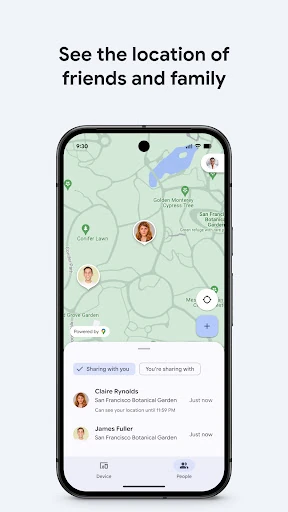
Live location sharing broadens the app’s purpose in a different direction. I can share my location to coordinate a meetup or let a friend or family member check that I got home safely. I appreciate that this is framed around ordinary coordination. It is a separate use from locating my own devices, and users can decide whether it fits their plans.
A Simple Sharing Routine
For a meetup, I would use location sharing as a practical aid when describing where I am would be awkward. In a busy public place, seeing a live location can help two people find each other without a string of back-and-forth messages. For a family check-in, the same feature can be useful when someone wants to share their journey or arrival with people they trust.
The best version of this routine is specific and agreed on. I would talk about sharing before depending on it, and use it for the meetup or check-in at hand rather than assuming everyone wants their location shared all the time. Find Hub supports the coordination; it does not replace the simple courtesy of asking first.
Keep the Limits in Mind
Find Hub is only as useful as the devices and accessories it can work with. The description covers phones, tablets, headphones, and other accessories, but it does not mean every item a person owns will appear. Its offline map capability is helpful, but I would not confuse that with having every locating or security action available under every condition.
Location sharing also requires a comfortable level of trust between the people involved. Some users will find it convenient; others will prefer to coordinate by message or call. The app includes strong-sounding actions such as erasing a device, so I would treat those as consequential options rather than casual taps. Overall, it is most compelling when its tools match a real need and the people using them are comfortable with the arrangement.
Google’s Find Hub is a useful combination of device locating, remote security options, and voluntary location sharing. I like that it covers both the frantic search for a nearby phone and the more deliberate job of coordinating with someone. Its value depends on compatible devices and whether location sharing fits the people involved.
I would recommend it to Android users who want a practical place to find supported devices and items, or who would use live location for meetups and check-ins. If neither need applies, there may be little reason to make it part of a routine. For everyone else, its focused set of tools is easy to understand.
Find My Device Frequently Asked Questions
What is Google’s Find Hub used for?
Google’s Find Hub helps locate a phone, tablet, headphones, and other supported accessories on a map, including when they are offline. It can play a sound on a nearby lost device and offers remote security actions, including securing or erasing a device. It also lets users share a live location with friends or family for meetups and check-ins.
Which devices and platforms support Google’s Find Hub?
Google’s Find Hub is an Android app, and it can also be used on supported Wear OS devices. Its described locating features cover phones, tablets, headphones, and other accessories. Whether a particular device or item is supported can vary, so it is worth checking the Google Play details and the device’s compatibility before relying on it.
What Android version does Google’s Find Hub require?
The minimum Android version can vary or may depend on the device. Check the Google Play entry for Google’s Find Hub for the current compatibility information that applies to your phone or tablet. The app’s version itself is listed as varying with the device, so the store is the best place to check before installing.
Does Google’s Find Hub cost money?
Google’s Find Hub is free to download and does not include in-app purchases or ads. Store details can change over time, so it is sensible to check Google Play for current information before installing. The app’s core described uses include finding supported devices and items, remote actions for a lost device, and live location sharing.
Is Google’s Find Hub a good fit for me?
It may suit Android users who misplace their devices or want to share a live location with friends or family for a specific plan. It may be less useful if you do not have compatible devices or prefer not to share location. The sharing feature is optional, and the app’s usefulness depends on your devices and the way you want to use it.
Pros
- Combines map-based device finding with a sound option for locating nearby items.
- Includes remote security actions and a custom lock-screen message for a lost device.
- Supports live location sharing for meetups and family check-ins.
- Free to download, with no in-app purchases or ads.
Cons
- The available locating features depend on compatible devices and accessories.
- Live location sharing may not suit people who prefer to keep location private.
- The minimum Android requirement should be checked for the specific device.
- Category
- Tools















