FAST Speed Test
- 50.03K
- 4.2
- Installs
- 10.00M
- Price
- Free

Screenshots
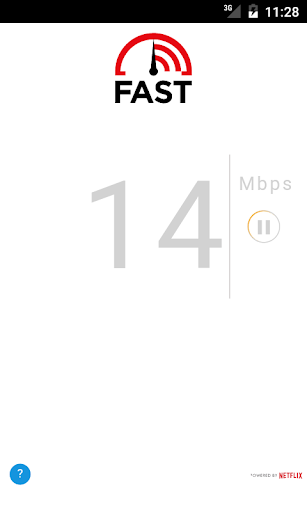
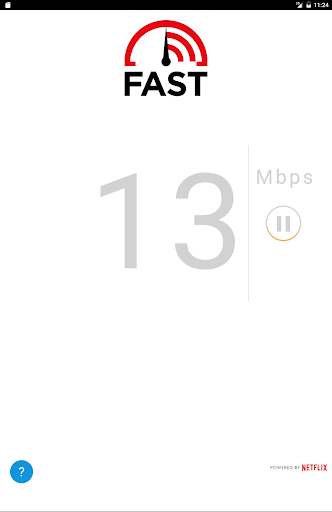
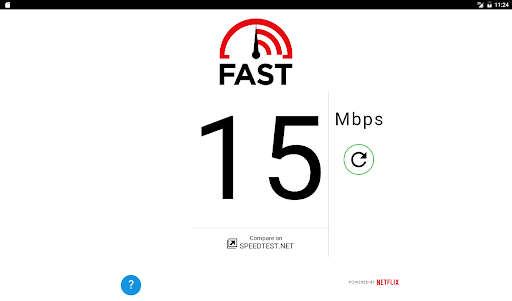
Analysis by Reviewed APKs
FAST Speed Test is a straightforward way to check how quickly your internet connection can download data, whether you’re on mobile service or broadband. I’d recommend it to anyone who wants a quick reality check before streaming, working, or troubleshooting a sluggish connection. My overall take is that it does one small job with very little fuss, which is exactly what makes it handy.
A Quick Connection Check
When I first opened FAST Speed Test, I liked that its purpose was immediately clear: check the speed of the connection I’m using. That makes it easy to reach for during an ordinary moment, like waiting for a video to load or wondering whether the Wi-Fi is the reason a download feels slow. I can run a check and get a number without first learning a complicated set of tools.
I’d use it in the same place where the connection is giving me trouble, then compare that result with a check somewhere else or at another time. That is a practical way to get a sense of whether performance changes with location or circumstances. The app is about download speed, so it gives me one useful piece of context rather than a complete diagnosis of every internet problem.
A Focused Alternative
Compared with a broad network utility, FAST Speed Test feels deliberately narrow. Its stated job is to show how fast an internet connection is, and the streamlined design keeps that check approachable. I appreciate that focus when all I want is a quick answer, rather than a collection of settings or tools to explore. It suits casual checks as well as the occasional moment when a connection seems unusually slow.
That simplicity also defines what it is not for. I wouldn’t treat a speed result as a full explanation of why a particular app, website, or device is struggling. FAST checks download speed; it is not presented as a general troubleshooting guide or a way to manage a broadband account. If I needed broader network information, I’d look for a tool designed for that instead of expecting this one to do everything.
Make Checks More Useful
A single result is most useful when I remember what I was doing and where I was when I took it. If the connection feels different later, I can run another check under those conditions and compare the numbers. I’d keep the comparison simple: same general place, similar time of day, and the same kind of connection when possible. That makes the result easier to interpret without turning a quick check into a project.
I’d also avoid running a test just to collect numbers without a question in mind. Before starting, I might ask whether I’m checking mobile service or broadband, or whether I’m trying to understand a slow download. FAST’s pared-back approach works well for that kind of occasional habit. It helps me check a practical hunch, while leaving the actual decision about what to do next to me.
More From Our News Desk

Zoom Meetings, Google Meet, or Teams: Which Is Easiest to Join?

How I Build a Free Streaming Lineup With Tubi

Why Crunchyroll Is the Default Anime App for So Many Fans

YouTube TV: A Practical Guide to Cutting Cable

Rummikub and the Small Comfort of Phone Games

TeamViewer Remote Control or AnyDesk for Helping Family?
Who May Find It Useful
I’d recommend FAST Speed Test to people who want a quick, uncomplicated look at their internet download speed. It can be useful at home when broadband feels sluggish, or while out when I want to check a mobile connection. The straightforward design should appeal to anyone who prefers a clear result over a busy interface, especially if speed checks are occasional rather than part of a detailed network-monitoring routine.
It may be less suitable for someone looking for a full suite of diagnostics or a detailed explanation of network performance. The app’s stated focus is checking download speed, so I wouldn’t choose it on the assumption that it manages connections or solves technical issues. For everyday curiosity and a quick point of reference, though, its limited scope is a strength rather than a drawback.
FAST Speed Test is an Android app from Netflix, Inc. It is free to download, has no in-app purchases, and contains no ads. On Google Play, it has a 4.2-star rating from about 50,000 ratings and over 10 million installs. Its content rating is Everyone.
The current version shown in the provided app details is 1.2.1. FAST Speed Test was released on August 9, 2016, and was last updated on October 26, 2023. The Android version requirement is worth checking on Google Play, since device compatibility details can vary.
A Small Tool for Everyday Speed Checks
A Clear First Impression
When I first opened FAST Speed Test, the most reassuring thing was how little there was to figure out. The app is built around checking internet speed, and its streamlined presentation helps keep that central task in view. I didn’t feel as though I needed to navigate a long list of options before getting to the point. For a utility I might open for a few seconds, that matters.
The first impression is practical rather than flashy. I can imagine using it when a connection seems off and then closing it once I have a result. The description says it can be used with mobile or broadband connections, so the same basic check has a place at home or away. It is an easy app to understand even if I only bring it out now and then.
The Everyday Check
In day-to-day use, the appeal is the short path from wondering about a connection to checking its download speed. If a video takes longer than expected to start, or a download seems sluggish, I can use FAST as a quick reference rather than guess entirely. The result gives me a concrete number to consider, though it does not by itself tell me what caused the experience.
I’d use the app on the connection I’m actually trying to understand. A check on mobile service answers a different everyday question from a check on home broadband, so keeping that context in mind makes the result more useful. The simple format suits quick checks between other tasks, without asking me to make speed testing a regular commitment.
Simplicity Stands Out
FAST’s strongest supported feature is its uncomplicated focus on download speed. The app is described as a quick way to see how fast an internet connection is, and its streamlined design is meant to make the result easy to understand. I like that the core appeal is not buried under claims of complex analysis. For a basic check, clarity is more valuable to me than a long list of technical details.
Another useful point is that the app is intended for both mobile and broadband connections. That makes it relevant to more than a single setting: I can think of it as a small utility for checking the connection in use, wherever I happen to be. The app is also ad-free, which helps preserve the uncluttered feel during a task that should take only a moment.
A Practical Testing Routine
A sensible routine starts with a reason to test. If I notice a slowdown, I’d check the connection I’m using and note the basic circumstances: whether I’m on mobile or broadband and where I am. If the same issue comes back, another check gives me a point of comparison. That is a modest habit, but it can help separate a passing impression from a result I can actually look at.
I wouldn’t overread small differences between checks. The app provides a speed result, not a full account of everything affecting a particular online activity. Instead, I’d treat each check as one snapshot and use it to guide my next question. That approach keeps FAST in its lane: a quick reference for connection speed, not a promise that every buffering moment has a simple answer.
Keep Its Scope in Mind
The main limitation is also easy to understand: FAST is focused on download speed. That makes it useful when that is the number I want, but less of a fit when I need a deeper picture of a network or a step-by-step solution to an issue. I would not expect a single speed result to explain every difference in how websites, streaming, or other online tasks behave.
It is best thought of as an occasional check rather than a monitoring system. I can use it to get a quick reading, compare results when something feels different, and move on. People who want extensive diagnostics may find the narrow purpose limiting. For everyone else, the restraint is part of the appeal: the app makes a clear promise and keeps the experience centered on it.
FAST Speed Test earns its place as a small, focused utility. It checks internet download speed on mobile or broadband connections, and its clean, ad-free approach suits quick everyday questions. I like it most as a way to replace a vague impression of slow internet with a simple result.
I’d recommend it to anyone who wants an easy speed check without a broader toolkit. If you need detailed diagnostics, this is probably too limited; if you just want a quick reference when a connection feels off, FAST keeps the job pleasantly simple.
FAST Speed Test Frequently Asked Questions
What is FAST Speed Test used for?
FAST Speed Test is used to check how fast an internet connection can download data. The app is intended for use with mobile or broadband connections. It gives you a speed result to consider when you are curious about performance, but it is focused on that check rather than presenting itself as a full troubleshooting service.
Which devices can run FAST Speed Test?
FAST Speed Test is an Android app, available through Google Play. The Android version requirement can vary with device compatibility, so check the app’s Google Play details to see whether it supports your particular device. The provided information describes mobile and broadband connections, but does not establish support for other app platforms.
What Android version does FAST Speed Test require?
The minimum Android version can vary by device and app compatibility. Check the FAST Speed Test page on Google Play for the requirement that applies to your phone or tablet. The app is an Android speed-checking tool, but the available details do not give a specific minimum version to quote.
Does FAST Speed Test cost money?
FAST Speed Test is free to download on Google Play and has no in-app purchases. It also contains no ads. Store details can change over time, so it is worth checking the app’s Google Play page for the current cost and purchase information before installing.
Who should use FAST Speed Test?
It is a good fit for someone who wants a quick, straightforward check of internet download speed on mobile or broadband. I would not recommend it as a substitute for a broad diagnostic toolkit: its stated purpose is narrower. If a simple result is all you need, that focus is likely to suit you.
Pros
- Checks internet download speed on mobile or broadband connections.
- Streamlined design makes the app’s purpose easy to understand.
- Free to download, with no in-app purchases or ads.
- Useful for quick checks when a connection seems slow.
Cons
- Focused on download speed rather than broad network diagnostics.
- A speed result alone may not explain a specific connection problem.
- Minimum Android version should be checked for device compatibility.
- Category
- Tools
- Version
- 1.2.1