Amazon Kindle: Reading App
- 4.86M
- 4.8
- Installs
- 100.00M
- Price
- Free

Screenshots
Analysis by Reviewed APKs
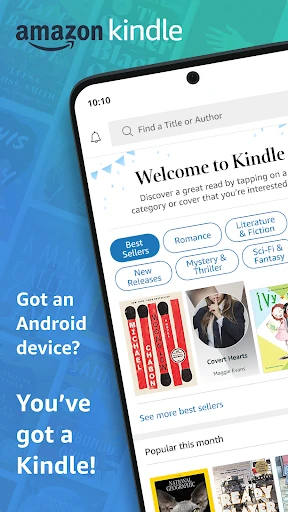
Amazon Kindle: Reading App puts a large digital reading library on an Android phone or tablet, with tools for reading, browsing books, and keeping your place across devices. I found its appeal less in replacing every kind of book and more in making a current read easy to carry through small gaps in the day. It suits regular readers who like adjustable text and a broad selection, though buying books happens through Amazon.
A book for the in-between moments
When I first opened the Kindle app, I pictured the moments when I have a few minutes to spare: waiting for an appointment, riding the bus, or winding down before bed. Instead of carrying a separate reader, I could open a book on my phone and pick up where I had left off. The app is built around that simple job: putting books and other reading material within reach on a device I already use.
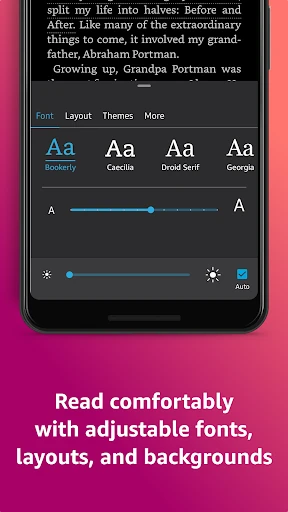
The reading controls make those short sessions feel less like squinting at a phone screen. I can change the font size, font type, margins, alignment, and page orientation, then choose a background color and brightness that suit the room. I also like being able to switch between page turns and continuous scrolling. These are useful adjustments when I move from a sunny commute to reading in a dim room at home.
A reading app, not a bookstore replacement
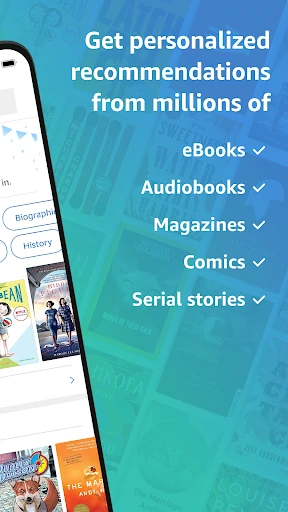
Kindle makes sense if you want a reading app connected to Amazon’s book selection, including books, magazines, newspapers, comics, and manga. It also supports samples, so you can try part of a book in the app before buying it on Amazon.com. The catalog is a major part of the experience, but the app’s strongest everyday role is reading and organizing your progress rather than serving as a general-purpose place to browse everything online.
It is not the same experience as reading a printed book or using a dedicated e-reader. A phone offers convenience, but it is still a phone with a screen and other distractions nearby. Nor is Kindle automatically a free library of every title: some reading options are tied to purchases, Prime, or a Kindle Unlimited membership. I would compare those options with your reading habits before treating the app as a way to avoid book costs.
Small habits that help
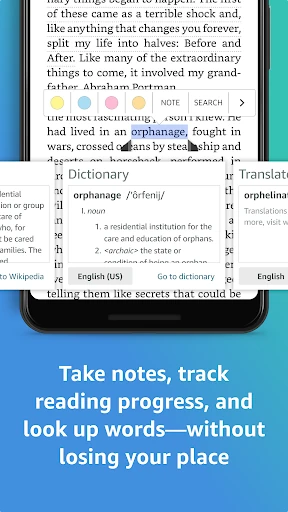
I get more from the app when I make a couple of small adjustments before settling into a book. Setting a comfortable text size and background color once saves fiddling each time I read. When a name or unfamiliar word slows me down, I can tap and hold it for a definition, translation, or other available lookup. That keeps me moving through a chapter instead of leaving the page to search elsewhere.
Bookmarks, highlights, and notes are worth using when I expect to return to a passage. The Notebook gathers notes in one place, which is handy after reading a nonfiction chapter or marking a line I want to revisit. I also pay attention to the reading-progress estimate and chapter time remaining. They help me decide whether to start another chapter during a short break or save it for later.
More From Our News Desk

Zoom Meetings, Google Meet, or Teams: Which Is Easiest to Join?

How I Build a Free Streaming Lineup With Tubi

Why Crunchyroll Is the Default Anime App for So Many Fans

YouTube TV: A Practical Guide to Cutting Cable

Rummikub and the Small Comfort of Phone Games

TeamViewer Remote Control or AnyDesk for Helping Family?
Who will enjoy Kindle
I’d recommend Kindle to people who already read digital books or want a convenient way to fit reading into a busy day. Its adjustable display, built-in word lookups, progress tracking, and cross-device syncing are practical rather than fussy. Readers who like taking notes or moving between a phone and tablet may appreciate that bookmarks, highlights, and notes can follow along with the book.
It may be a less natural fit for someone who mainly reads physical books, wants a dedicated e-reader experience, or expects every title to be included at no cost. The app offers a lot of reading material, but access can depend on whether a title is purchased or available through a membership. I’d also be cautious about choosing it solely for audiobooks: listening support is described for Kindle books that have Audible narration.
Amazon Mobile LLC develops Amazon Kindle: Reading App, which Google Play categorizes under Books & Reference. It is free to install and has over 100 million installs. Google Play shows a 4.8-star rating from around 4.9 million ratings. The app is rated Teen. Its release date is June 28, 2010, and the recorded last update is October 22, 2026.
The app contains ads and offers in-app purchases. The listed in-app item range is $1.99 to $11.99. Its current version is described as varying with the device. Google Play does not provide one minimum Android version in these app details, so compatibility is best checked for the particular device. The app’s free download does not mean that every book or membership option is free.
How Kindle fits into a reading day
Opening and getting comfortable
My first impression was that Kindle’s main promise is straightforward: bring a substantial reading collection to a phone or tablet and make the text adjustable. The reading controls are easy to understand as a group. In a book, the Aa menu is where I can change text size, font, margins, alignment, and orientation, rather than having to hunt through unrelated parts of the app.
I would set up the page for my eyes and usual reading conditions before getting far into a book. A larger font can make reading on a phone more comfortable, while different margins and orientation change how the page uses the screen. Brightness and background color are also adjustable, which is useful when the same device comes out during a bright daytime break and a quiet evening.
The day-to-day reading flow
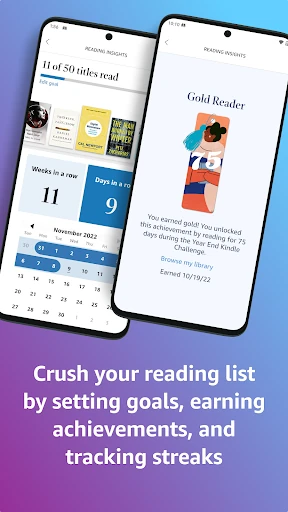
Once I am in a book, the useful details stay close to the page. Kindle can show the percentage read, real page numbers for most top titles, and an estimate of how long the current chapter or whole book may take at my reading speed. I find that kind of progress information helpful when I have only a short window and want to know whether I can finish a section.
I can mark a spot with a bookmark, highlight a passage, or add a note without turning the book into a separate research project. If I switch devices, Kindle syncs my place and carries over bookmarks, highlights, and notes. That makes it easier to read a few pages on one device and continue on another, rather than trying to remember where I stopped.
Tools beyond the page
The lookup tools are among the features I notice most while reading. Tapping and holding a word can bring up a definition, and the app also describes X-Ray, Wikipedia lookup, instant translations, and search within a book. These options give me a way to check a term or find a reference without abandoning my place. Their usefulness will depend on the book and the question I have.
Page Flip is designed for hopping around or getting a broader view of a book while saving the current place. That is more convenient than flipping through pages at random when I need to find a section again. Kindle also supports zooming in on high-definition color images in books, magazines, comics, and manga, which matters when artwork or a diagram is part of what I am reading.
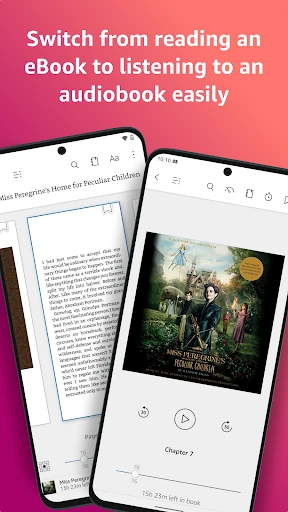
For books with Audible narration, the app can switch between reading and listening. That is a welcome option for a walk or another moment when looking at a screen is inconvenient. It applies to Kindle books with that narration support, rather than meaning every book comes with audio. The app also offers notifications when authors I follow have new releases.
A practical weekly routine
A simple routine that works for me is to choose a book, adjust the display once, and use short reading windows rather than waiting for a perfect quiet hour. On a commute or during a break, I can read a few pages and use the chapter-time estimate to judge whether I should continue. Later, I can return to the same book and pick up from the synced position if I have switched devices.
For a book I want to think about, I use highlights and notes as I go, then check My Notebook when I want to see those thoughts together. If I come across an unfamiliar person or word, I try the in-book lookup before opening another app. Small habits like these make the tools feel like part of reading, not a separate setup chore.
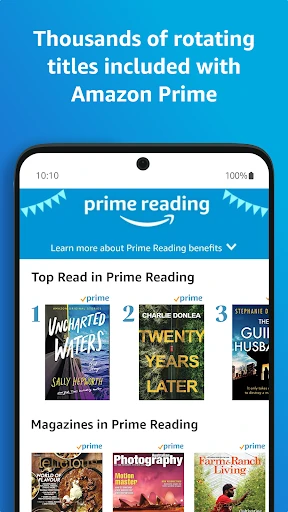
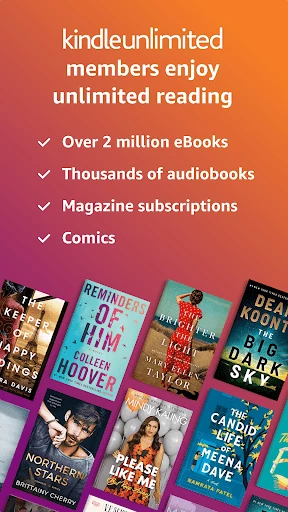
Browsing can also be part of the routine. Kindle offers samples for books before purchase on Amazon.com, so I can get a feel for a title before deciding whether to buy it. Readers with Prime or Kindle Unlimited may also find eligible material through those memberships. I would check which titles and benefits suit my own interests rather than assuming a particular book is included.
Limits to keep in mind
The app’s broad selection does not remove the cost question. Some titles are purchased, and the description points to additional reading through Prime and Kindle Unlimited. The app itself is free, but that is different from having access to every book without payment. In-app purchases and ads are also part of the practical picture, so I would look at the store details and the terms of any membership before deciding how to use it.
A phone is convenient, but it is still a small screen competing with messages and other everyday interruptions. Readers who prefer paper, or who want the feel of a dedicated reading device, may find the format less satisfying. And while the app supports listening for books with Audible narration, that does not make it a universal audiobook player. Its best fit is still people who want a flexible digital reading companion.
Amazon Kindle: Reading App is a capable choice for fitting books into everyday gaps. Its strongest points are the adjustable reading display, useful lookup and note-taking tools, and syncing that makes a book easy to continue on another device. I especially like that it offers more than a bare page viewer without making the core reading experience complicated.
I’d suggest it to readers who are comfortable with Amazon’s book ecosystem and want a flexible way to read on a phone or tablet. If you mostly want free books, dislike reading on a phone, or need a dedicated audiobook app, it may not be the right match. For everyone else, it is a practical place to keep a current read close.
Amazon Kindle Frequently Asked Questions
What is Amazon Kindle: Reading App used for?
Amazon Kindle: Reading App is used to read Kindle books and other available reading material on an Android phone or tablet. It supports adjustable text and page settings, word lookups, progress tracking, bookmarks, highlights, and notes. It can also sync reading progress and annotations across devices, and supports switching to Audible narration for Kindle books that offer it.
Which devices can run Amazon Kindle: Reading App?
The app is for Android phones and tablets through Google Play. The minimum Android version can vary by device and app compatibility, so check the Google Play store details for the phone or tablet you plan to use. Kindle also describes syncing books and reading activity across devices, which can help when you read on more than one device.
Does Amazon Kindle: Reading App cost money?
The app is free to install, but books and membership access may involve payment. The store details show in-app purchases ranging from $1.99 to $11.99 per item, and the app contains ads. Kindle describes additional reading options for Prime and Kindle Unlimited members. Prices and available titles can vary, so check the Google Play store and Amazon before purchasing.
What Android version does Amazon Kindle: Reading App require?
A single minimum Android version is not specified in the app details provided here. Compatibility can vary with the device and the current app release, so check the Google Play store page from the Android phone or tablet you want to use. The listed app version itself varies with device.
Is Amazon Kindle: Reading App a good fit for casual readers?
It can suit casual readers who want to read in short sessions and appreciate adjustable text, progress estimates, and syncing between devices. Its value depends partly on the books you want and whether they are purchased or available through a membership. It may be less appealing if you prefer printed books or expect every title to be free.
Pros
- Flexible text, page layout, brightness, and background settings make reading easier to tailor.
- Bookmarks, highlights, notes, and syncing help keep a reading routine organized across devices.
- Built-in lookups and progress estimates add useful context without leaving the book.
- Samples let readers try part of a title before purchasing through Amazon.
Cons
- The free app does not make every book or membership option free.
- A phone screen may not suit readers who prefer paper or a dedicated e-reader.
- Audible listening support applies to Kindle books that include narration.
- Category
- Books & Reference