XMEye
- 107.14K
- 3.3
- Installs
- 10.00M
- Price
- Free
Screenshots
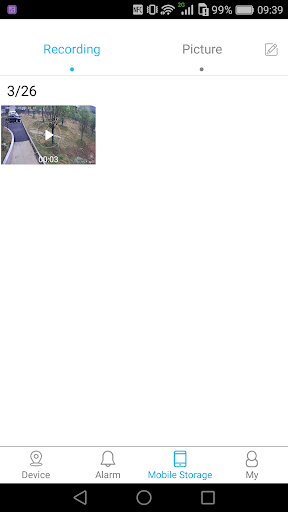
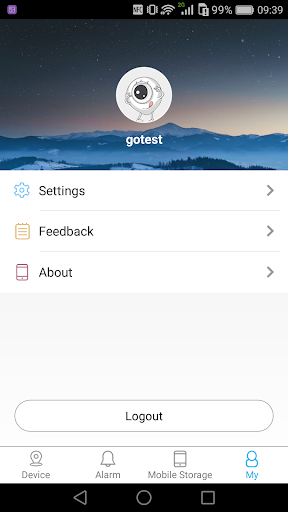
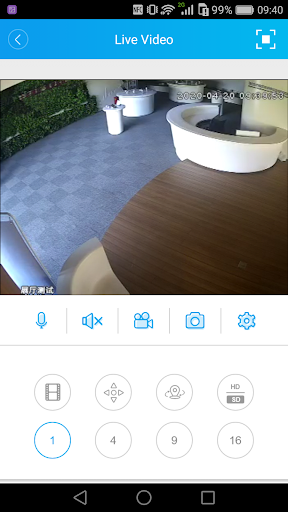
Analysis by Reviewed APKs
XMEye is a phone app for viewing live video from compatible IPC and DVR equipment. It suits someone who already has a supported camera or recorder and wants to check its feed away from the screen where the system is installed. After looking at what it is designed to do, my take is straightforward: XMEye has a focused job, and its usefulness depends heavily on having the right equipment to connect.
A quick check from elsewhere
Picture leaving home and wondering whether a delivery has arrived, or stepping away from a small workplace and wanting to check the camera view. XMEye is intended for this kind of quick remote glance. Its cloud-based connection lets you log in using a device serial number and see live monitoring video on an Android phone, then perform operations supported by the connected device.
The important step happens before that moment: you need an IPC or DVR device that works with the app. When I think about using XMEye in a daily routine, I see it as a companion to an existing monitoring setup, not a standalone camera service. The phone becomes a convenient viewing point, while the compatible device supplies the video.
A companion, not a camera
Compared with opening a dedicated monitor or returning to the recorder, XMEye offers a way to view live monitoring video from an Android phone. That is useful when you are in another room or away from the property. Its central task is device-based monitoring, with access tied to the serial number of the IPC or DVR rather than to a camera built into the phone.
That focus also sets expectations. XMEye is not a general photo or video editor, and the available information does not establish it as a way to buy cameras or create a monitoring setup by itself. If you do not already have compatible equipment, there may be little to do in the app. I would check device compatibility before making it part of a routine.
Make access a habit
The most useful habit is to get the device connection details organized before you need a live view. Since XMEye uses the device serial number for login, keeping that information accessible can make a quick check less of a hunt. I would also test the connection while near the equipment, when it is easier to confirm that I am working with the intended device.
It helps to treat XMEye as a specific tool for specific checks rather than something to open repeatedly without a reason. Decide what you want to verify, connect to the relevant equipment, and use the operations that device supports. That keeps the app’s role clear: remote access to a live monitoring view, rather than an all-purpose home-management dashboard.
More From Our News Desk

Zoom Meetings, Google Meet, or Teams: Which Is Easiest to Join?

How I Build a Free Streaming Lineup With Tubi

Why Crunchyroll Is the Default Anime App for So Many Fans

YouTube TV: A Practical Guide to Cutting Cable

Rummikub and the Small Comfort of Phone Games

TeamViewer Remote Control or AnyDesk for Helping Family?
Who will find it useful
I would recommend XMEye to Android users who already rely on compatible IPC or DVR equipment and want a phone-based way to check its live view. It makes the most sense for people who occasionally need to see what is happening when they are away from the monitoring screen. The app’s focused purpose may be a plus if all you want is a direct connection to an existing system.
It may not suit someone shopping for a complete camera setup, or anyone expecting broad tools beyond the connected device’s monitoring functions. Compatibility matters more here than a long list of phone features. If you are unsure whether your equipment will work, check the device details and current store information before relying on XMEye for an everyday task.
XMEye is an Android app in the Tools category, developed by Zhejiang JAIFY Co., Ltd. It is free to download and has ads, with no in-app purchases indicated in the provided app facts. Its content rating is Everyone. The Android version requirement is not included in the available details, so users should check the Google Play information for the requirement that applies to their device.
On Google Play, XMEye has over 10 million installs and a 3.3-star rating from around 107,000 ratings. The current version shown in the app facts is 1.6.6.4. It was released on April 24, 2014, and its last update is dated April 2, 2026. Store details can change, so it is worth checking Google Play for the latest information before installing.
What Remote Monitoring Feels Like
First steps with XMEye
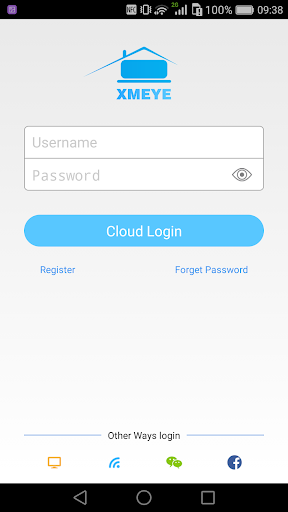
When I first consider an app like XMEye, the key question is not whether my phone has a camera. It is whether there is an IPC or DVR device to connect. The app’s stated approach uses cloud technology and the device serial number for login, so the experience begins with that existing equipment rather than with creating a new camera system inside the app.
That makes preparation the practical first step. I would have the relevant device information ready and make the first connection when I can focus on it. There is less guesswork when I can check the equipment at the same time. The app’s purpose is easy to understand, but the connection is only useful if the device is compatible.
The everyday live view
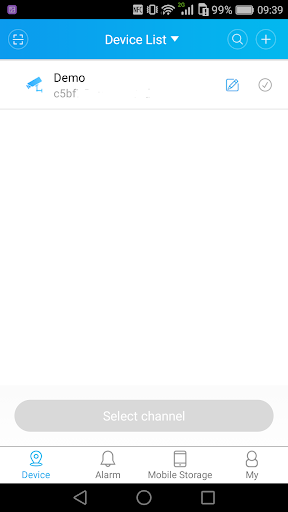
Day to day, XMEye is centered on getting monitoring video onto an Android phone. That can be handy when I am away from the place where the IPC or DVR is installed and want a live look. It is a practical change in where I can view the feed, not a change to what the camera system itself is designed to monitor.
I would use it for a purposeful check, such as confirming a view while away, then close it when I have the information I need. The app description also says users can perform operations accordingly, but those actions depend on the connected device. That makes the phone a remote point of access rather than a promise that every setup offers the same controls.
Serial-number access
The standout detail is the connection method: XMEye uses cloud technology and a device serial number to log in and show live monitoring video. That gives the app a clear relationship to the hardware. It is not simply a viewer for any video source; its role is to connect with IPC and DVR equipment that supports this approach.
I like that the basic purpose is easy to grasp. The trade-off is that the value of the app depends on the device and its supported operations. I would not assume that two different monitoring setups behave identically just because both are accessed through XMEye. The connected equipment remains an important part of the experience.
A simple check-in routine
A sensible routine would start by deciding when a remote check is actually useful. Before leaving, I would make sure I know which device I want to access and have its serial number available. Later, if I need to see the live view, I can open XMEye and log in to the monitoring equipment rather than searching for connection details in the moment.
I would keep expectations modest and use the app for viewing and operations the connected device supports. That is a more grounded way to fit XMEye into a day than expecting it to replace every part of a monitoring setup. Its clearest value is convenience: accessing a live view on a phone when I am not beside the equipment.
Compatibility comes first
The main limit is also the most important thing to check: XMEye is described for IPC and DVR monitoring, so it needs an appropriate device to be useful. The available information does not specify a minimum Android version, and the exact operations available depend on the connected equipment. I would verify compatibility in the store and with the device details before making plans around it.
The Google Play rating is 3.3 stars from around 107,000 ratings, which is a useful reminder to keep expectations practical. XMEye has a defined job, but a focused purpose does not guarantee an equally smooth experience for every setup. It is free and ad-supported, so ads are another part of the trade-off to bear in mind when deciding whether it suits your needs.
XMEye makes the most sense as a way to bring an existing compatible IPC or DVR live view to an Android phone. I like the clarity of that purpose, but the hardware connection is the deciding factor. It is not a substitute for the monitoring equipment itself, and its usefulness depends on what that equipment supports.
If you already have compatible gear and want remote live viewing, XMEye is worth considering. If you are starting from scratch or need a broader camera-management tool, I would look carefully at the device requirements first. Check the current Google Play details and confirm compatibility before building it into your routine.
XMEye Frequently Asked Questions
What is XMEye used for?
XMEye is video monitoring software for IPC and DVR equipment. It uses cloud technology and a device serial number to log in and show live monitoring video on an Android phone. The app also supports operations according to the connected device, so available actions can depend on the equipment you use.
Which phones and devices work with XMEye?
XMEye is an Android app intended to connect with IPC and DVR devices. The minimum Android version is worth checking on Google Play, where requirements can vary with app updates and device compatibility. Confirm that your particular monitoring equipment works with XMEye before relying on the app.
Does XMEye cost money?
XMEye is free to download and its provided app facts show no in-app purchases. It does contain ads. Store details can change, so check Google Play for current information about the app and any costs before installing.
Can I use XMEye without an IPC or DVR?
The app is described as monitoring software for IPC and DVR equipment, with login based on the device serial number. Without compatible equipment, its core live-view purpose may not be useful. Check your device information and the current Google Play details to confirm whether your setup is supported.
Is XMEye a good fit for every camera owner?
It is best suited to Android users who already have compatible IPC or DVR equipment and want to view monitoring video on a phone. It may not suit someone looking for a complete camera system or tools beyond what their device supports. Compatibility is worth checking in the store and with the equipment details.
Pros
- Provides a phone-based way to view live monitoring video from compatible IPC and DVR equipment.
- Uses device serial-number login for access to the connected monitoring setup.
- Free to download, with no in-app purchases indicated in the app facts.
Cons
- Its usefulness depends on having compatible IPC or DVR equipment already in place.
- The app contains ads, which may interrupt an otherwise focused monitoring experience.
- The available Google Play rating is 3.3 stars from around 107,000 ratings.
- Category
- Tools
- Version
- 1.6.6.4