We Energies
- 58.64K
- 4.8
- Installs
- —
- Price
- Free
Screenshots
Analysis by Reviewed APKs
We Energies is an iPhone app for handling everyday tasks tied to a We Energies energy account. I’d use it to check a bill, arrange a payment, keep an eye on charges, or report an outage without reaching for a computer. Its appeal is practical rather than flashy: it brings account management and outage information together in one place, though it is useful only if you’re a We Energies customer.
A bill-day scenario
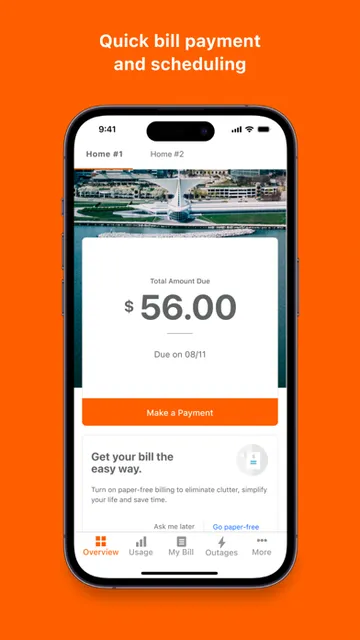
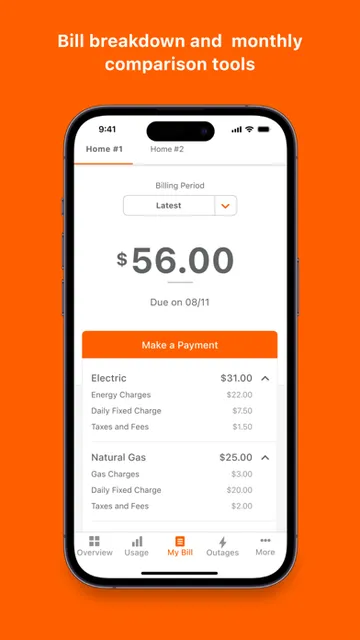
When a bill reminder arrives during a busy week, I want to know the amount and due date without digging through email or signing in on a computer. We Energies is built for that sort of quick check. I can use the app to view a bill breakdown and past bills, then make a quick payment or schedule one for a date that works for me.
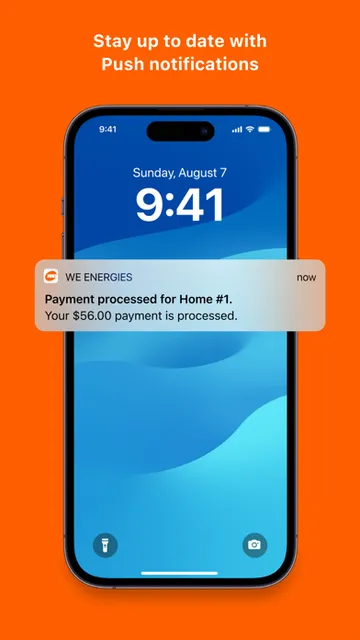
The alerts make the account feel more useful between billing cycles, too. I can receive a notice when a bill is due or a payment has arrived, and set a dollar limit alert for energy charges. That gives me a reason to open the app before there is a problem, rather than treating it as a place I visit only when a payment is overdue.
A utility account, not a hub
The obvious alternative is a web browser or a paper bill. Those can work, but the app is the more convenient choice when I want a quick account check on my phone or need to report an outage. It combines billing, payments, account preferences, and outage information, so I don’t have to treat those as entirely separate tasks.
That focus is also the main boundary. We Energies is not a general-purpose bill organizer or an energy-saving tracker; its tools are for managing a We Energies account. If I don’t receive service from the company, the account features won’t be relevant. Even as a customer, I’d still use other channels for tasks the app does not describe, rather than expecting it to replace every customer-service interaction.
Small habits that help
I’d start by turning on the billing and payment alerts I actually want, then set a dollar limit that makes sense for my household. The point is not to check the app every day. A due-date reminder and a payment-received notification can make a simple routine easier to keep, while the charge alert gives me a prompt to look at the account if costs climb.
For multiple energy accounts, I’d take a moment to find them all in the app before relying on it for a quick check. I’d also look through the bill analyzer occasionally, not just when a payment is due. Seeing the current bill alongside bill history can help me compare what I’m being charged over time, while scheduled payment is an option when I prefer to plan ahead.
More From Our News Desk

Zoom Meetings, Google Meet, or Teams: Which Is Easiest to Join?

How I Build a Free Streaming Lineup With Tubi

Why Crunchyroll Is the Default Anime App for So Many Fans

YouTube TV: A Practical Guide to Cutting Cable

Rummikub and the Small Comfort of Phone Games

TeamViewer Remote Control or AnyDesk for Helping Family?
Who will find it useful
I’d recommend We Energies to customers who want routine account tasks close at hand. It suits someone who checks a bill on a phone, prefers to schedule a payment, or wants alerts about due dates and energy charges. The outage tools add another practical reason to keep it installed: users can report an outage and check affected areas and restoration information in the app.
It may not suit someone who prefers to handle everything by phone or paper, or who does not have a We Energies account. The app’s purpose is quite specific, and that is a strength only for the right audience. If I were looking for broad household budgeting tools or information about a different utility, I would look elsewhere instead of expecting this app to cover those needs.
We Energies is developed by WEC Energy Group Inc. On the Apple App Store, it has a 4.8 rating from about 58,600 ratings. The app is free to download. Its App Store age rating is 4+.
The current version is 2.20.1. The app was released on February 15, 2021, and its most recent update was dated August 13, 2026. It requires iOS 17.6 or later, so it is worth checking your iPhone’s software version before downloading.
Making Utility Tasks Easier to Handle
A straightforward first impression
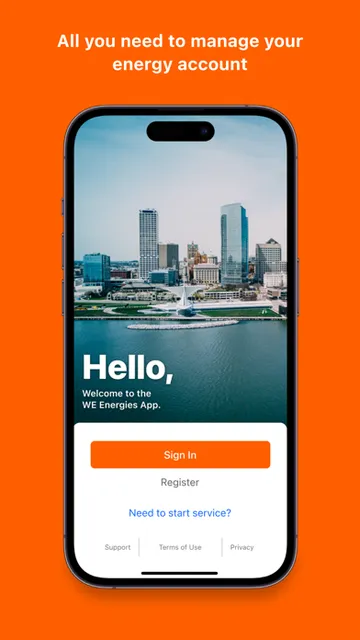
When I first opened the app, the central idea was easy to grasp: this is a place to manage a utility account and get useful account information while away from a computer. The feature set stays close to that job, with billing, payment, account preferences, and outage tools all described as part of the experience.
Before relying on it, I’d make sure I can access the account or accounts I want to manage. The app can bring multiple energy accounts together, which is helpful for customers with more than one. I’d also check that my device meets the iOS requirement. Those small setup steps matter more here than exploring a long list of unrelated features.
The everyday account routine
The day-to-day appeal is having several common tasks within reach. I can view current bill details and bill history, pay quickly, or choose a scheduled payment date and method. For someone who likes to settle a bill as soon as it arrives, quick payment keeps the process simple; scheduling is better for a routine that is planned in advance.
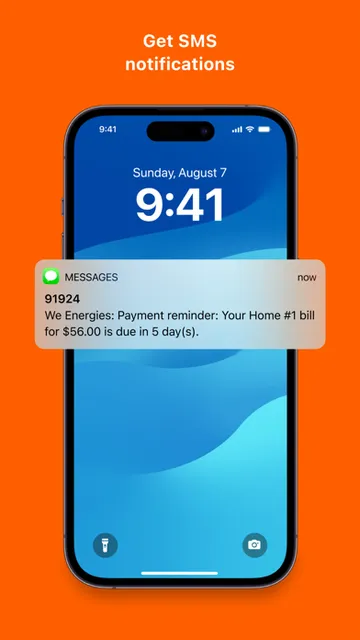
Alerts help make the app less dependent on manual checking. A due-date notice and a message when payment is received can keep a basic billing routine on track. I would still open the bill itself when I want the details, but the alerts give me a timely nudge rather than requiring me to remember to check the account.
Features with a clear purpose
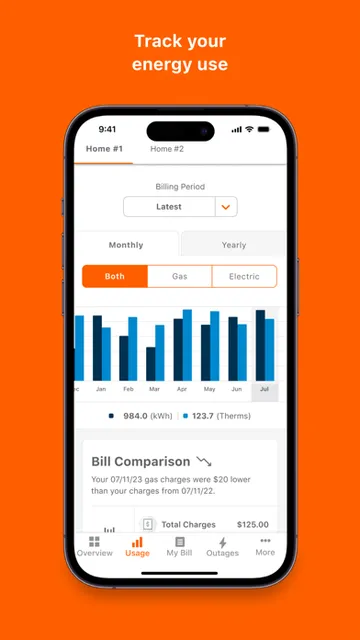
The bill analyzer is one of the more useful features for anyone who wants context beyond the amount due. It lets me see a current bill breakdown and bill history. That is a modest but practical combination: I can inspect the present charge and compare it with earlier bills without treating the app as a full household finance tool.
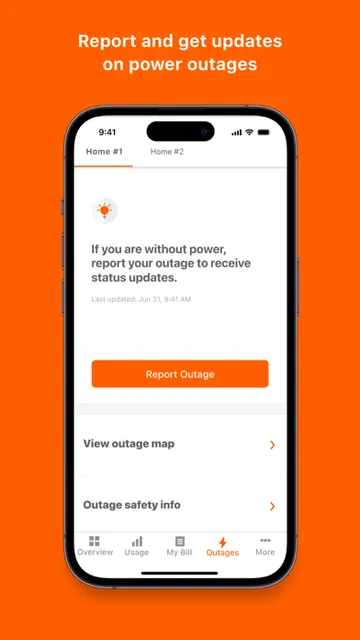
The dollar limit alert is another feature with a specific role. I can set a threshold for energy charges and get notified when they reach it. The outage tools are equally concrete: I can report an outage, view an interactive map of affected areas, and get notifications with an estimated restoration time, cause, and number of customers affected.
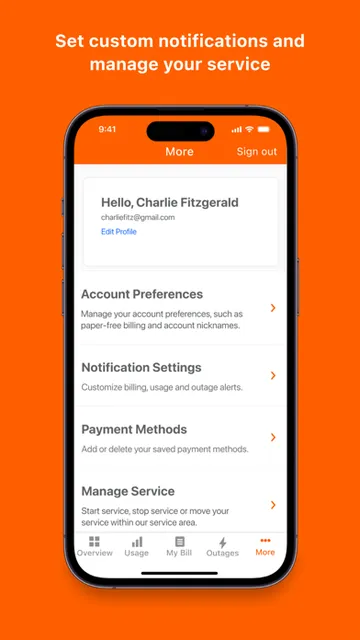
There are also payment and billing programs to sign up for, including Automatic Payment and Budget Billing. Along with account preference updates and access to multiple accounts, these features make the app useful for more than a one-time payment. They remain focused on managing the customer relationship with We Energies.
A practical weekly rhythm
A routine I’d use is to let the app handle reminders, then open it when a notification gives me a reason. If a bill-due alert arrives, I can check the bill and pay it or schedule a payment. When a payment confirmation comes through, I have a quick record that it was received without needing to revisit the account just to check.
At a quieter moment, I’d look at the bill breakdown and compare it with bill history. If I have set a dollar limit alert, I can use that as a prompt to review charges when the threshold is reached. This is not a substitute for understanding the bill, but it gives a useful structure to occasional account checks.
If the power goes out, the routine changes: I can report the outage and use the map and outage notifications to follow the information provided about affected areas and restoration. It is a helpful use case for a tool I might otherwise open only once a month, and it puts billing and outage tasks in the same app.
Keep the scope in mind
The biggest limitation is the narrow audience. The app is designed around We Energies accounts, so it has little purpose for someone served by another utility. Its feature set is also about account administration, billing, payments, and outages, not broader household planning. That is a sensible scope, but it helps to know what kind of tool this is before installing it.
The app also depends on a compatible iPhone: it requires iOS 17.6 or later. For customers with an older device or software version, that requirement may be a practical obstacle. And while payment scheduling and alerts can reduce routine effort, they do not remove the need to look over bills or keep account preferences current.
Finally, the outage information is useful as a way to check reported conditions, but it is still one part of an outage response. I would use the app for its stated reporting and status features without assuming it provides tools beyond those described. For ordinary account management, though, the features stay focused and easy to understand.
We Energies makes a good case for keeping utility tasks on a phone: it brings bill review, payment options, alerts, account preferences, and outage information together. I like that the features are practical and tied to things customers actually need to do, rather than padding the app with unrelated tools.
I’d recommend it to We Energies customers who use an iPhone running iOS 17.6 or later and want a convenient way to manage their accounts. If you are not a customer, or prefer not to handle bills on a phone, there is little reason to choose it. For its intended audience, it looks like a focused everyday utility.
We Energies Frequently Asked Questions
What is the We Energies app used for?
We Energies is for managing a We Energies account. It supports bill viewing and history, quick and scheduled payments, billing and payment alerts, account preference updates, and access to multiple energy accounts. Customers can also report an outage and use outage notifications and an interactive map to check affected areas and restoration details.
Which devices can run the We Energies app?
We Energies is available for iOS through the Apple App Store and requires iOS 17.6 or later. Check your device’s software version and the App Store page for current compatibility details before installing. It is an iPhone app, rather than a general utility service for every platform.
Does the We Energies app cost anything?
The app is free to download from the Apple App Store. The available information does not specify whether any optional in-app purchases apply, so check the App Store page for current details. The app’s payment features are for handling a We Energies bill through an account.
Can I use We Energies to report an outage?
Yes. The app includes a way to report a power outage and an interactive outage map. It also provides outage notifications with information such as estimated restoration time, cause, and the number of customers affected. The app is intended for We Energies customers and their energy accounts.
Is the We Energies app a good fit for me?
It is a good fit if you have a We Energies account and want to manage bills, payment options, alerts, or outage information on a compatible iPhone. It may not be useful if you use another utility or prefer paper and phone-based account management. Check the App Store page for current device compatibility and app details.
Pros
- Combines bill details, payment options, account preferences, and outage tools in one app.
- Scheduled payments and due-date alerts can support a more consistent billing routine.
- Bill history and charge-limit alerts add useful ways to keep tabs on energy costs.
- Outage map and notifications provide practical status information during a disruption.
Cons
- Its account tools are specifically useful to We Energies customers.
- Requires iOS 17.6 or later, which may exclude older iPhones.
- The app focuses on utility account tasks rather than broader household budgeting.
- Category
- Tools
- Version
- 2.20.1











