VeSync
- 38.11K
- 4.4
- Installs
- 5.00M
- Price
- Free

Screenshots
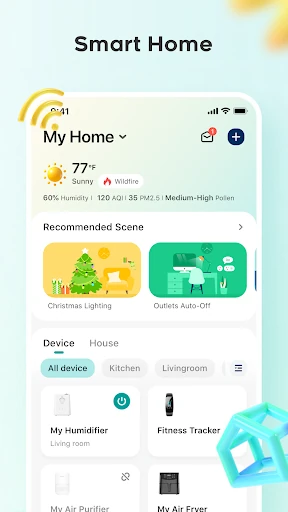
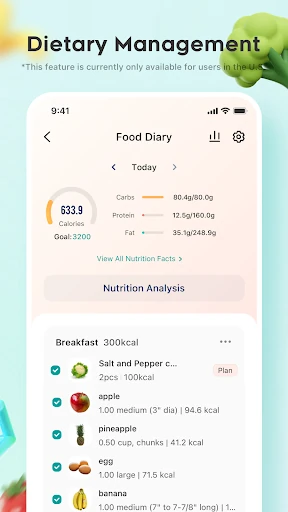
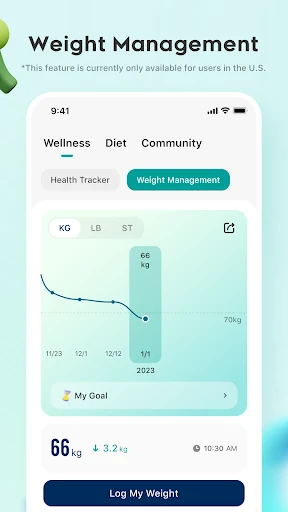
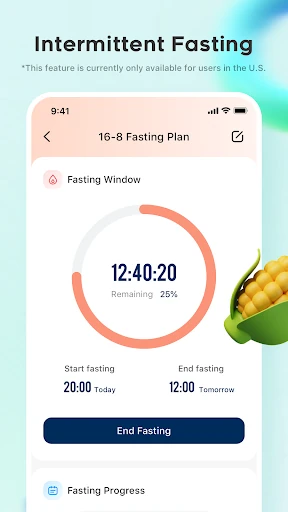
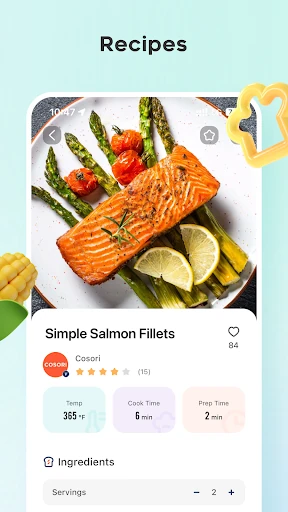
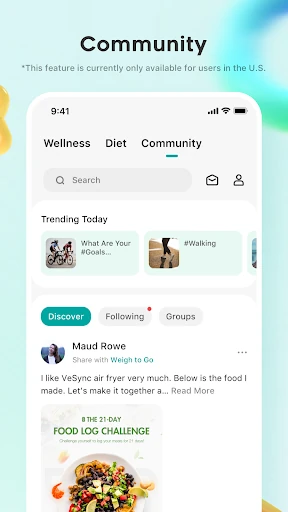
Analysis by Reviewed APKs
VeSync brings compatible smart-home devices and wellness tools into one app. I see it working best for someone who already owns supported devices and also wants a place to track meals, weight, and health data. Its range is appealing, though it makes for a broader experience than a dedicated device remote or habit tracker. My overall take: useful if you want those pieces together, less compelling if you only need one of them.
A Home Routine, In One Place
When I first opened VeSync, I thought about the small jobs that fill a normal morning: checking a connected device, making a note of breakfast, and remembering to move a little more during the day. The app is designed to bring some of those jobs together. With compatible devices connected, it can act as a place to control them, while its wellness tools cover meal planning, health data, and exercise habits.
That mix makes most sense when I treat VeSync as a companion to routines I already have, not a project that needs constant attention. I can imagine checking a device before leaving home, then returning later to log a meal or review progress toward a goal. The community offers another place to ask questions and exchange tips. The value comes from having these related activities in one app, rather than from any single feature.
Broader Than a Device Remote
A dedicated app can be simpler when I only want to control one device. VeSync takes a wider approach: it combines connected-device control with tools for weight, diet, exercise, and health data, plus an online community and a store. That breadth may suit a household using compatible products alongside personal wellness goals. It also means VeSync is not just a smart-home remote, and users looking only for one narrow function may find the extra scope unnecessary.
I would not treat it as a replacement for every health, food, or home app I use. Its described tools support tracking and habit building, but the app does not claim to provide professional health guidance. Nor should I expect every product or feature to work everywhere: compatible devices are required, and regional availability can differ. For someone starting from scratch with no supported hardware and no interest in wellness tracking, a more focused app may be a better fit.
Small Habits That Help
VeSync is likely to be more useful when I give it a steady, light-touch role. I can make meal tracking part of the same moment I plan what to eat, and check health data when I already review my goals. Linking a device to the app can make its controls easier to reach later. The point is not to record every detail perfectly; it is to build a routine I can keep up with.
I would also make a habit of checking whether the device and app are up to date, since VeSync recommends the latest app version and current device firmware for the best experience. If I use the community, I can keep questions specific and report content that appears illegal, as the app asks users to do. These small steps help keep the app practical without turning a simple routine into another time-consuming task.
More From Our News Desk

Zoom Meetings, Google Meet, or Teams: Which Is Easiest to Join?

How I Build a Free Streaming Lineup With Tubi

Why Crunchyroll Is the Default Anime App for So Many Fans

YouTube TV: A Practical Guide to Cutting Cable

Rummikub and the Small Comfort of Phone Games

TeamViewer Remote Control or AnyDesk for Helping Family?
Who May Find It Useful
I would recommend VeSync to people who own compatible connected devices and like the idea of pairing home controls with wellness tracking. It may be especially convenient for someone who already wants to plan meals, monitor health data, and build exercise habits, but prefers not to keep every related activity in a separate place. The community and store are additional parts of the package for users who want to explore those options.
It may not suit someone who wants a highly focused app, dislikes entering personal wellness information, or has no compatible devices to connect. The app’s range is its main appeal, but also its main compromise: home management and health habits are different needs, and not every user will want both under one roof. I would check device compatibility and feature availability in my region before relying on VeSync for a particular routine.
VeSync is a Lifestyle app from Vesync. On Google Play, it has more than 5 million installs and a 4.4-star rating from about 38,000 ratings. It is rated Everyone. The app first appeared on September 29, 2017, and its listed version is 6.0.10.
VeSync is free to download on Google Play. The supplied app details say it contains no ads and offers no in-app purchases. Its latest listed update date is October 29, 2026. The Android version requirement is not included in the available details, so check the Google Play page on your device for the current compatibility information.
How VeSync Fits Into Everyday Routines
First Look and Setup
My first impression is that VeSync is trying to be a hub rather than a single-purpose tool. The starting point is connecting compatible home devices through the app. That makes setup dependent on what products I own, rather than something I can fully assess before choosing hardware. The app also presents wellness tracking and community support as parts of the same broader experience.
I would begin with one clear goal: connect a supported device or decide which wellness habit I want to track. Starting small helps me understand whether VeSync fits my routine before I explore the store or community. The app recommends keeping both the app and device firmware current. Some products and features may not be available in every region, so it is worth checking compatibility before building a routine around one.
Daily Use
In daily use, VeSync has two distinct roles. One is practical home control: connected devices can be managed through the app, including when I am away from home. The other is personal tracking, with options to plan a diet, record meals and health data, and exercise regularly. Whether I use one side or both depends on my devices and how much tracking I want to maintain.
I would keep the routine modest. A quick check of a connected device can fit naturally into a morning or evening, while meal and health entries make more sense when they are already on my mind. That approach avoids turning the app into a checklist I resent. VeSync is intended to support healthy habits, but consistency still depends on choosing manageable actions and returning to them over time.
More Than Controls
The wellness side is what makes VeSync feel broader than a standard device companion. It brings together diet planning, meal tracking, health data, and exercise habits. For someone who likes seeing home routines and personal goals in one app, that combination may reduce some of the app-hopping that otherwise happens during a busy day.
There is also an online community for exchanging tips, asking questions, and seeing updates, along with a VeSync store where members can shop and access member-exclusive discounts. Those are supporting features rather than reasons everyone will need the app. I would explore them only if they fit what I already want from VeSync, rather than assuming that a community or store is essential to controlling a device.
A Practical Weekly Rhythm
A useful way to try VeSync is to attach it to moments that already exist. I might check a connected device as I leave home, then use a meal-planning moment to record what I ate or think about the next day. If I am working toward an exercise habit, I can return to the app as part of a regular check-in instead of opening it repeatedly without a purpose.
Once a week, I would review whether the app is helping or simply adding extra steps. If the device controls are useful but I am not using the wellness tools, I can keep the focus on home management. If tracking is the main draw, I can concentrate on that instead. VeSync does not require every part of its offering to become part of my routine.
Limits to Keep in Mind
The biggest practical limit is compatibility. VeSync requires compatible devices for its connected-home features, and its description says availability can vary by region. That means the app’s range on paper does not guarantee that every product or feature will be available to every user. I would check the specific device and regional support before relying on it to manage an important part of my home routine.
The app also asks users to handle several different kinds of activity in one place. Some people may appreciate that; others may prefer a dedicated wellness tracker or device app with a narrower purpose. Health and diet tracking can take regular effort, too, and the app’s description does not make that effort disappear. I see VeSync as a flexible companion, not an automatic shortcut to better habits.
VeSync’s strongest point is its combination of connected-home control and wellness tools. If I own compatible devices and want to track meals, health data, or exercise habits alongside them, its all-in-one approach has a clear everyday purpose. The community and store add breadth, although they will matter more to some users than others.
I would try VeSync if its supported devices match my home and I genuinely want its tracking tools. I would skip it if I only need a simple one-device remote or want a dedicated health app. Before settling in, I would check device support and regional availability, then build a routine around just the features I expect to use.
VeSync Frequently Asked Questions
What is the VeSync app used for?
VeSync is used to control compatible connected home devices and support wellness routines. Its described tools include diet planning, meal and health data tracking, exercise habits, and an online community for tips and questions. It also has a store. The features you can use depend in part on compatible devices and regional availability.
Which phones and devices can run VeSync?
VeSync is available on Android through Google Play. The Android version requirement is worth checking on its Google Play page, since it can vary with app updates and device compatibility. Connected-home controls require compatible devices, and some products or features may not be available in every region.
What Android version does VeSync require?
The available app details do not give a minimum Android version. Requirements can change as the app is updated and may depend on the device, so check the Google Play page from the phone you plan to use. That is the best place to confirm current compatibility before installing.
Does VeSync cost money or include purchases?
VeSync is free to download on Google Play. The supplied details say it contains no ads and does not offer in-app purchases. The app description also mentions a store and member-exclusive discounts; product availability and any purchase terms are worth checking in the app or store.
Is VeSync a good fit for everyone?
VeSync is a stronger fit for people with compatible devices who also want wellness tracking in the same app. It may be less useful if you want only a simple remote, prefer a dedicated tracker, or do not have supported hardware. Check compatibility and regional feature availability before depending on it for a particular use.
Pros
- Combines compatible device control with meal, health data, and exercise tracking.
- A community offers a place to ask questions and exchange tips.
- Free to download, with no ads or in-app purchases listed.
- Can support routines at home and personal wellness goals in one app.
Cons
- Connected-home controls depend on compatible devices and regional availability.
- Its broad mix of features may feel unnecessary to users with one simple need.
- Meal and wellness tracking still require regular effort from the user.
- Category
- Lifestyle
- Version
- 6.0.10











