V720
- 21.36K
- 3.2
- Installs
- 5.00M
- Price
- Free

Screenshots
Analysis by Reviewed APKs
V720 is a phone app for viewing live and recorded video from compatible surveillance devices at home, a shop, an office, or another location. It also supports mobile alerts and equipment sharing, so it can suit people who want to check a camera feed while away or let others view it. My overall take is that it has a focused, practical job, though its modest Google Play rating is worth keeping in mind.
A quick check while away
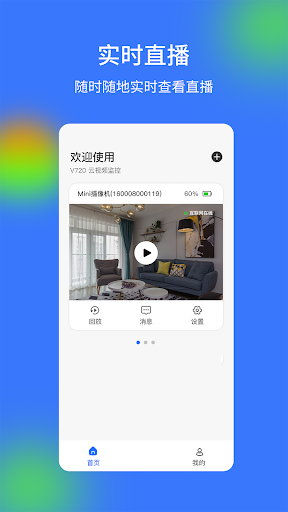
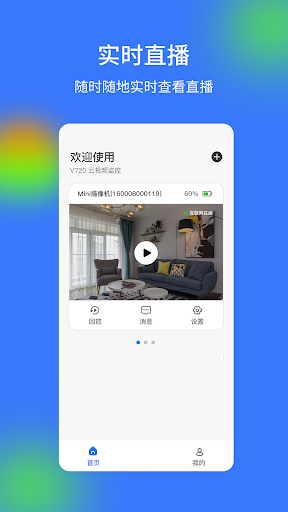
Imagine leaving your shop for the evening and wanting to check the space once you get home. V720 is designed for that kind of brief check-in: its live video function lets you view a feed from a surveillance device through your phone. I like that this is a simple, recognizable purpose. Rather than turning the phone into a general home-management hub, the app focuses on helping you look at a place you care about.
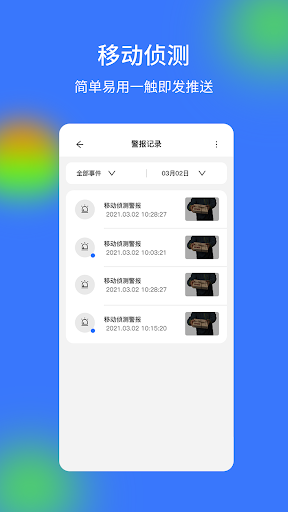
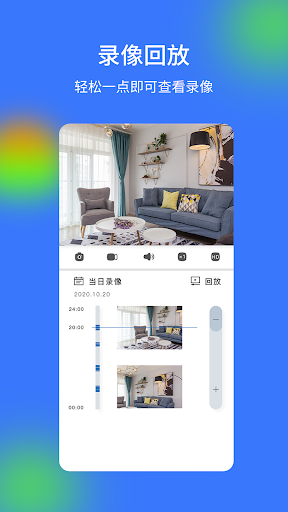
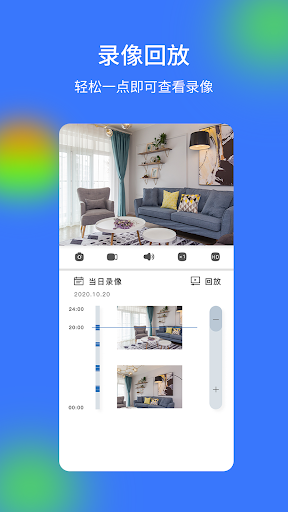
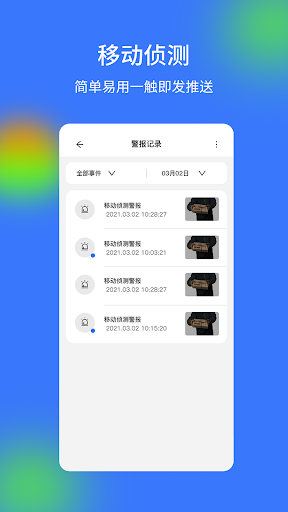
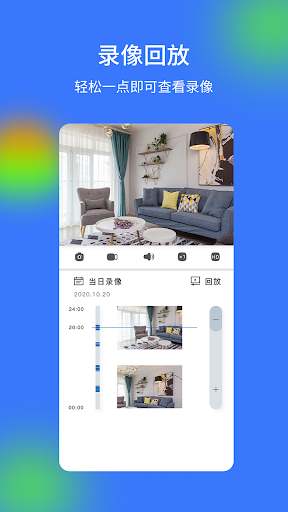
The recorded-video option matters when a live glance is not enough. If an alert arrives while you are away, you can use the app to view historical video as part of checking what happened. V720 also describes mobile alert pushes for abnormal events. Those functions make it more useful than a screen that only shows a live picture, although the experience depends on having a compatible surveillance device and usable video to view.
A focused camera companion
Compared with opening a camera’s own display or checking footage only after returning to the location, V720 puts live and historical video on a phone. That makes it a practical companion for someone who looks after a home, apartment, villa, shop, or office. Equipment sharing is another useful distinction: the app supports sharing equipment, which can help when more than one person needs access to a device.
V720 is not a general security system, a social network, or a productivity organizer. The information here describes a surveillance video client, not a service that replaces the cameras or other equipment at a property. I would think of it as a way to view and receive alerts from devices, rather than as a standalone solution for every security need. Anyone comparing options should consider whether their particular equipment works with it.
Make checking purposeful
A useful habit is to open V720 when there is a specific reason to check a location, such as an alert or a planned glance after closing up. That keeps the app’s role clear: look at the live feed when appropriate, and turn to historical video when reviewing an earlier moment. The available features support both kinds of checks, without requiring a more elaborate routine than the situation calls for.
If other people need to view the equipment, equipment sharing can be part of the initial workflow rather than an afterthought. I would also keep the app’s alerts in context: a push is a prompt to investigate through the available video, not an explanation of what happened by itself. That simple distinction makes the combination of alerts, live viewing, and recorded footage easier to use sensibly.
More From Our News Desk

Zoom Meetings, Google Meet, or Teams: Which Is Easiest to Join?

How I Build a Free Streaming Lineup With Tubi

Why Crunchyroll Is the Default Anime App for So Many Fans

YouTube TV: A Practical Guide to Cutting Cable

Rummikub and the Small Comfort of Phone Games

TeamViewer Remote Control or AnyDesk for Helping Family?
Who may find it useful
I would recommend V720 to someone who already has surveillance equipment they want to check from a phone, especially if they need both live viewing and a way to look back at historical video. The app’s stated use covers homes and business locations, so it could suit an owner keeping an eye on a property between visits. Its alert and equipment-sharing functions may also be useful when more than one person needs to stay informed.
It may not suit someone looking for a camera-free security solution, or someone who wants a broader home-automation app with many unrelated tools. The app’s Google Play rating is 3.2 from over 21,000 ratings, so I would weigh that feedback alongside whether its supported functions match your needs. If your main requirement is reliable access to a particular device, check compatibility before building a routine around the app.
V720 is listed on Google Play as a Tools app from 广州钱柜物联科技有限公司. It has over 5 million installs and a 3.2-star rating from 21,361 ratings. The content rating is Everyone. Its listed release date is December 14, 2021, and the version is shown as varying with device.
The app is free to install, contains ads, and offers in-app purchases. Listed in-app product prices range from $0.49 to $99.99 per item. Google Play gives the Android version as varying with device. The minimum Android version and a last-update date are not included in the available app details, so check Google Play for current device requirements and release information.
A closer look at everyday camera checks
First look and setup
When I first considered V720, its purpose was easy to pin down: it is a surveillance-video client, intended to connect a phone user with video from equipment at another location. That focus is helpful when you want a quick camera check rather than a sprawling set of unrelated tools. The practical first question is whether the surveillance equipment you use can work with the app.
The available description covers live video, historical video, alerts, and equipment sharing, but does not spell out a detailed setup walkthrough. I would avoid assuming a particular installation process or device configuration. In practical terms, have the relevant equipment and its access details to hand, and check the app’s store information for device compatibility and current requirements before relying on it.
The day-to-day view
The core daily experience is built around two ways of looking at a place: watching a live feed and viewing historical video. That division fits common situations. A quick live check can answer what is happening now, while recorded footage gives you a way to review an earlier period. V720’s stated role is straightforward, and that simplicity is a virtue for a tool used for occasional check-ins.
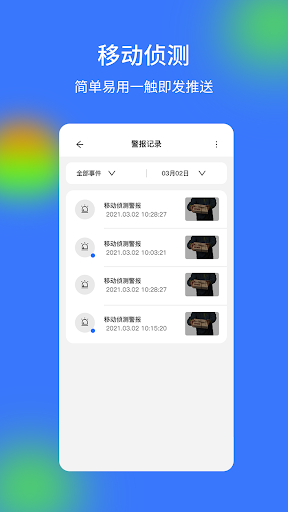
Mobile alert pushes add another reason to open the app. The description says users can receive abnormal alarms from a device and conduct a real-time survey. I would treat that as a prompt to inspect the available feed, not as a substitute for looking at the footage. The app’s practical value therefore rests on having an alert and the relevant video accessible when you need to follow up.
Alerts and shared access
The standout features are not an elaborate analytics suite; they are the straightforward surveillance functions. V720 supports live video, historical video, mobile alerts, and equipment sharing. Together, those cover the basic loop of checking a location, noticing a device alert, reviewing video, and allowing equipment to be shared. I appreciate that the feature set described stays close to the app’s central job.
The app description also mentions receiving pushes through WeChat’s official account in addition to app notifications. That gives some context for how alerts may reach users, though I would not assume every alert channel behaves identically on every device. For someone who only needs to view a camera feed, the sharing and alert options are extras; for a household or workplace, they may be part of the appeal.
A sensible checking routine
A practical routine could be to use V720 for a quick live check at a time that already makes sense, such as after leaving a shop or arriving home. If an abnormal alert comes through, open the app and use the video functions to inspect the situation. When the question concerns something that already happened, historical video is the relevant option. This keeps each feature tied to a clear purpose.
For a shared location, equipment sharing can help make access less dependent on one person being available. I would keep the routine modest rather than checking constantly: the app is intended to make remote viewing possible, not to create certainty from a glance at a screen. The useful workflow is simply to check when there is a reason, review footage if needed, and involve the people who need access.
Limits to keep in mind
V720’s functions depend on surveillance equipment that can work with it. The app description does not provide a compatibility list or explain the details of device setup, so that is the first practical limit to check. It is also a viewing and alert client, not a replacement for the equipment itself. If a particular camera or recording arrangement is essential, confirm that it fits before counting on the app.
There are also trade-offs in the store details: V720 contains ads and offers paid in-app items, even though it is free to install. Its 3.2-star rating from over 21,000 ratings suggests mixed user feedback, so I would approach it with realistic expectations and compare current reviews for issues relevant to your device. The minimum Android version is worth checking in Google Play, since it can vary with device.
V720 makes sense as a focused phone companion for people who already have surveillance equipment and want live viewing, historical video, alerts, and equipment sharing in one app. Its core job is clear, and the features described cover a useful set of everyday checks. The mixed store rating and the need to confirm equipment compatibility keep me from recommending it without qualification.
If your cameras work with V720 and remote viewing is the main thing you need, it is worth considering. If you want a broader security platform or need assurances about a specific device, compare the store details and user feedback first. I would treat it as a practical option to test against your equipment and routine, rather than a universal camera solution.
V720 Frequently Asked Questions
What is V720 used for?
V720 is a surveillance video service client for viewing live and historical video from equipment at places such as a home, apartment, shop, or office. It also supports mobile alert pushes and equipment sharing. Its purpose is to help users check video from a phone; it is not described as a general-purpose security or home-automation app.
Which phones or devices can run V720?
V720 is available on Google Play for Android devices. The Android version is shown as varying with device, and a minimum Android requirement is not provided in the app details here. Check the current Google Play page for requirements before installing. You will also want to check whether your surveillance equipment is compatible with the app.
Does V720 cost money?
V720 is free to install, but it contains ads and offers in-app purchases. The listed prices for in-app products range from $0.49 to $99.99 per item. What those purchases cover may vary, so review the current Google Play information in your region if you want details before using the app.
Does V720 work with every surveillance camera?
The app is intended to work with surveillance equipment, but the available description does not give a full compatibility list. I would not assume it supports every camera or recording setup. Check the Google Play page and any device information available to you before relying on V720 for live video, historical footage, alerts, or sharing.
Who should try V720?
V720 may suit someone who already uses surveillance equipment and wants to view live or historical video from an Android phone, receive alerts, or share equipment access. It may be a poor fit if you want a camera-free solution or a broader set of smart-home tools. Its 3.2-star Google Play rating is also worth considering.
Pros
- Combines live viewing and historical video in a focused surveillance companion.
- Mobile alert pushes can prompt a timely look at a location.
- Equipment sharing supports use by more than one person.
Cons
- Compatibility with a particular surveillance device needs checking.
- Contains ads and offers in-app purchases despite being free to install.
- A 3.2-star rating suggests some users may have concerns.
- Category
- Tools











